PHIZ Business Messaging API
Autenticação por aplicação da Central do Desenvolvedor, envio de mensagens de um Business Account para telefone ou Open ID e webhooks de mensagens e status. Inspirada na Cloud API da Meta e pensada como base da futura Marketing API.
01Resumo
Este documento propõe uma API pública para que sistemas externos (Blip, Salesforce, CRMs ou sistemas próprios do comerciante) conversem com usuários PHIZ em nome de um comerciante. A proposta tem quatro partes:
- Autenticação OAuth 2.0 (client credentials) com credenciais emitidas para uma aplicação da Central do Desenvolvedor, sob o Developer ID do comerciante, e não mais para um canal.
- Envio de mensagens para um número de telefone (E.164) ou um Open ID, em nome de um Business Account (BA) criado na aplicação. Usar um canal como remetente é opcional.
- Webhooks assinados que entregam as mensagens recebidas dos usuários e cada mudança de status das mensagens enviadas.
- A Central do Desenvolvedor PHIZ, que já existe, onde o comerciante cadastra cada sistema externo que vai usar a API (por exemplo, Blip ou Salesforce) como um app. Cada app tem
client_ide secret próprios, seus Business Accounts, assinaturas de eventos e histórico de entregas. Integrações não têm relação com Miniapps.
Os contratos de mensagem e webhook reproduzem a estrutura da Cloud API da Meta, trocando apenas os nomes do domínio. Quem já integra com o WhatsApp Business Platform adapta a integração mudando URLs, credenciais e alguns nomes de campo.
02Contexto: como funciona hoje
Levantamento feito na documentação atual (Apifox, módulo Authentication) e no Open Platform (open.phiz.chat).
Autenticação atual
O token é obtido em POST /gateway/openapi/auth com app_id, app_secret, description (obrigatório) e grant_type: "user_credentials". A resposta traz um access token de cerca de 2 horas e um refresh token de cerca de 90 dias, renovado em POST /gateway/openapi/token/refresh.
POST /gateway/openapi/auth
Content-Type: application/json

{
  "app_id": "69c37cb1821121af34201f48",
  "app_secret": "94B18B920D19463C7264BD0BDE30C31…",
  "description": "push news",
  "grant_type": "user_credentials",
  "device_fingerprint": ""
}

200 OK
{
  "code": 200,
  "msg": "success",
  "data": {
    "scope": "channel",
    "status": "active",
    "access_token": "at_1770343926041_1Y3iz6XN…",
    "token_type": "Bearer",
    "expires_in": 7199,
    "refresh_token": "rt_1770343926041_mxc7RV9…",
    "access_token_expires_at": "2026-02-06T04:…",
    "refresh_token_expires_at": "2026-05-07T02:…",
    "created_at": "2026-02-05T10:15:23.672+00:00"
  },
  "success": true
}
Onde ficam as credenciais
No Open Platform, cada canal tem a página Canal › Configuração de Desenvolvimento com AppID e AppSecret. O secret não é exibido e só pode ser redefinido. O canal também oferece, em Robô de IA, o modo de resposta “Phiz Business API”, que encaminha as conversas do canal para envio e callbacks de webhook da Business Message API.
No nível do comerciante já existem o ID do Comerciante (UUID), Gerenciamento da equipe com funções, membros e registro de operações. Esses três elementos servem de base para a nova área.
O que muda com esta RFC
Cada linha mostra como funciona hoje, por que isso atrapalha, o que esta proposta coloca no lugar e um caso de uso concreto.
| Como é hoje | Por que atrapalha | Com esta RFC | Caso de uso |
|---|---|---|---|
| Para falar com o usuário pela API, o comerciante precisa de um canal. | Quem não tem canal, ou quer falar como a própria empresa, não consegue mandar mensagem direta ao usuário. | O comerciante envia pelo seu Business Account, exibido ao usuário como a empresa. Usar o canal passa a ser uma opção. | Uma farmácia sem canal avisa a cliente Maria, pelo telefone dela, que o pedido está pronto para retirada. A mensagem chega na conversa Business Account da farmácia. |
| Cada canal tem seu próprio AppID e secret. | Um comerciante com 5 canais administra 5 credenciais, e a Blip precisa de um token por canal. | Uma credencial por aplicação, na Central do Desenvolvedor, com o próprio Business Account e acesso aos canais escolhidos. | A Loja Exemplo tem 3 canais e usa a Blip. Hoje cadastra 3 AppIDs na Blip; com a RFC, cria uma aplicação “Blip” com o Business Account da loja e marca os 3 canais. |
| “Redefinir” invalida o secret na hora. | A integração fica fora do ar até alguém atualizar o secret no sistema externo. | Dois secrets válidos ao mesmo tempo: o novo entra e o antigo continua valendo por um período (padrão 24 h). | O secret do Salesforce apareceu num log. O time gera um novo, atualiza o Salesforce à tarde e revoga o antigo no fim do dia, sem nenhuma mensagem perdida. |
O login usa grant_type: user_credentials e exige o campo description. | Ferramentas que já falam OAuth, como o Salesforce, não conseguem se conectar sem código sob medida. | OAuth 2.0 padrão (client_credentials), que essas ferramentas suportam de fábrica. | O administrador do Salesforce conecta a PHIZ em Named Credentials preenchendo só a URL do token, o client_id e o secret, sem desenvolvedor. |
| Existe um refresh token válido por cerca de 90 dias. | É mais um segredo de longa duração para guardar, sem ganho numa integração entre servidores. | Token de 1 h, sem refresh token; quando expira, o sistema pede outro. | A Blip renova o token sozinha a cada hora com o mesmo client_id e secret. Não existe refresh token que possa vencer num fim de semana e derrubar o atendimento. |
| A configuração do canal não tem tela para webhook, logs ou várias integrações. | O comerciante não consegue configurar o webhook nem descobrir sozinho por que uma integração parou. | Central do Desenvolvedor existente, estendida com apps separados para a Business API, assinaturas de eventos, histórico de entregas e logs. | As respostas dos clientes param de chegar na Blip. O comerciante abre o histórico de entregas, vê que o webhook responde erro 500 desde as 10h e, depois da correção, reenvia os eventos. |
03Referência: a experiência no WhatsApp
Esta RFC replica no PHIZ o modelo da WhatsApp Business Platform. Para que todos (Brasil e China) tenham a mesma imagem do que estamos copiando, esta seção mostra a jornada de um usuário brasileiro no WhatsApp: como cria a conta, como autoriza uma empresa, como a mensagem chega e o que pode fazer com ela. Exemplo: comerciante PicPay, usuária Ana Souza, em São Paulo.
São ilustrações, não a interface oficial do WhatsApp. O texto está em português, como o usuário vê no app. Os códigos (A2, O1, C3…) seguem o canvas de Design que deu origem a esta seção. Clique em uma imagem para abrir em tamanho real.
Caminho da mensagem
A empresa não fala direto com o WhatsApp: o sistema dela (CRM, atendimento) chama um BSP (Blip, Zenvia, Twilio, Infobip), que chama a Cloud API da Meta, que entrega no celular. Respostas, cliques e status voltam por webhook pelo mesmo caminho. No PHIZ, a PHIZ Business Messaging API ocupa o lugar da Cloud API, o Developer ID e a aplicação ocupam o lugar da WABA e o Business Account (BA ID) ocupa o lugar do número comercial (ver a equivalência na seção 06).
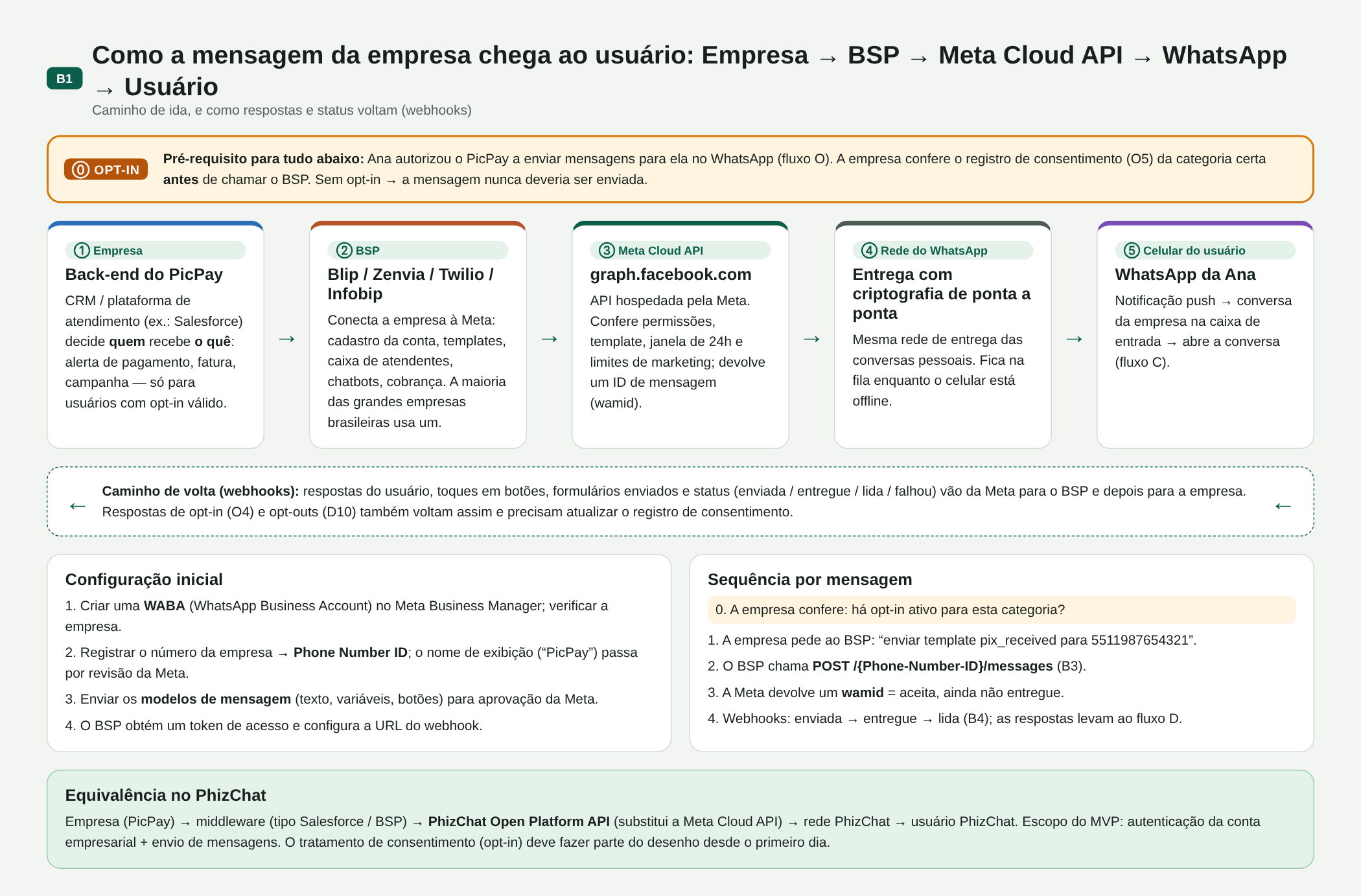
B01. Empresa → BSP → Meta Cloud API → WhatsApp → usuário, com o opt-in como pré-requisito e o caminho de volta por webhook
Cadastro do usuário
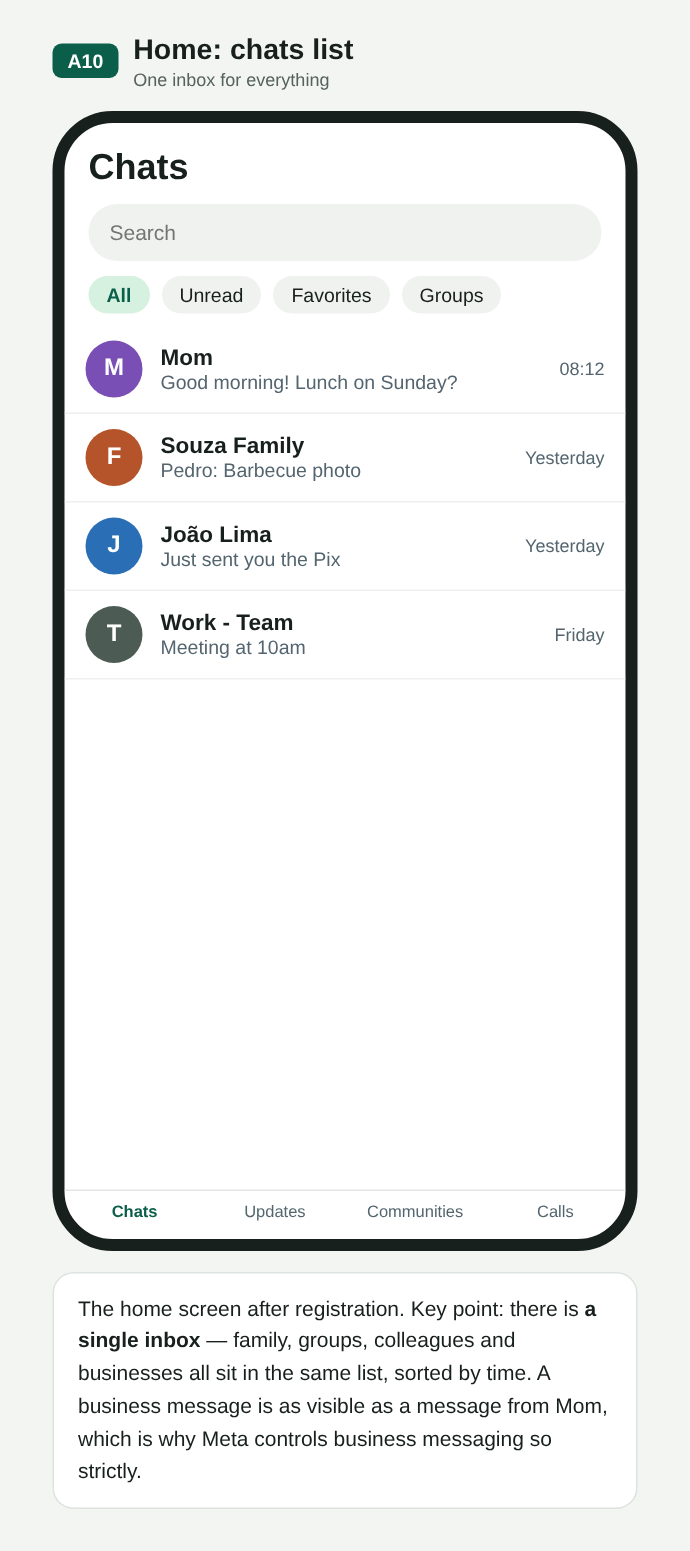
No WhatsApp, a conta é o número de telefone, verificado por SMS. Não existe pedido de amizade: quem tem o número consegue escrever. Empresas e família ficam na mesma caixa de entrada, por isso o controle sobre mensagens de empresas é rígido. Desde 2026 o WhatsApp oferece nomes de usuário e identificadores por empresa (BSUID) no lugar do telefone, o que conversa com o uso do Open ID nesta RFC.
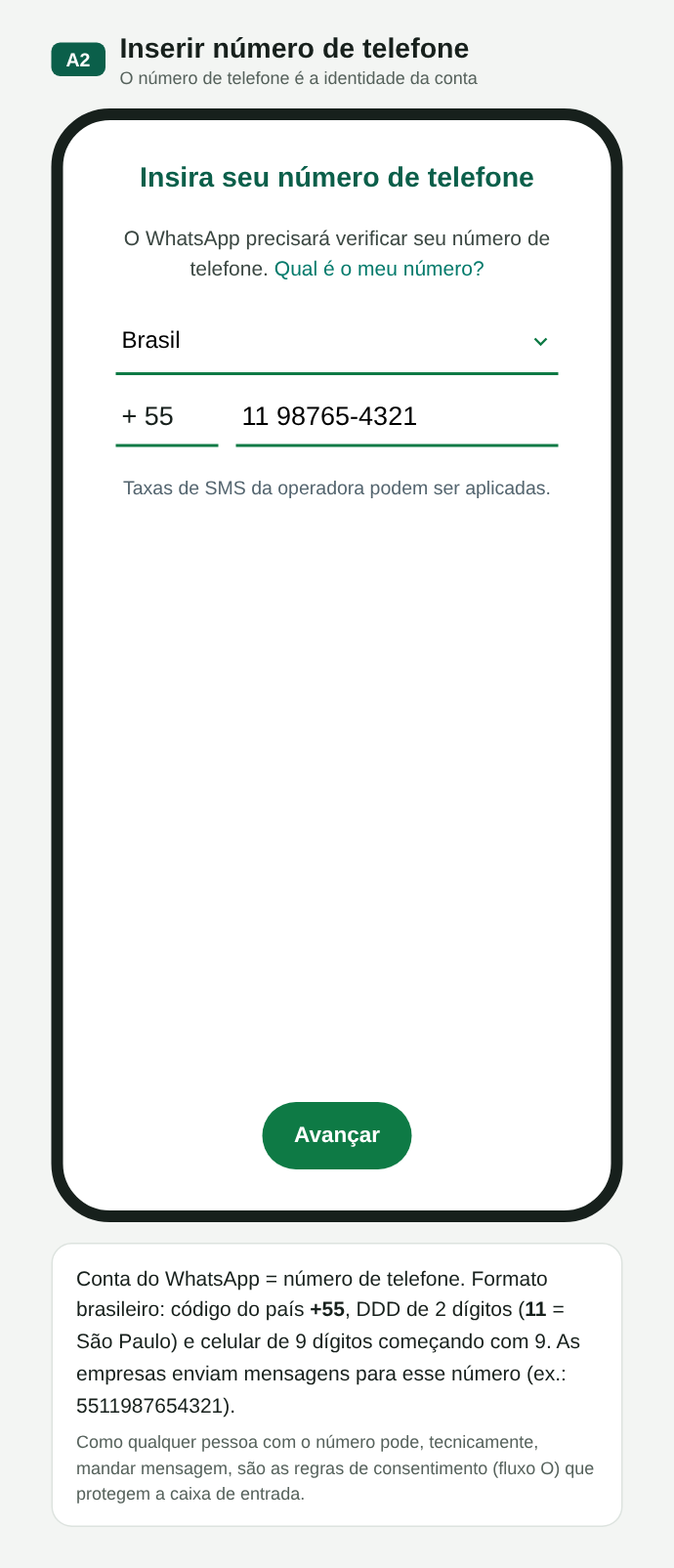
A02. Número de telefone = identidade da conta
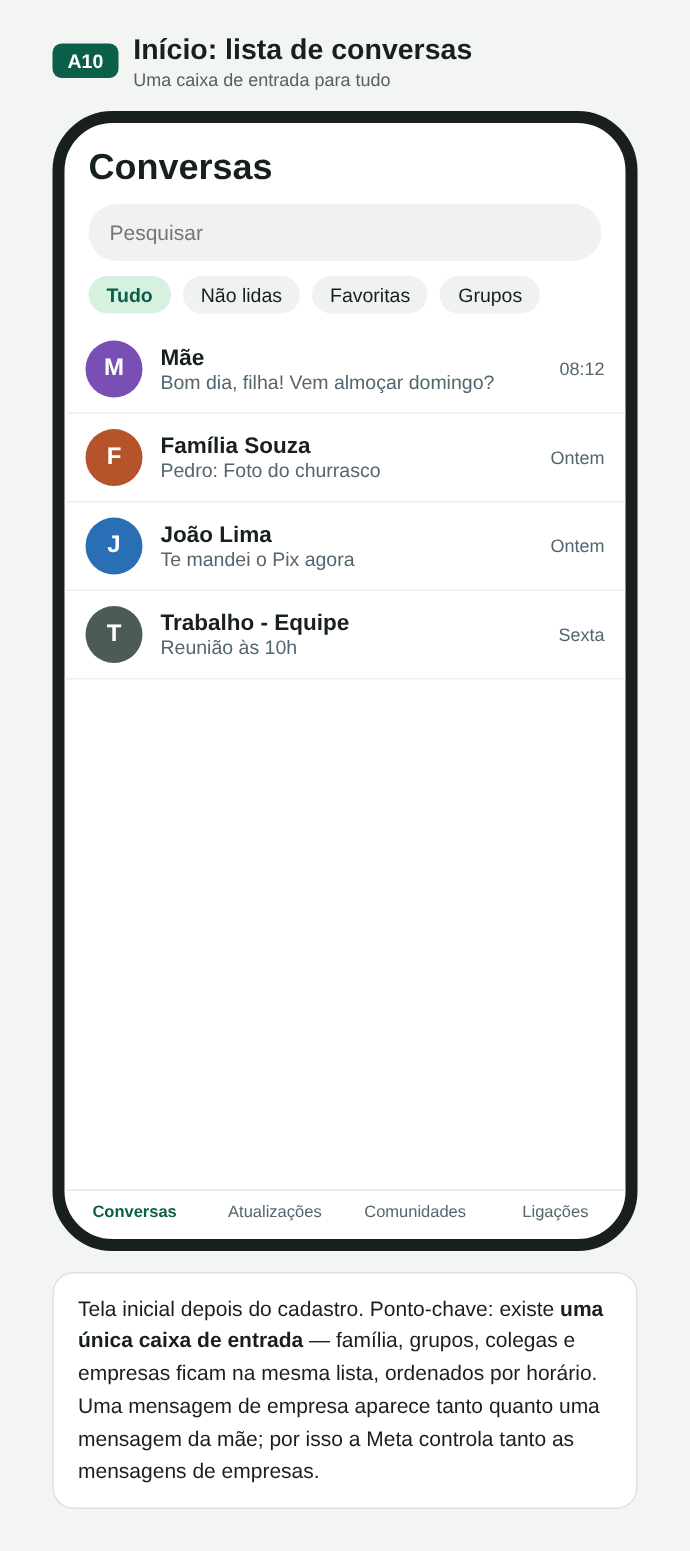
A10. Uma única caixa de entrada para tudo
Autorização do usuário (opt-in)
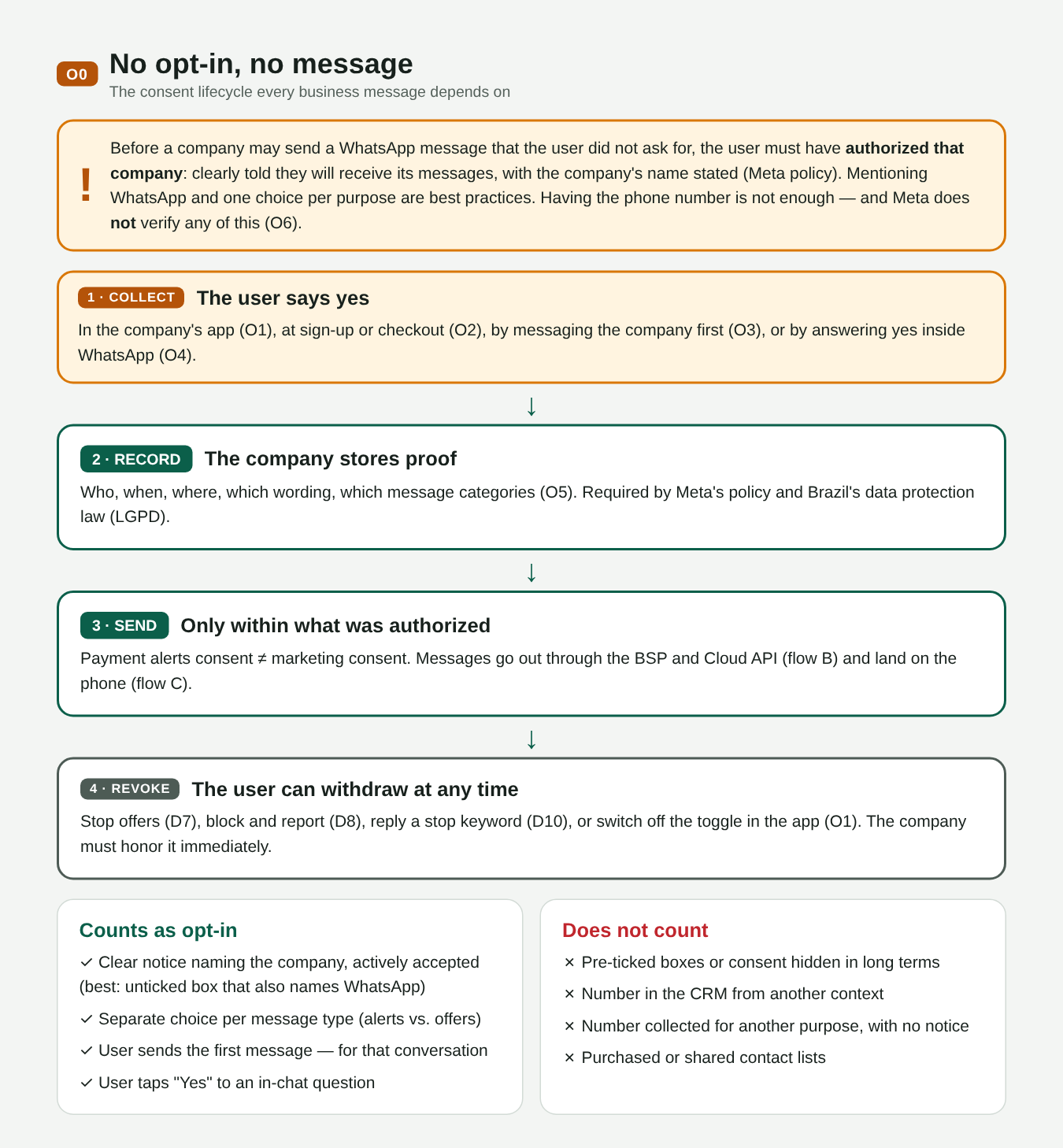
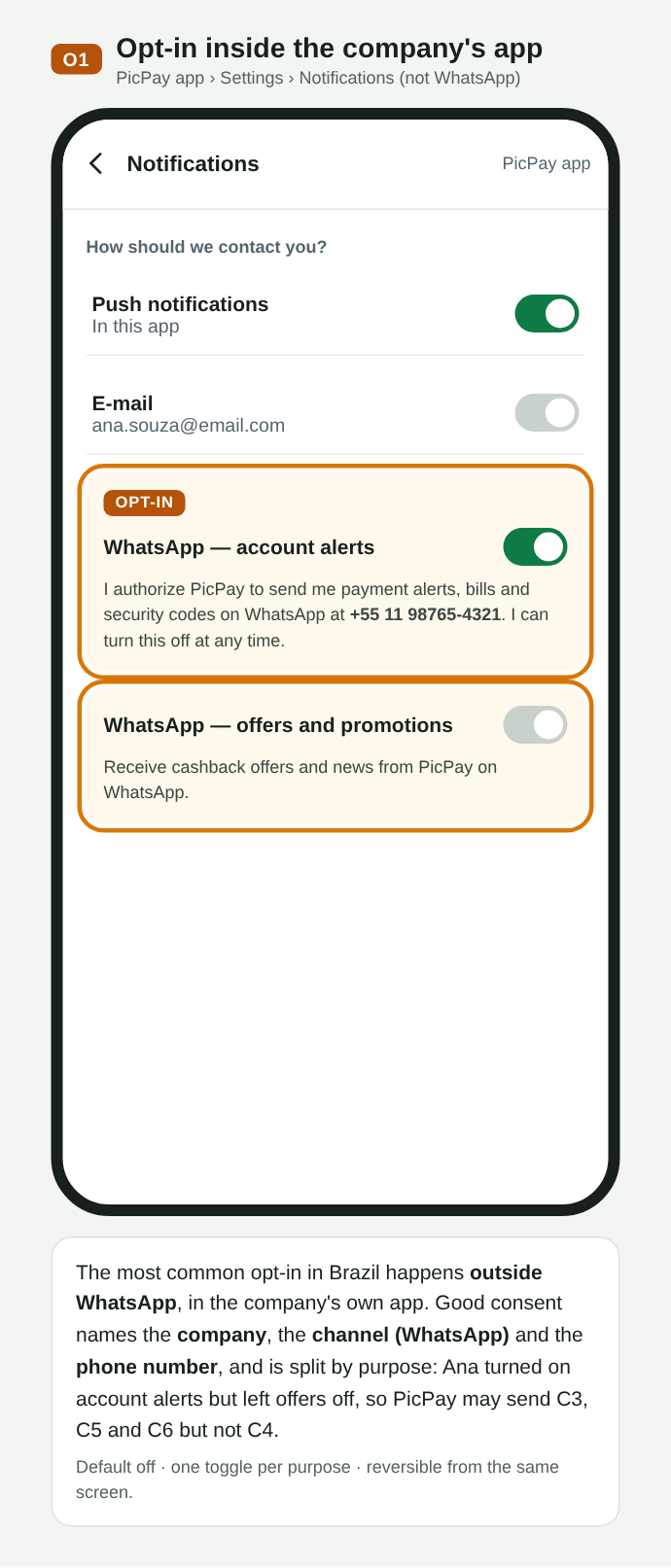
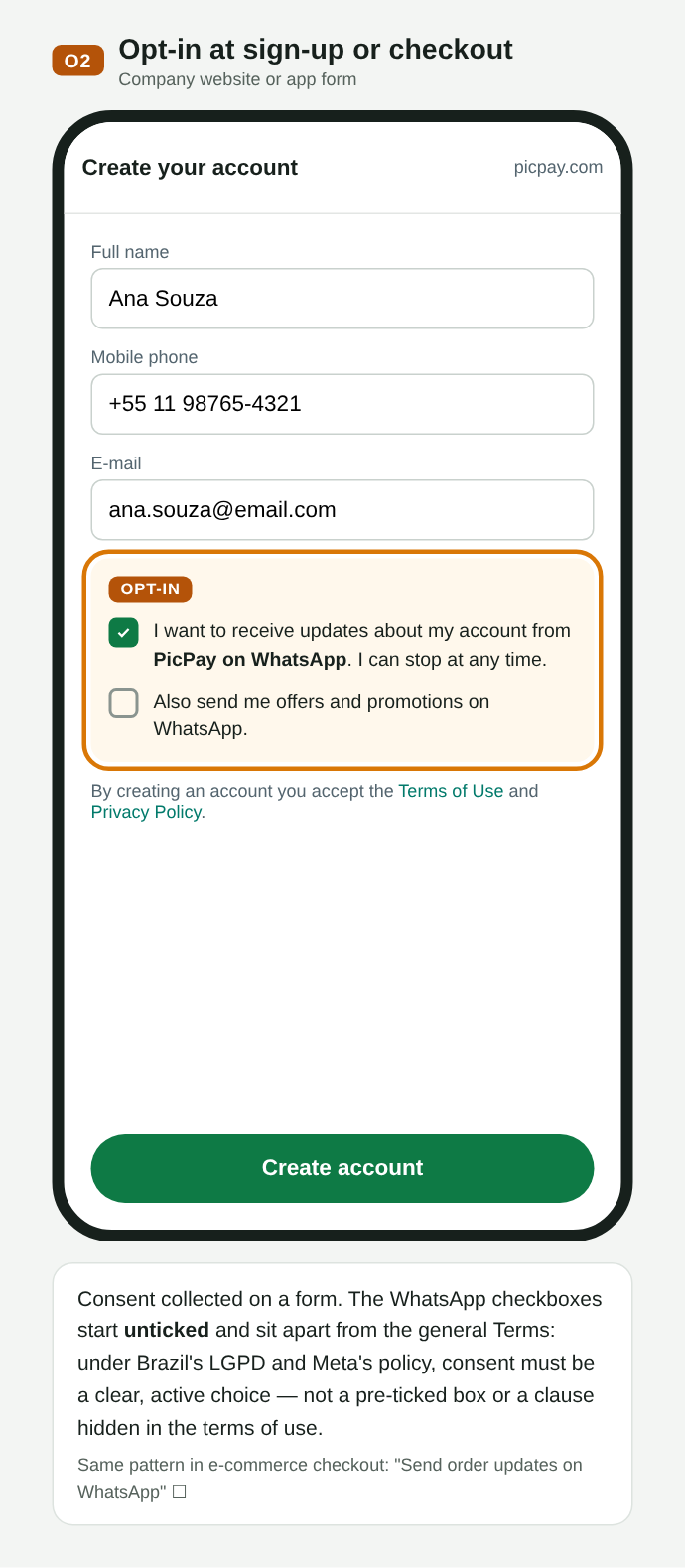
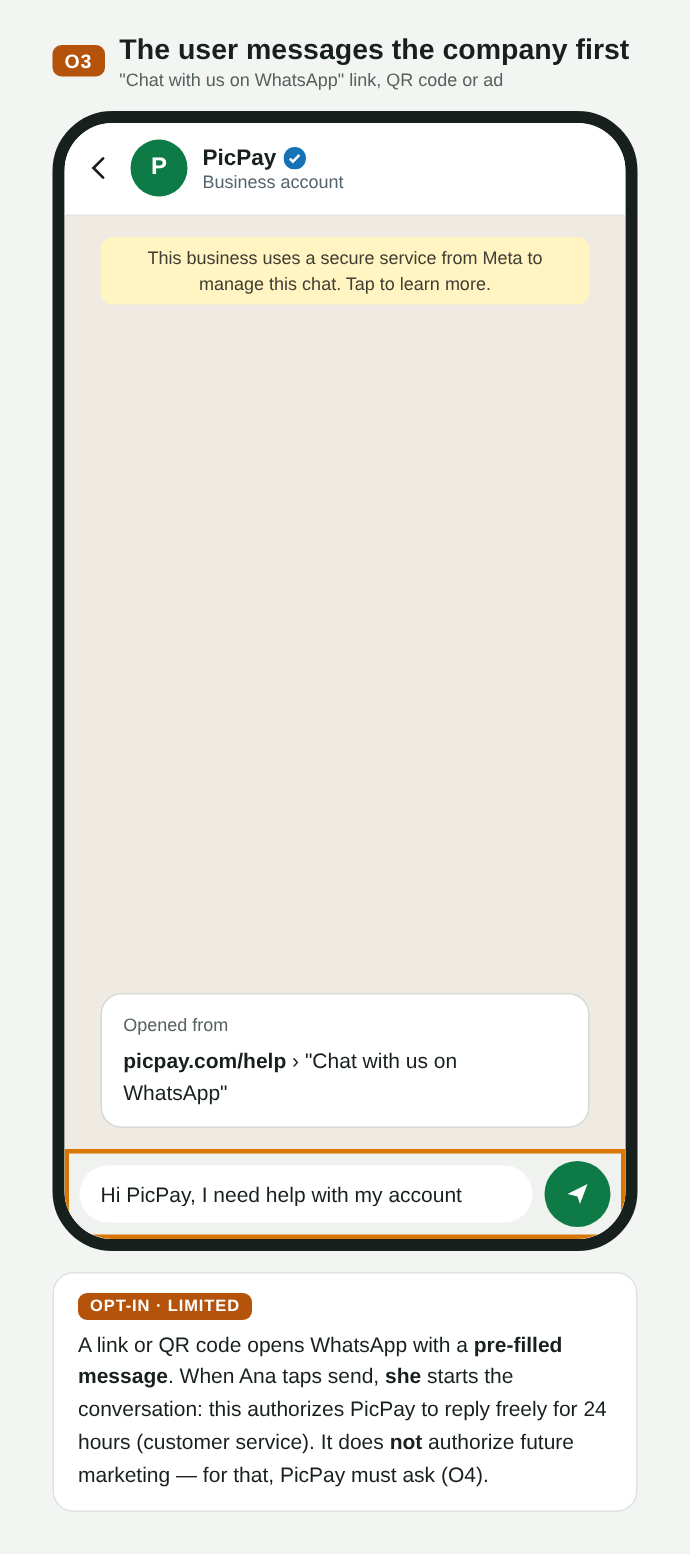
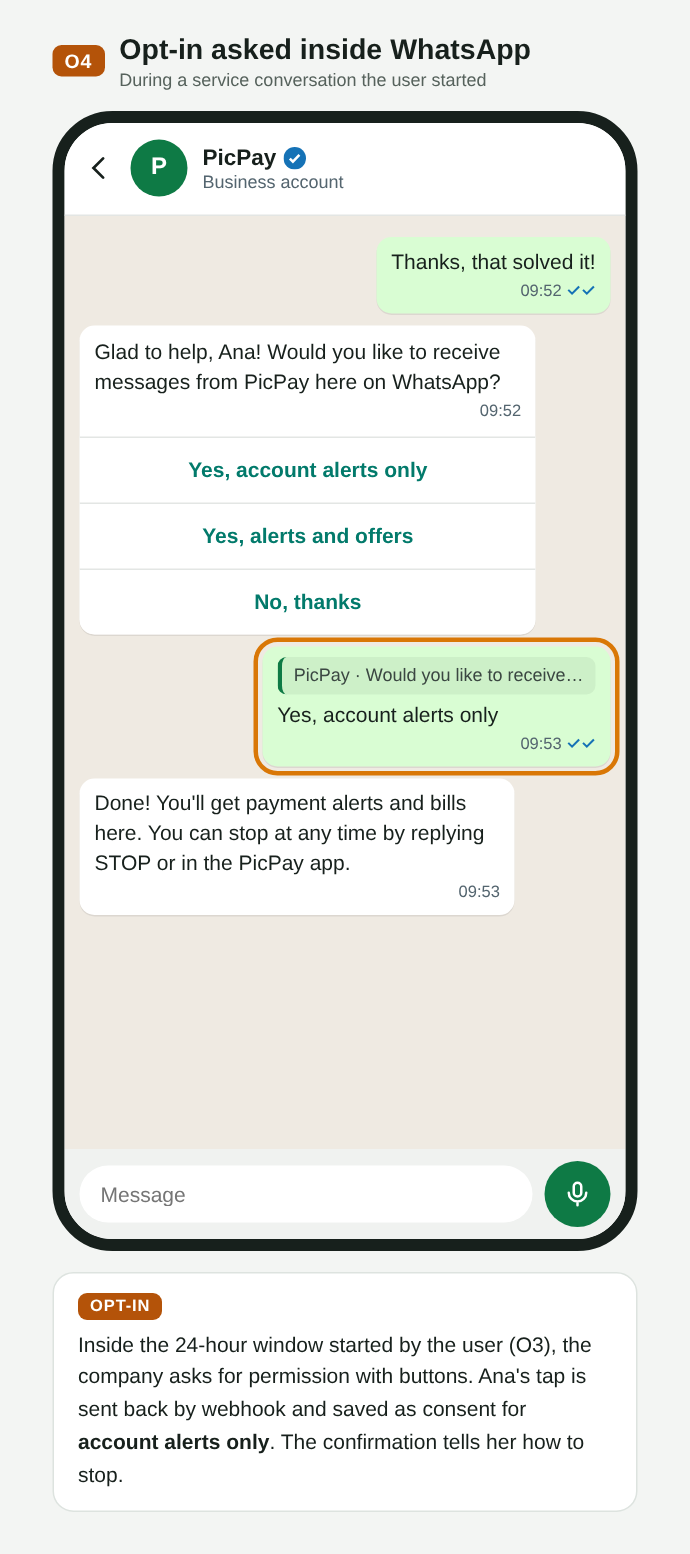
Antes de uma empresa iniciar uma conversa, o usuário precisa ter autorizado aquela empresa. Há quatro formas comuns: no app da empresa (O1), no cadastro ou checkout (O2), quando o próprio usuário escreve primeiro, o que vale só para aquele atendimento (O3), e respondendo “sim” dentro do chat (O4). A boa prática é separar por finalidade: autorizar alertas da conta não autoriza ofertas.
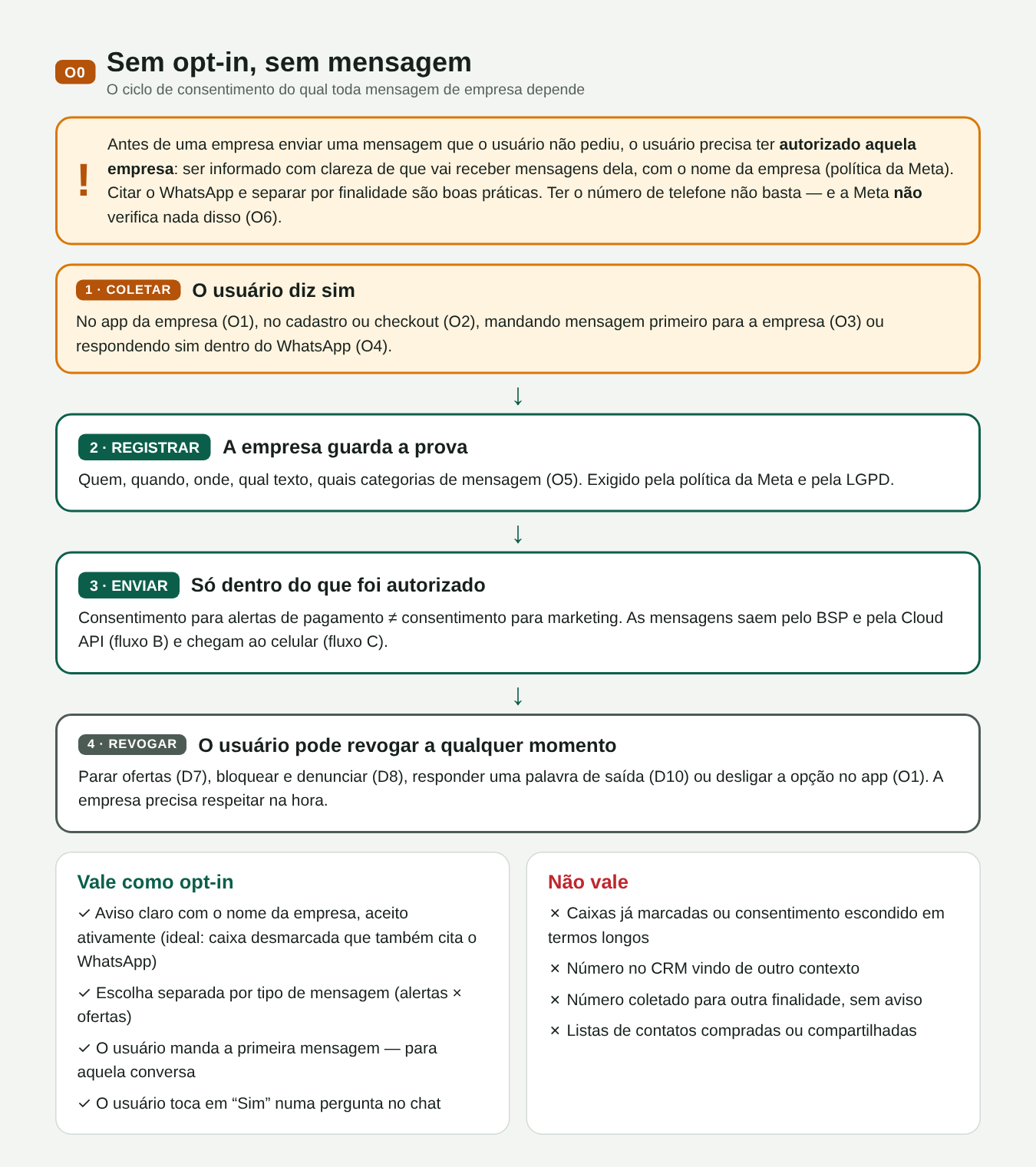
O00. Ciclo do consentimento: coletar, registrar, enviar dentro do escopo, revogar
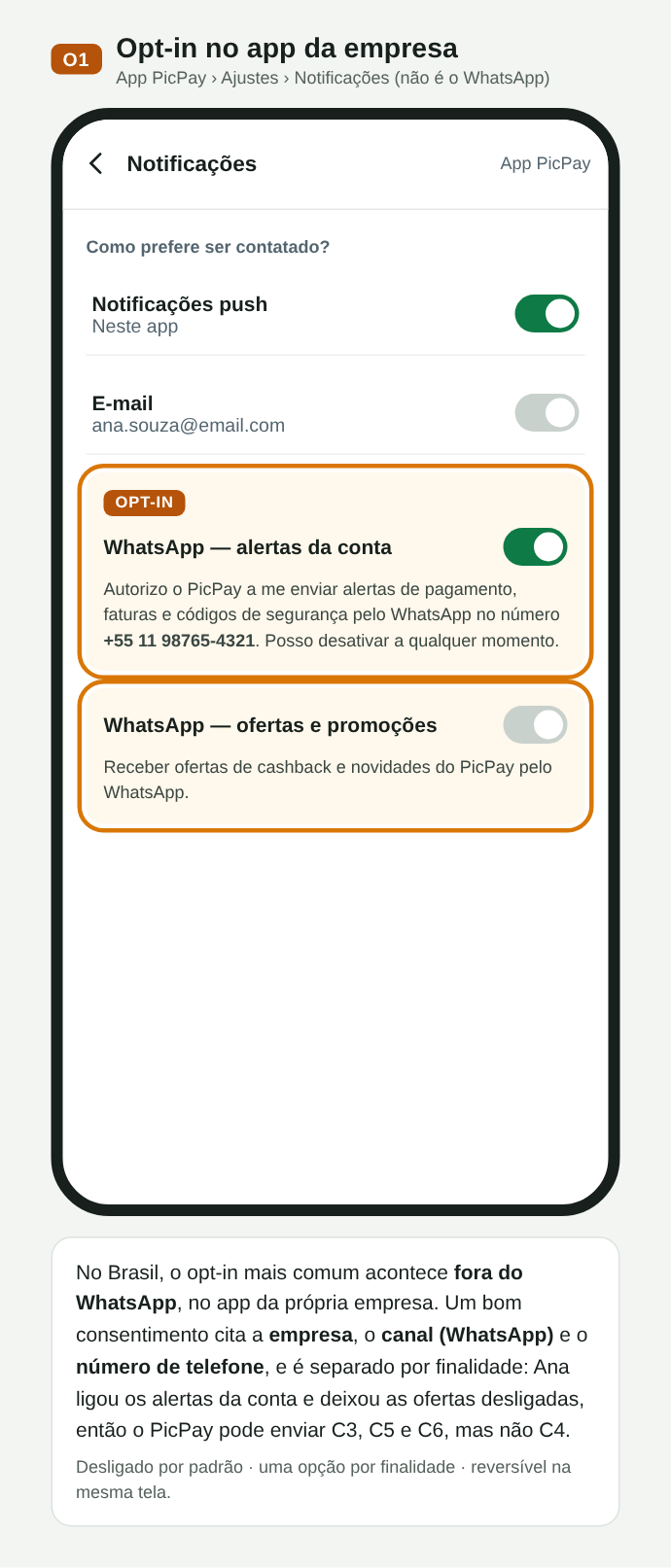
O01. Opt-in no app do comerciante, separado por finalidade
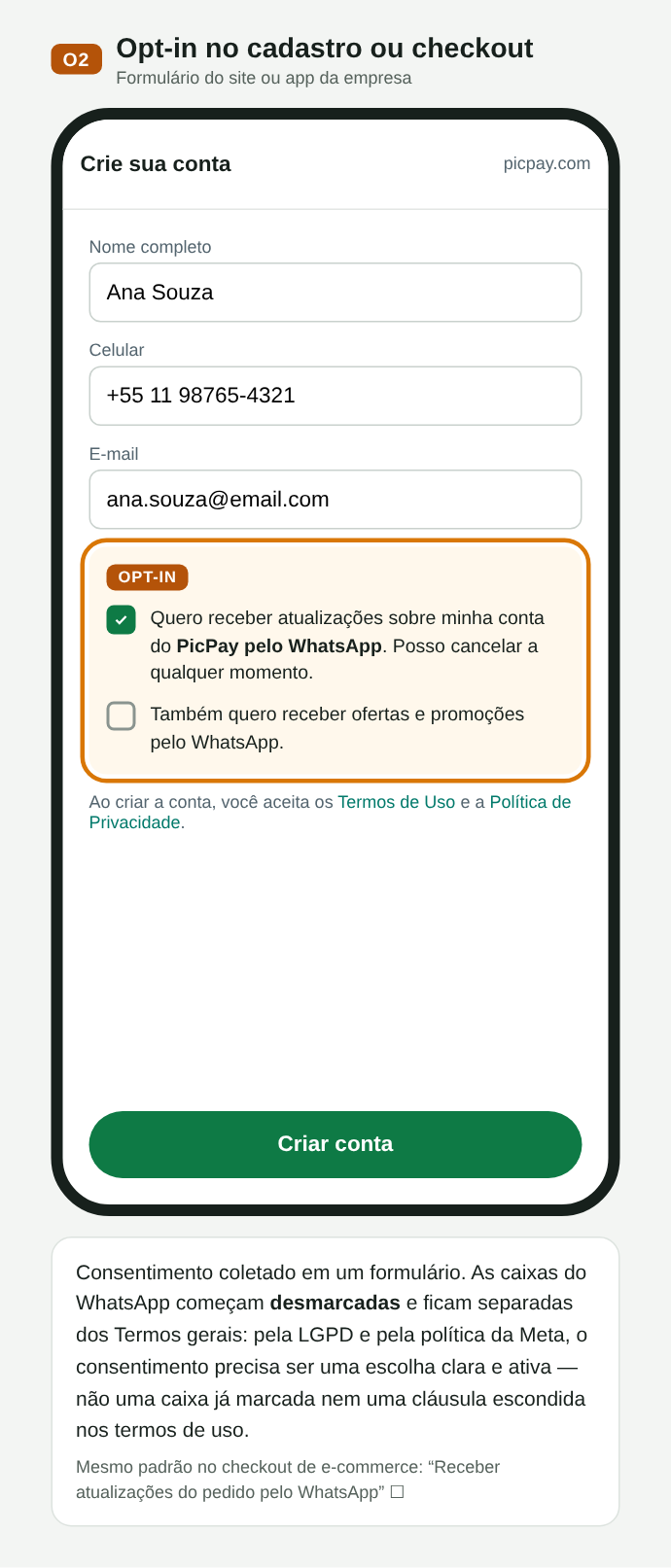
O02. Opt-in no cadastro, com caixas desmarcadas
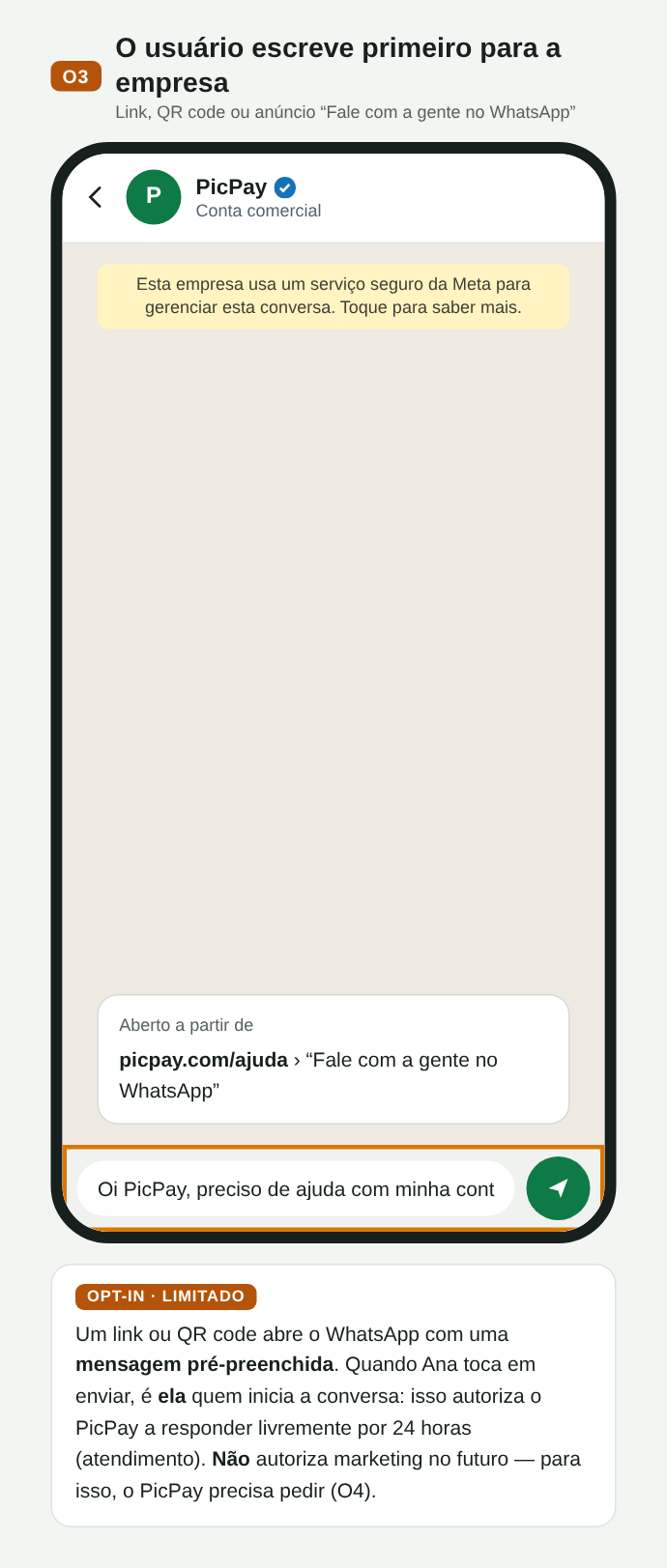
O03. O usuário escreve primeiro: autoriza só o atendimento
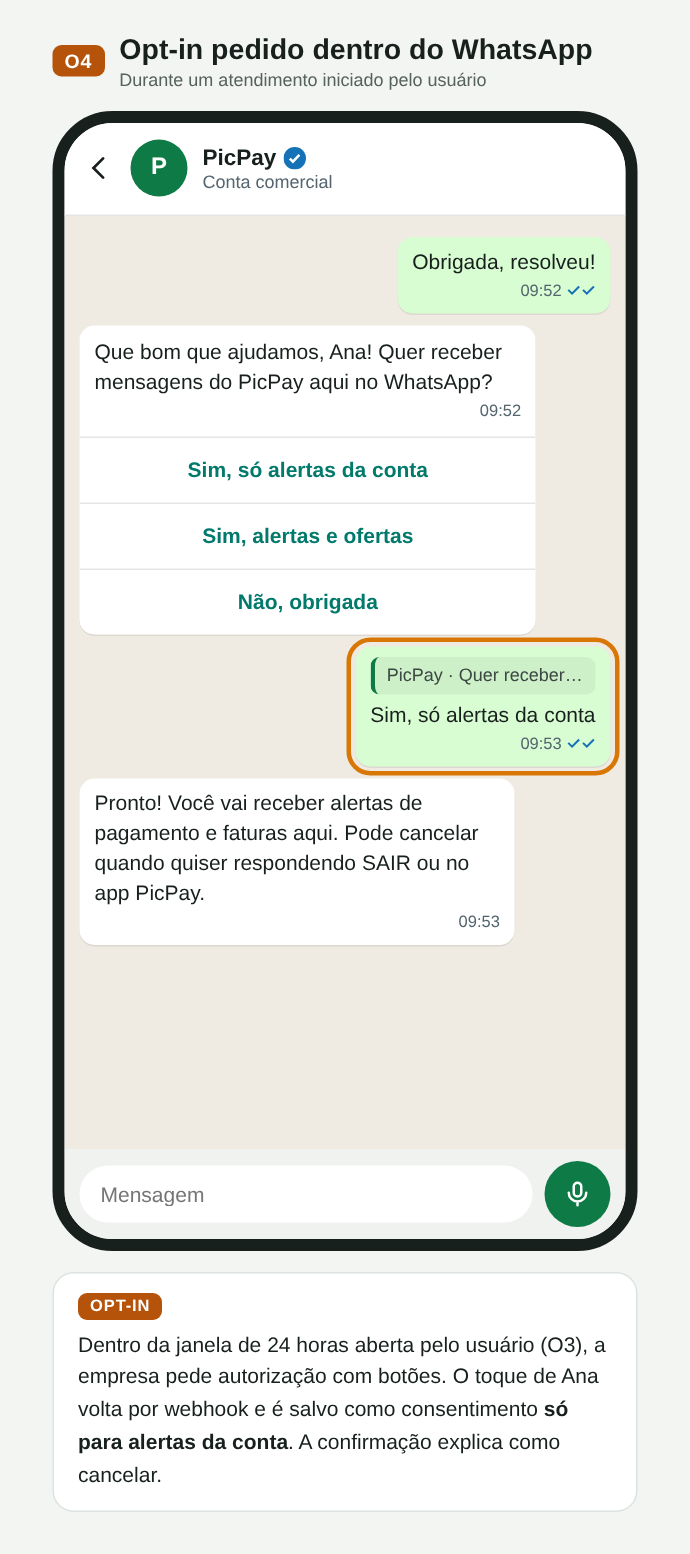
O04. Opt-in pedido dentro do chat, com botões
A Meta tem a política, mas não valida o opt-in. Não há campo nem endpoint para comprovar a autorização; a Meta confia na empresa e só reage depois, por bloqueios, denúncias e nota de qualidade. Já o opt-out é aplicado pela plataforma: bloqueio, “parar ofertas” e limite de marketing fazem o envio falhar. Mesmo assim, pela LGPD cabe à empresa provar o consentimento e respeitar a revogação, então o registro (quem, comerciante, categoria, origem, data, texto exibido, revogação) é obrigatório na prática.
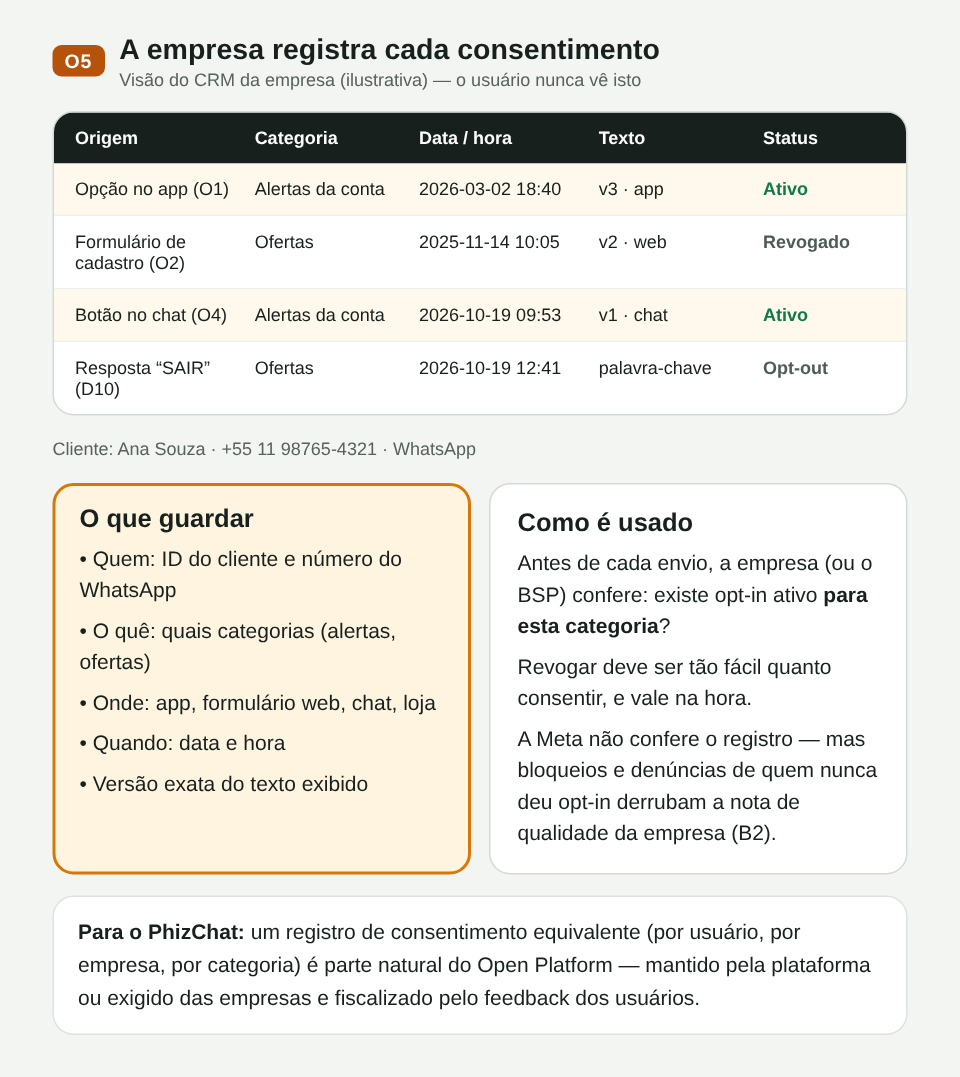
O05. Registro de consentimento do lado do comerciante
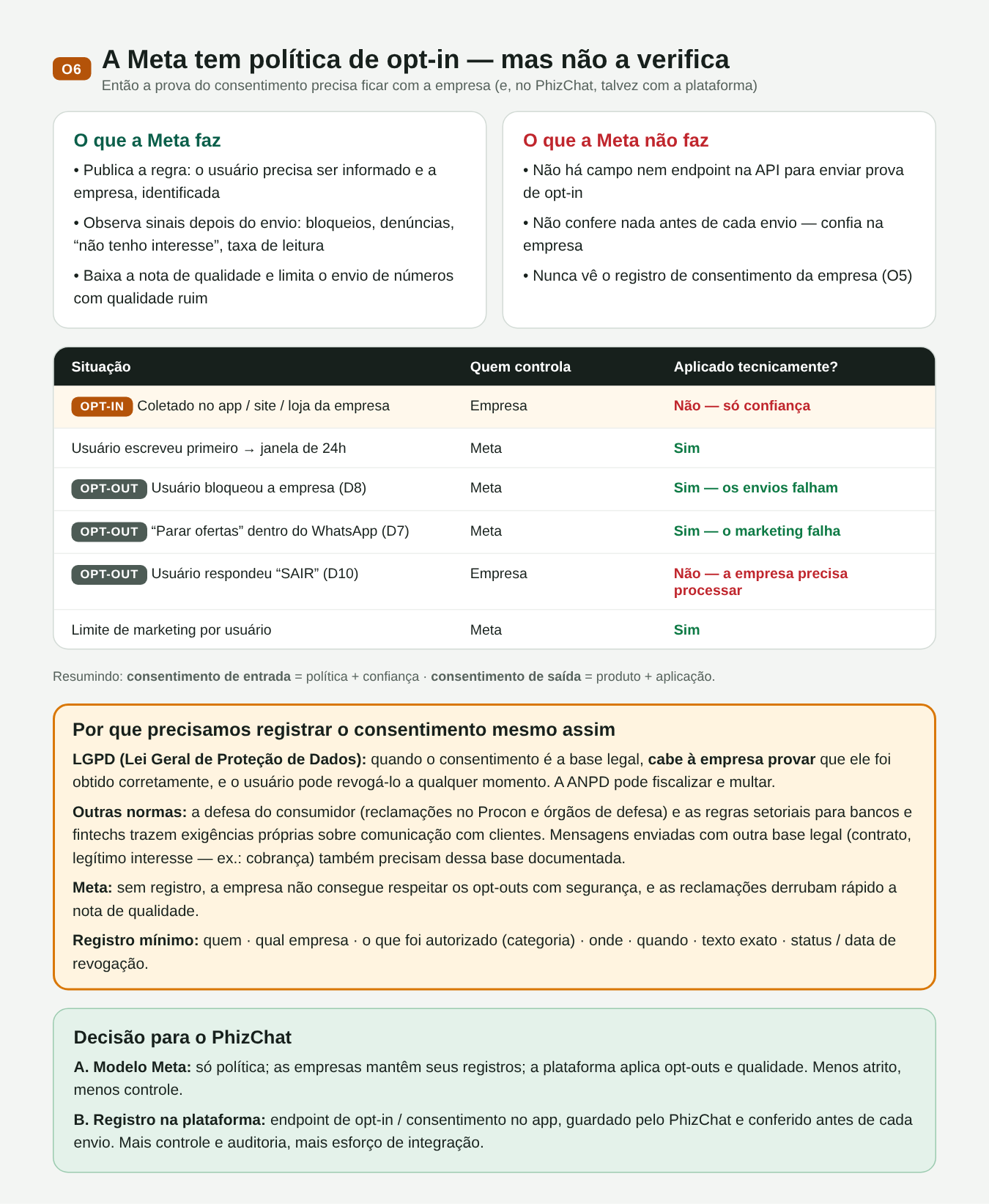
O06. A Meta não verifica o opt-in; o opt-out é aplicado pela plataforma; por que registrar mesmo assim
O que o usuário recebe
Mensagens iniciadas pela empresa usam templates aprovados, em quatro categorias: utilidade (pagamentos, contas), marketing, autenticação (códigos) e serviço. Cada categoria depende do opt-in correspondente.
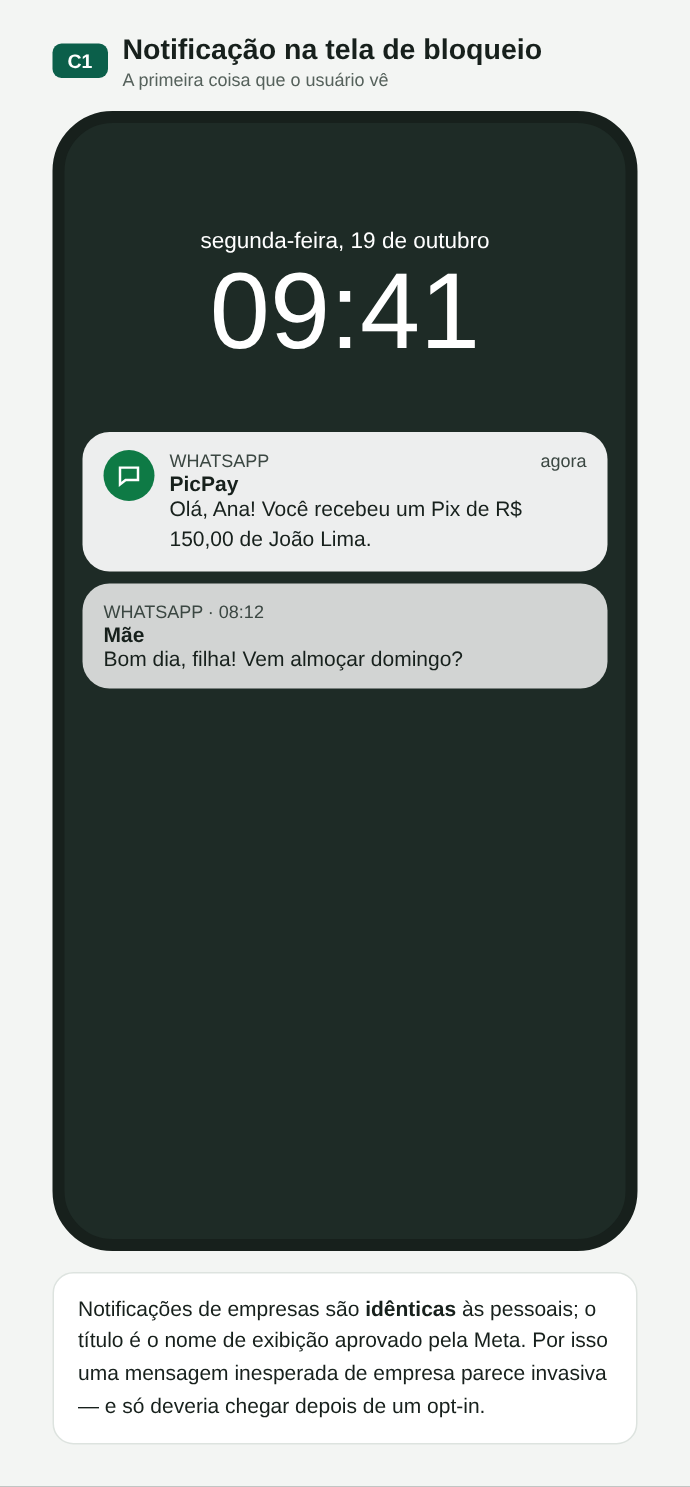
C01. Notificação igual à de um contato pessoal
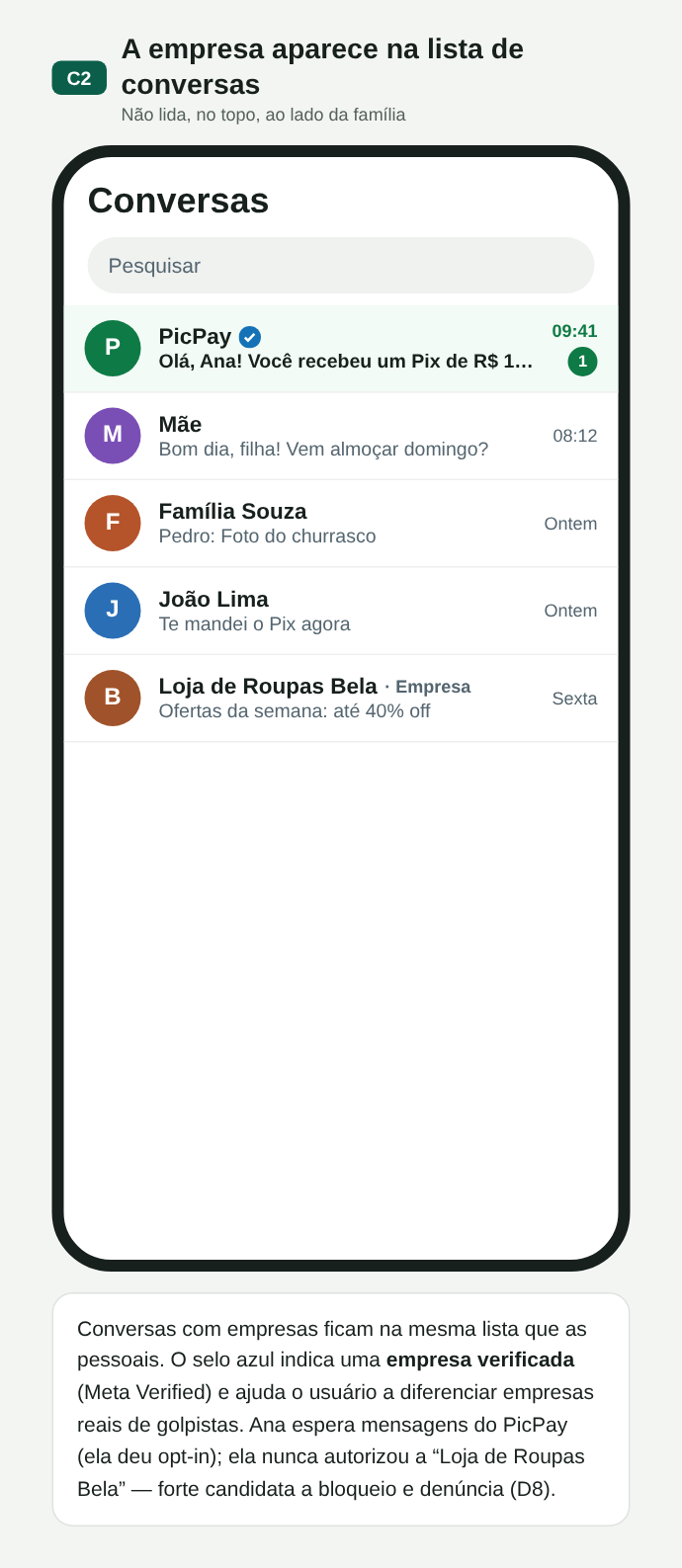
C02. Lista de conversas: conta comercial verificada, não lida e no topo, ao lado de família e amigos
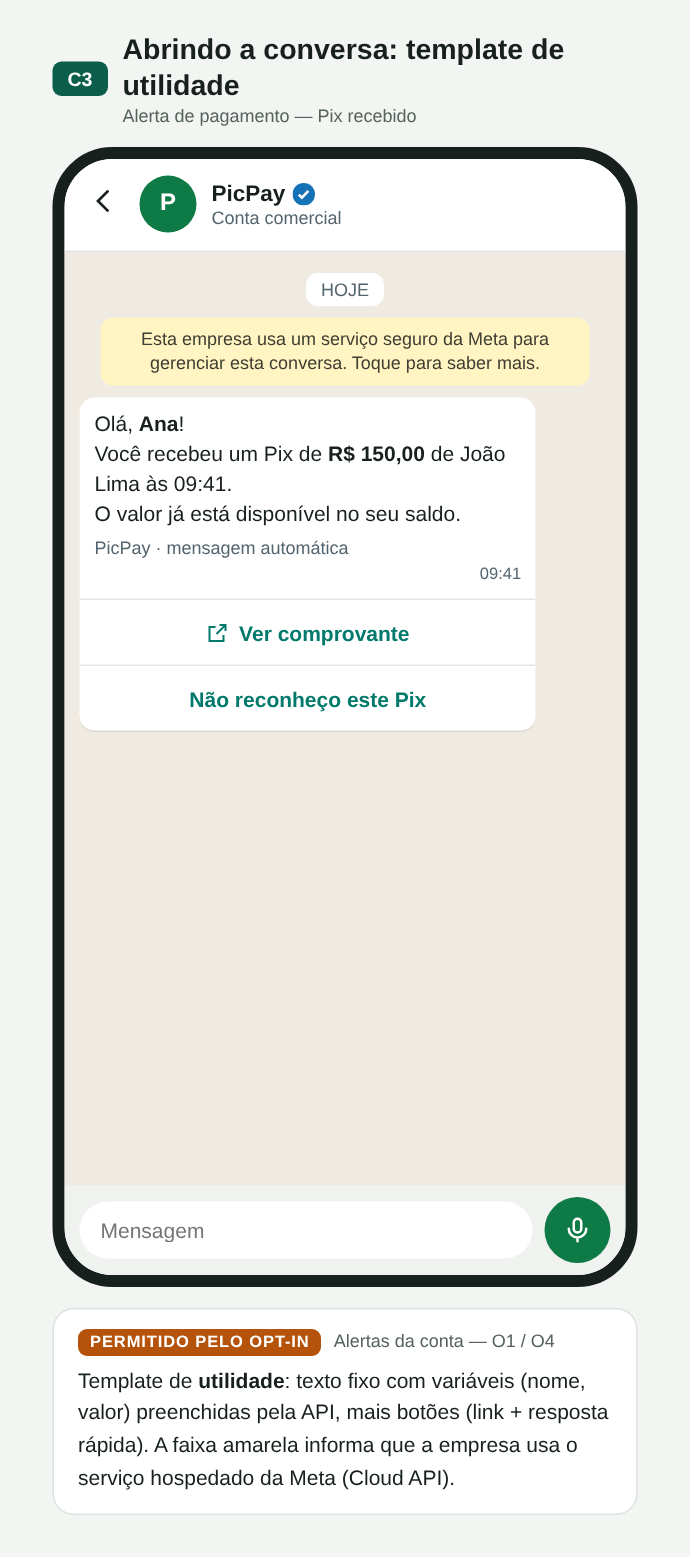
C03. Utilidade: Pix recebido, com botões
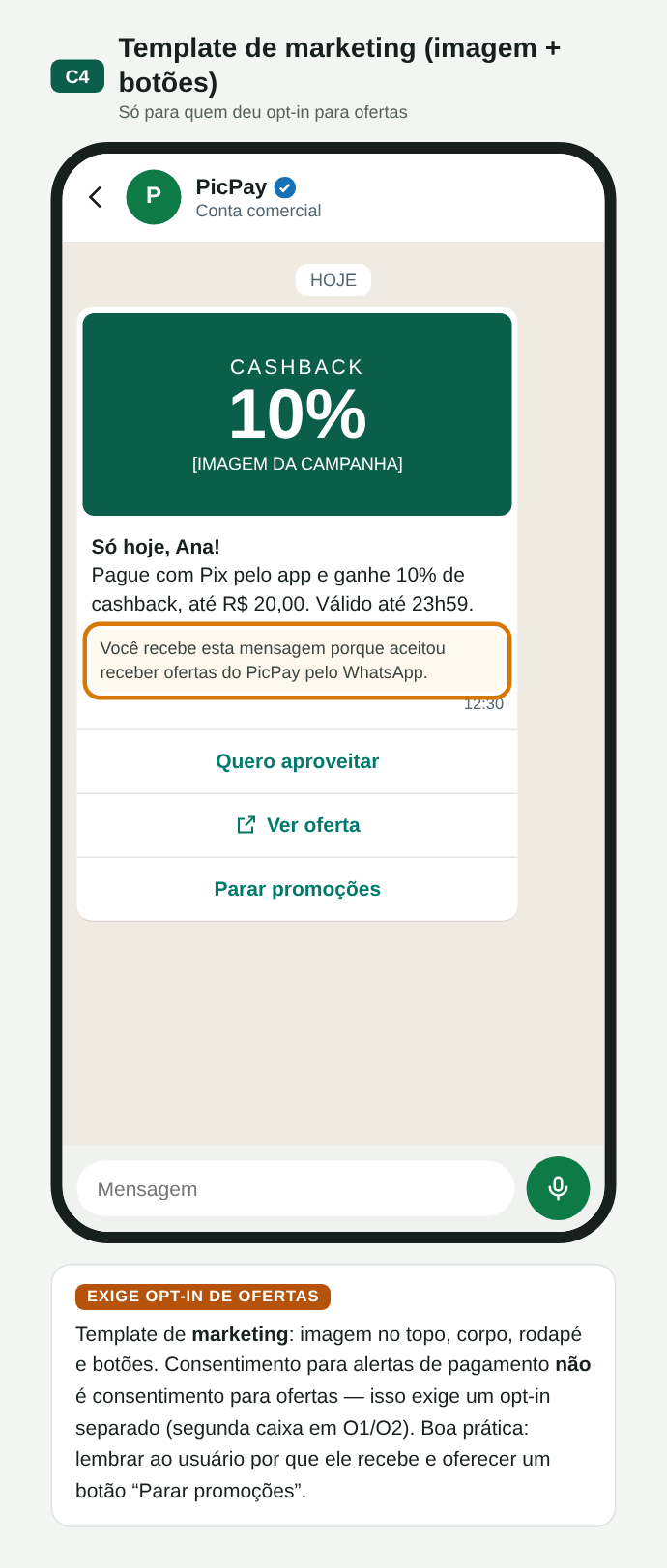
C04. Marketing: exige opt-in próprio para ofertas
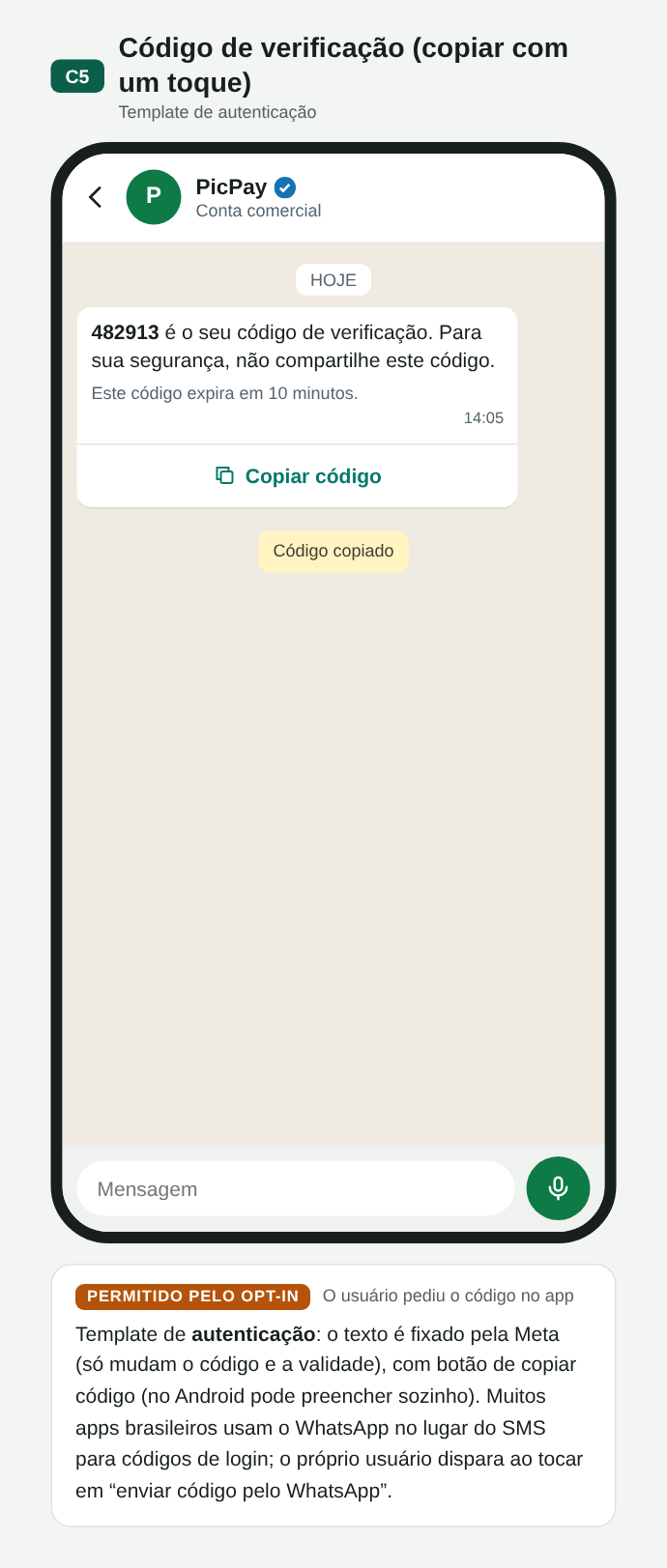
C05. Autenticação: código com botão de copiar
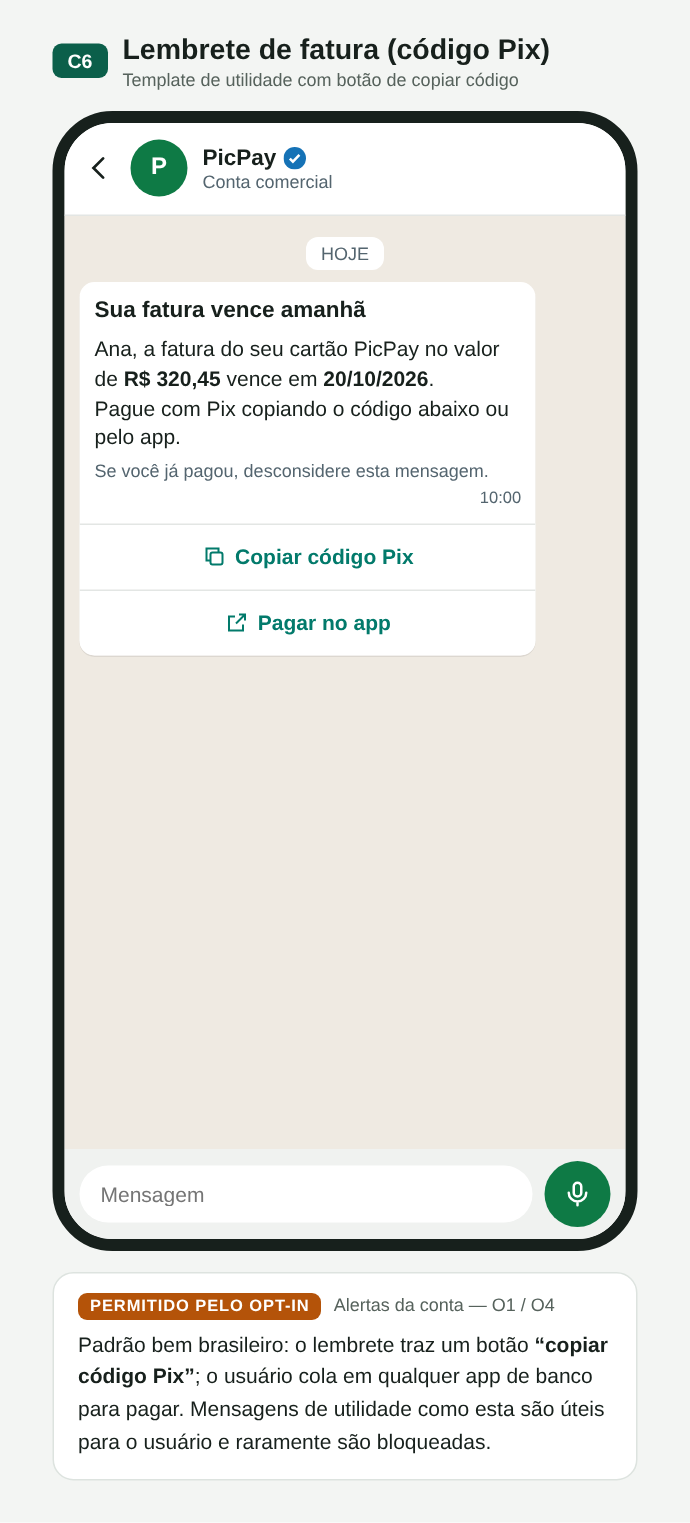
C06. Fatura com código Pix copia e cola
O que o usuário pode fazer
O usuário responde (texto, botões, lista, formulário), consulta o perfil da empresa ou retira a autorização. Cada ação gera, ou não, um evento para a empresa.
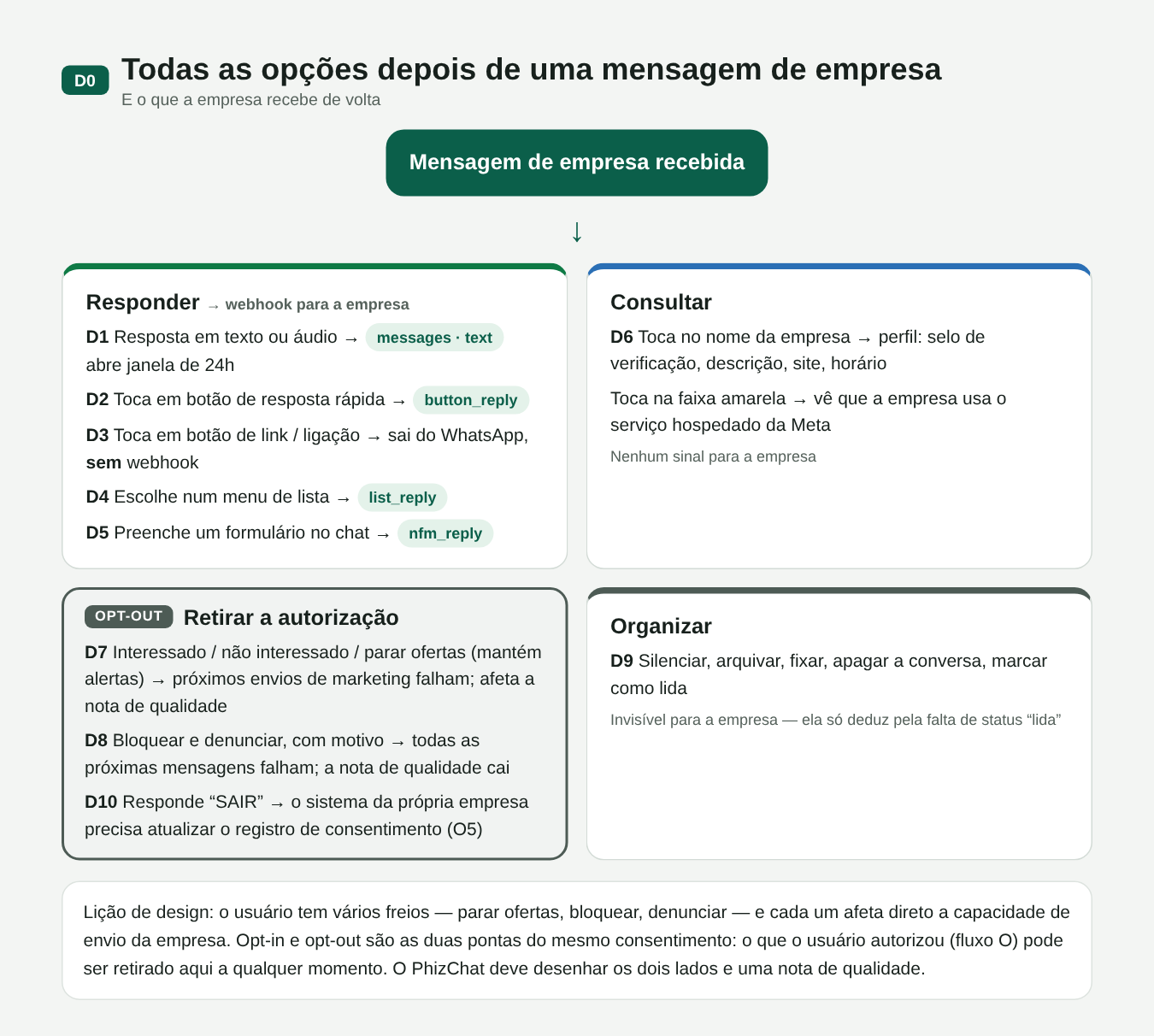
D00. Todas as opções do usuário e o que a empresa recebe de volta
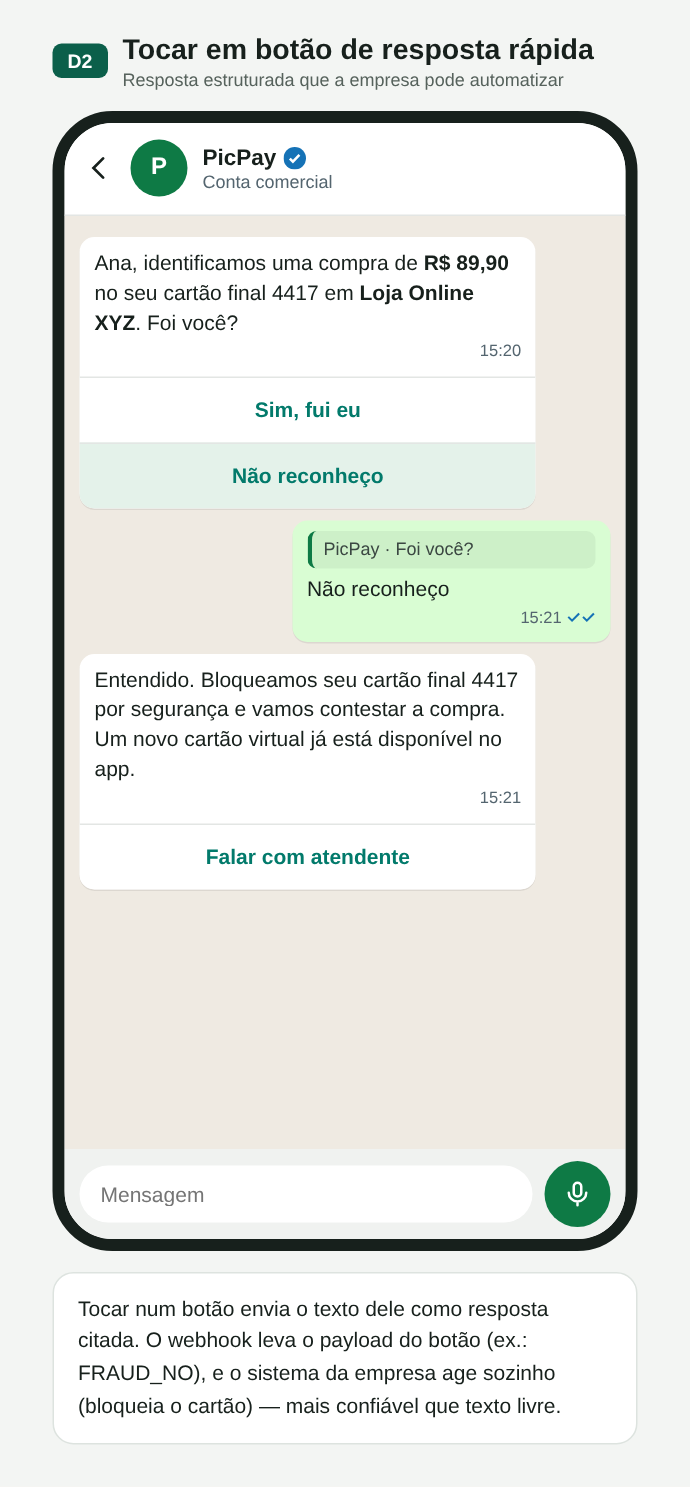
D02. Resposta rápida por botão
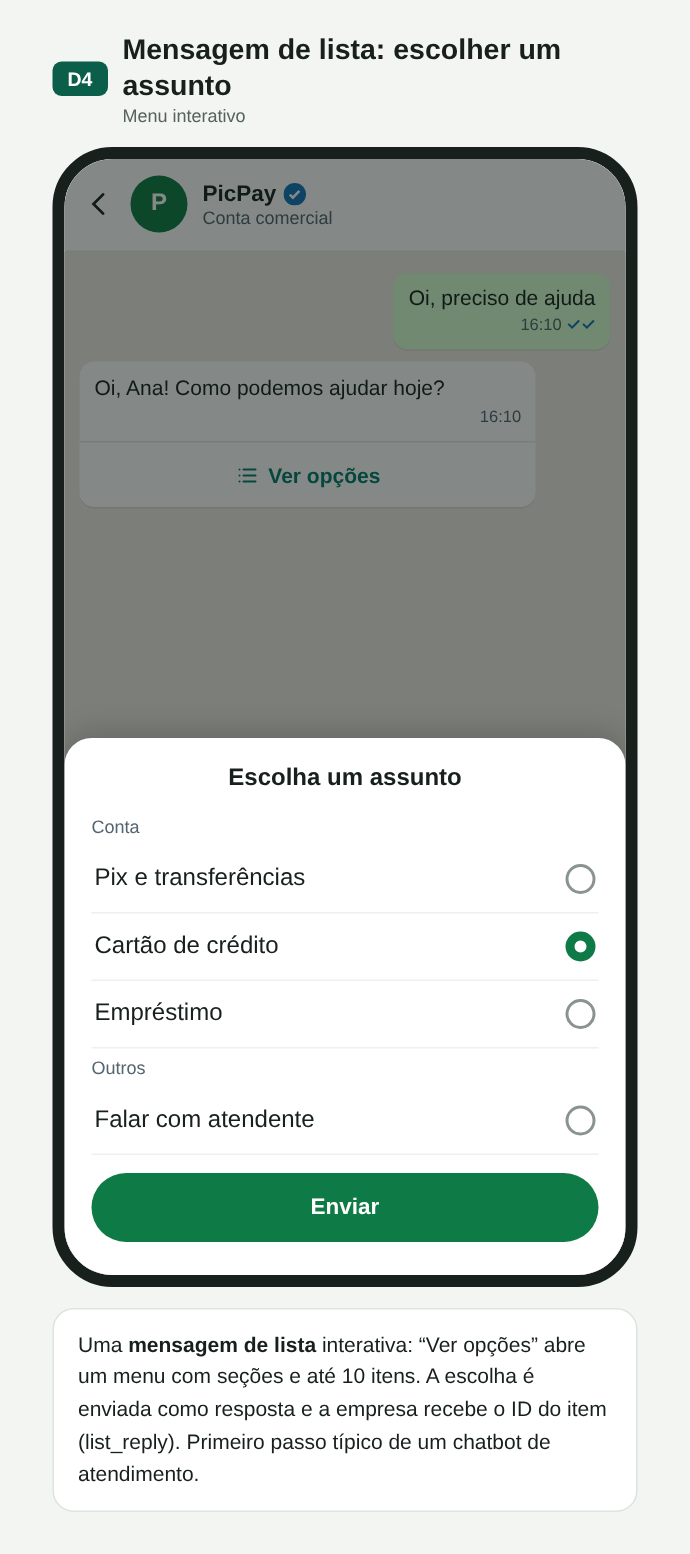
D04. Mensagem de lista
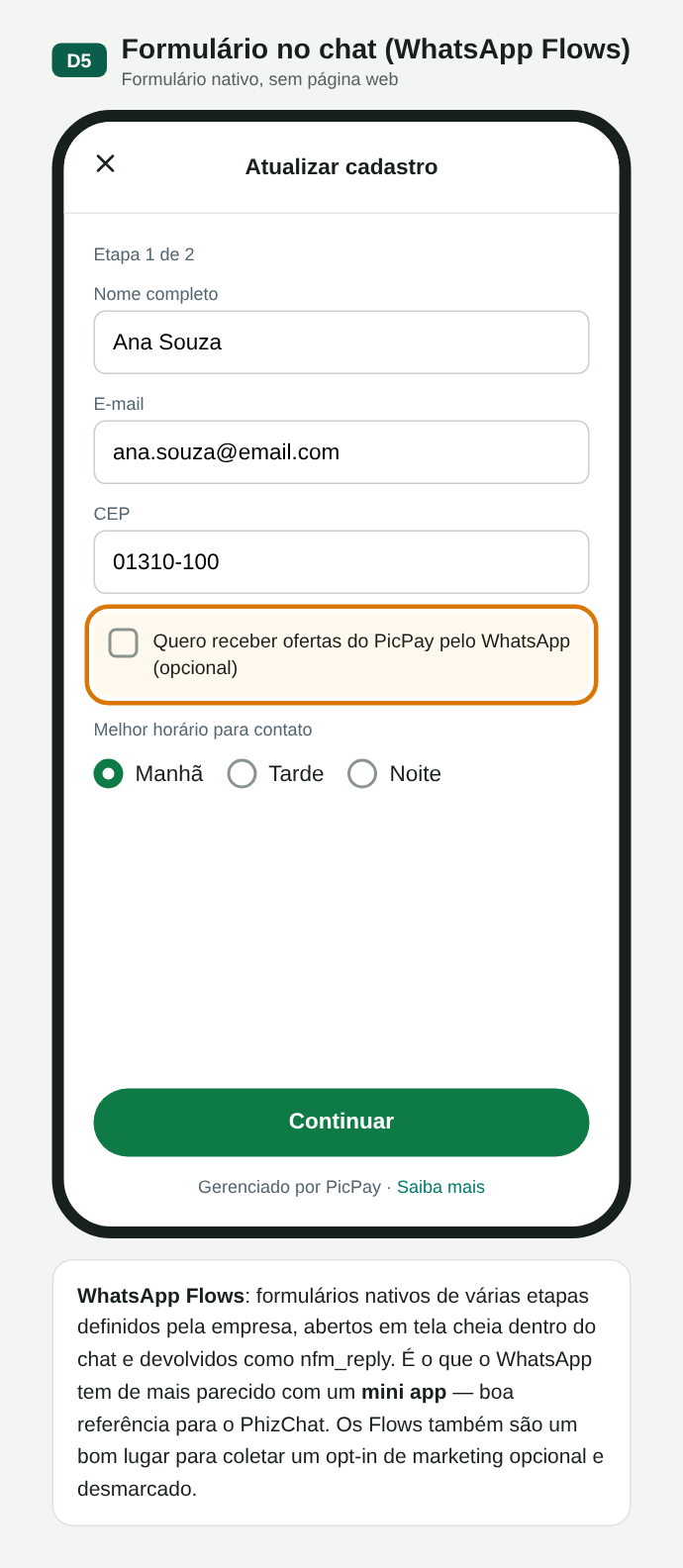
D05. Formulário dentro do chat (Flows), próximo de um mini app
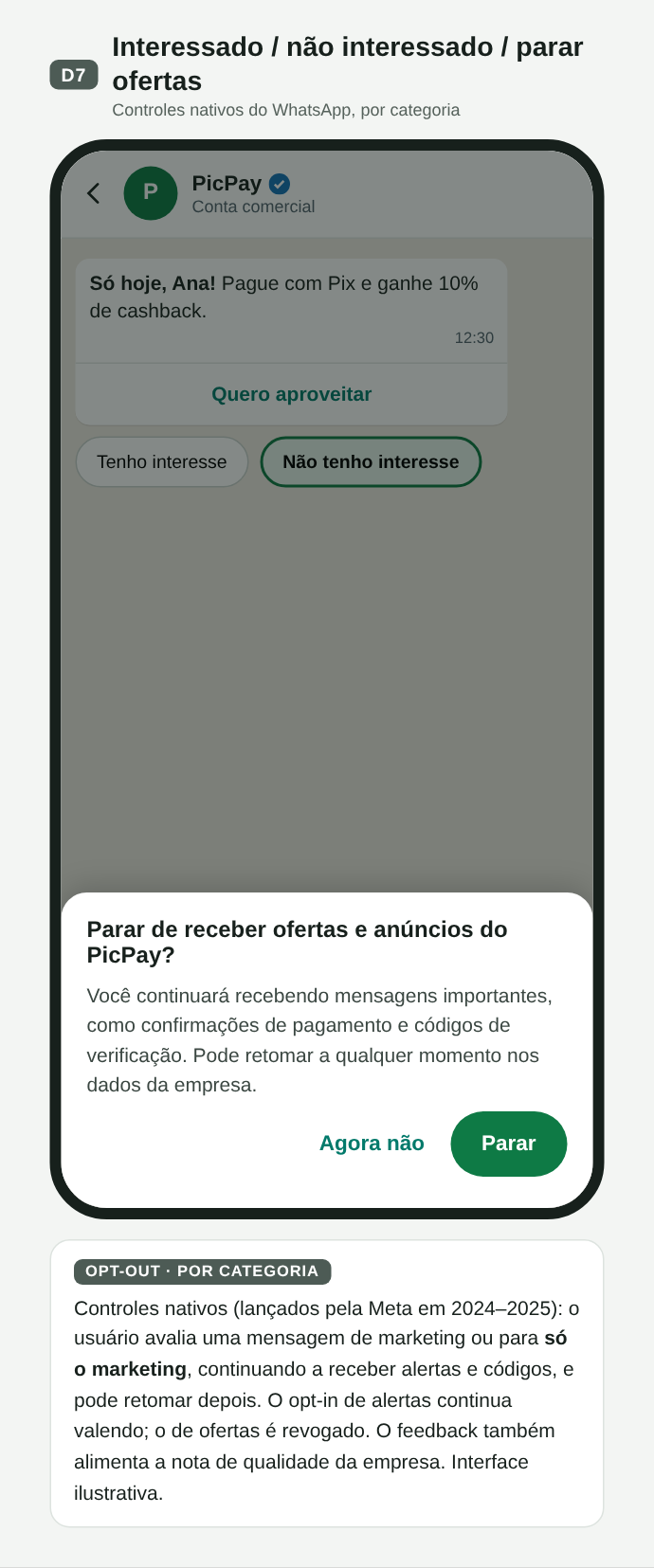
D07. Parar ofertas e manter alertas
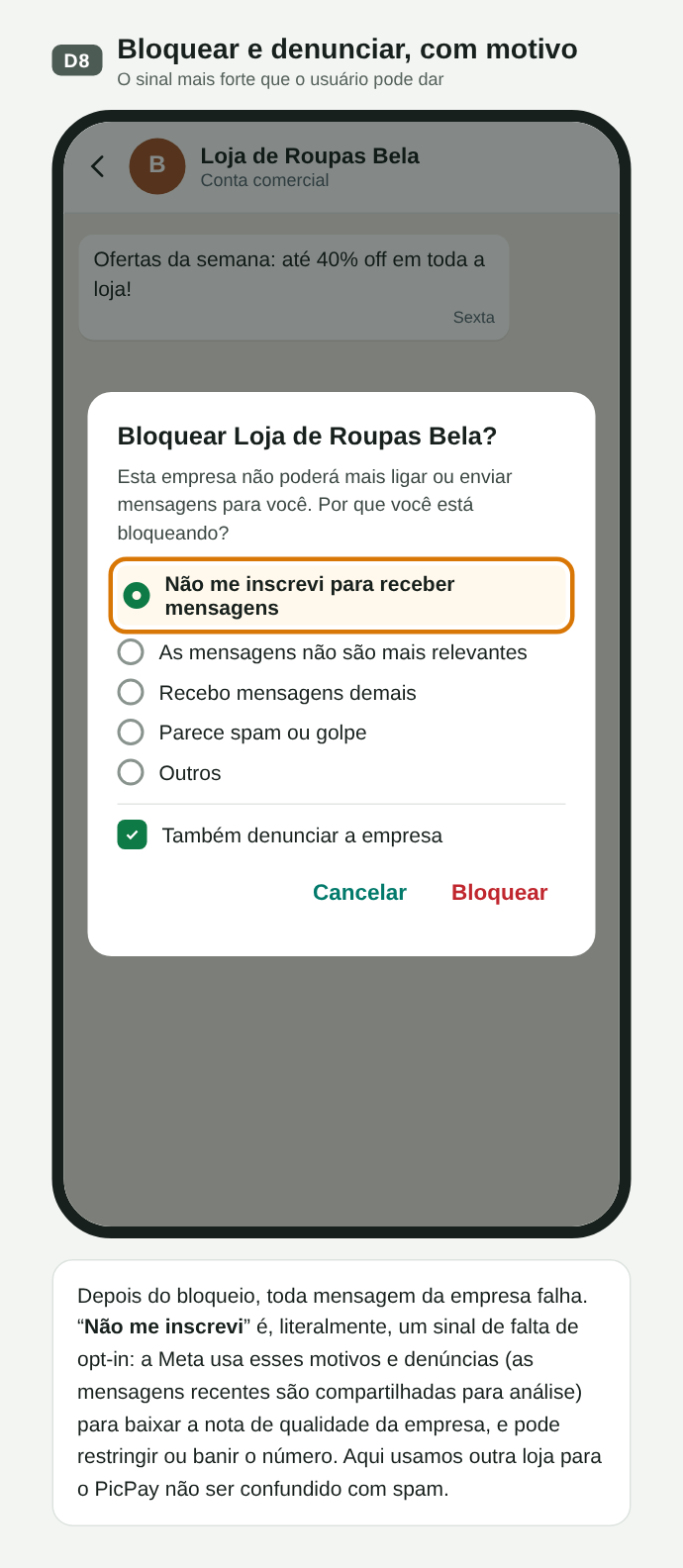
D08. Bloquear e denunciar, com motivo
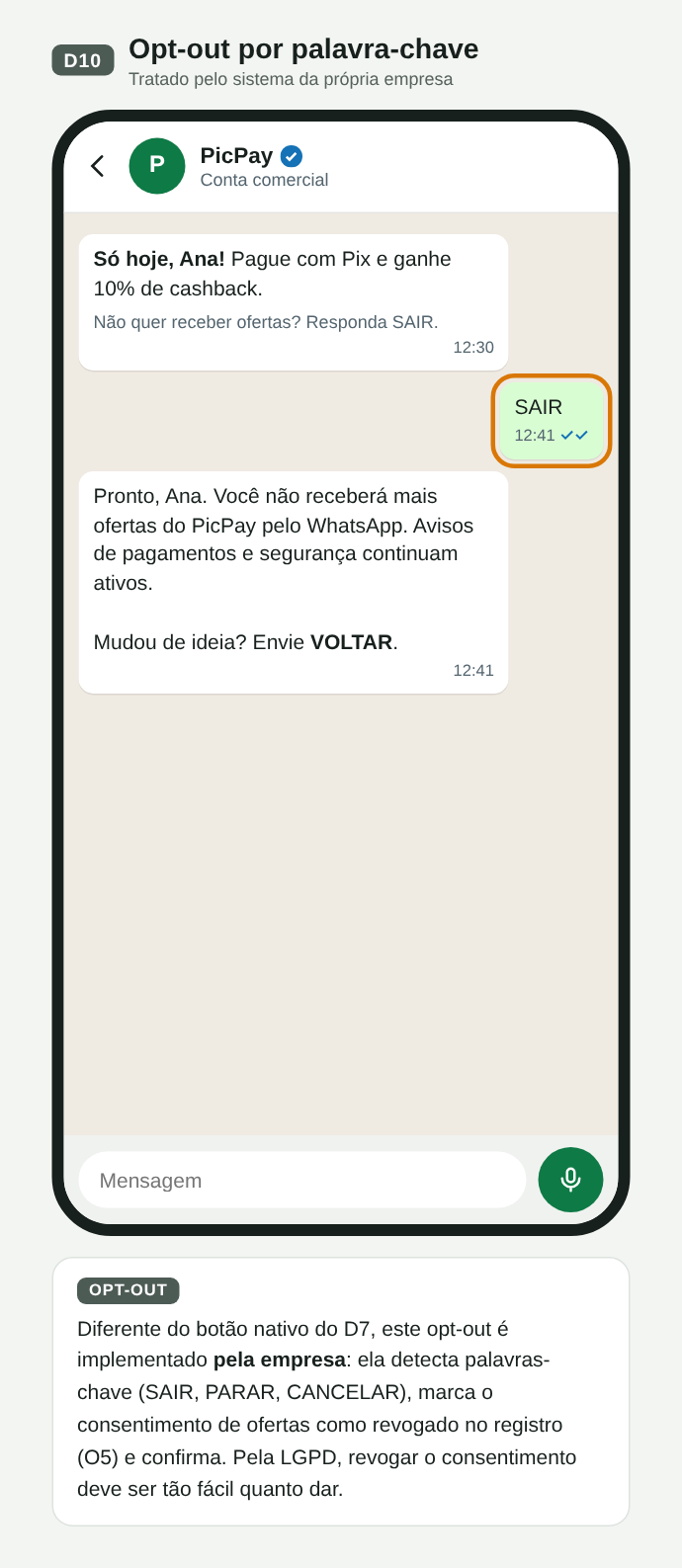
D10. Opt-out por palavra-chave, tratado pelo comerciante
| Ação do usuário | No WhatsApp | No PHIZ |
|---|---|---|
| Responde com texto ou mídia | Webhook messages; abre janela de 24 h | Evento message (seção 10) |
| Toca em botão ou lista | button_reply / list_reply | Evento message com o id escolhido |
| Para ofertas | Envios de marketing falham | Proposta: a plataforma bloqueia a categoria para aquele Business Account (ba_id) |
| Bloqueia ou denuncia | Todos os envios falham; nota de qualidade cai | Proposta: erro no envio e sinal de qualidade (ver Q3) |
| Silencia ou arquiva | Invisível para a empresa | Igual |
O que levamos para o PHIZ
- A identidade que o usuário vê, autoriza e bloqueia é o Business Account (
ba_id): é ele que recebe o opt-in, o bloqueio e a nota de qualidade. O Merchant ID continua sendo a conta do Open Platform e gera o Developer ID, dono das aplicações; cada Business Account é criado dentro de uma aplicação (seção 06). - Consentimento por Business Account e por categoria, com opt-out aplicado pela plataforma (ver Política de envio, seção 09).
- Sinais do usuário (bloquear, denunciar, parar ofertas) alimentando limites de envio do comerciante.
- Formulários dentro do chat (Flows) como referência para mini apps.
04Opt-in no PhizChat: no app e na empresa
A seção 03 mostrou que no WhatsApp o opt-in quase sempre acontece fora do app e que a Meta não o valida. Esta seção propõe como o usuário autoriza uma conta business no PhizChat, por dois caminhos que terminam nos mesmos controles de opt-out:
- Fluxo P — dentro do PhizChat: o usuário aceita a conta business no próprio app. A plataforma guarda a prova.
- Fluxo Q — na empresa, fora do PhizChat: o usuário autorizou no app, site ou loja do comerciante, e o comerciante inicia a conversa.
São propostas ilustrativas, com o PicPay como comerciante de exemplo. Os códigos (P0…P8, Q0…Q5) seguem o canvas de Design. Clique em uma imagem para abrir em tamanho real.
Fluxo P · Opt-in dentro do PhizChat
O usuário chega à conta business por link de SMS ou e-mail, QR code, app ou site do comerciante, ou pela busca no app. Se não tem o Phiz, vê uma página H5 só com o perfil e o download; o aceite nunca acontece fora do app. Depois de instalar e entrar, um deep link diferido o leva ao mesmo chat, que abre bloqueado até o aceite. Ao aceitar, o PhizChat registra o consentimento (Open ID do usuário, ba_id, data, ponto de entrada), envia o template de boas-vindas, se houver, e libera o chat.
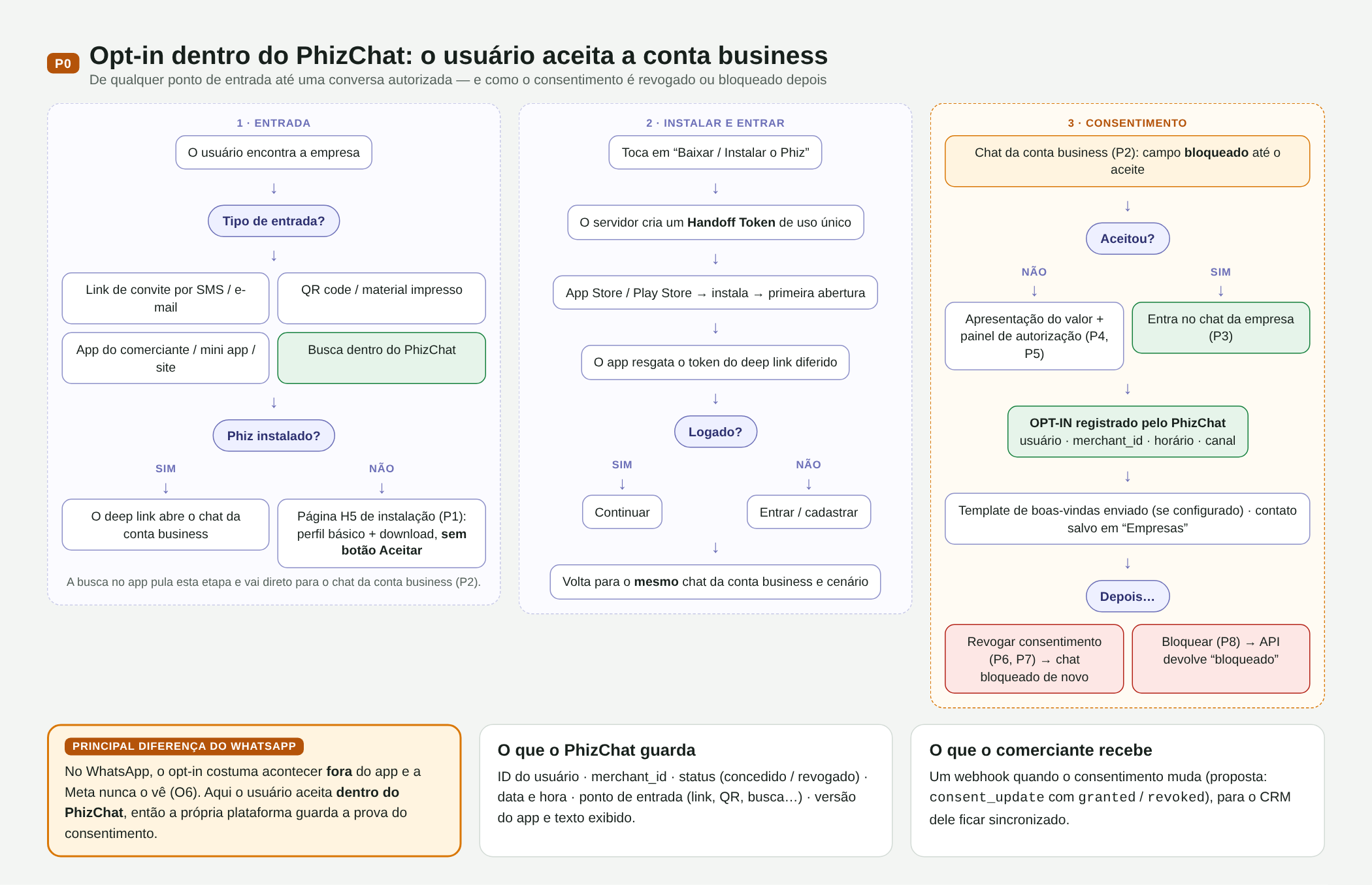
P00. Mapa do fluxo P: entradas, instalação, login, aceite e depois
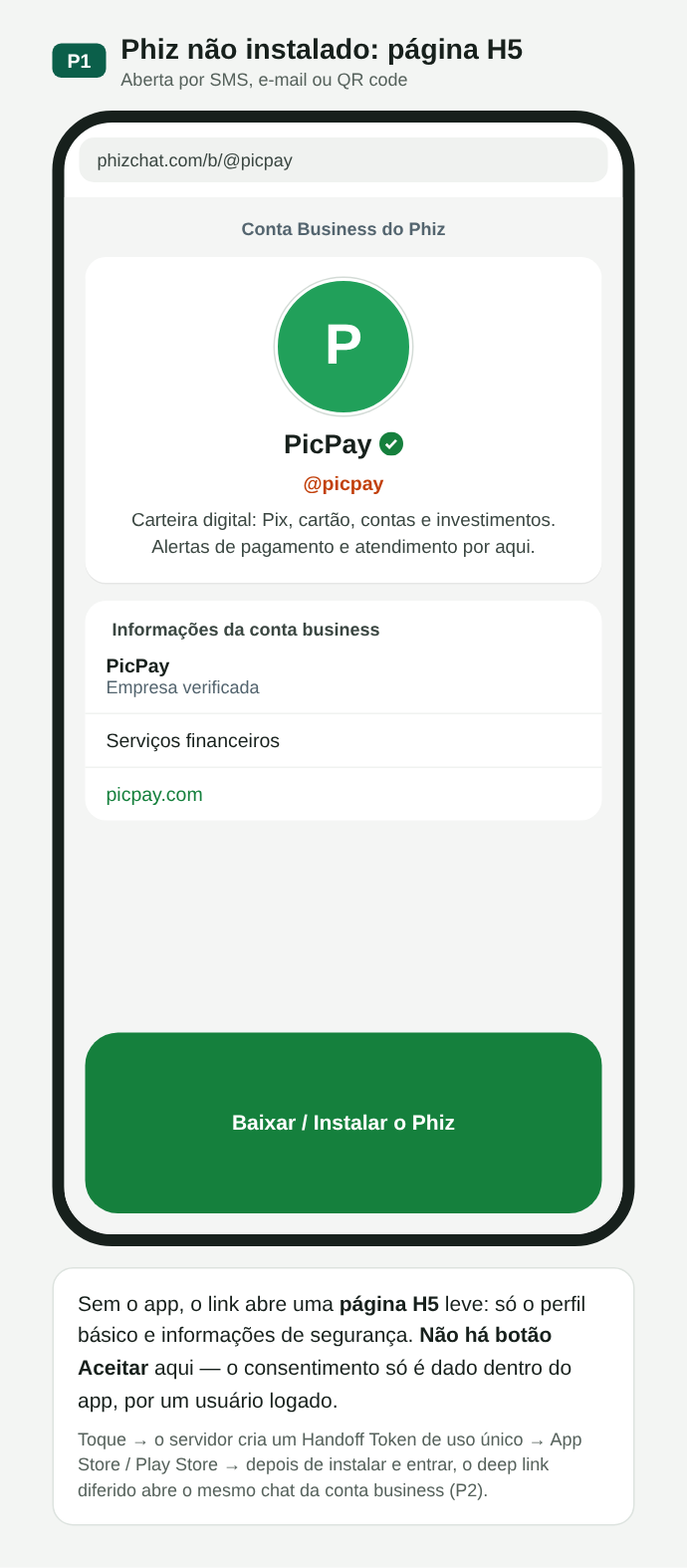
P01. Sem o app: página H5 com perfil e download, sem botão Aceitar
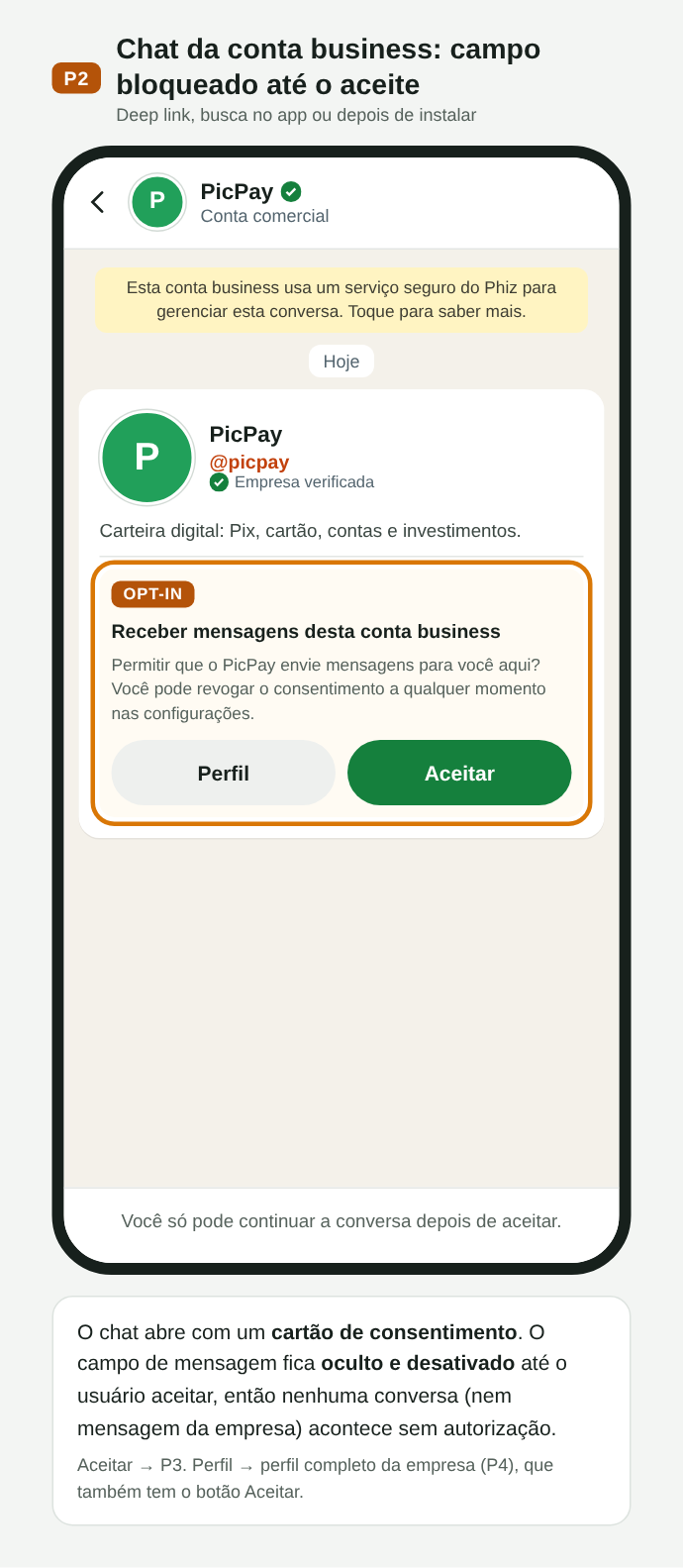
P02. Chat da conta business com o cartão de consentimento; campo bloqueado até o aceite
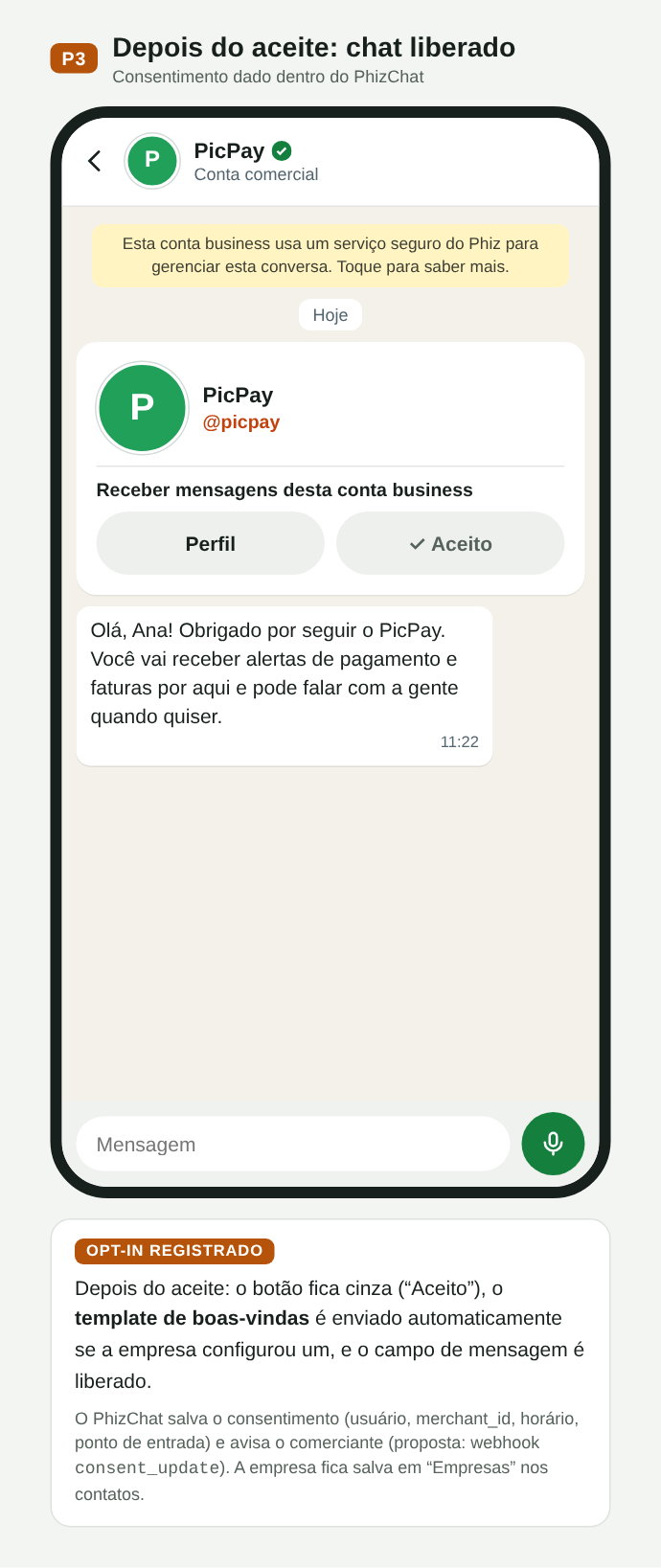
P03. Depois do aceite: boas-vindas e chat liberado
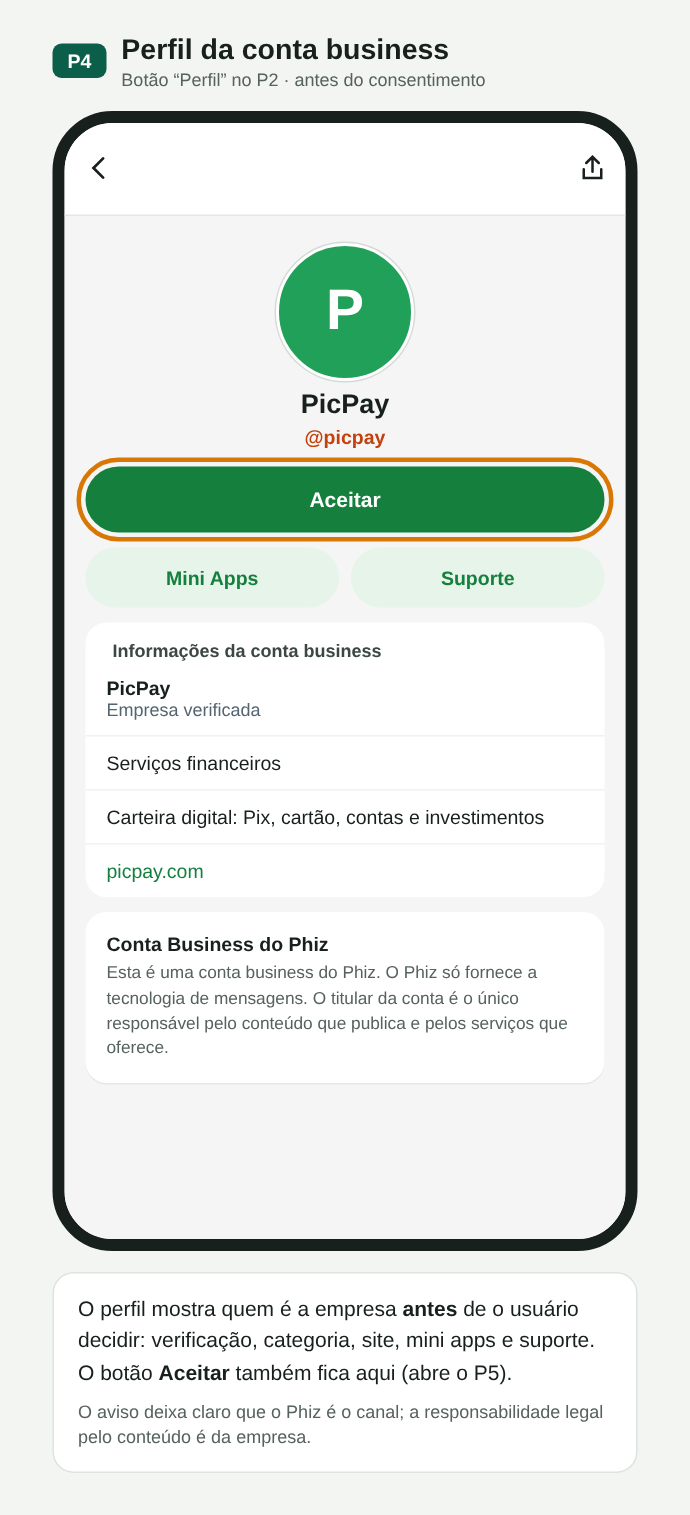
P04. Perfil da empresa antes do consentimento, também com Aceitar
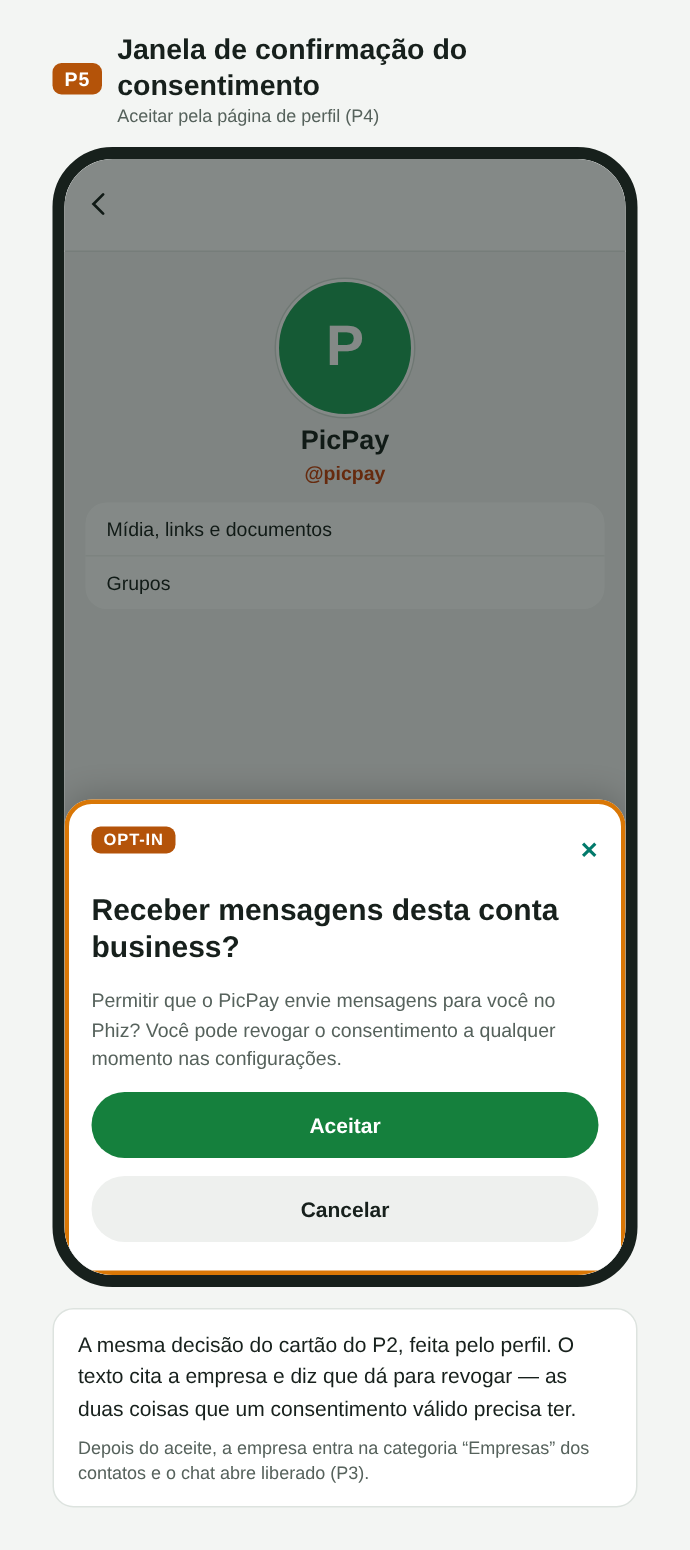
P05. Janela de confirmação do consentimento
Depois do aceite, o perfil mostra o status e a data do consentimento. O usuário pode revogar (o chat volta ao estado bloqueado e pode ser autorizado de novo) ou bloquear (reaproveita o bloqueio atual; a API continua aceitando chamadas, mas devolve o status bloqueado).
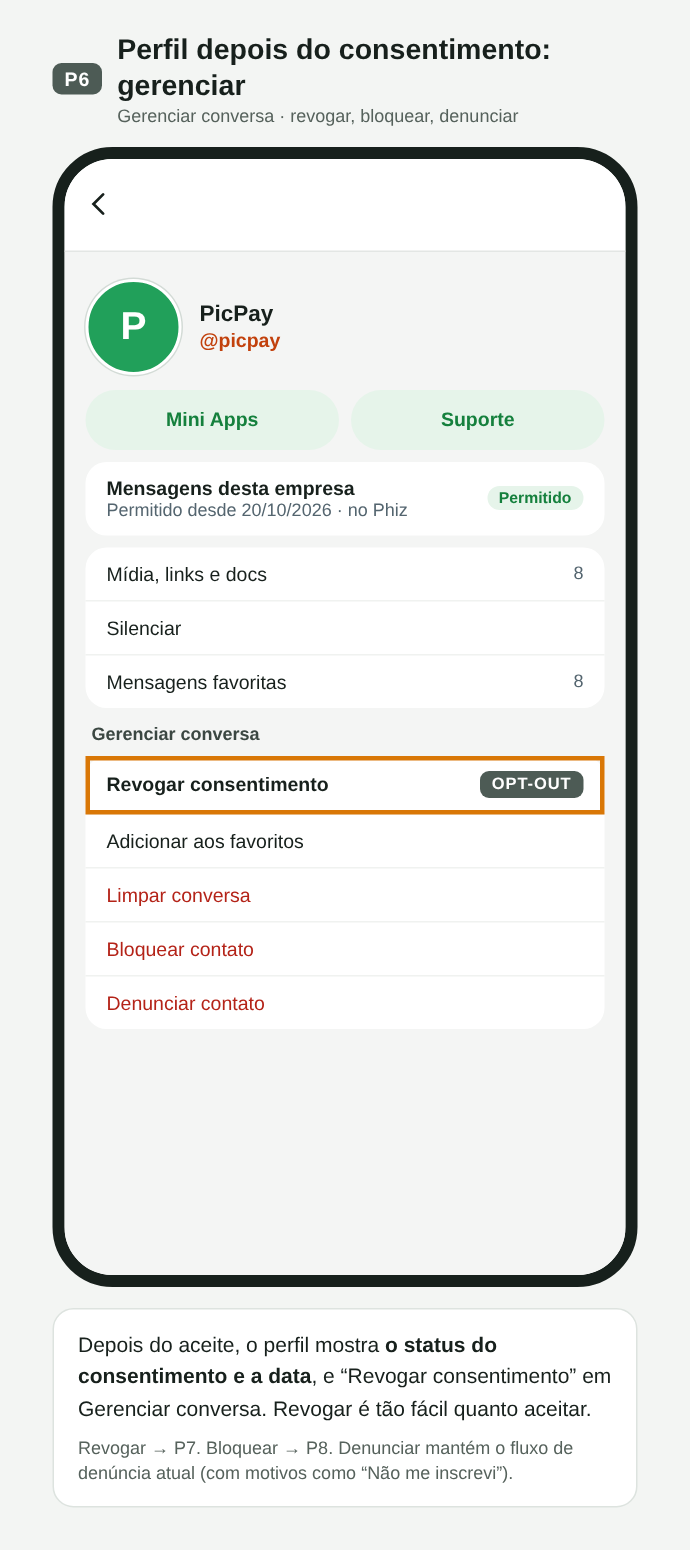
P06. Perfil depois do consentimento: status, data e Revogar consentimento
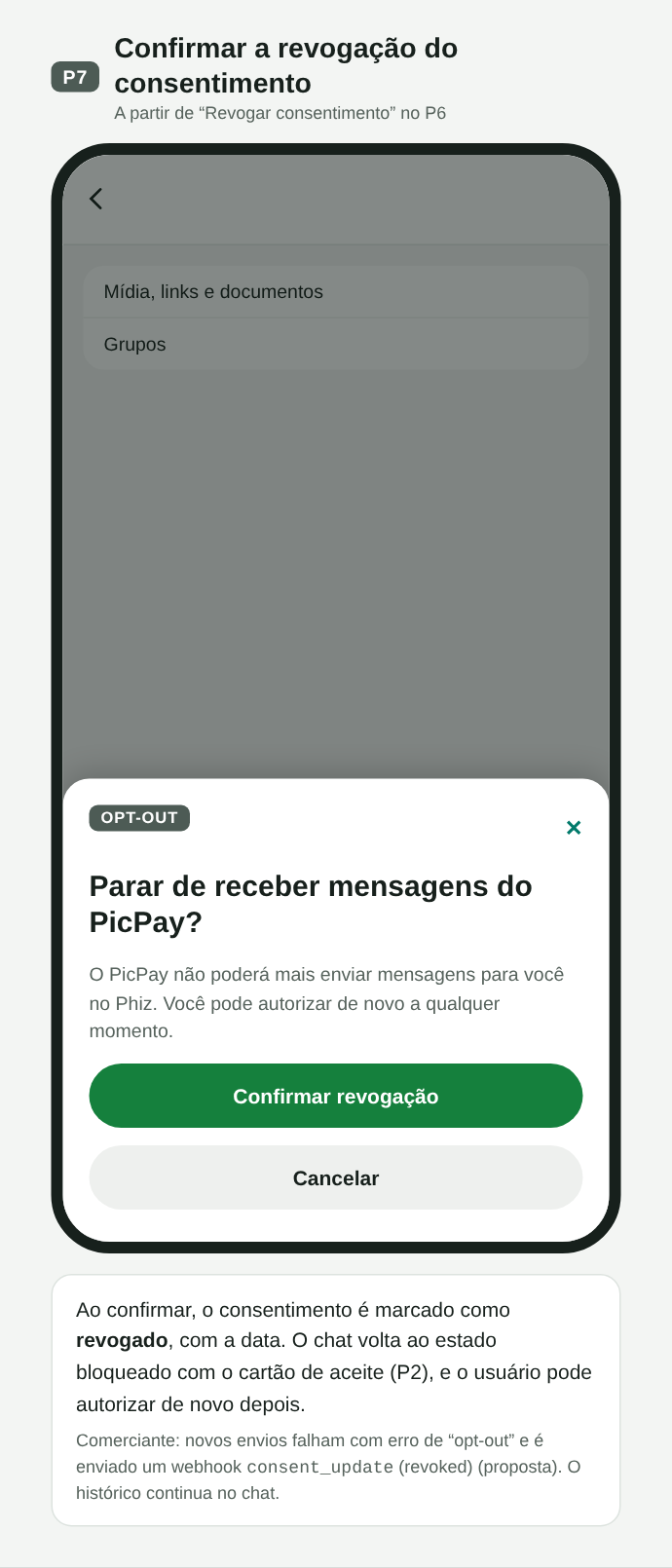
P07. Confirmação da revogação; o chat volta a ficar bloqueado
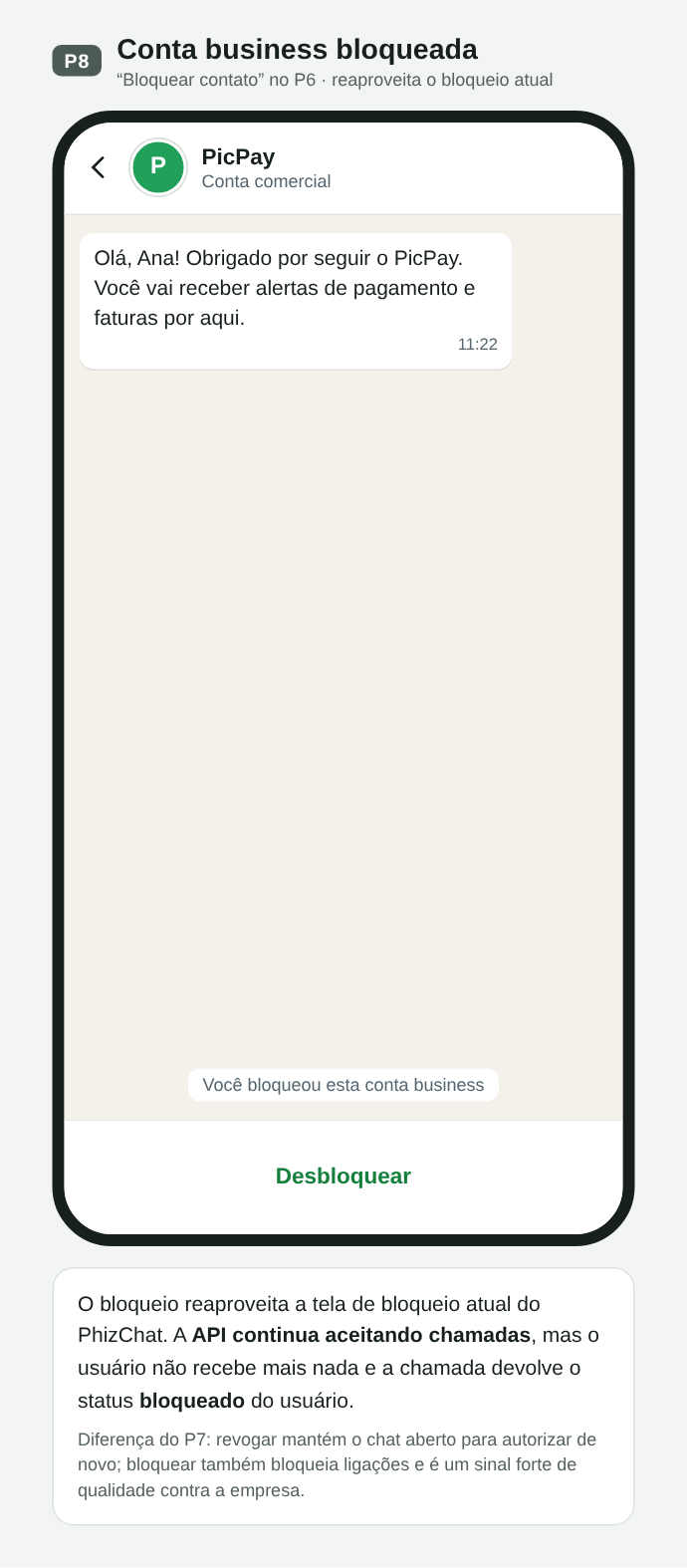
P08. Conta business bloqueada: a API devolve o status bloqueado
Fluxo Q · Opt-in coletado pela empresa, fora do PhizChat
A maioria das empresas brasileiras já coleta consentimento nos próprios canais. No fluxo Q, o usuário ativa “mensagens no PhizChat” no app do PicPay; o PicPay guarda a prova e envia o template pela API. A API confere se o destinatário é usuário do Phiz e se não bloqueou nem revogou; no modelo B, confere também se há consentimento registrado para aquela categoria. No app, a primeira mensagem chega com um cartão de origem do consentimento (o que foi autorizado, onde e quando), e o usuário pode continuar recebendo, parar ou denunciar.
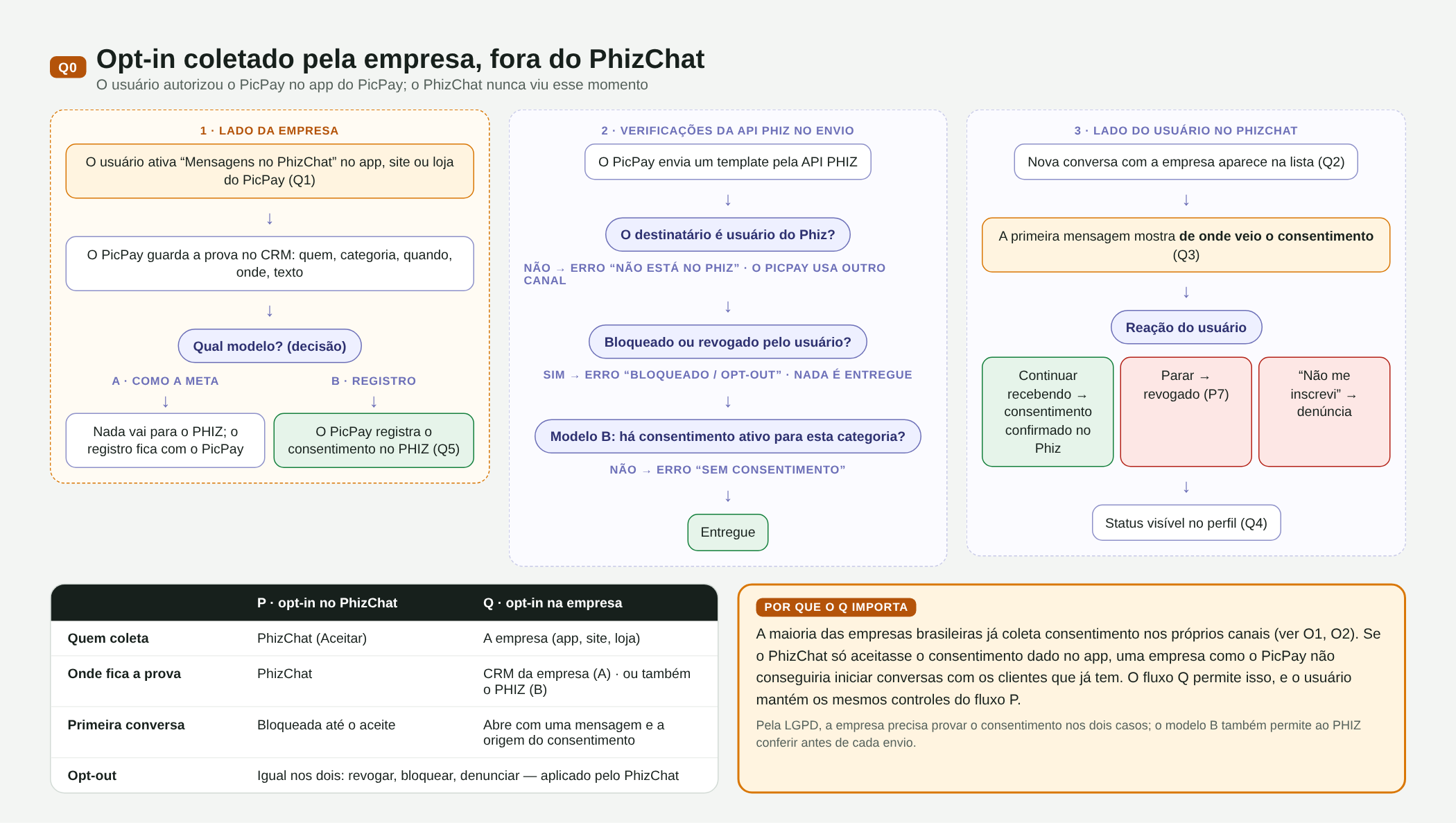
Q00. Mapa do fluxo Q: lado da empresa, verificações da API e lado do usuário, com a comparação P × Q
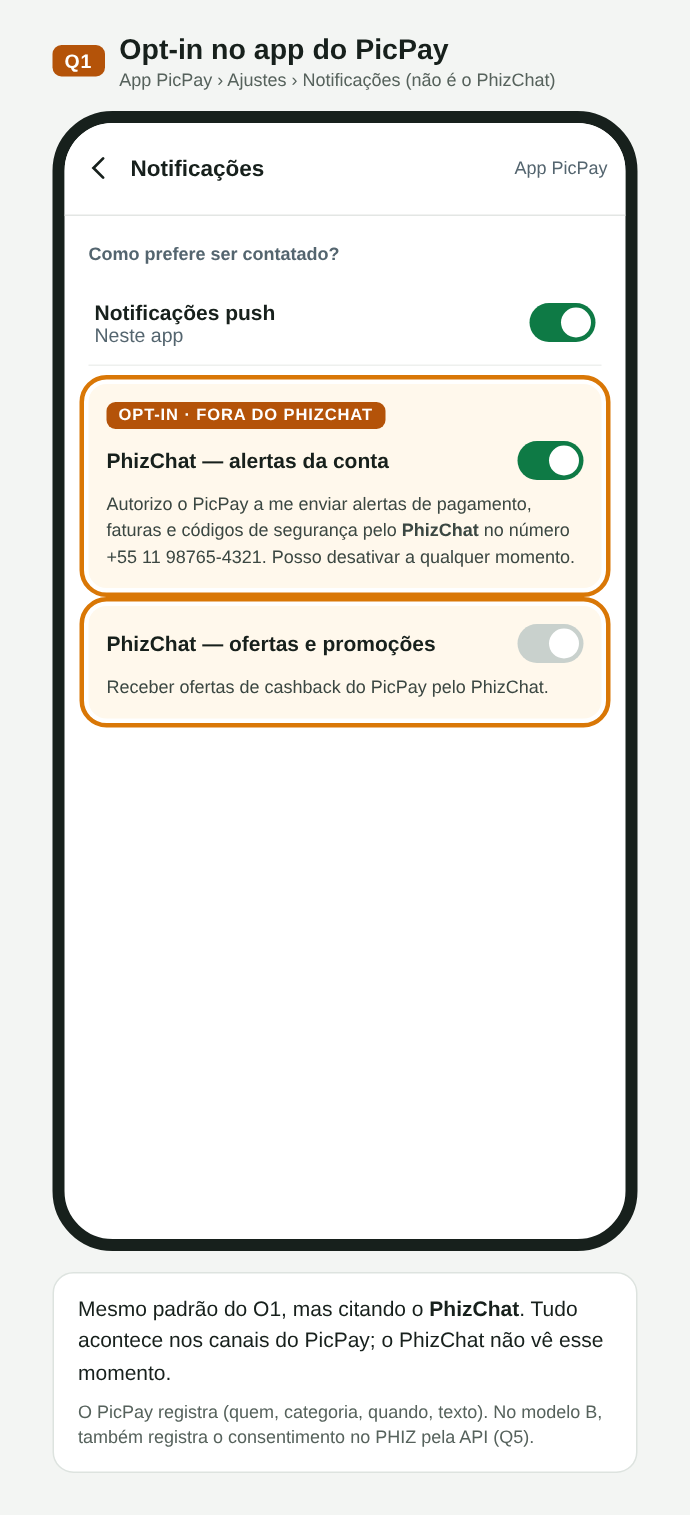
Q01. Opt-in no app do PicPay, citando o PhizChat
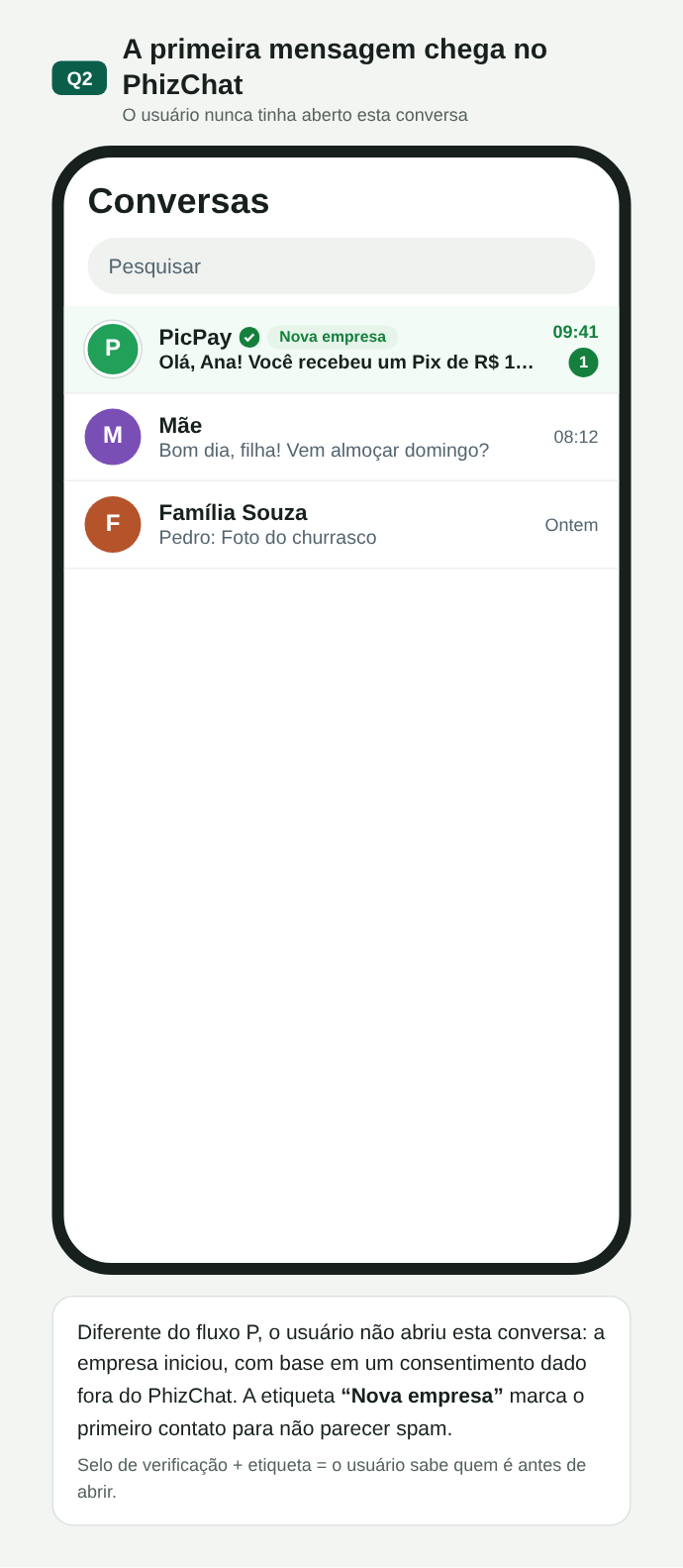
Q02. Primeira mensagem na lista, com a etiqueta Nova empresa
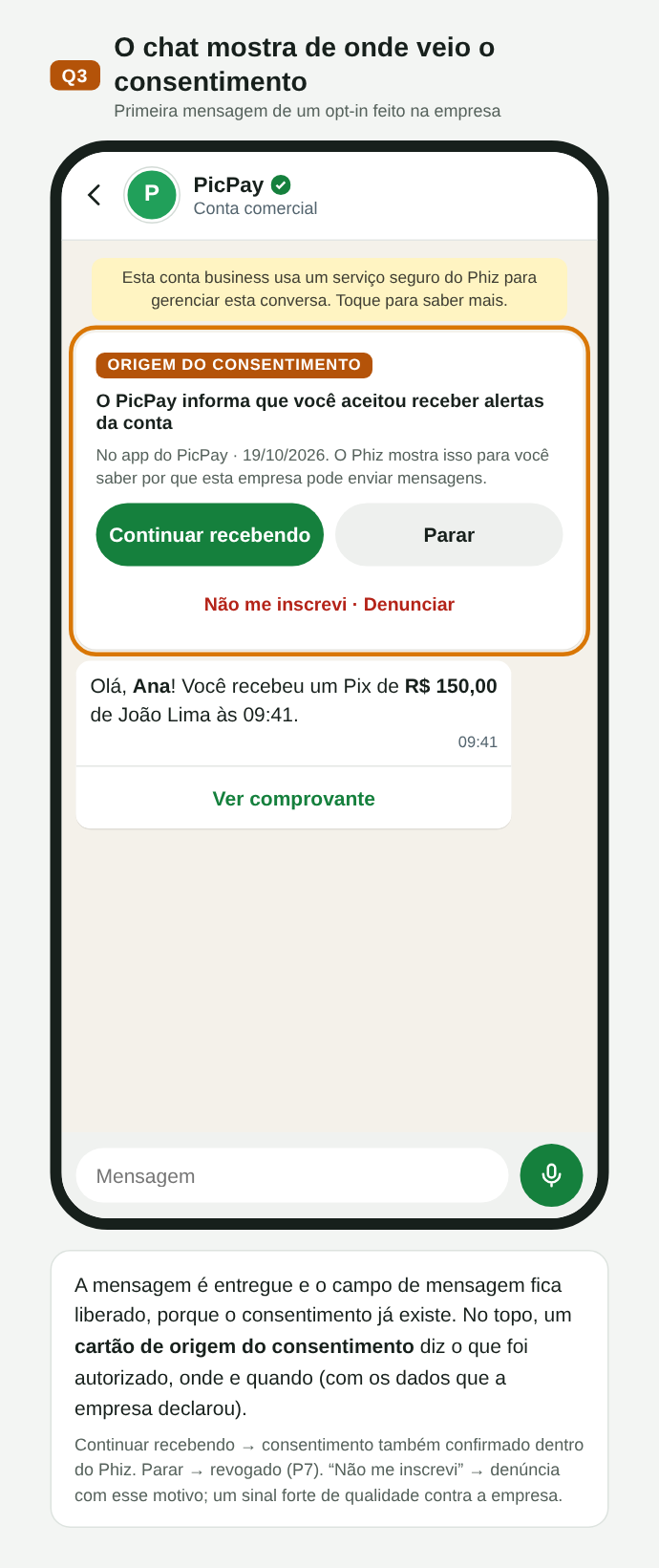
Q03. Cartão com a origem do consentimento: continuar, parar ou denunciar
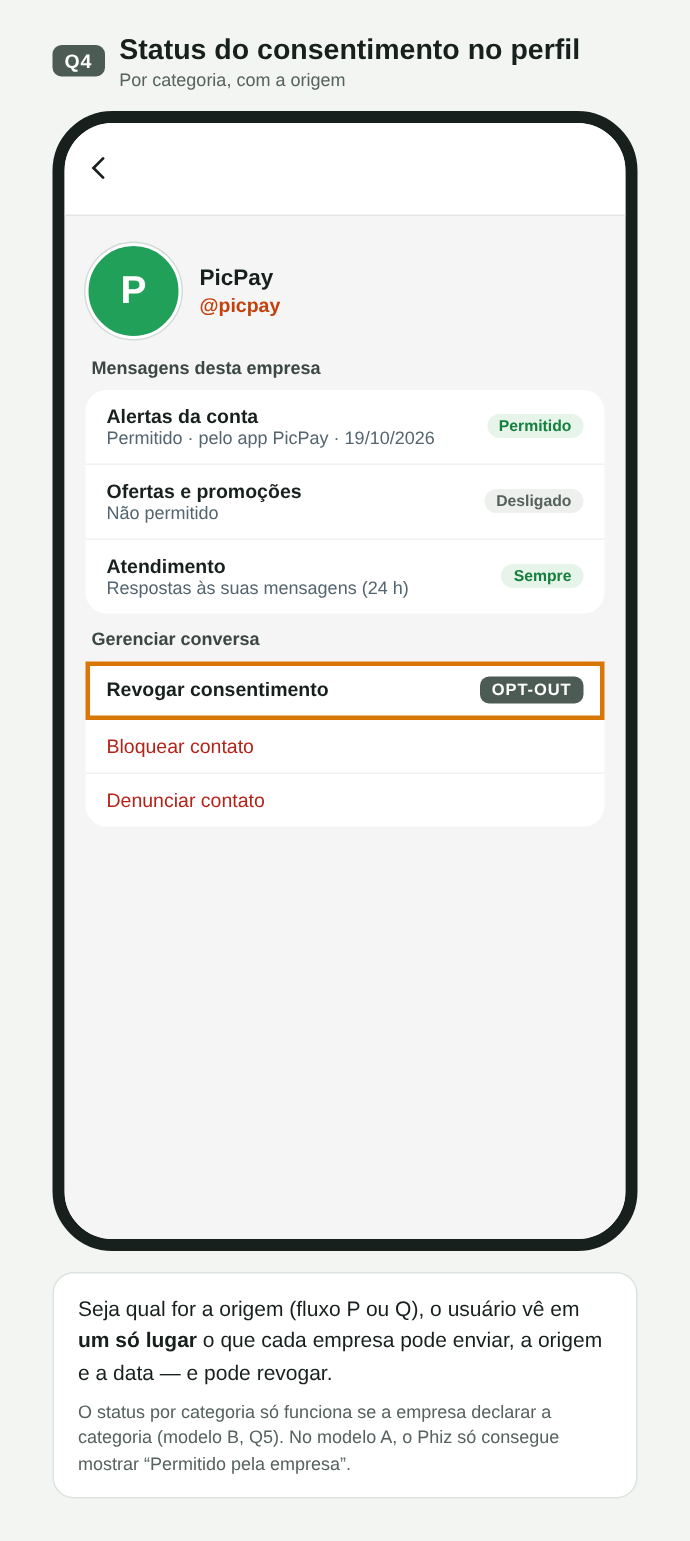
Q04. Status do consentimento por categoria, com origem e data
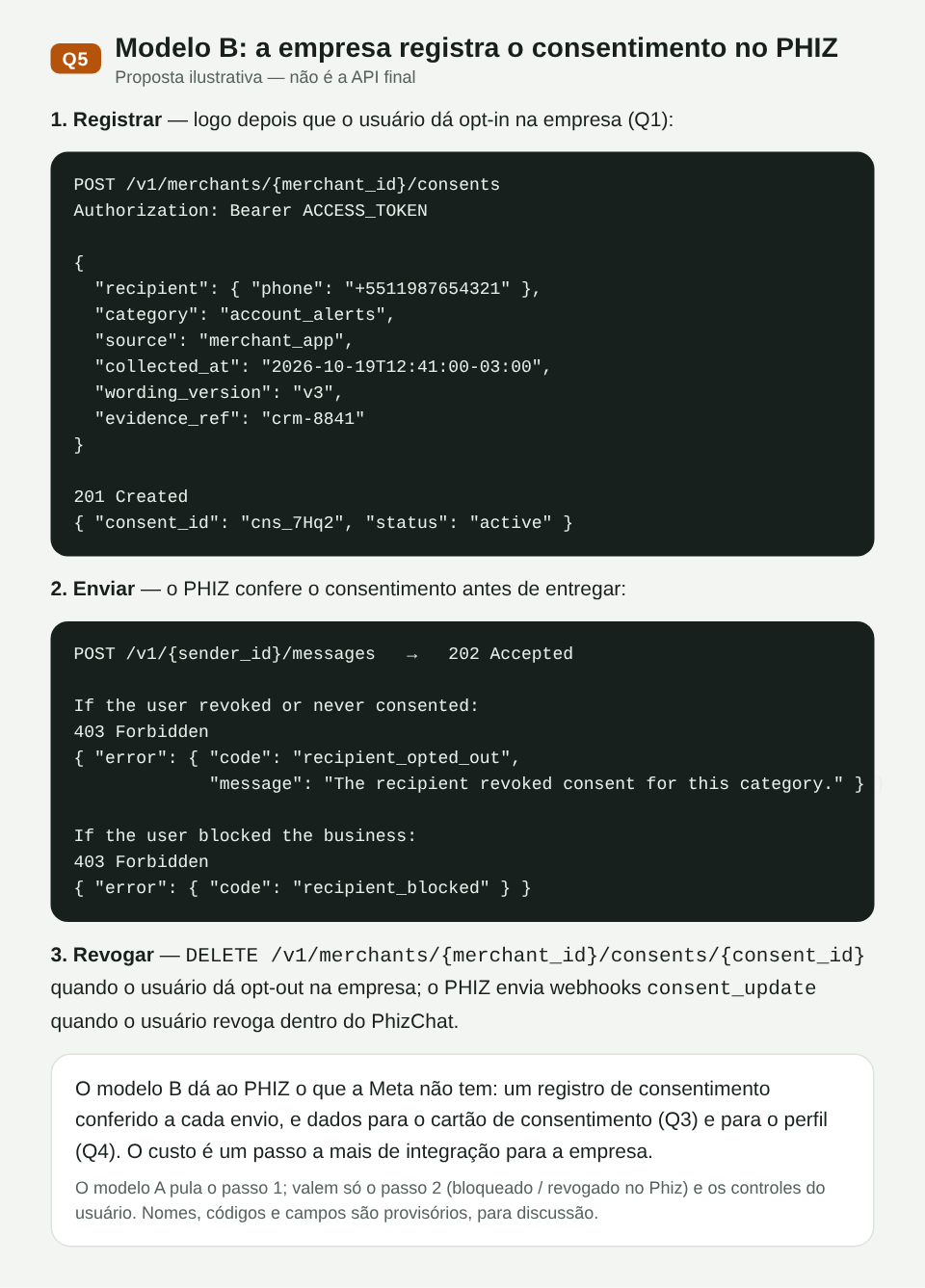
Q05. Modelo B: registro do consentimento na API e erros de envio (proposta ilustrativa)
P × Q
| P · opt-in no PhizChat | Q · opt-in na empresa | |
|---|---|---|
| Quem coleta | PhizChat (Aceitar) | O comerciante (app, site, loja) |
| Onde fica a prova | PhizChat | CRM do comerciante (modelo A) · também no PHIZ (modelo B) |
| Primeira conversa | Bloqueada até o aceite | Abre com a mensagem e a origem do consentimento |
| Opt-out | Igual nos dois: revogar, bloquear, denunciar — aplicado pelo PhizChat | |
Decisões em aberto
- Modelo A × B no fluxo Q (ver Q1): só a política, como a Meta, ou registro de consentimento no PHIZ conferido a cada envio. O cartão de origem (Q3) e o status por categoria (Q4) completos dependem do modelo B.
- Entrega antes do aceite no fluxo Q: a proposta entrega a primeira mensagem com o cartão de origem; a alternativa é bloquear o chat até o aceite, como no fluxo P.
- Categorias de consentimento (alertas da conta, ofertas, códigos) e o que o app mostra ao usuário.
- Nomes técnicos —
/v1/{sender_id}/consents, o webhookconsent_updatee os códigos de erro — são provisórios, para discussão.
05Objetivos e não-objetivos
Objetivos
- Credenciais ligadas a aplicações da Central do Desenvolvedor, e não mais a cada canal. O Merchant ID do Open Platform gera o Developer ID; sob ele, o comerciante cria uma aplicação para cada sistema externo (por exemplo, uma para a Blip e outra para o Salesforce), cada uma com
client_id, secret, escopos e seus Business Accounts. Canais podem ser liberados como remetentes opcionais. - OAuth 2.0 padrão (client credentials), compatível com bibliotecas e plataformas de mercado.
- Enviar mensagens para telefone ou Open ID e receber respostas e status por webhook assinado.
- Compatibilidade estrutural com a Cloud API da Meta, para que integrações existentes migrem com pouco código.
- Publicar a especificação da API em formato OpenAPI 3.1 (o padrão do Swagger). É um arquivo que descreve todas as rotas, campos, respostas e webhooks, e funciona como acordo entre o time que constrói a API e quem integra com ela. Com ele, parceiros geram documentação e código e testam antes da entrega.
Fora do escopo desta RFC
- Templates, campanhas e segmentação (Marketing API, fases futuras).
- Preço e cobrança por conversa.
- Grupos, chamadas de voz e vídeo.
- SDKs oficiais (podem vir depois, gerados a partir do OpenAPI).
06Modelo de domínio
O modelo de identidades segue a orientação do time técnico da PHIZ. O merchant_id não identifica o remetente: ele é a conta do Open Platform, e sob um mesmo desenvolvedor pode haver várias aplicações, cada uma com vários Business Accounts.
| Identidade | O que é | Onde aparece |
|---|---|---|
| Merchant ID | Conta do comerciante no Open Platform. Ao ser criada, gera em sincronia um Developer ID. | Open Platform |
| Developer ID | Identidade do desenvolvedor e dono dos recursos (aplicações, chaves, assinaturas). Pode ser o próprio comerciante ou um terceiro, como o Salesforce ou um BSP. | Central do Desenvolvedor |
| App ID | Aplicação: credenciais (client_id e secret), escopos e contexto de isolamento. O Open ID do usuário é diferente em cada aplicação. | Token, /v1/apps/{app_id} |
| BA ID | Business Account: o remetente real, que o usuário vê e autoriza. É criado dentro de uma aplicação e pertence só a ela. Criptografia e isolamento são por BA. | Conversa no PhizChat, entry[].id dos webhooks |
| sender_id | Referência externa ao remetente, usada na API e mapeada para o BA ID. Para um canal (opcional), é o ID do canal. | POST /v1/{sender_id}/messages |
| Open ID | Identificador do usuário dentro de uma aplicação. O telefone é trocado pelo Open ID, e o vínculo com o BA é feito pelo Open ID, não pelo número. | to com to_type: open_id; from nos webhooks |
flowchart LR
  M["Merchant ID
Open Platform"] -- "cria em sincronia" --> D["Developer ID
comerciante ou terceiro"]
  D --> A1["App ID · Blip
client_id + secret"]
  D --> A2["App ID · Salesforce
client_id + secret"]
  A1 --> B1["BA ID · Loja Exemplo
sender_id"]
  A2 --> B2["BA ID · Loja Exemplo Promoções
sender_id"]
  A1 -. "canal opcional
sender_id = ID do canal" .-> C["Canal 1231"]
  B1 --> U(("Usuário
Open ID por aplicação"))
  B2 --> U
  C --> U
Cada aplicação tem seus Business Accounts. O usuário autoriza o BA e é identificado pelo Open ID daquela aplicação. Canais continuam como remetente opcional.
Tipos de conversa
Definição do time de produto e tecnologia da PHIZ:
- Conversa de conta pública: categoria geral de conversa; não é exibida ao usuário.
- Conversa de serviço empresarial: subclassificação da conversa de conta pública; também não é exibida.
- Business Account: tipo de produto dentro da conversa de serviço empresarial, exibido ao usuário, como a identificação de empresa do WhatsApp. É voltado a empresas, governos e instituições.
Para ter um Business Account, a empresa cria a conta no Open Platform (Merchant ID), o que gera o Developer ID; sob ele cria uma aplicação (App ID) e, na aplicação, o Business Account (BA ID). Tanto as chamadas de terceiros (Salesforce, BSPs) quanto a autorização do usuário para receber mensagens são feitas sobre o BA ID. O Business Account é um tipo de conversa novo: produto e tecnologia vão refinar a definição dele e dos demais tipos, pensando em expansões futuras (Q4).
Fluxo ponta a ponta
Visão para o time técnico: por onde a mensagem passa, da empresa até o usuário, e por onde voltam as respostas e os status.
flowchart LR
  PP["PicPay"] --> B1["BSP
ex.: Blip"]
  AM["Ambar"] --> B2["BSP
ex.: Salesforce"]
  B1 --> API["PHIZ Business API
/gateway/business
Auth · Messages · Webhooks"]
  B2 --> API
  API -- "1–3 · token, envio e
validação do remetente" --> MA
  subgraph OP["Central do Desenvolvedor"]
    MA["App · Business Account"]
    MA -- "4a · sender_id = BA ID
padrão" --> DM["Business Account"]
    MA -. "4b · sender_id = ID do canal
opcional" .-> CH["Channel"]
    CH --> CM["Channel Message"]
  end
  DM -- "5 · entrega" --> APP["Phiz App"]
  CM -- "5 · entrega" --> APP
  APP --> U(("Usuário"))
Ida: da empresa até o usuário. A linha tracejada é o caminho opcional pelo canal.
Retorno: respostas e status
flowchart LR
  U(("Usuário")) -- "responde, recebe, lê" --> APP["Phiz App"]
  APP -- "6 · eventos" --> WH["PHIZ Business API
Webhooks"]
  WH -- "webhook assinado" --> BSP["BSP da integração
responsável pelo remetente"]
  BSP --> EMP["Empresa"]
Volta: respostas do usuário e status das mensagens chegam ao BSP pelo webhook.
- Integração. A empresa (por exemplo, PicPay ou Ambar) usa um BSP para o atendimento. Na Central do Desenvolvedor, o comerciante cria uma aplicação Business Messaging para esse BSP e entrega o
client_ide o secret. - Token. O BSP chama
/oauth/token. O Auth confere a aplicação na Central do Desenvolvedor (secret, escopos e Business Accounts) e devolve um JWT de 1 h. - Envio. O BSP chama
POST /v1/{sender_id}/messages. A API troca o telefone pelo Open ID do usuário, valida token, escopo, remetente, política de opt-in eIdempotency-Key, responde202e coloca a mensagem na fila. Para mídia, o BSP primeiro envia o arquivo paraPOST /v1/{sender_id}/mediae usa no envio oidou o link PHIZ devolvido. - Roteamento. Com o
sender_idde um Business Account, a mensagem sai como conversa Business Account (padrão). Com o ID de um canal, segue como Channel Message (opcional). - Entrega. O Phiz App exibe a mensagem ao usuário e baixa a mídia do armazenamento da PHIZ, pelo link gerado no upload.
- Retorno. Respostas do usuário e status (
sent,delivered,read,failed) viram eventos que o serviço de Webhooks entrega, assinados, à aplicação dona do Business Account.
| Componente | Responsabilidade | Situação |
|---|---|---|
| BSP / sistema da empresa | Chama a API, envia as mídias por upload e recebe o webhook. | Externo |
| PHIZ Business API · Auth | Emite e revoga JWT; valida client_id e secret. | Novo |
| PHIZ Business API · Messages | Valida e aceita envios (202), aplica idempotência e limites, enfileira e roteia por sender_id. | Novo |
| PHIZ Business API · Media | Recebe o upload, valida formato e tamanho, guarda o arquivo por tempo limitado e gera o id e o link PHIZ usados no envio. | Novo |
| PHIZ Business API · Webhooks | Consome eventos do app, assina e entrega pelas assinaturas de eventos da Central do Desenvolvedor, com as retentativas e o histórico dele. | Novo |
| Open Platform · Central do Desenvolvedor | Existente. Guarda organizações, apps, secrets (hash), escopos e assinaturas de eventos. A Business API acrescenta os Business Accounts de cada app. | Alterado: credenciais saem do canal e vão para aplicações do Developer ID |
| Business Account | Conversa de serviço empresarial exibida ao usuário como a empresa; criptografia e isolamento por BA. | Novo (seção 06, Q3) |
| Channel / Channel Message | Envio pelo canal do comerciante. | Existente |
| Phiz App | Exibe mensagens, baixa mídia pelo link PHIZ e gera eventos de entrega, leitura e resposta. | Alterado |
Equivalência com a Cloud API da Meta
| Meta (WhatsApp Cloud API) | PHIZ (esta proposta) |
|---|---|
| WhatsApp Business Account (WABA) | Developer ID · aplicação (App ID) |
Número comercial · phone_number_id | Business Account · sender_id mapeado para o BA ID; opcionalmente, um canal (ID do canal) |
| App da Meta + token de System User | App de desenvolvedor + OAuth client credentials |
wa_id | open_id (por aplicação) |
POST /{phone-number-id}/messages | POST /v1/{sender_id}/messages |
POST /{phone-number-id}/media · mídia por id ou link de terceiros | POST /v1/{sender_id}/media · mídia só por id ou link PHIZ; links de terceiros não são aceitos |
object: whatsapp_business_account | object: phiz_business_account |
X-Hub-Signature-256 | X-Phiz-Signature-256 + X-Phiz-Timestamp |
hub.mode / hub.verify_token / hub.challenge | Iguais |
07Princípios de design
- Mesmo formato da Cloud API. Corpos de envio, respostas e webhooks seguem a estrutura da Meta. Divergimos só onde há ganho claro de segurança (timestamp na assinatura, mídia só pelo armazenamento da PHIZ) ou de clareza (
to_type). - Status HTTP, um único envelope de erro e
trace_idem toda resposta de erro. - O envio é assíncrono e responde
202 Accepted; o resultado chega pelo webhook. - Idempotência. O cabeçalho
Idempotency-Keyevita mensagens duplicadas quando o cliente repete uma requisição. - Menor privilégio. Cada integração tem escopos e uma lista de remetentes permitidos.
- Versionamento
/v1. Mudanças compatíveis (campos novos) entram de maneira padronizada; mudanças incompatíveis exigem/v2.
08Autenticação
Usamos o fluxo client credentials do OAuth 2.0 (RFC 6749 §4.4). O app troca client_id e client_secret por um access token de 1 hora e o envia em Authorization: Bearer em todas as chamadas. Não há refresh token: quando o token expira, o app pede outro.
Na Central do Desenvolvedor, o app, o appId e o appSecret são o app, o client_id e o client_secret desta seção, e o grant CLIENT_CREDENTIALS da plataforma é o fluxo descrito aqui (seção 12).
/oauth/tokenEmite access token/oauth/revokeRevoga um token (RFC 7009)/v1/meMostra aplicação, Developer ID, escopos e remetentes do token
sequenceDiagram
  autonumber
  participant S as Sistema externo
  participant A as PHIZ Auth
  participant API as PHIZ API
  S->>A: POST /oauth/token (client_id, client_secret)
  A-->>S: 200 access_token (1 h), escopos
  S->>API: POST /v1/{sender_id}/messages · Bearer token
  API-->>S: 202 Accepted
Perto de expirar, o sistema pede outro token. Não há refresh token.
Requisição e resposta
# Base URL of this API: current PHIZ gateway + /gateway/business prefix (illustrative host)
PHIZ_API_BASE="https://gateway.phiz.chat/gateway/business"

curl -X POST "$PHIZ_API_BASE/oauth/token" \
  -H "Content-Type: application/x-www-form-urlencoded" \
  -d grant_type=client_credentials \
  -d client_id=app_2Fk81PzQ \
  -d client_secret="$PHIZ_CLIENT_SECRET" \
-d "scope=messages:send messages:read"{
"access_token": "eyJhbGciOiJFUzI1NiIsImtpZCI6InBoei0yMDI2LTEwIn0…",
"token_type": "Bearer",
"expires_in": 3600,
"scope": "messages:send messages:read",
"developer_id": "dev_suPb10cTzMQ"
}Os endpoints /oauth/* usam o formato de erro do OAuth (RFC 6749 §5.2), que as bibliotecas já entendem:
{
  "error": "invalid_client",
  "error_description": "Client authentication failed."
}
Formato do token
Decisão: o token é um JWT assinado com ES256 e chave publicada em /.well-known/jwks.json. O gateway valida o token localmente, sem consulta ao banco a cada chamada. Revogações e secrets rotacionados entram numa lista de negação de curta duração (até a expiração do token). Para o integrador o token é opaco; o conteúdo abaixo é informativo.
{
  "iss": "https://gateway.phiz.chat/gateway/business",
  "sub": "app_2Fk81PzQ",
  "aud": "phiz-business-api",
  "did": "dev_suPb10cTzMQ",
  "scope": "messages:send messages:read",
  "snd": [
    "ba_7Kq2M9xTpL",
    "1231"
  ],
  "env": "live",
  "iat": 1760527800,
  "exp": 1760531400,
  "jti": "tok_01JA9VQ4N2"
}
Escopos
| Escopo | Permite |
|---|---|
messages:send | Enviar mensagens, enviar e gerenciar mídias e marcar mensagens como lidas |
messages:read | Consultar status de mensagens |
webhooks:manage | Configurar, testar e reenviar o webhook do próprio app (Fase 2) |
account:read | Ler dados da aplicação, dos Business Accounts e dos canais |
templates:manage | Reservado para a Marketing API |
Secrets e rotação
- O secret tem prefixo de ambiente (
phzsk_live_,phzsk_test_), o que ajuda scanners de vazamento a reconhecê-lo. - É exibido uma única vez, na criação ou rotação, e guardado apenas como hash (Argon2id).
- Cada app pode ter até dois secrets ativos. Ao gerar um novo, o anterior continua válido pelo período escolhido (padrão 24 h, de 0 a 7 dias), permitindo trocar sem queda.
- A tela mostra o último uso de cada secret, para saber se o antigo ainda está em uso antes de revogá-lo.
- Lista de IPs permitidos por app e política de rotação de 90 dias, ambas já existentes na Central do Desenvolvedor.
Atual × proposto
| Aspecto | Hoje | Proposta |
|---|---|---|
| Dono da credencial | Canal | Aplicação da Central (Developer ID) |
| Fluxo | user_credentials (próprio) | client_credentials (RFC 6749) |
| Campos obrigatórios extras | description | Nenhum |
| Validade | ~2 h + refresh token ~90 dias | 1 h, sem refresh token |
| Escopos | channel | Por capacidade + remetentes permitidos |
| Rotação | Redefinir invalida na hora | Dois secrets ativos, com sobreposição |
| Erros | HTTP 200 + code no corpo | Status HTTP real + envelope padrão |
09Envio de mensagens
/v1/{sender_id}/messagesEnvia mensagem ou marca como lida/v1/{sender_id}/mediaEnvia um arquivo de mídia e devolve id e link PHIZ/v1/media/{media_id}Dados da mídia: link, tipo, tamanho e validade/v1/media/{media_id}Remove a mídia antes do prazo/v1/messages/{message_id}Último status conhecido (contingência)/v1/apps/{app_id}/sendersBusiness Accounts e canais da aplicaçãoRemetente: um Business Account ou um canal
O sender_id no caminho define em nome de quem a mensagem sai. Ele é uma referência externa ao remetente e não é o merchant_id:
- Business Account (padrão). Use o
sender_iddo Business Account, mapeado para o BA ID, por exemploba_7Kq2M9xTpL. A mensagem aparece numa conversa Business Account, exibida ao usuário como a empresa, e não depende de canal. Cada Business Account pertence a uma única aplicação, que é quem envia e recebe por ele. - Um canal (opcional). Use o ID do canal, por exemplo
1231. Útil para quem separa marcas ou áreas em canais diferentes. A mensagem aparece na conversa Channel Service do canal, a mesma usada pelo Channel Bot.
Os dois funcionam do mesmo jeito na API: mesmos campos, mesmas respostas e mesmos webhooks. Nos webhooks, metadata.sender_type indica qual foi usado e metadata.conversation_type traz o tipo de conversa (business_account ou channel_service).
Destinatário: telefone ou Open ID
O Business Account envia sempre para o Open ID do usuário naquela aplicação. Todo usuário PHIZ tem um telefone válido e verificado, então o integrador pode informar o telefone e a PHIZ faz a troca. O campo to recebe o destinatário e to_type diz como interpretá-lo:
phone(padrão): telefone em E.164, por exemplo+5511987654321, inclusive números de outros países. A PHIZ troca o número pelo Open ID do usuário antes do envio.open_id: o Open ID do usuário nesta aplicação, por exemplooid_Qm7f2K9xT4Lw. É o identificador que chega nos webhooks, então respostas podem usá-lo diretamente.
O vínculo entre o Business Account e o usuário é feito pelo Open ID, e não pelo telefone: se o usuário trocar de número, a conversa continua com o mesmo Open ID. O Open ID é diferente em cada aplicação, então não serve para cruzar usuários entre aplicações.
Se o telefone não pertencer a uma conta PHIZ, ou o usuário tiver bloqueado o remetente, a API ainda responde 202 e o webhook informa failed com erro 2104. Assim a API não serve para descobrir quais números têm conta na PHIZ.
Exemplo: texto para telefone
# sender_id = BA ID: message from the Business Account (default), no channel needed
curl -X POST "$PHIZ_API_BASE/v1/ba_7Kq2M9xTpL/messages" \
  -H "Authorization: Bearer $PHIZ_TOKEN" \
  -H "Content-Type: application/json" \
  -H "Idempotency-Key: pedido-48213-envio" \
  -d '{
    "messaging_product": "phiz",
    "to": "+5511987654321",
    "to_type": "phone",
    "type": "text",
    "text": { "body": "Olá, Maria! Seu pedido #48213 foi enviado." },
    "biz_opaque_callback_data": "pedido=48213"
}'{
"messaging_product": "phiz",
"contacts": [
{
"input": "+5511987654321",
"open_id": null
}
],
"messages": [
{
"id": "pmid.01JA9VZ6T8R3",
"message_status": "accepted"
}
]
}contacts[].open_id só vem preenchido se o usuário já tem vínculo com esse Business Account. messages[].id é a chave para relacionar os webhooks de status.
Outros exemplos
O mesmo envio, saindo por um canal
# sender_id = 1231: same request, sent through the merchant's channel
curl -X POST "$PHIZ_API_BASE/v1/1231/messages" \
  -H "Authorization: Bearer $PHIZ_TOKEN" \
  -H "Content-Type: application/json" \
  -d '{ "to": "+5511987654321", "type": "text", "text": { "body": "Novidades da semana na Loja Exemplo - Ofertas" } }'
Texto para Open ID
{
  "to": "oid_Qm7f2K9xT4Lw",
  "to_type": "open_id",
  "type": "text",
  "text": {
    "body": "Seu cupom chegou: PHIZ10"
  }
}
Upload de mídia
# 1. Upload the file to PHIZ (multipart/form-data). Third-party URLs are not accepted when sending.
curl -X POST "$PHIZ_API_BASE/v1/ba_7Kq2M9xTpL/media" \
  -H "Authorization: Bearer $PHIZ_TOKEN" \
  -F messaging_product=phiz \
  -F type=application/pdf \
-F file=@nota-fiscal-48213.pdf{
"id": "pmed.01JB2K7Q9X",
"link": "https://media.phiz.chat/biz/pmed.01JB2K7Q9X",
"mime_type": "application/pdf",
"file_size": 184320,
"sha256": "9b1f…",
"expires_at": "2026-11-19T14:00:00Z"
}Áudio pelo id da mídia
{
  "to": "+5511987654321",
  "type": "audio",
  "audio": {
    "id": "pmed.01JB2K4M7A"
  }
}
Vídeo pelo link PHIZ, para Open ID
{
  "to": "oid_Qm7f2K9xT4Lw",
  "to_type": "open_id",
  "type": "video",
  "video": {
    "link": "https://media.phiz.chat/biz/pmed.01JB2K5V1C",
    "caption": "Como montar seu produto"
  }
}
Documento com nome de arquivo
{
  "to": "+5511987654321",
  "type": "document",
  "document": {
    "id": "pmed.01JB2K7Q9X",
    "filename": "nota-fiscal-48213.pdf",
    "caption": "Nota fiscal do pedido #48213"
  }
}
Botões de resposta
{
  "to": "+5511987654321",
  "type": "interactive",
  "interactive": {
    "type": "button",
    "body": {
      "text": "Confirma a entrega amanhã entre 9h e 12h?"
    },
    "action": {
      "buttons": [
        {
          "type": "reply",
          "reply": {
            "id": "confirmar",
            "title": "Confirmar"
          }
        },
        {
          "type": "reply",
          "reply": {
            "id": "reagendar",
            "title": "Reagendar"
          }
        }
      ]
    }
  }
}
Marcar mensagem recebida como lida
{
  "messaging_product": "phiz",
  "status": "read",
  "message_id": "pmid.IN_01JA9W2C"
}
Tipos suportados
| type | Conteúdo | Fase |
|---|---|---|
text | Até 4.096 caracteres; preview_url opcional | MVP |
image | Por id ou link PHIZ (upload prévio); legenda opcional | MVP |
audio | Por id ou link PHIZ (upload prévio); sem legenda | MVP |
video | Por id ou link PHIZ (upload prévio); legenda opcional | MVP |
document | Por id ou link PHIZ (upload prévio); legenda e nome do arquivo opcionais | MVP |
Mídia: upload na PHIZ e armazenamento temporário
Toda mídia passa pelo armazenamento da PHIZ. O envio acontece em dois passos:
- Upload. O BSP envia o arquivo para
POST /v1/{sender_id}/media(multipart/form-data). A PHIZ confere formato e tamanho, guarda o arquivo e devolve umide umlinkPHIZ, com a data de validade emexpires_at. - Envio. Na mensagem, o objeto da mídia traz o
id(recomendado) ou esselink. O app do usuário baixa o arquivo do armazenamento da PHIZ.
- Só links gerados pela PHIZ. Na Fase 1, a API recusa URLs de terceiros (CDN do comerciante ou do parceiro) com erro
2302. Assim a PHIZ garante que o link é seguro e que o arquivo continua acessível até a entrega, e o app não expõe o IP do usuário a servidores externos. - Armazenamento temporário. O arquivo fica guardado só pelo tempo necessário para o envio e a entrega: proposta de 30 dias a partir do upload, como o
idde mídia da Cloud API (ver Q8). Durante esse prazo, o mesmoidpode ser usado em vários envios, por exemplo o mesmo PDF para muitos clientes. Depois dele, oide o link deixam de valer e novos envios falham com2303. O comerciante pode apagar antes comDELETE /v1/media/{media_id}. - Validação no upload. Formato e tamanho são checados no upload, e não na entrega: arquivos fora da tabela abaixo são recusados na hora (
2304e2305). - Escopo. Upload, consulta e remoção usam o escopo
messages:send, e a mídia só pode ser usada por remetentes da mesma aplicação.
Na Fase 1, mídia só por upload na PHIZ, com armazenamento temporário; links de terceiros não são aceitos. Liberar URLs de terceiros para clientes específicos, por exemplo com lista de domínios permitidos, fica para uma fase futura. Combinado com Henry Wu nos comentários desta seção.
Confirmado pelo time técnico: formatos e tamanhos de mídia podem ser definidos por esta RFC (tabela abaixo); na primeira fase, o arquivo é enviado e armazenado pela Business API; depois, a capacidade de usar URLs de terceiros é liberada conforme o cliente. Outras regras seguem a definição técnica.
| Tipo | Formatos aceitos | Tamanho máximo |
|---|---|---|
image | JPEG, PNG, WebP | 5 MB |
audio | AAC, MP3, M4A, OGG (Opus), AMR | 16 MB |
video | MP4 (H.264 + AAC), 3GP | 16 MB |
document | PDF, DOC/DOCX, XLS/XLSX, PPT/PPTX, TXT, CSV | 100 MB |
Formatos e tamanhos que o app PHIZ deve aceitar, inspirados nos limites da Cloud API e definidos por esta RFC. A conversão e a compressão ficam a cargo de quem envia o arquivo; o upload recusa o que estiver fora da tabela. Na v1.6, o time técnico confirmou que formatos e tamanhos podem ser definidos por esta RFC (ver Q8).
Política de envio (consentimento)
Proposta inspirada no WhatsApp (ver seção 03), com os fluxos de opt-in detalhados na seção 04:
- Iniciar conversa exige opt-in do usuário para aquele Business Account (
ba_id) e categoria: alertas da conta, ofertas ou códigos. Responder em até 24 h depois de uma mensagem do usuário não exige opt-in prévio. - O opt-in pode ser coletado fora do PHIZ (app, site ou loja do comerciante) ou dentro do app PHIZ.
- Opt-out aplicado pela plataforma: se o usuário bloqueia o Business Account ou para as ofertas, os envios daquela categoria falham com erro, sem depender do comerciante.
- Registro obrigatório: o comerciante guarda a prova de cada consentimento (Open ID do usuário,
ba_id, categoria, origem, data, texto exibido e revogação). Pela LGPD, cabe a quem trata os dados provar o consentimento e respeitar a revogação.
A Meta tem a política de opt-in mas não a valida: confia no comerciante e reage depois, por denúncias e nota de qualidade. Precisamos escolher entre A, o mesmo modelo (política mais registro no comerciante), e B, um registro de consentimento no PHIZ, verificado antes de cada envio. Ver Q1.
Idempotência
Envie Idempotency-Key em todo envio. A mesma chave em até 24 h devolve a resposta original sem reenviar. A mesma chave com corpo diferente devolve 409. Isso torna seguros os retries após timeout ou erro 5xx.
10Webhooks
Cada app tem uma assinatura de webhook com URL, verify_token e lista de eventos. Na Central do Desenvolvedor, ela é registrada em Assinaturas de eventos: uma assinatura liga um evento do app a uma URL de retorno.
Na Fase 1, o parceiro cadastra a URL sozinho em Assinaturas de eventos, na Central do Desenvolvedor. Isso substitui o cadastro manual pela PHIZ proposto na v1.4. Como a plataforma já oferece retentativas, dead letters e reenvio, essas proteções passam a ser reaproveitadas e deixam de ser trabalho da Fase 2. O que a Fase 2 mantém é a configuração por API. Precisa ser confirmado com Henry Wu e com o time da Central do Desenvolvedor (Q9).
Configuração na Central do Desenvolvedor (Fase 1)
- O catálogo de eventos da Central do Desenvolvedor ganha
messagesemessage_status, que o app escolhe em Assinaturas de eventos › Nova assinatura, com a URL de retorno. - A assinatura pode ser ativada, desativada e editada na própria tela, e as mudanças geram auditoria e notificação.
- O formato dos eventos, a assinatura e o handshake descritos abaixo valem para as duas formas de configuração. Falta confirmar o que a plataforma já faz hoje (Q9).
Configuração por API (Fase 2)
Estes endpoints são opcionais e ficam para a Fase 2. Na Fase 1, o parceiro usa a tela Assinaturas de eventos.
/v1/apps/{app_id}/webhookDefine URL, verify_token e eventos (Fase 2)/v1/apps/{app_id}/webhookConfiguração e saúde (Fase 2)/v1/apps/{app_id}/webhook/testDispara evento de teste assinado (Fase 2)/v1/apps/{app_id}/webhook/deliveriesHistórico de entregas, 72 h (Fase 2)/v1/apps/{app_id}/webhook/deliveries/{id}/replayReenvia uma entrega (Fase 2)curl -X PUT "$PHIZ_API_BASE/v1/apps/app_2Fk81PzQ/webhook" \
-H "Authorization: Bearer $PHIZ_TOKEN" \
-H "Content-Type: application/json" \
-d '{
"url": "https://integracao.lojaexemplo.com.br/phiz/webhook",
"verify_token": "um-texto-que-so-voce-conhece",
"fields": ["messages", "message_status"]
}'Exemplo da chamada de configuração da Fase 2.
Eventos
| field | Quando |
|---|---|
messages | O usuário enviou mensagem, clicou num botão ou reagiu |
message_status | Uma mensagem enviada mudou para sent, delivered, read ou failed |
sender_update | Mudou o status, a qualidade ou o limite de um remetente (comerciante ou canal) |
account_update | Mudança na conta de comerciante (verificação, restrição) |
Verificação da URL
Antes de ativar, a PHIZ faz um GET na URL com hub.mode=subscribe, hub.verify_token e hub.challenge. O servidor confere o token e responde 200 com o valor de hub.challenge. É o mesmo handshake da Meta.
Assinatura
Todo POST traz os cabeçalhos abaixo. A assinatura é um HMAC-SHA256 de {X-Phiz-Timestamp}.{corpo bruto} com o webhook secret do app, separado do client secret. Rejeite eventos com timestamp mais de 5 minutos fora do relógio. Durante a rotação do webhook secret, o cabeçalho traz duas assinaturas separadas por vírgula.
POST /phiz/webhook HTTP/1.1
Host: integracao.lojaexemplo.com.br
Content-Type: application/json
User-Agent: PHIZ-Webhooks/1.0
X-Phiz-Delivery-Id: dlv_01JA9W2D7K
X-Phiz-Timestamp: 1760528527
X-Phiz-Signature-256: sha256=6f1c0e…// Express: verification handshake + signed events
import express from "express";
import crypto from "node:crypto";
const app = express();
app.use(express.raw({ type: "application/json" })); // keep the raw body for the HMAC
app.get("/phiz/webhook", (req, res) => {
const ok = req.query["hub.mode"] === "subscribe" &&
req.query["hub.verify_token"] === process.env.PHIZ_VERIFY_TOKEN;
return ok ? res.status(200).send(req.query["hub.challenge"]) : res.sendStatus(403);
});
app.post("/phiz/webhook", (req, res) => {
const ts = Number(req.get("X-Phiz-Timestamp"));
if (Math.abs(Date.now() / 1000 - ts) > 300) return res.sendStatus(400);
const expected = "sha256=" + crypto
.createHmac("sha256", process.env.PHIZ_WEBHOOK_SECRET)
.update(`${ts}.${req.body}`)
.digest("hex");
const received = (req.get("X-Phiz-Signature-256") || "").split(",");
const valid = received.some(sig => sig.length === expected.length &&
crypto.timingSafeEqual(Buffer.from(sig), Buffer.from(expected)));
if (!valid) return res.sendStatus(401);
queue.push({ deliveryId: req.get("X-Phiz-Delivery-Id"), event: JSON.parse(req.body) });
res.sendStatus(200); // answer fast, process asynchronously
});# Flask: signature check
import hmac, hashlib, time, os
from flask import request, abort
def verify_phiz_signature() -> None:
ts = int(request.headers["X-Phiz-Timestamp"])
if abs(time.time() - ts) > 300:
abort(400)
msg = f"{ts}.".encode() + request.get_data() # raw bytes, before JSON parsing
expected = "sha256=" + hmac.new(os.environ["PHIZ_WEBHOOK_SECRET"].encode(), msg, hashlib.sha256).hexdigest()
received = request.headers.get("X-Phiz-Signature-256", "").split(",")
if not any(hmac.compare_digest(sig, expected) for sig in received):
abort(401)Mensagem recebida
{
  "object": "phiz_business_account",
  "entry": [
    {
      "id": "ba_7Kq2M9xTpL",
      "changes": [
        {
          "field": "messages",
          "value": {
            "messaging_product": "phiz",
            "metadata": {
              "sender_id": "ba_7Kq2M9xTpL",
              "sender_type": "business_account",
              "conversation_type": "business_account",
              "display_name": "Loja Exemplo"
            },
            "contacts": [
              {
                "profile": {
                  "name": "Maria Souza"
                },
                "open_id": "oid_Qm7f2K9xT4Lw",
                "phone": "+5511987654321"
              }
            ],
            "messages": [
              {
                "from": "oid_Qm7f2K9xT4Lw",
                "id": "pmid.IN_01JA9W2C",
                "timestamp": "1760528527",
                "type": "text",
                "text": {
                  "body": "Quero reagendar a entrega"
                },
                "context": {
                  "id": "pmid.01JA9VZ6T8R3"
                }
              }
            ]
          }
        }
      ]
    }
  ]
}
Mensagem recebida com mídia
Quando o usuário envia imagem, áudio, vídeo ou documento, o evento traz um url temporário que aponta para o arquivo no armazenamento atual do chat. A API de mensagens não faz cópia nem guarda a mídia; baixe o arquivo enquanto o link estiver válido. Abaixo, o item messages[] de uma mensagem de voz:
{
  "from": "oid_Qm7f2K9xT4Lw",
  "id": "pmid.IN_01JA9W7R",
  "timestamp": "1760528731",
  "type": "audio",
  "audio": {
    "url": "https://media.phiz.chat/in/9xT2…?expires=1760615131&sig=…",
    "mime_type": "audio/ogg; codecs=opus",
    "sha256": "3f9a…",
    "voice": true
  }
}
Status de mensagem enviada
{
  "object": "phiz_business_account",
  "entry": [
    {
      "id": "ba_7Kq2M9xTpL",
      "changes": [
        {
          "field": "message_status",
          "value": {
            "messaging_product": "phiz",
            "metadata": {
              "sender_id": "ba_7Kq2M9xTpL",
              "sender_type": "business_account",
              "conversation_type": "business_account",
              "display_name": "Loja Exemplo"
            },
            "statuses": [
              {
                "id": "pmid.01JA9VZ6T8R3",
                "status": "delivered",
                "timestamp": "1760528410",
                "recipient_id": "oid_Qm7f2K9xT4Lw",
                "biz_opaque_callback_data": "pedido=48213",
                "conversation": {
                  "id": "conv_01JA9W",
                  "origin": {
                    "type": "service"
                  },
                  "expires_at": "1760614810"
                }
              }
            ]
          }
        }
      ]
    }
  ]
}{
"object": "phiz_business_account",
"entry": [
{
"id": "ba_7Kq2M9xTpL",
"changes": [
{
"field": "message_status",
"value": {
"messaging_product": "phiz",
"metadata": {
"sender_id": "ba_7Kq2M9xTpL",
"sender_type": "business_account",
"conversation_type": "business_account",
"display_name": "Loja Exemplo"
},
"statuses": [
{
"id": "pmid.01JA9X0QW1",
"status": "failed",
"timestamp": "1760528600",
"recipient_id": "+5511900000000",
"errors": [
{
"code": 2104,
"title": "recipient_not_reachable",
"message": "The phone number is not linked to a PHIZ account or blocked this sender.",
"href": "https://developers.phiz.chat/docs/errors#2104"
}
]
}
]
}
}
]
}
]
}stateDiagram-v2 direction LR [*] --> accepted: 202 da API accepted --> sent: entregue ao servidor PHIZ sent --> delivered: chegou ao aparelho delivered --> read: usuário abriu accepted --> failed sent --> failed read --> [*] failed --> [*]
Ciclo de vida do status. accepted só aparece na resposta da API e no GET /v1/messages/{id}; os demais chegam por webhook.
Garantias de entrega
Fase 1. O objetivo é colocar no ar e usar os pontos principais; as proteções abaixo entram depois.
- Duplicados são possíveis. O mesmo evento pode chegar mais de uma vez; use
X-Phiz-Delivery-Idpara descartar duplicados. - Sem ordem garantida. Um
readpode chegar antes dodelivered; ordene portimestampe nunca regrida status. - Responda em até 10 s com 2xx e processe depois. Qualquer outra resposta, ou timeout, conta como falha.
- Para status de mensagens enviadas,
GET /v1/messages/{message_id}serve de contingência se um webhook se perder.
A entrega com retentativas, dead letters e reenvio vem das assinaturas de eventos da Central do Desenvolvedor, e falta confirmar se a política dela (backoff, janela, retenção) atende ao que propomos abaixo. Mensagens recebidas continuam sem consulta de contingência (ver Q9).
Política alvo. A Central do Desenvolvedor já tem retentativas, dead letters e reenvio. A política abaixo é a meta da Business API: onde a plataforma já a cumpre, reaproveitamos; o restante entra na Fase 2.
- Pelo menos uma vez. Entrega com retentativas e backoff exponencial (10 s, 30 s, 1 min, 5 min, 15 min, 1 h e depois a cada hora) por até 24 h.
- Reenvio manual. Depois das 24 h, o evento fica disponível para reenvio por 72 h, com o histórico de entregas (
/webhook/deliveries). - Webhook
failing. Se a URL falhar continuamente por 24 h, o webhook passa parafailinge os administradores do comerciante recebem um aviso.
11Erros, limites e versões
Fora de /oauth/*, todos os erros usam um envelope único:
{
  "error": {
    "code": 1003,
    "type": "invalid_parameter",
    "message": "Field 'to' must be E.164 when to_type is 'phone'.",
    "details": [
      {
        "field": "to",
        "issue": "format"
      }
    ],
    "trace_id": "trc_9f2c41ab"
  }
}| code | HTTP | type | Significado |
|---|---|---|---|
| 1001 | 400 | invalid_request | JSON malformado ou campo obrigatório ausente |
| 1003 | 400 | invalid_parameter | Valor inválido (ver details) |
| 1101 | 401 | token_expired | Token expirado; peça outro |
| 1102 | 401 | invalid_token | Token inválido ou revogado |
| 1201 | 403 | insufficient_scope | O token não tem o escopo necessário |
| 1202 | 403 | sender_not_allowed | A integração não tem permissão para esse remetente |
| 1301 | 404 | not_found | Recurso inexistente ou de outro comerciante |
| 1401 | 409 | idempotency_conflict | Mesma Idempotency-Key com corpo diferente |
| 1501 | 429 | rate_limited | Limite de requisições; respeite Retry-After |
| 2104 | webhook | recipient_not_reachable | Telefone sem conta PHIZ ou usuário bloqueou o remetente |
| 2201 | 422 | policy_violation | Envio não permitido pela política de opt-in |
| 2202 | 422 | unsupported_type | Tipo de mensagem não habilitado para o remetente |
| 2301 | webhook | media_unavailable | O app não conseguiu baixar a mídia do armazenamento da PHIZ (mídia expirada ou removida antes da entrega) |
| 2302 | 400 | media_link_not_allowed | O link não foi gerado pela PHIZ; faça o upload e use o id ou o link devolvido |
| 2303 | 422 | media_expired | O id ou o link da mídia expirou, foi removido ou pertence a outro comerciante |
| 2304 | 415 | unsupported_media_type | Formato de arquivo não aceito no upload |
| 2305 | 413 | media_too_large | Arquivo acima do tamanho máximo do tipo |
| 2401 | 403 | sender_disabled | Remetente desativado ou restrito |
| 2501 | 429 | messaging_limit_reached | Limite diário de destinatários do remetente atingido |
| 5000 | 500 | internal_error | Erro interno; repita com a mesma Idempotency-Key |
Limites (proposta inicial)
| Recurso | Limite |
|---|---|
/oauth/token | 60 req/min por app |
| Envio de mensagens | 80 msg/s por remetente (ajustável por contrato) |
| Demais endpoints | 600 req/min por app |
| Destinatários únicos de mensagens iniciadas pela empresa | Faixas por remetente: 1 mil → 10 mil → 100 mil → ilimitado em 24 h, conforme qualidade (Fase 2) |
HTTP/1.1 429 Too Many Requests
Retry-After: 2
X-RateLimit-Limit: 80
X-RateLimit-Remaining: 0
X-RateLimit-Reset: 1760528529
Ambientes
- Produção:
https://{gateway}/gateway/business - Sandbox:
https://{gateway-de-teste}/gateway/business, no ambiente de testes usado hoje (Openapi-test), com um remetente de teste por comerciante e até 5 destinatários cadastrados (como o número de teste da Meta). Secretsphzsk_test_só funcionam aqui.
Prefixo de rotas
A nova API roda no mesmo gateway da API atual, separada por prefixo:
/gateway/openapi/…: API atual, mantida durante a migração./gateway/business/…: esta API (autenticação, mensagens e webhooks).
Com prefixos distintos, cada contexto tem roteamento, autenticação, limites e logs próprios, e o legado pode ser desligado sem afetar a nova API. Todos os caminhos deste documento, como /oauth/token e /v1/{sender_id}/messages, são relativos a https://{gateway}/gateway/business. Nos exemplos, esse endereço aparece como $PHIZ_API_BASE.
12Central do Desenvolvedor PHIZ
A configuração de desenvolvedor da Business API não vira uma área nova no menu do comerciante. Ela é construída dentro da Central do Desenvolvedor PHIZ que já existe (ambiente de testes: developer-uat.phiz.chat), com o mesmo menu, as mesmas telas de aplicações, chaves, auditoria, assinaturas de eventos e webhook, e uma tela nova de Business Accounts.
A experiência desenhada na v1.4 para o Open Platform (visão geral, integrações, segredos, webhooks e remetentes) migra para a Central do Desenvolvedor. Integração passa a ser uma aplicação do tipo Business Messaging, as permissões viram os papéis da organização e o webhook usa Assinaturas de eventos. “Canal › Configuração de Desenvolvimento” passa a apontar para a Central.
Mockups no visual da Central do Desenvolvedor, com valores de exemplo. Clique em uma imagem para abrir em tamanho real.
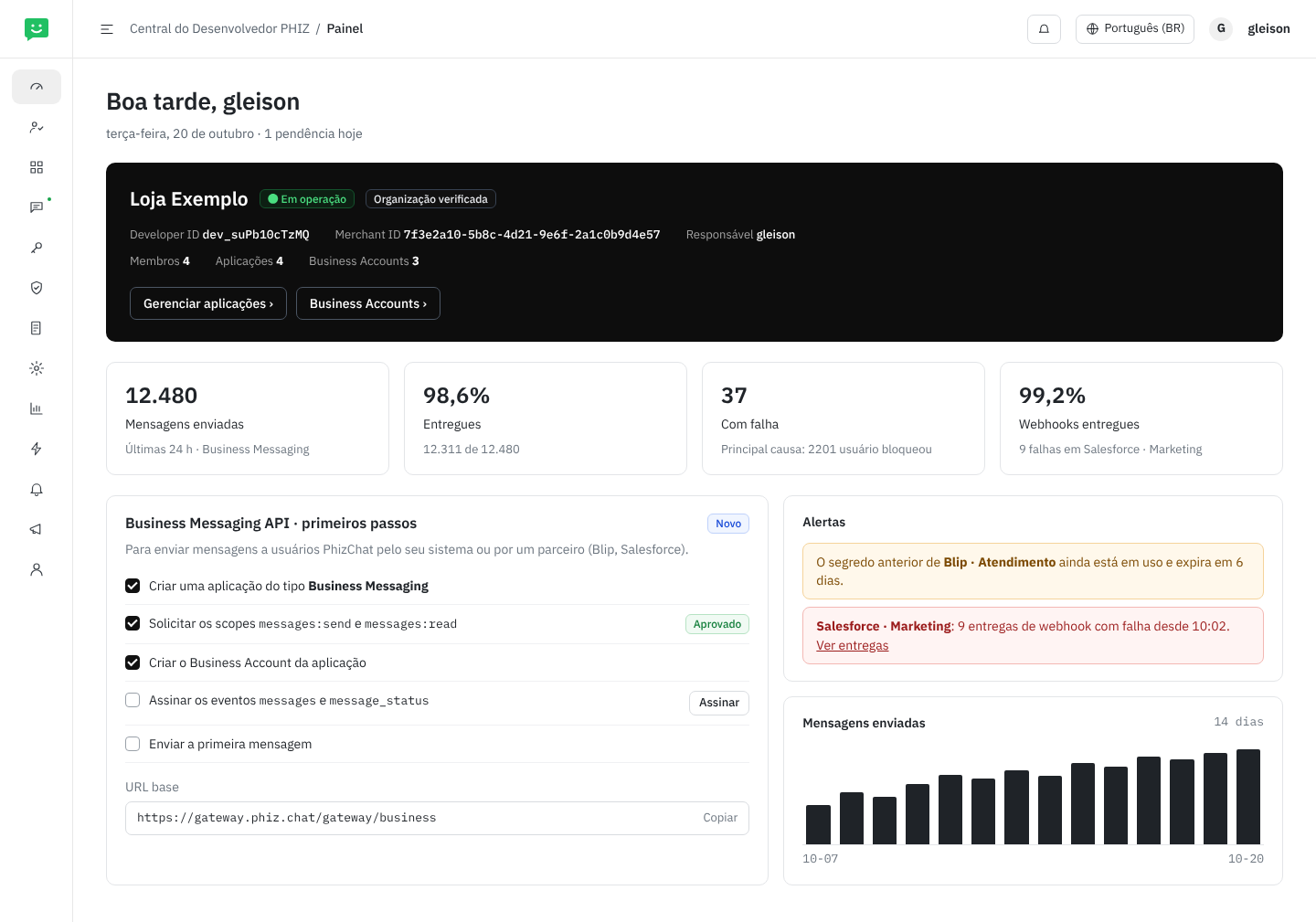
Tela 1. Painel: Developer ID, Merchant ID, métricas de mensagens, primeiros passos da Business Messaging API e alertas
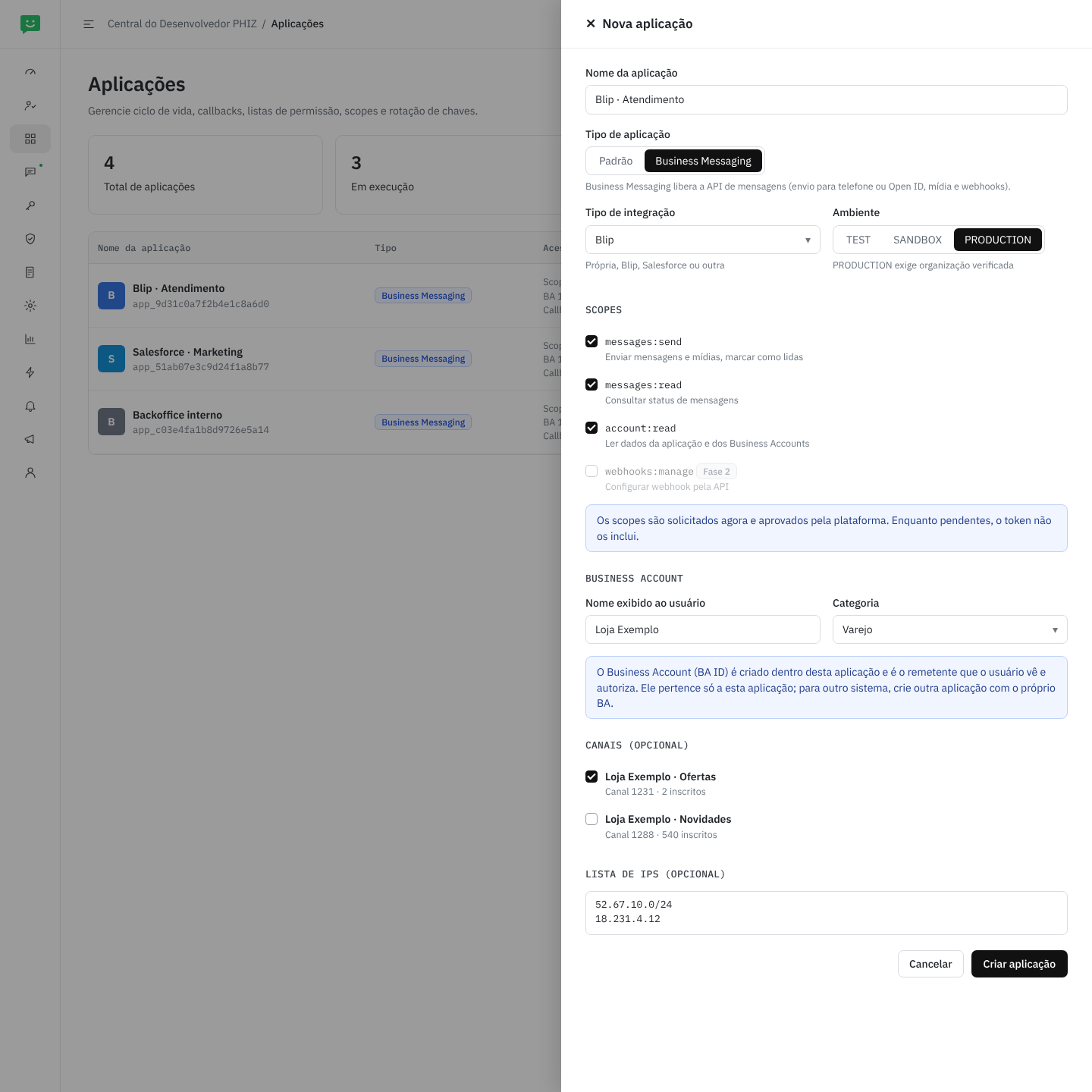
Tela 2. Nova aplicação: tipo Business Messaging, tipo de integração, ambiente, scopes com aprovação, Business Account da aplicação, canais opcionais e lista de IPs
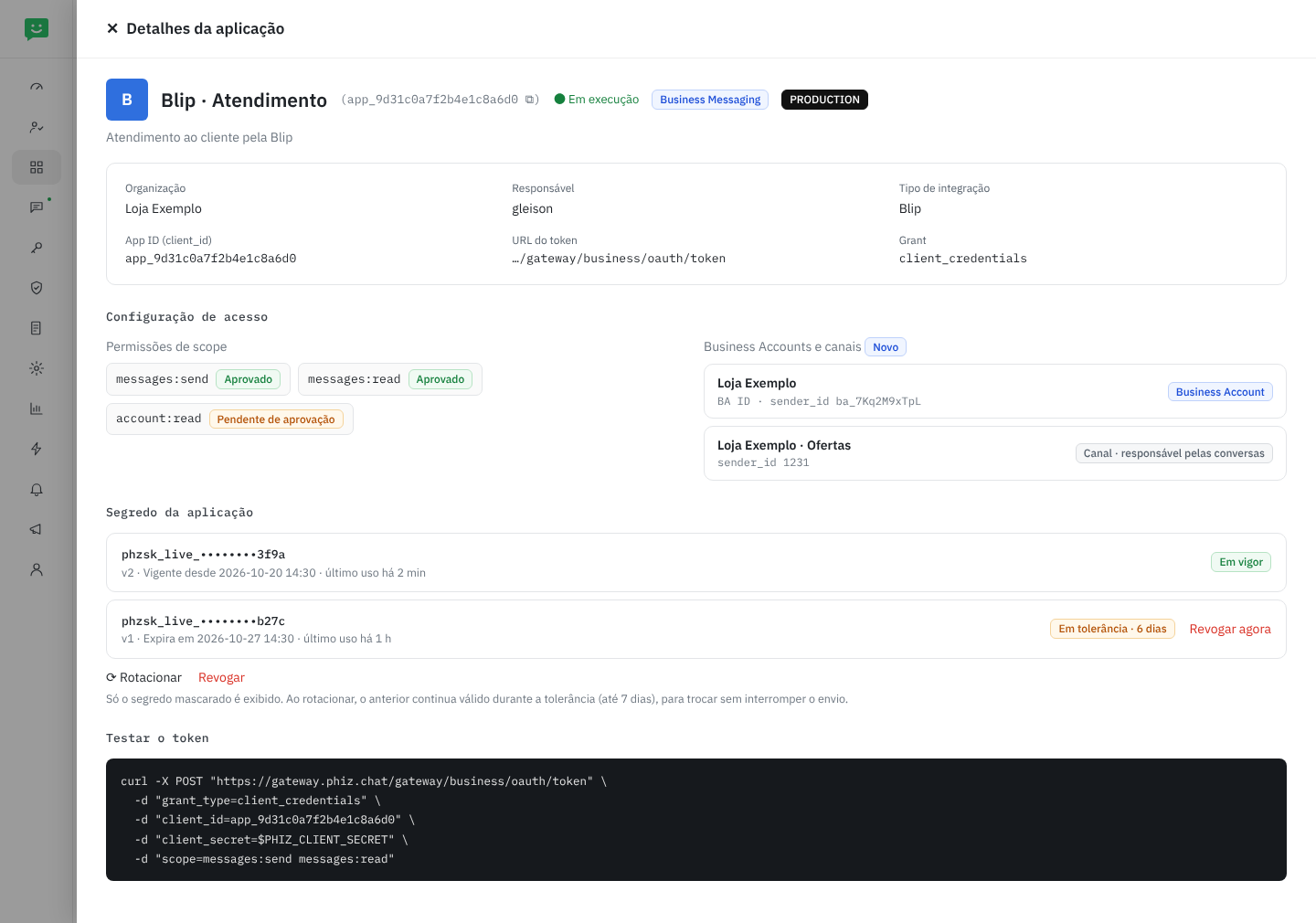
Tela 3. Detalhes da aplicação: credenciais OAuth, scopes aprovados ou pendentes, Business Accounts e canais, e segredos com rotação
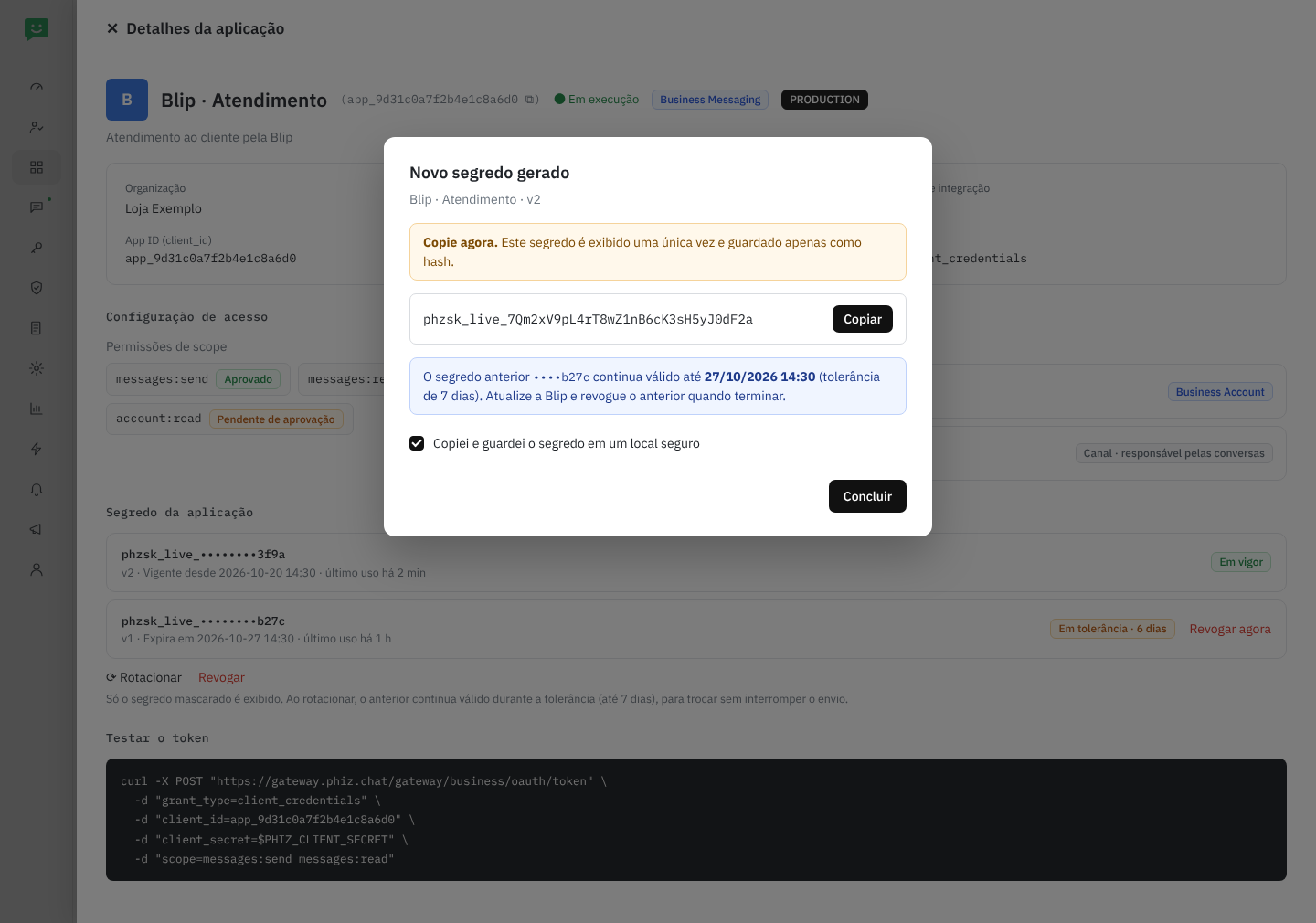
Tela 4. Segredo gerado, exibido uma única vez; o anterior continua válido durante a tolerância
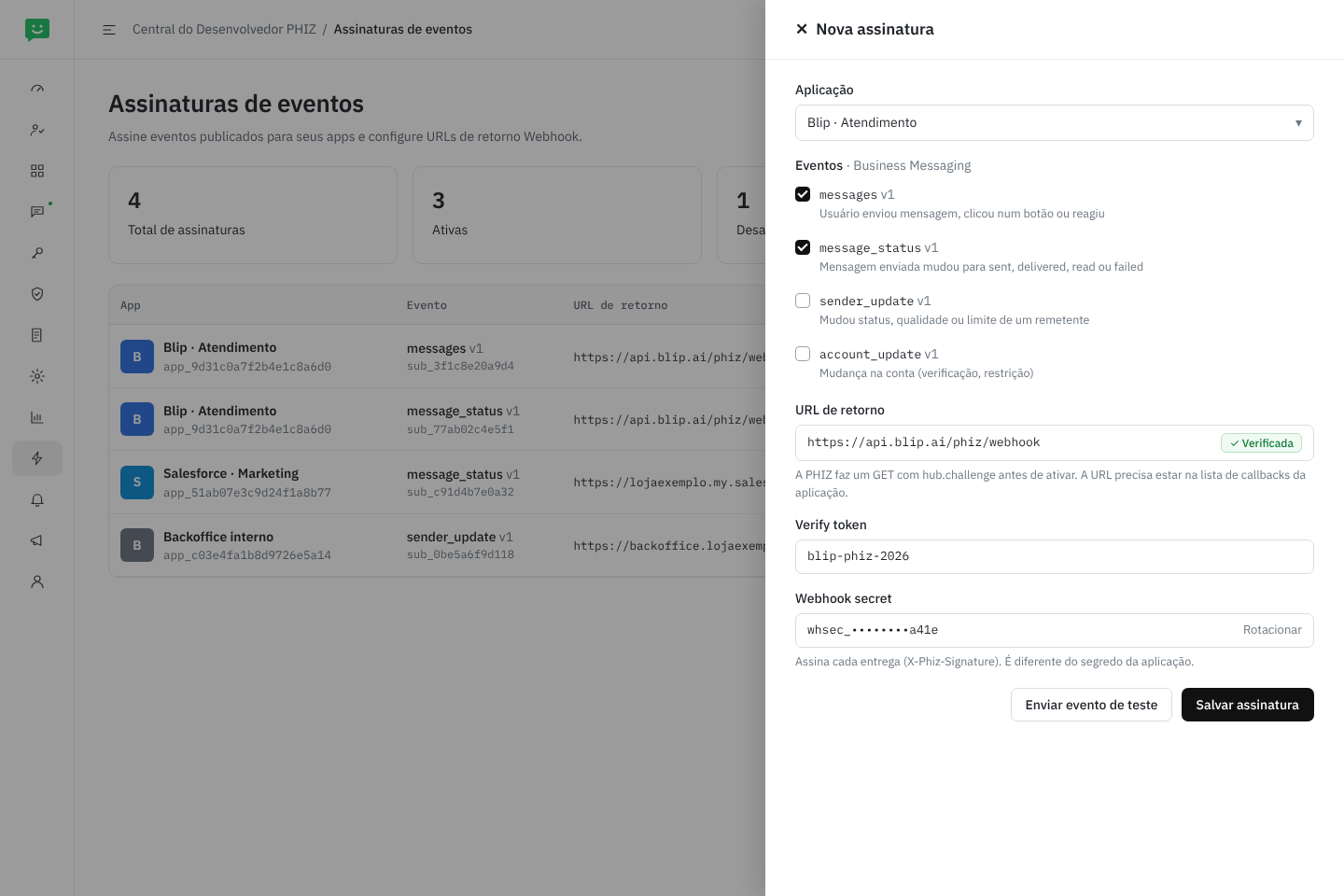
Tela 5. Assinaturas de eventos: messages e message_status com URL verificada, verify token e webhook secret
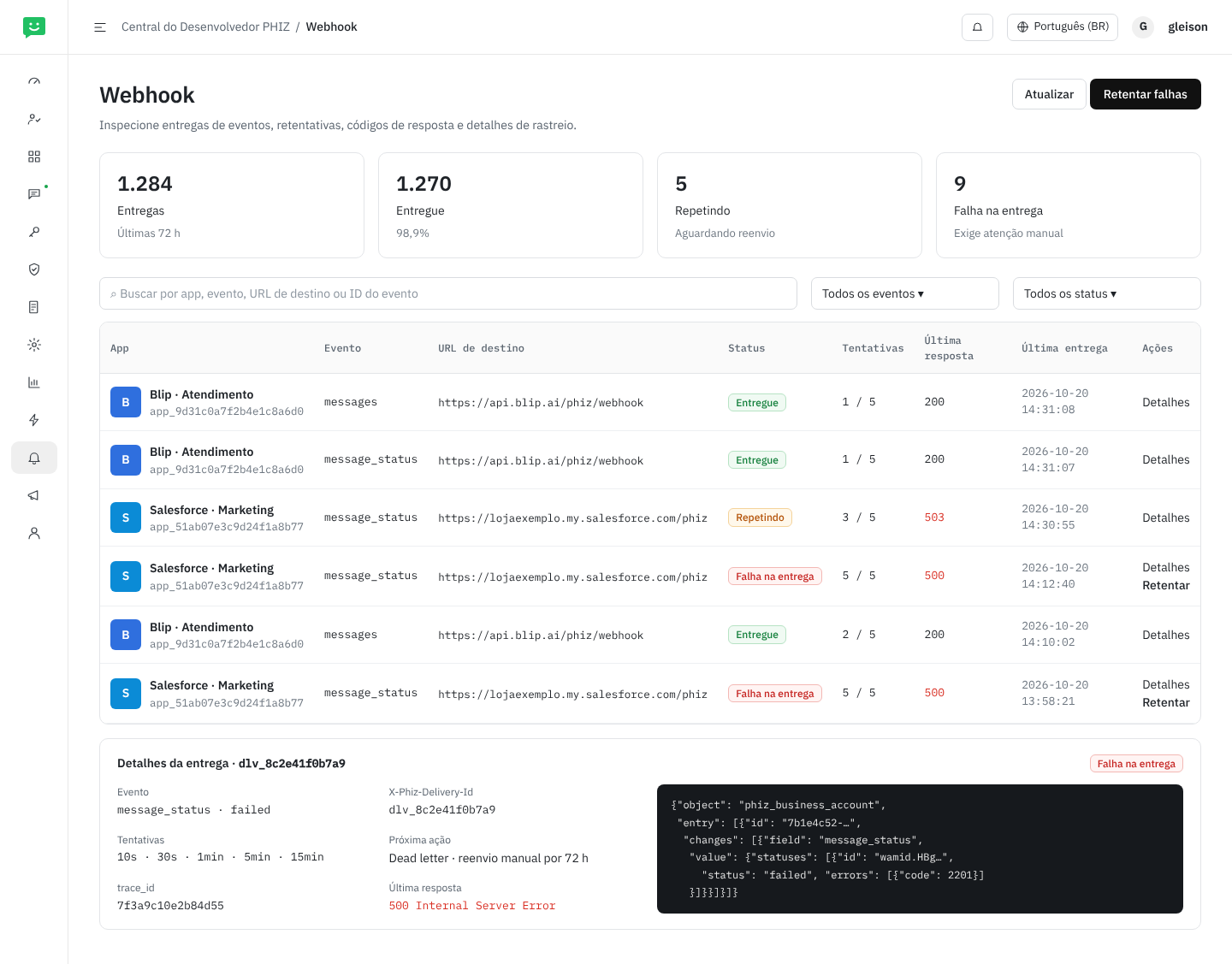
Tela 6. Webhook: entregas, retentativas, última resposta, trace_id, retentar falhas e dead letter
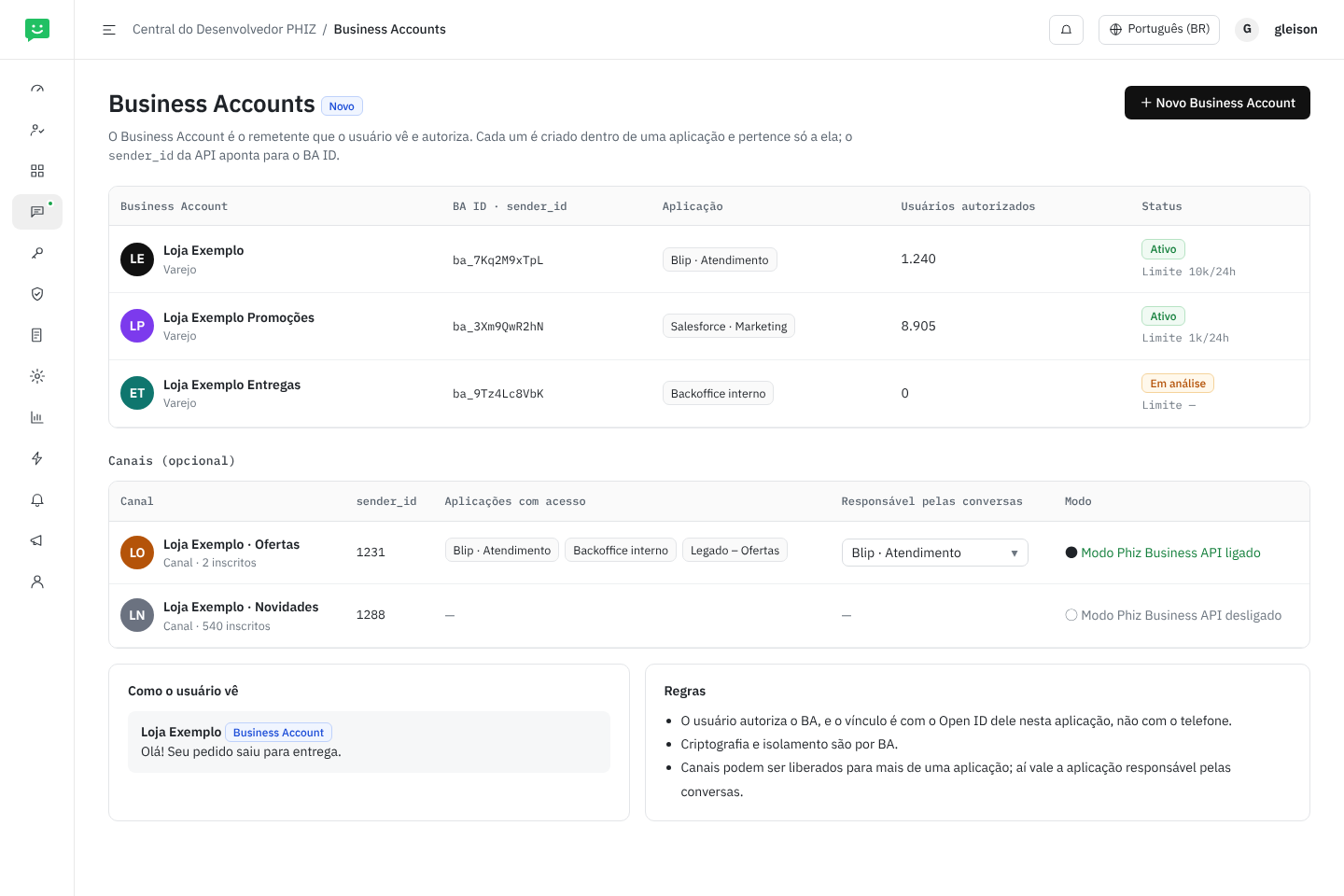
Tela 7. Business Accounts (tela nova): BA ID, aplicação dona e usuários autorizados; canais opcionais com a aplicação responsável pelas conversas
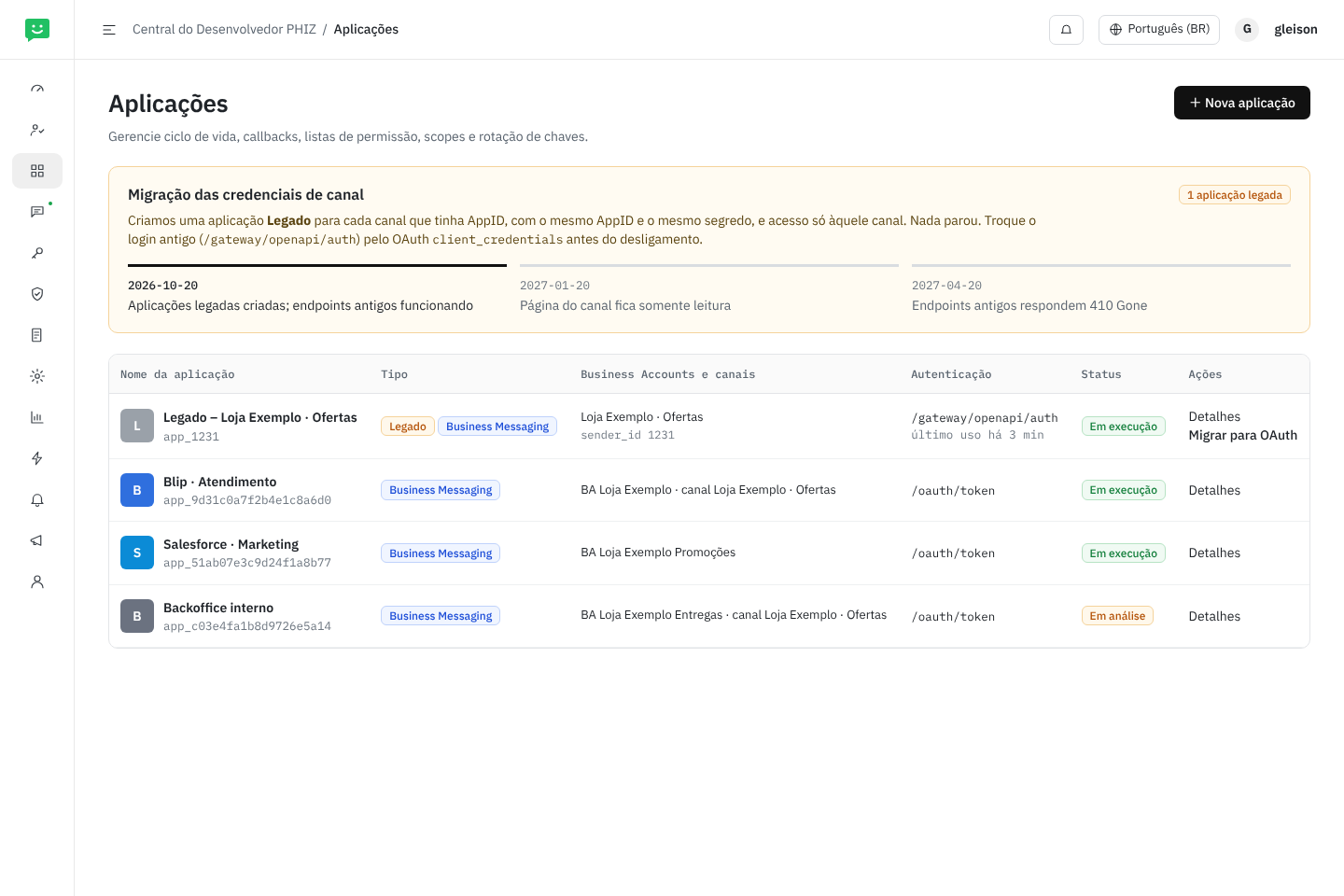
Tela 8. Aplicações com a migração das credenciais de canal: aplicação Legado, prazos e troca para OAuth
O que muda em cada menu
Cada cartão é um item do menu lateral da Central, com o que a Business Messaging API muda nele e as telas acima que o mostram.
Painel
Muda · Tela 1- Métricas de mensagens: enviadas, entregues e com falha nas últimas 24 h, e webhooks entregues
- Primeiros passos da Business Messaging API
- Alertas de segredo antigo em uso e de webhook falhando
Membros
Sem mudança- Os papéis OWNER, ADMIN, DEVELOPER e AUDITOR definem quem gerencia aplicações, segredos e assinaturas (tabela Papéis)
Aplicações
Muda · Telas 2, 3, 4, 8- Novo tipo Business Messaging, com tipo de integração (própria, Blip, Salesforce, outra)
- Ambientes TEST, SANDBOX e PRODUCTION; no SANDBOX, remetente de teste, até 5 destinatários e credenciais
phzsk_test_ - Business Accounts da aplicação e canais opcionais
- Segredo com rotação, tolerância de até 7 dias e último uso
- Aplicações Legado criadas a partir dos canais
Business Accounts
Novo · Tela 7- Business Accounts de cada aplicação, com BA ID (
sender_id), status, limite e usuários autorizados - Cada BA pertence a uma aplicação; criptografia e isolamento por BA
- Canais opcionais: aplicações com acesso, aplicação responsável pelas conversas e modo “Phiz Business API”
Scope e API
Muda- Publica os ativos da Business API: mensagens, mídia,
/v1/mee conta - Cadastra os scopes da seção 08; a plataforma aprova as solicitações
Lista de Permissão
Sem mudança- IPs que podem chamar a API
- URLs de callback aceitas nas assinaturas de eventos
Chaves e Certificados
Sem mudança- A Business API não usa API keys (
X-Api-Key) nem certificados; sóAuthorization: Bearer
Uso de API
Muda- Chamadas aprovadas, rejeitadas e com falha também para os endpoints da Business API
- Fase 2: log por requisição com
trace_id
Assinaturas de eventos
Muda · Tela 5- Novos eventos
messages,message_status,sender_updateeaccount_update - URL verificada com
hub.challenge, verify token e webhook secret - Enviar evento de teste
Webhook
Sem mudança · Tela 6- Mesma tela de entregas, agora com os eventos de mensagens
- Retentativas, dead letter e reenvio manual por 72 h
Auditoria e Notificações
Sem mudança- Registram e avisam mudanças de segredos, scopes, Business Accounts e assinaturas
- Categorias Segredos e Webhook alimentam os alertas do Painel
Papéis
A Central já controla o acesso pelos papéis da organização, definidos em Membros; não há permissões novas. A tabela mostra o que cada papel faz nas telas da Business Messaging API. É uma proposta, a confirmar com o que cada papel permite hoje (Q10). Aprovar scopes não é papel da organização: quem aprova é a plataforma.
| Ação | OWNER | ADMIN | DEVELOPER | AUDITOR |
|---|---|---|---|---|
| Ver aplicações, Business Accounts, assinaturas, entregas, uso e auditoria (sem segredos) | ✓ | ✓ | ✓ | ✓ |
| Criar, editar e desativar aplicações Business Messaging; solicitar scopes | ✓ | ✓ | ✓ | — |
| Criar e editar Business Accounts; escolher a aplicação responsável por um canal | ✓ | ✓ | ✓ | — |
| Ligar o modo “Phiz Business API” de um canal | ✓ | ✓ | — | — |
| Gerar, rotacionar e revogar segredos | ✓ | ✓ | — | — |
| Criar e editar assinaturas de eventos; enviar teste; retentar entregas | ✓ | ✓ | ✓ | — |
| Gerenciar membros e papéis | ✓ | ✓ | — | — |
Criar, rotacionar ou revogar um segredo, mudar scopes ou Business Accounts e alterar uma assinatura de evento geram registro em Auditoria e notificação para OWNER e ADMIN nas categorias Segredos e Webhook.
Business Account e aplicação
Cada Business Account é criado dentro de uma aplicação e pertence só a ela. Assim, só essa aplicação envia por ele e recebe os eventos messages e message_status dele, e o Open ID do usuário é o daquela aplicação. Uma empresa que usa a Blip no atendimento e o Salesforce em campanhas cria uma aplicação para cada um, cada uma com o seu Business Account (Tela 7).
- Canais compartilhados. Um canal (remetente opcional) pode ser liberado para mais de uma aplicação. Nesse caso, a tela Business Accounts define a aplicação responsável pelas conversas do canal: só ela recebe o evento
messages; as outras podem enviar e recebem omessage_statusdo que enviaram. - Trocar a responsável vale para as próximas mensagens recebidas e fica registrado em Auditoria.
- Usar o mesmo Business Account em duas aplicações, ou passar a conversa de um sistema para outro (como o handover do Messenger), fica para depois (Q6).
Migração das credenciais de canal
Hoje cada canal tem AppID e secret próprios, gerenciados em Canal › Configuração de Desenvolvimento no Open Platform. A migração leva essas credenciais para a Central sem parar nenhuma integração (Tela 8):
- Criação automática. Para cada canal com AppID, criamos na organização do comerciante uma aplicação Legado – nome do canal, do tipo Business Messaging, com o mesmo AppID como
appId, o mesmo secret (já armazenado) e acesso só àquele canal, que fica como responsável pelas conversas dele. A aplicação fica no Developer ID do comerciante, criado em sincronia com o Merchant ID. - Convivência.
/gateway/openapi/authe/token/refreshcontinuam funcionando. Para usar a nova API, basta pedir o token em/oauth/tokencom o mesmo AppID e secret. A página do canal no Open Platform mostra um aviso com link para a Central, e a tela Aplicações mostra o último uso do login antigo. - Somente leitura. Após 3 meses, a página do canal deixa de permitir redefinir o secret; segredos e rotação passam a ser só na Central.
- Desligamento. Após 6 meses, e com o uso do login antigo perto de zero, os endpoints antigos respondem
410 Gone. OWNER e ADMIN recebem aviso em Notificações 30 dias antes.
13Integração com parceiros
No MVP, o comerciante cria um app na Central do Desenvolvedor e cola client_id e secret na Blip, no Salesforce ou no próprio sistema. As URLs de webhook vêm do parceiro, que as cadastra em Assinaturas de eventos (seção 10). Como os contratos seguem a Cloud API, parceiros que já têm conector de WhatsApp reaproveitam a maior parte dele.
Numa fase seguinte, criamos o programa de parceiros de tecnologia, equivalente ao Embedded Signup da Meta:
- O parceiro registra um app de plataforma na PHIZ.
- O comerciante clica em “Conectar com a PHIZ” dentro do parceiro e autoriza escopos e Business Accounts numa tela de consentimento (OAuth 2.0 authorization code + PKCE).
- O parceiro recebe tokens limitados àquele comerciante e um único webhook para todos os seus clientes. O campo
entry[].iddo envelope identifica o Business Account; por isso o envelope já nasce com essa estrutura.
A Central do Desenvolvedor já suporta authorization code e o mapeamento openId/unionId, que são a base desse programa.
No modelo de identidades (seção 06), o Developer ID pode pertencer ao terceiro, como o Salesforce: a identidade de desenvolvedor e os recursos são dele, e os Business Accounts que os comerciantes autorizam ficam nas aplicações dele. Como isso se combina com o Merchant ID de cada comerciante ainda está em aberto (Q10).
14Caminho para a Marketing API
Esta RFC reserva o espaço que a Marketing API vai ocupar, sem implementá-la:
type: templateno envio e o escopotemplates:managejá existem no contrato.- Templates com aprovação:
/v1/{sender_id}/message_templatese evento de webhooktemplate_status. - Categorias de conversa (
conversation.origin.type:service,utility,marketing), base para relatórios e preço. - Gestão de opt-in e opt-out por remetente, campanhas para segmentos e métricas em
/v1/{sender_id}/analytics. - Faixas de limite de envio e nota de qualidade por remetente, já presentes no recurso
Sender.
15Plano de entrega
Autenticar e enviar
/oauth/token,/oauth/revoke,/v1/me- Envio de
text,image,audio,videoedocumentpara telefone e Open ID - Upload de mídia (
/v1/{sender_id}/media) com armazenamento temporário; sem links de terceiros - Webhooks
messagesemessage_statuscom assinatura, com a URL cadastrada pelo parceiro em Assinaturas de eventos - Central do Desenvolvedor: tipo de app Business Messaging, ativos de API e escopos, remetentes por app e eventos no catálogo
- Modelo de identidades: Developer ID, App ID, Business Account (BA ID) e Open ID; canais como remetentes opcionais
- Migração automática das credenciais de canal
Complementos
- Configuração do webhook por API (
PUT /v1/apps/{app_id}/webhook, teste e saúde) - Ajustes na política de retentativas e reenvio, se a da plataforma não atender a seção 10
- Log por requisição com
trace_ide métricas de mensagens - Sandbox com destinatários de teste
Datas serão definidas após a revisão desta RFC com o time da China.
16Questões em aberto
- Política de opt-in. A seção 09 propõe a política (opt-in por comerciante e categoria, opt-out aplicado pela plataforma, registro no comerciante). Falta decidir: modelo A (como a Meta, sem validação) ou B (registro de consentimento no PHIZ, por exemplo
/v1/{sender_id}/consents, verificado no envio); quais categorias existem; se o app PHIZ mostra ao usuário o que ele autorizou; e como o usuário bloqueia ou para ofertas de um Business Account (ver Q3). Validar os pontos de LGPD com o jurídico. Vale para Business Account e Channel Service. - IDs de remetente. Respondida na v1.6: o
merchant_idnão identifica o remetente. Osender_idé uma referência externa mapeada para o BA ID do Business Account (seção 06). Para canais, continua o ID do canal; falta decidir se ele também ganha um ID opaco, para não expor o ID sequencial. - Tipo de conversa Business Account. Respondida na v1.6: conversa de conta pública › conversa de serviço empresarial › Business Account, o único exibido ao usuário, voltado a empresas, governos e instituições e criado em Merchant ID › Developer ID › App ID › BA ID (seção 06). Falta definir como o usuário bloqueia ou silencia um Business Account no app.
- Tipos de conversa vigentes. Respondida em parte na v1.6: além do Business Account existem outros tipos de conversa, e esta entrega cria um tipo novo. Produto e tecnologia vão redefinir e refinar as definições, preparando expansões futuras. Falta a tabela final de tipos e permissões.
- Telefones. Respondida na v1.6: todos os usuários PHIZ têm telefone válido e verificado. O Business Account troca o telefone pelo Open ID do usuário e envia pelo Open ID; o vínculo do BA é com o Open ID, então trocas de número e números de outros países não mudam o destinatário (seção 09).
- Mais de uma aplicação por Business Account. Na v1.6, cada BA pertence a uma aplicação. Vamos precisar usar o mesmo BA em mais de um sistema, ou passar a conversa entre aplicações (bot → atendente humano), já na Fase 2?
- Business Message API existente. O modo “Phiz Business API” do Robô de IA já tem endpoints de envio e callback e parece corresponder ao Channel Service com Channel Bot. Esta RFC substitui, estende ou encapsula essa API?
- Mídia. Respondida em parte na v1.6: formatos e tamanhos podem ser definidos por esta RFC (tabela da seção 09); na primeira fase, o arquivo é enviado e armazenado pela Business API, e URLs de terceiros são liberadas depois, conforme o cliente; outras regras seguem a definição técnica. Falta definir: o prazo de 30 dias serve, ou deve ser menor? Depois da entrega, a mídia passa para o armazenamento normal do chat, ou some do histórico quando expira? Por quanto tempo o
urldas mídias recebidas fica válido? - Webhook na Fase 1. Proposto na v1.5: o parceiro cadastra a URL em Assinaturas de eventos da Central do Desenvolvedor, no lugar do cadastro manual da v1.4. Falta confirmar com Henry Wu se o cadastro manual ainda é desejado por motivo comercial; se a política de retentativas, a retenção de entregas e o reenvio da plataforma atendem a seção 10; se a plataforma assina as entregas e aceita o handshake e o envelope da Cloud API; e como o parceiro recupera mensagens recebidas que se perderam, já que só o status tem consulta.
- Central do Desenvolvedor. (a) O Merchant ID gera o Developer ID em sincronia (v1.6); falta confirmar se o Developer ID é a Organização da Central, como o comerciante entra no console e como fica o Developer ID quando ele pertence a um terceiro, como o Salesforce. (b) Qual é o endpoint de token, a validade e o formato do token do grant
CLIENT_CREDENTIALS? (c) Os escopos da Business API seguem o padrão da plataforma (comowrite:clips:publish) ou mantêm os nomes da seção 08? (d) Quem aprova as solicitações de escopo e em quanto tempo? (e) O que cada papel (OWNER, ADMIN, DEVELOPER, AUDITOR) permite hoje em secrets e assinaturas? (f) O ambiente SANDBOX envia mensagens simuladas ou reais? (g) Qual time constrói as telas e extensões da seção 12?
17Referência OpenAPI
A especificação OpenAPI 3.1 abaixo cobre todos os endpoints e webhooks desta RFC, com descrições neste idioma. O botão “Try it out” está desligado porque a API ainda não existe. Use “Copiar OpenAPI” para levar o YAML para Apifox, Postman ou um gerador de SDK.
PHIZ Business Messaging API
Application-level authentication in the Developer Center, sending messages from a Business Account to a phone number or Open ID, and webhooks for messages and statuses. Inspired by Meta's Cloud API and designed as the foundation of the future Marketing API.
01Summary
This document proposes a public API that lets external systems (Blip, Salesforce, CRMs or the merchant's own systems) talk to PHIZ users on behalf of a merchant. It has four parts:
- OAuth 2.0 authentication (client credentials) with credentials issued to a Developer Center application, under the merchant’s Developer ID, instead of a channel.
- Sending messages to a phone number (E.164) or an Open ID, on behalf of a Business Account (BA) created in the application. Using a channel as the sender is optional.
- Signed webhooks that deliver messages received from users and every status change of sent messages.
- The existing PHIZ Developer Center, where the merchant registers each external system that will use the API (for example Blip or Salesforce) as an app. Each app has its own
client_idand secret, its Business Accounts, event subscriptions and delivery history. Integrations are unrelated to Miniapps.
Message and webhook contracts reproduce the structure of Meta's Cloud API, renaming only domain terms. Anyone already integrated with the WhatsApp Business Platform can adapt by changing URLs, credentials and a few field names.
02Context: how it works today
Based on the current documentation (Apifox, Authentication module) and the Open Platform (open.phiz.chat).
Current authentication
The token is obtained at POST /gateway/openapi/auth with app_id, app_secret, description (required) and grant_type: "user_credentials". The response carries an access token valid for about 2 hours and a refresh token valid for about 90 days, renewed at POST /gateway/openapi/token/refresh.
POST /gateway/openapi/auth
Content-Type: application/json

{
  "app_id": "69c37cb1821121af34201f48",
  "app_secret": "94B18B920D19463C7264BD0BDE30C31…",
  "description": "push news",
  "grant_type": "user_credentials",
  "device_fingerprint": ""
}

200 OK
{
  "code": 200,
  "msg": "success",
  "data": {
    "scope": "channel",
    "status": "active",
    "access_token": "at_1770343926041_1Y3iz6XN…",
    "token_type": "Bearer",
    "expires_in": 7199,
    "refresh_token": "rt_1770343926041_mxc7RV9…",
    "access_token_expires_at": "2026-02-06T04:…",
    "refresh_token_expires_at": "2026-05-07T02:…",
    "created_at": "2026-02-05T10:15:23.672+00:00"
  },
  "success": true
}
Where credentials live
In the Open Platform, every channel has a Channel › Development Settings page with an AppID and an AppSecret. The secret is never displayed and can only be reset. Under AI Robot, the channel also offers the “Phiz Business API” reply mode, which routes the channel's conversations to the Business Message API for sending and webhook callbacks.
At merchant level there is already a Merchant ID (UUID) and Team management with roles, members and an operation log. These three pieces are the foundation of the new area.
What this RFC changes
Each row shows how things work today, why that is a problem, what this proposal puts in its place, and a concrete use case.
| Today | Why it is a problem | With this RFC | Use case |
|---|---|---|---|
| To reach a user through the API, the merchant needs a channel. | Merchants without a channel, or that want to speak as the business itself, cannot send a direct message to the user. | The merchant sends from its Business Account, shown to the user as the business. Using a channel becomes optional. | A pharmacy with no channel tells its customer Maria, by her phone number, that her order is ready for pickup. The message arrives in the pharmacy’s Business Account conversation. |
| Each channel has its own AppID and secret. | A merchant with 5 channels manages 5 credentials, and Blip needs one token per channel. | One credential per application, in the Developer Center, with its own Business Account and access to the chosen channels. | Loja Exemplo has 3 channels and uses Blip. Today it registers 3 AppIDs in Blip; with this RFC it creates one “Blip” application with the store’s Business Account and ticks the 3 channels. |
| “Reset” invalidates the secret immediately. | The integration stays down until someone updates the secret in the external system. | Two valid secrets at the same time: the new one goes live and the old one keeps working for a period (default 24 h). | The Salesforce secret showed up in a log. The team generates a new one, updates Salesforce in the afternoon and revokes the old one at the end of the day, without losing a single message. |
Login uses grant_type: user_credentials and requires a description field. | Tools that already speak OAuth, such as Salesforce, cannot connect without custom code. | Standard OAuth 2.0 (client_credentials), which those tools support out of the box. | The Salesforce admin connects PHIZ in Named Credentials by filling in only the token URL, client_id and secret, with no developer involved. |
| There is a refresh token valid for about 90 days. | It is one more long-lived secret to store, with no benefit in a server-to-server integration. | 1-hour token with no refresh token; when it expires, the system requests a new one. | Blip renews the token on its own every hour with the same client_id and secret. There is no refresh token that can expire over a weekend and take customer service down. |
| The channel setup has no screen for webhooks, logs or multiple integrations. | The merchant cannot set up the webhook or find out alone why an integration stopped. | A The existing Developer Center, extended with separate apps for the Business API, event subscriptions, delivery history and logs. | Customer replies stop arriving in Blip. The merchant opens the delivery history, sees the webhook has returned HTTP 500 since 10 a.m. and, after the fix, replays the events. |
03Reference: the WhatsApp experience
This RFC brings the WhatsApp Business Platform model to PHIZ. So that everyone (Brazil and China) shares the same picture of what we are copying, this section walks through a Brazilian user's journey on WhatsApp: how they create an account, how they authorize a business, how a message arrives and what they can do with it. Example: merchant PicPay, user Ana Souza, in São Paulo.
They are illustrations, not the official WhatsApp UI. Text is shown in English; in the real app the user sees Portuguese. The codes (A2, O1, C3…) follow the Design canvas this section comes from. Click an image to open it at full size.
Message path
A business does not talk to WhatsApp directly: its system (CRM, customer service) calls a BSP (Blip, Zenvia, Twilio, Infobip), which calls Meta's Cloud API, which delivers to the phone. Replies, taps and statuses come back by webhook along the same path. In PHIZ, the PHIZ Business Messaging API takes the place of the Cloud API, the Developer ID and the application take the place of the WABA, and the Business Account (BA ID) takes the place of the business phone number (see the mapping in section 06).
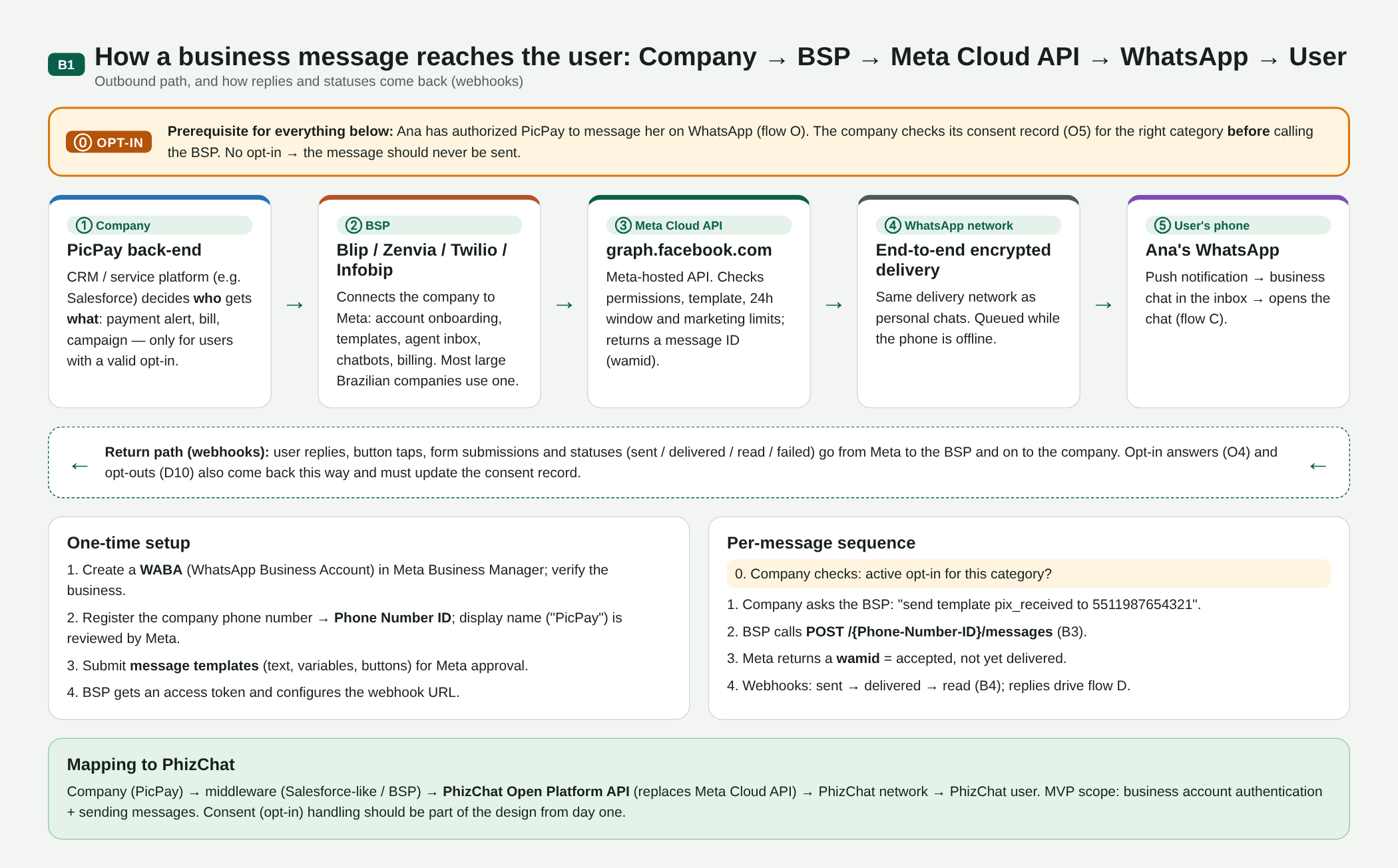
B01. Company → BSP → Meta Cloud API → WhatsApp → user, with opt-in as a prerequisite and the webhook return path
User sign-up
On WhatsApp, the account is the phone number, verified by SMS. There are no friend requests: anyone with the number can write. Businesses and family share one inbox, which is why business messaging is tightly controlled. Since 2026 WhatsApp offers usernames and business-scoped user IDs (BSUID) instead of the phone number, which lines up with the use of Open ID in this RFC.
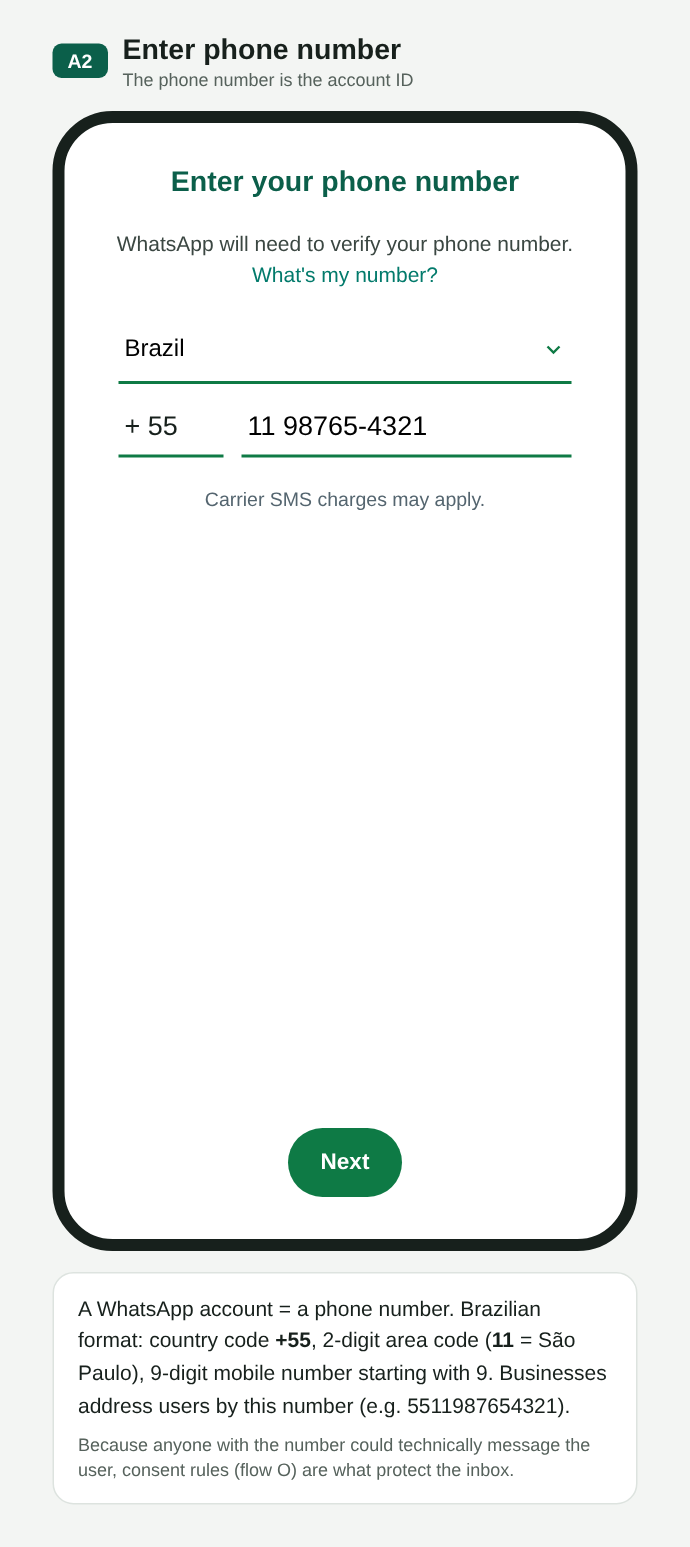
A02. Phone number = account identity
A10. One inbox for everything
User authorization (opt-in)
Before a business starts a conversation, the user must have authorized that business. There are four common ways: in the business's app (O1), at sign-up or checkout (O2), when the user writes first, which covers only that service conversation (O3), and by answering “yes” inside the chat (O4). Good practice is to split by purpose: authorizing account alerts does not authorize offers.
O00. Consent lifecycle: collect, record, send within scope, revoke
O01. Opt-in in the merchant's app, split by purpose
O02. Opt-in at sign-up, with unticked boxes
O03. The user writes first: authorizes only that service chat
O04. Opt-in asked inside the chat, with buttons
Meta has the policy but does not verify the opt-in. There is no field or endpoint to prove authorization; Meta trusts the business and only reacts afterwards, through blocks, reports and the quality rating. Opt-out, on the other hand, is enforced by the platform: blocking, “stop offers” and the marketing cap make sends fail. Even so, under Brazil's LGPD the business must prove consent and honor withdrawal, so the record (who, merchant, category, source, date, wording shown, revocation) is required in practice.
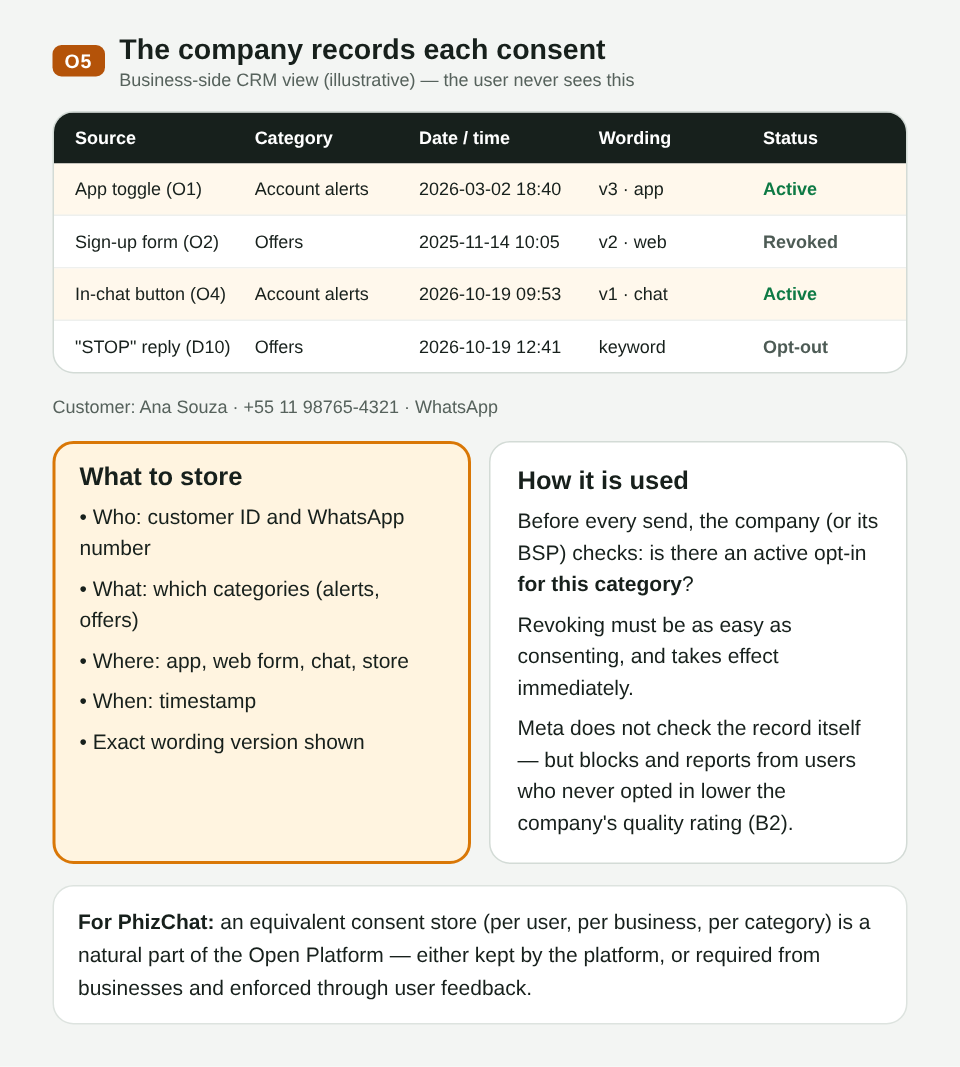
O05. Consent record on the merchant side
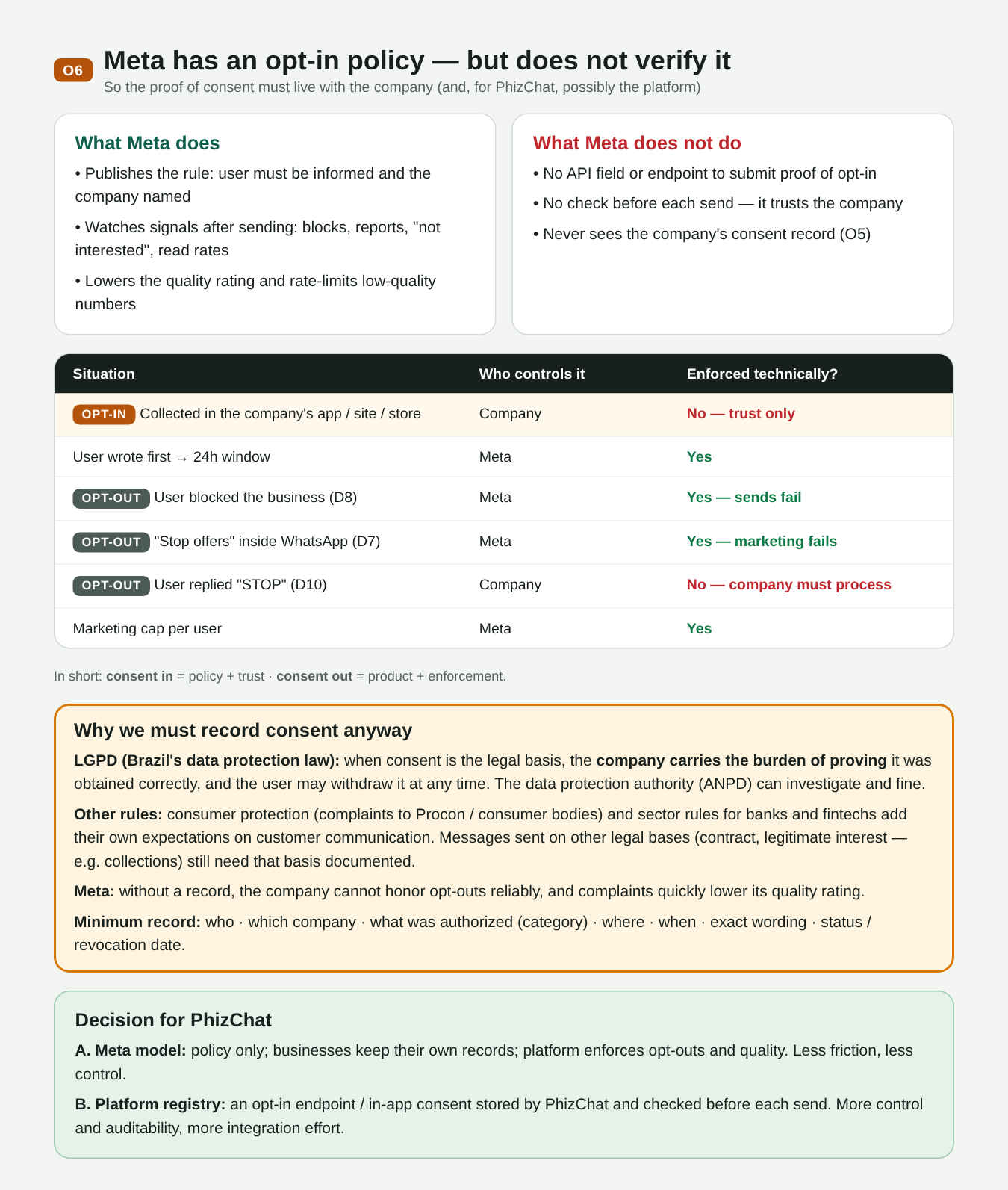
O06. Meta does not verify opt-in; opt-out is enforced by the platform; why record it anyway
What the user receives
Business-initiated messages use approved templates in four categories: utility (payments, bills), marketing, authentication (codes) and service. Each category depends on the matching opt-in.
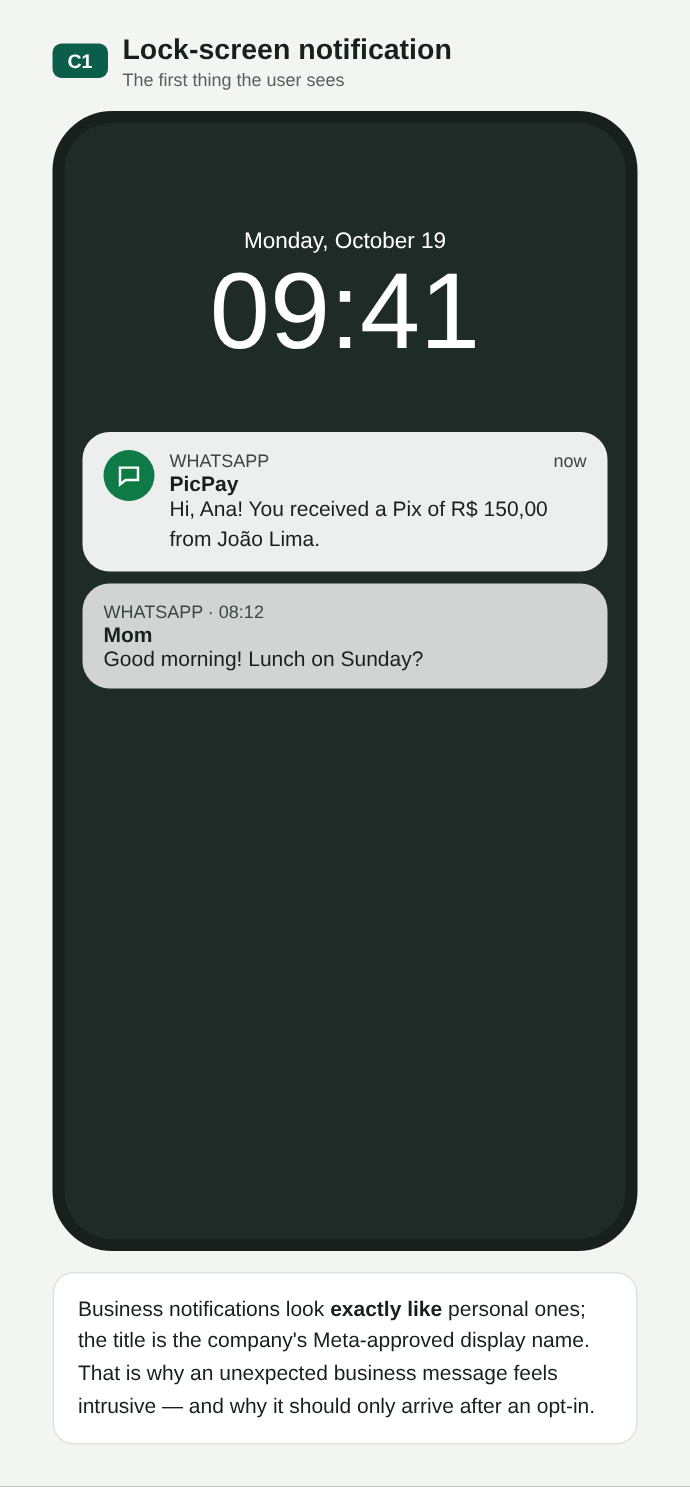
C01. Notification identical to a personal contact's
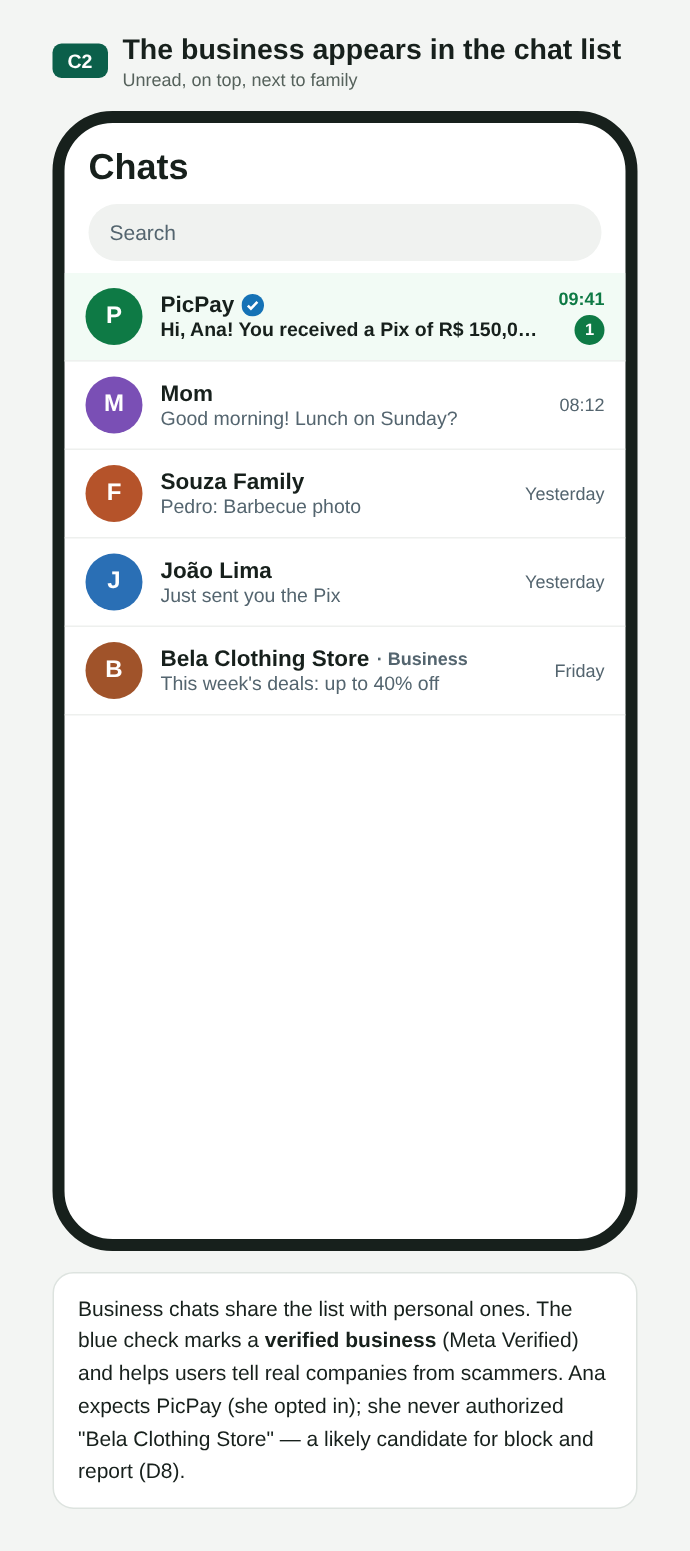
C02. Chat list: verified business account, unread and on top, next to family and friends
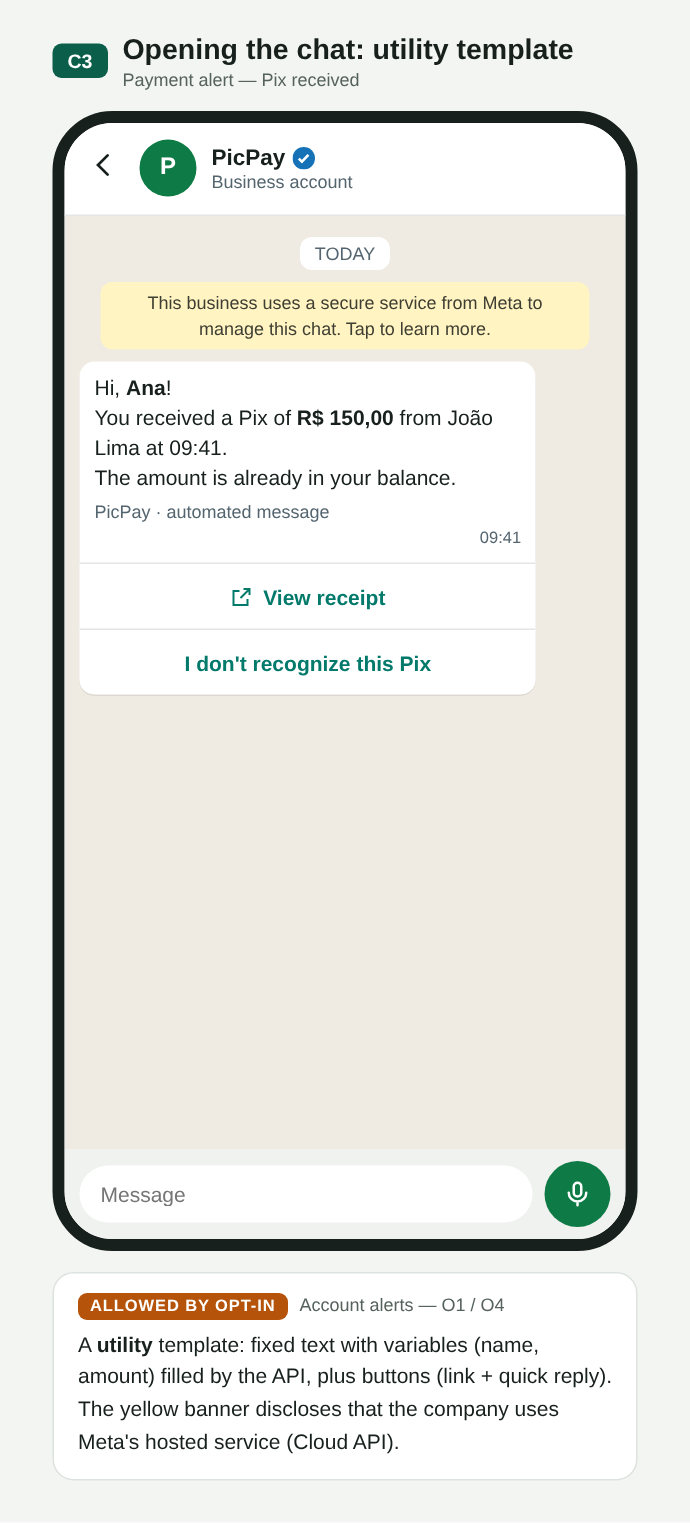
C03. Utility: Pix received, with buttons
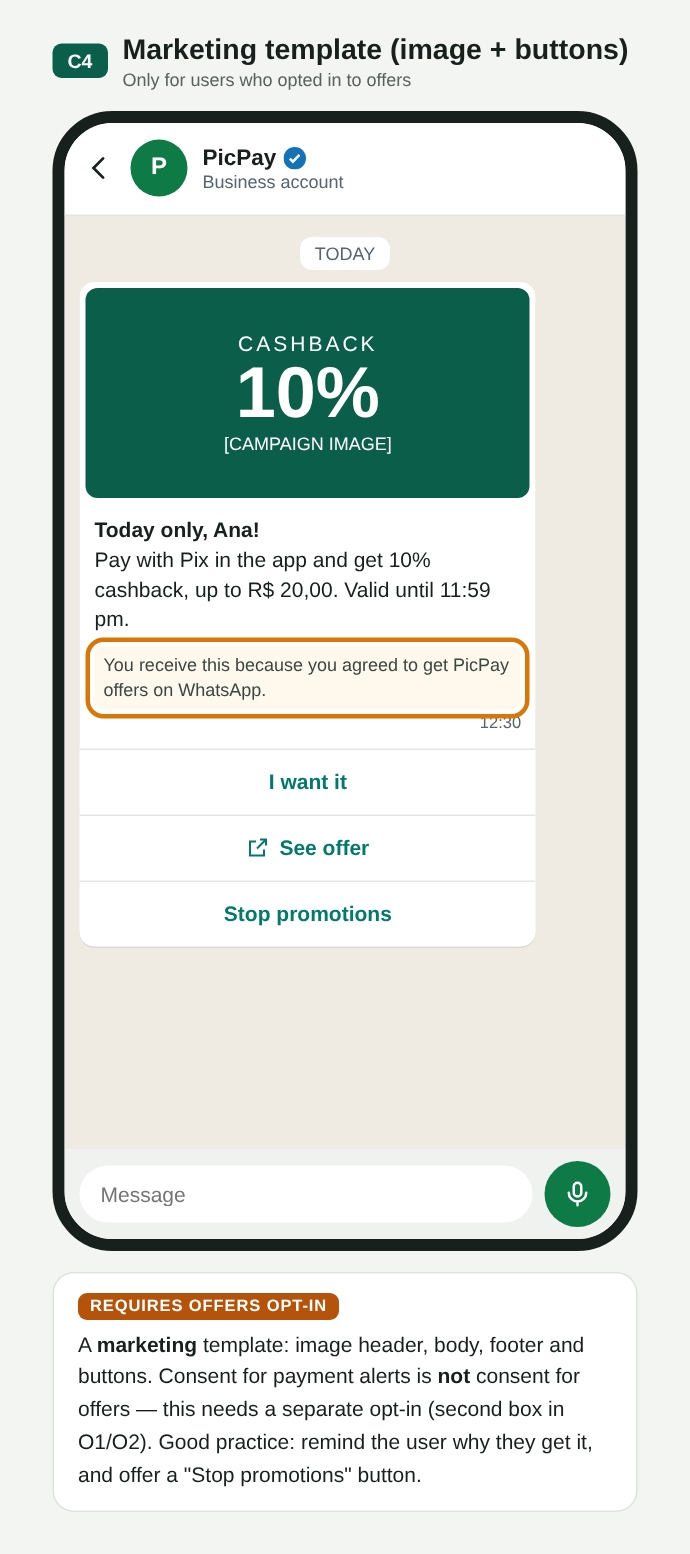
C04. Marketing: needs its own opt-in for offers
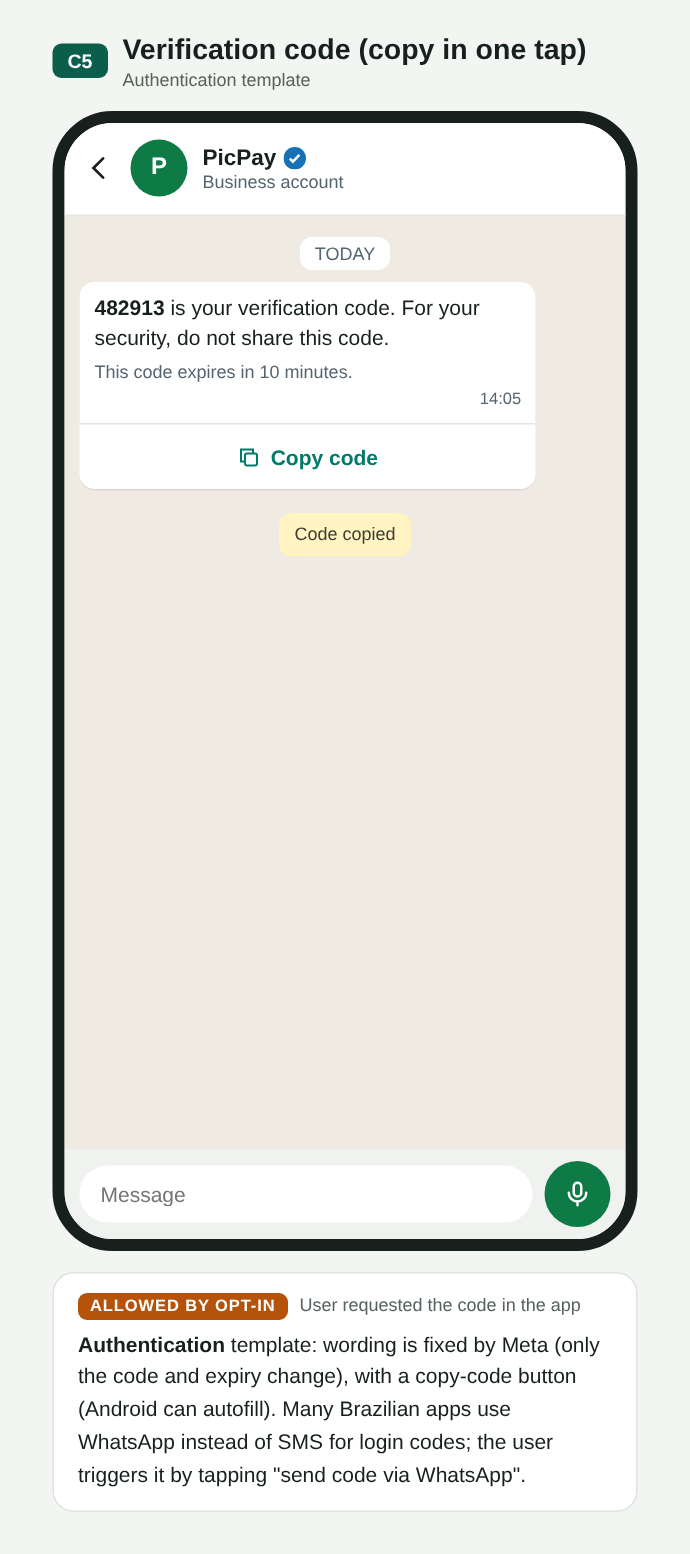
C05. Authentication: code with a copy button
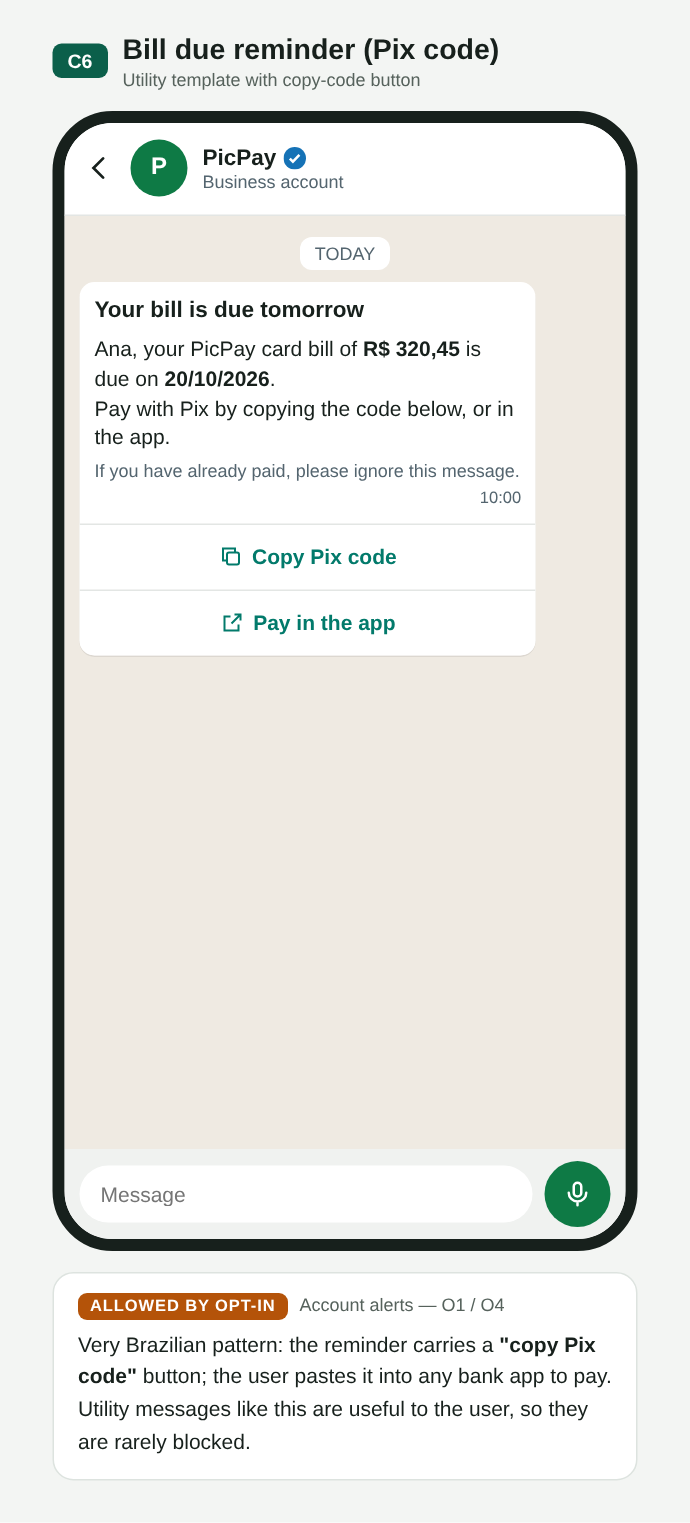
C06. Bill with a Pix copy-and-paste code
What the user can do
The user replies (text, buttons, list, form), checks the business profile or withdraws permission. Each action does, or does not, create an event for the business.
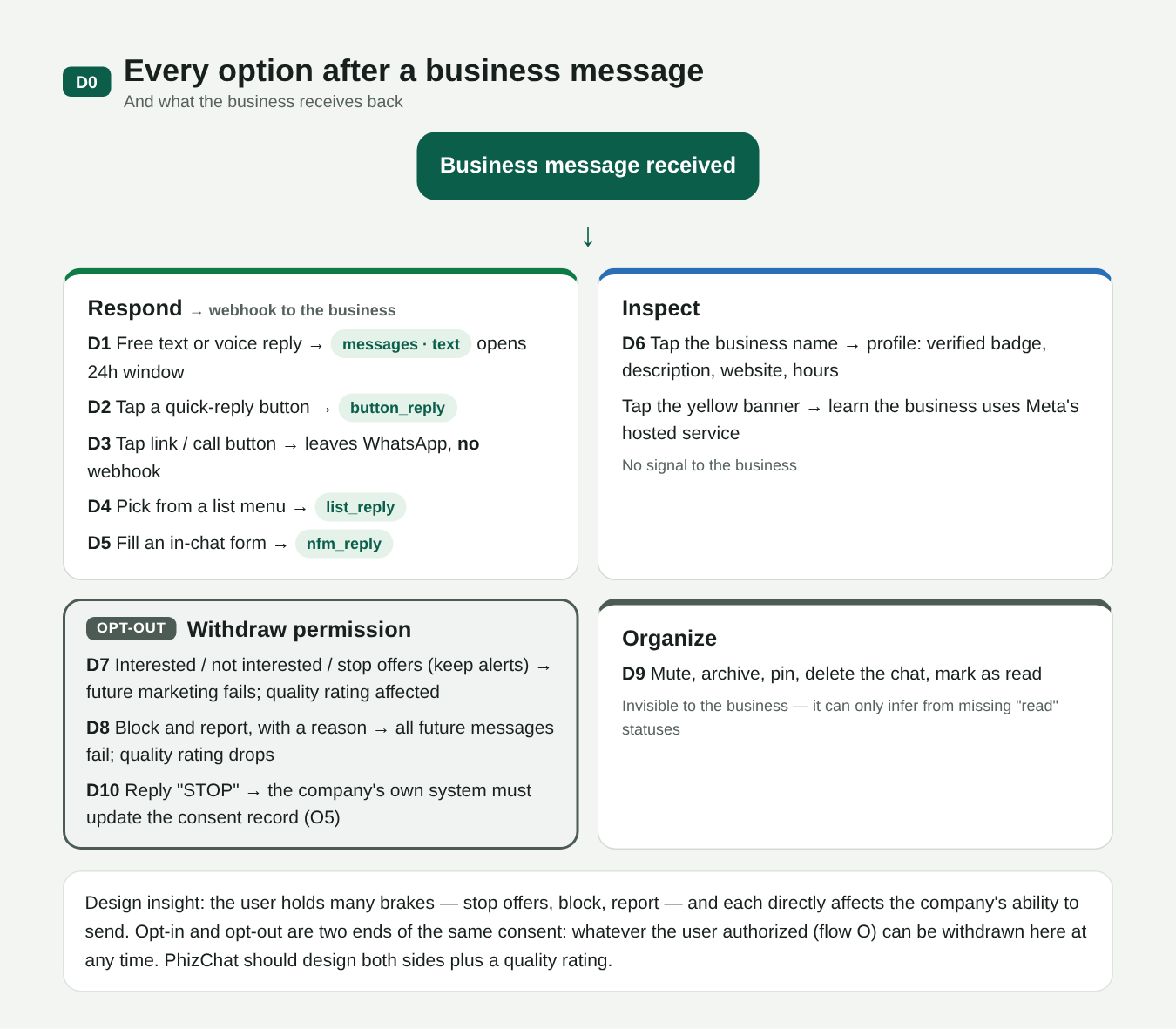
D00. Every user option and what the business receives back
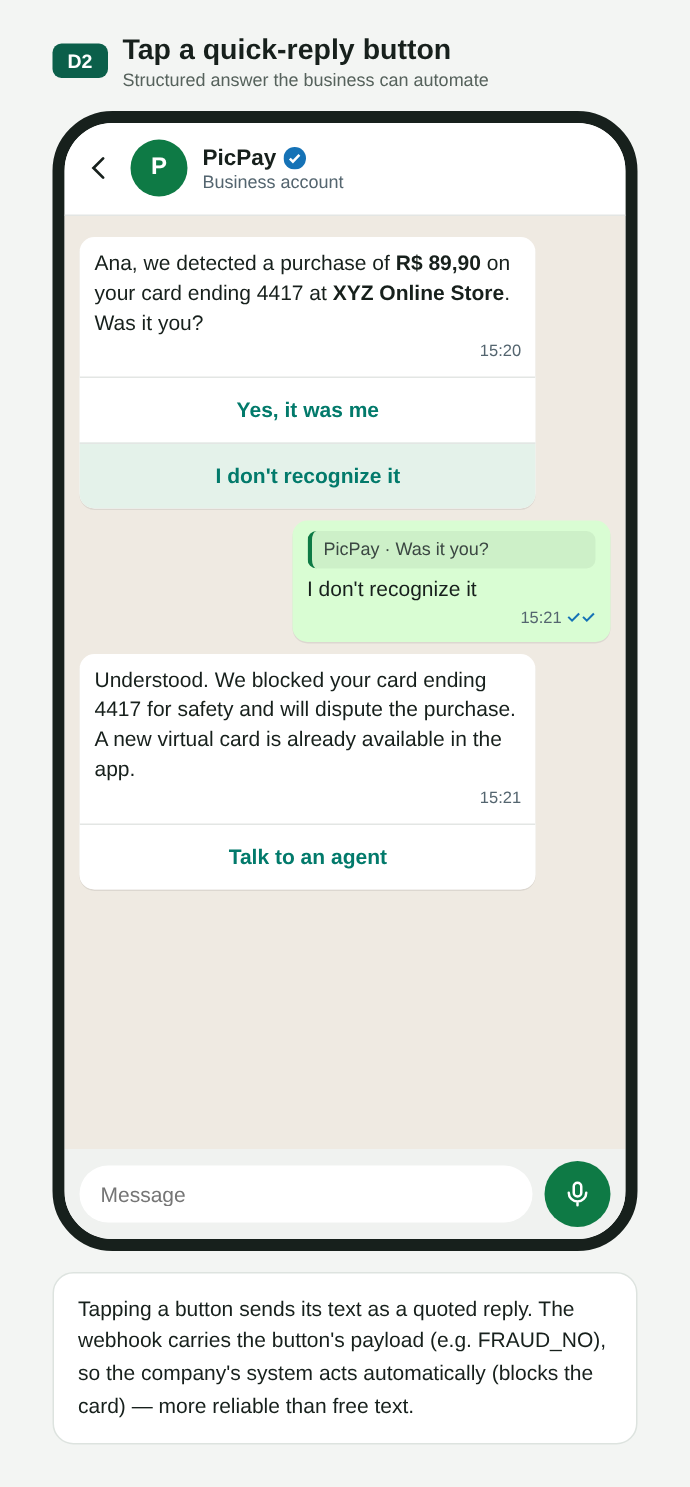
D02. Quick-reply button
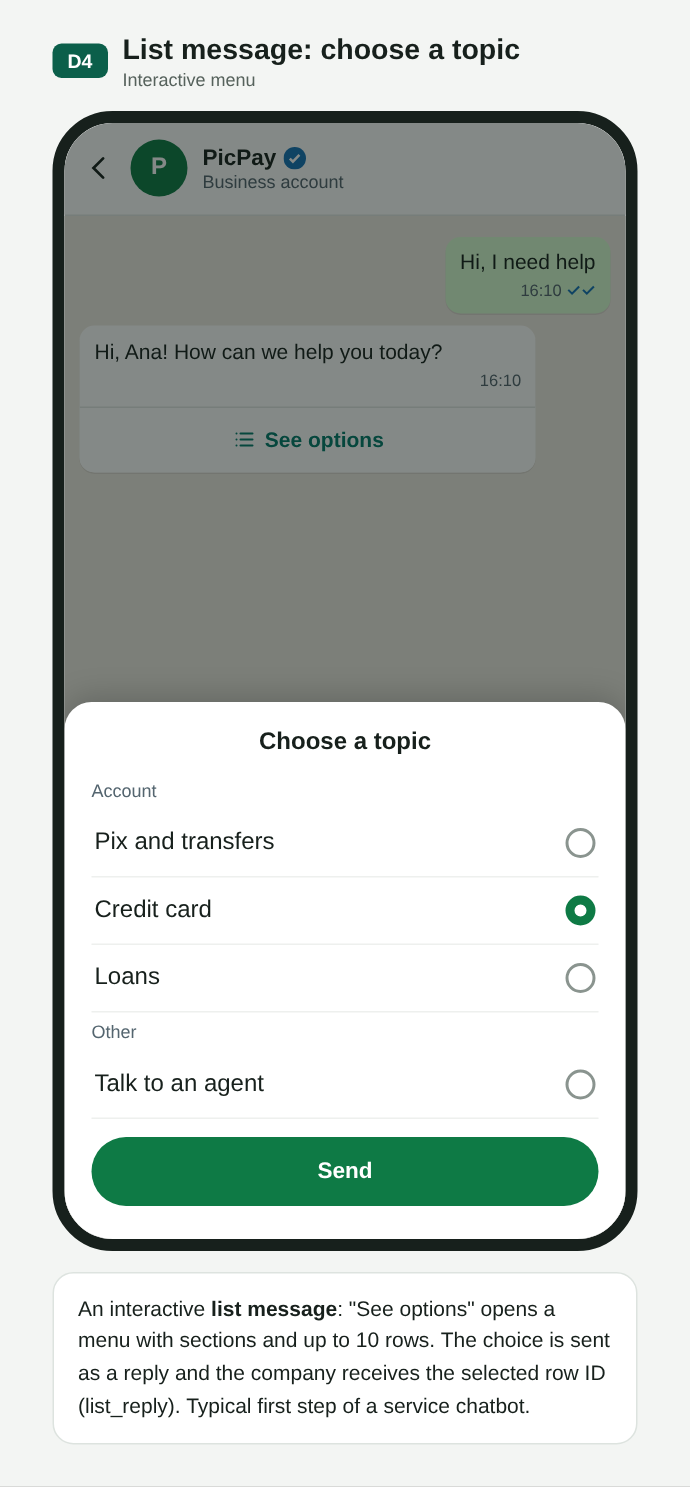
D04. List message
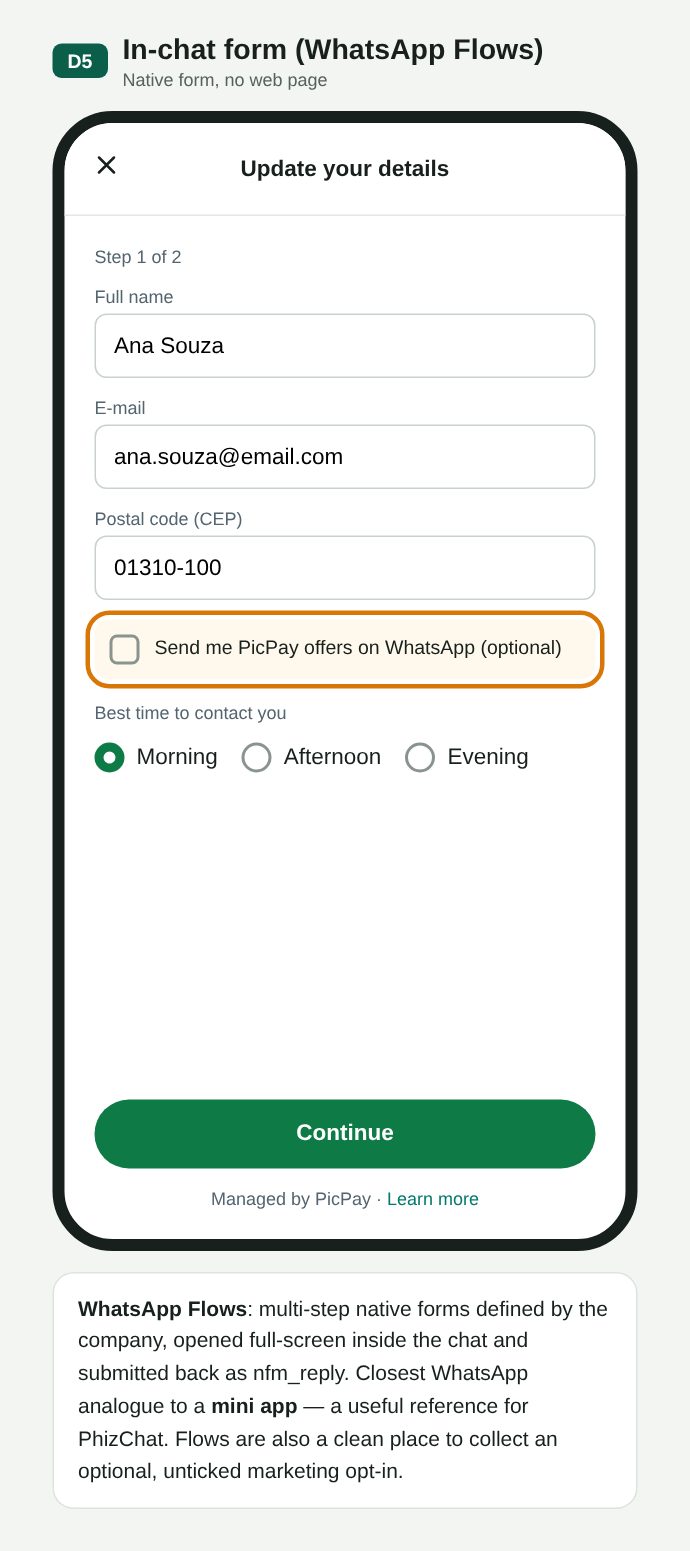
D05. In-chat form (Flows), close to a mini app
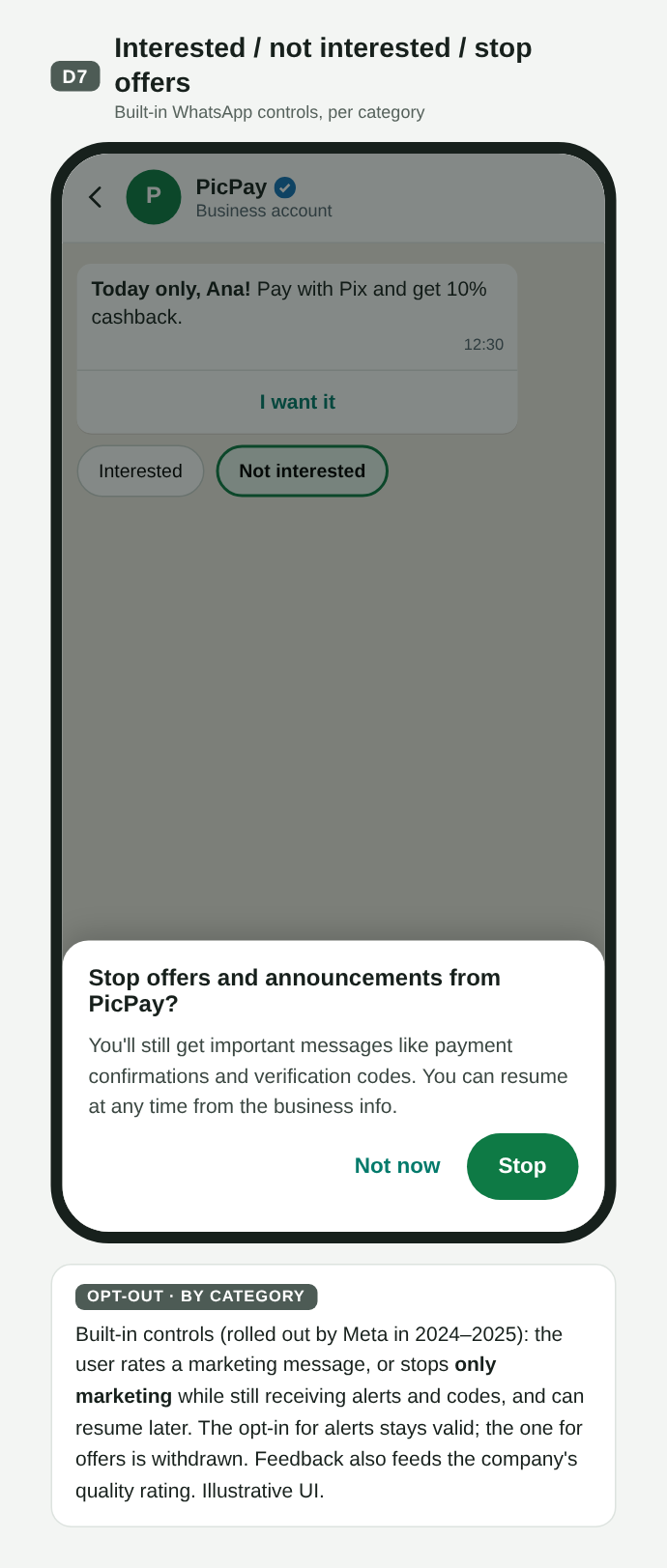
D07. Stop offers, keep alerts
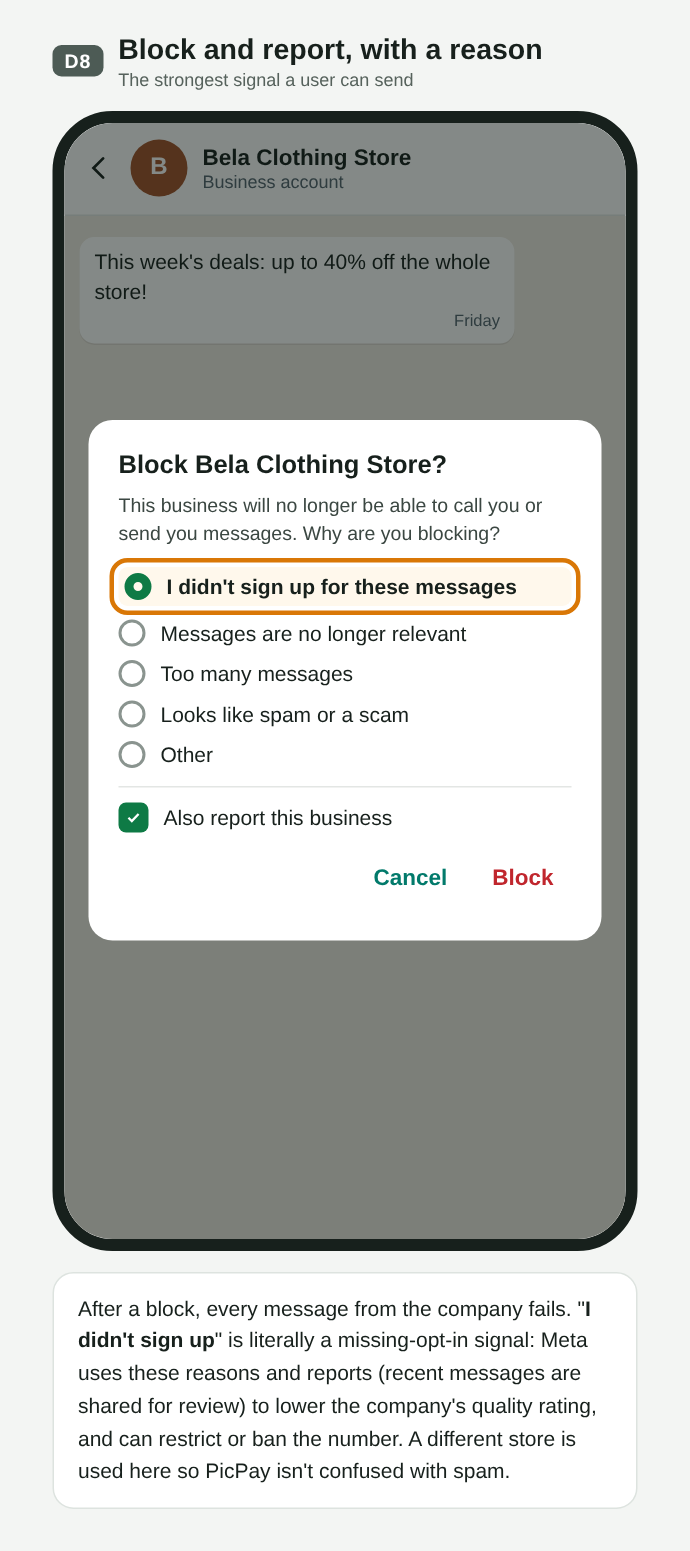
D08. Block and report, with a reason
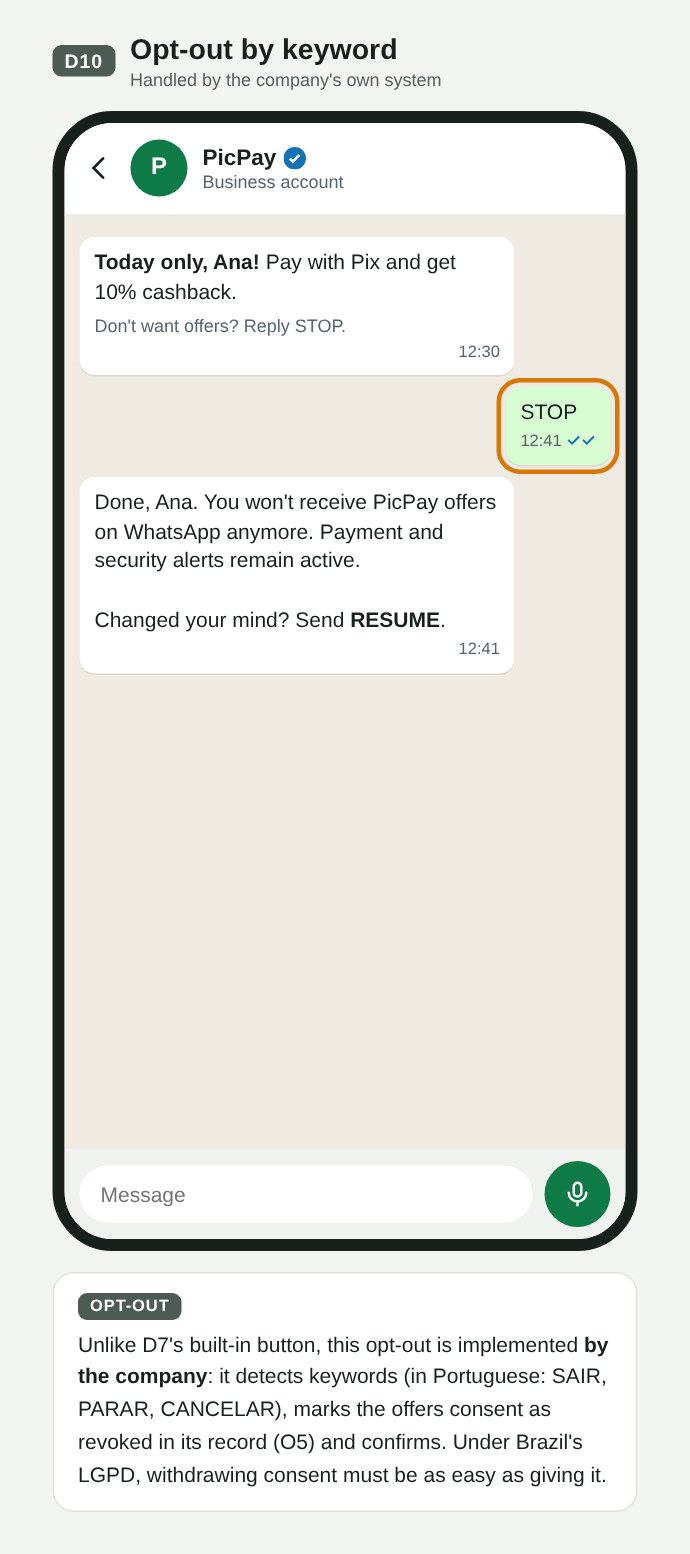
D10. Keyword opt-out, handled by the merchant
| User action | On WhatsApp | On PHIZ |
|---|---|---|
| Replies with text or media | messages webhook; opens the 24 h window | message event (section 10) |
| Taps a button or list row | button_reply / list_reply | message event with the chosen id |
| Stops offers | Marketing sends fail | Proposal: the platform blocks the category for that Business Account (ba_id) |
| Blocks or reports | All sends fail; quality rating drops | Proposal: send error plus a quality signal (see Q3) |
| Mutes or archives | Invisible to the business | Same |
What we take to PHIZ
- The identity the user sees, authorizes and blocks is the Business Account (
ba_id): it receives the opt-in, the block and the quality rating. The Merchant ID remains the Open Platform account and creates the Developer ID, which owns the applications; each Business Account is created inside an application (section 06). - Consent per Business Account and per category, with opt-out enforced by the platform (see Sending policy, section 09).
- User signals (block, report, stop offers) feeding the merchant's sending limits.
- In-chat forms (Flows) as a reference for mini apps.
04Opt-in in PhizChat: in the app and at the business
Section 03 showed that on WhatsApp opt-in almost always happens outside the app and Meta does not verify it. This section proposes how a user authorizes a business account in PhizChat, through two paths that end in the same opt-out controls:
- Flow P — inside PhizChat: the user accepts the business account in the app itself. The platform keeps the proof.
- Flow Q — at the business, outside PhizChat: the user authorized in the merchant's app, website or store, and the merchant starts the conversation.
They are illustrative proposals, with PicPay as the example merchant. The codes (P0…P8, Q0…Q5) follow the Design canvas. Click an image to open it at full size.
Flow P · Opt-in inside PhizChat
The user reaches the business account through an SMS or e-mail link, a QR code, the merchant's app or website, or in-app search. Without Phiz installed, they see an H5 page with only the profile and a download button; acceptance never happens outside the app. After installing and logging in, a deferred deep link takes them to the same chat, which opens locked until Accept. On Accept, PhizChat records the consent (the user’s Open ID, ba_id, date, entry point), sends the welcome template if there is one, and unlocks the chat.
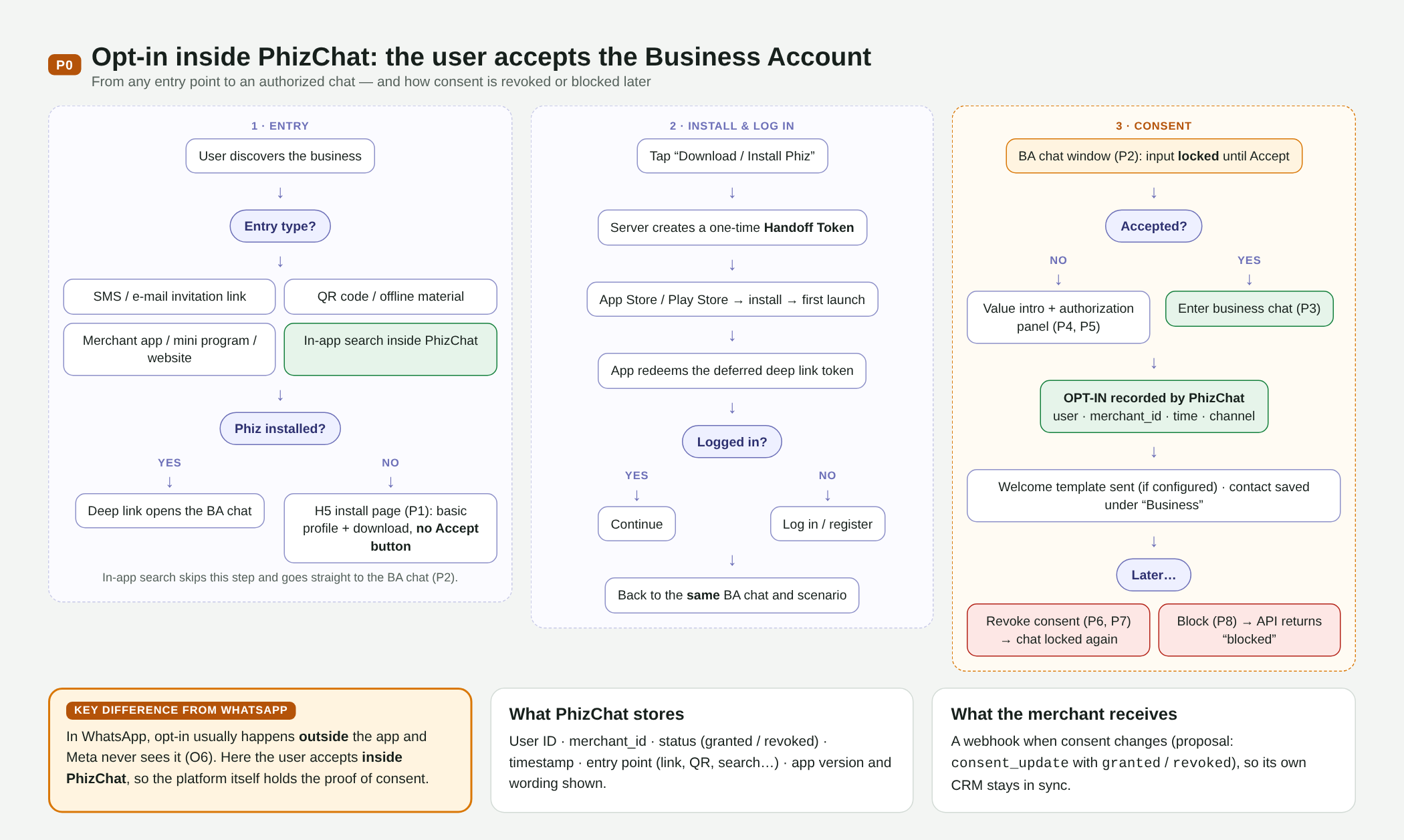
P00. Flow P map: entry points, install, login, acceptance and afterwards
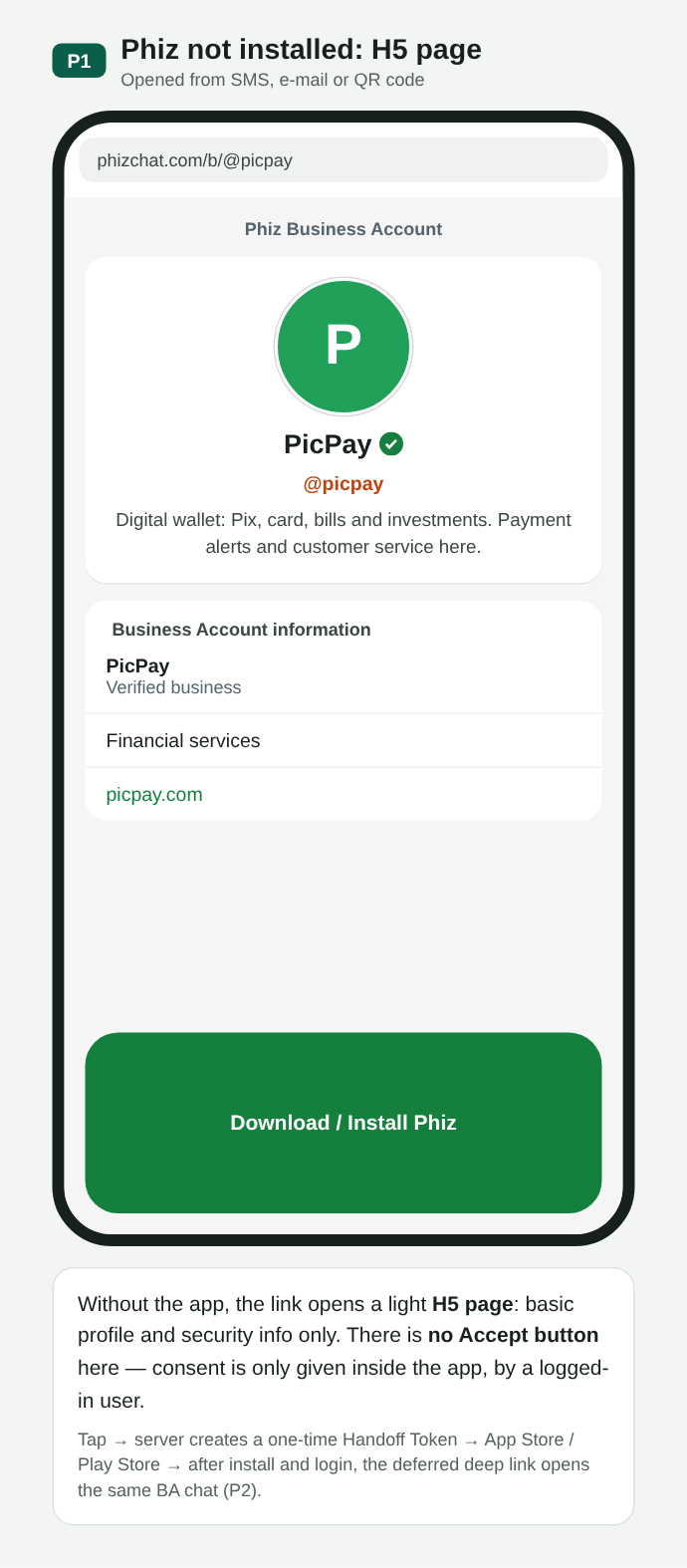
P01. Without the app: H5 page with profile and download, no Accept button
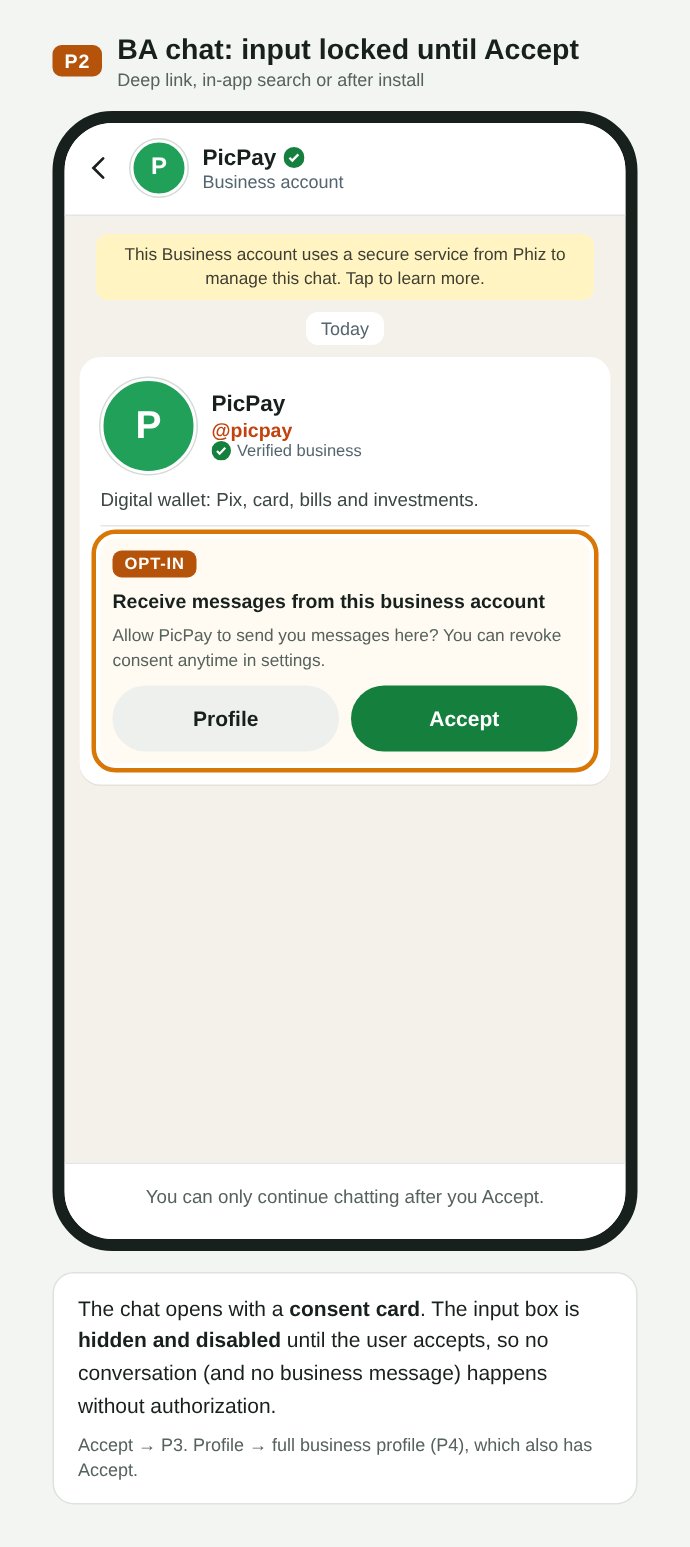
P02. BA chat with the consent card; input locked until Accept
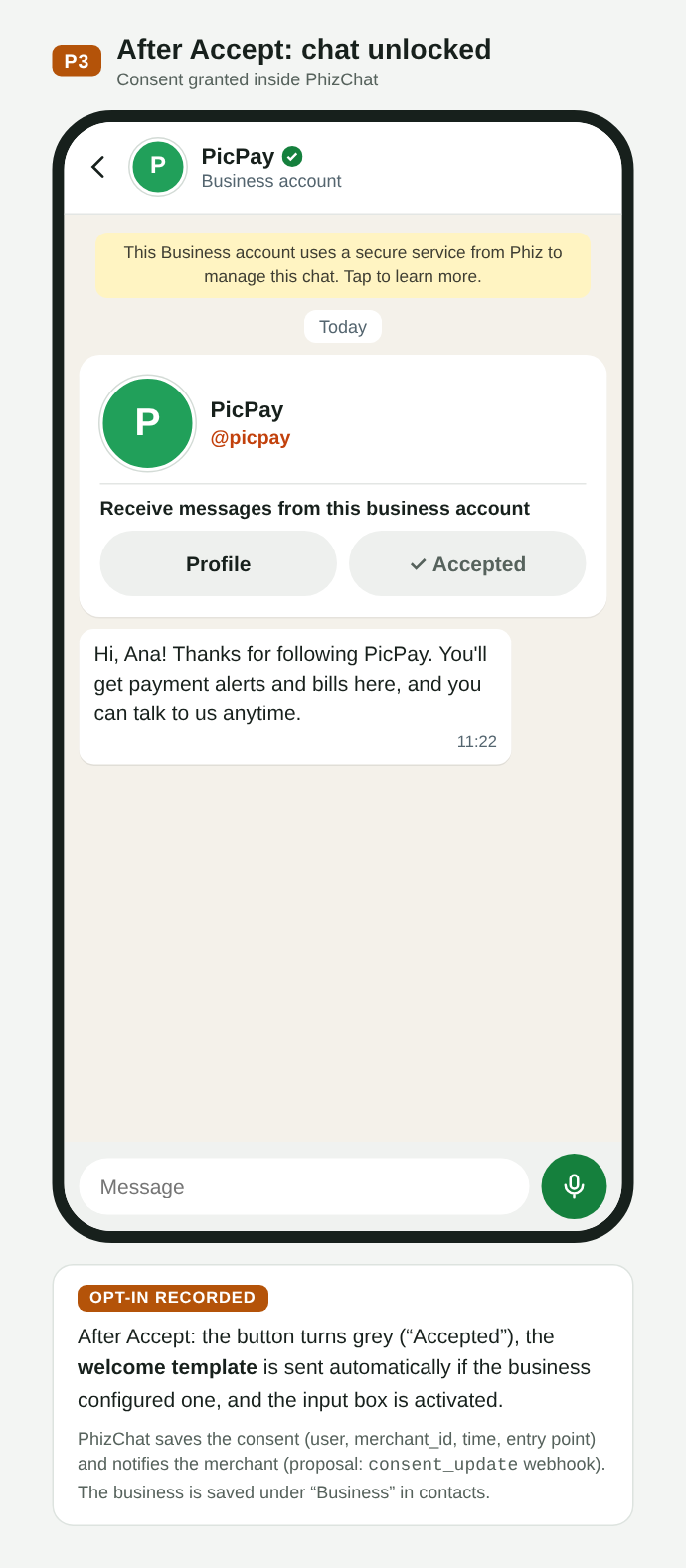
P03. After Accept: welcome message and chat unlocked
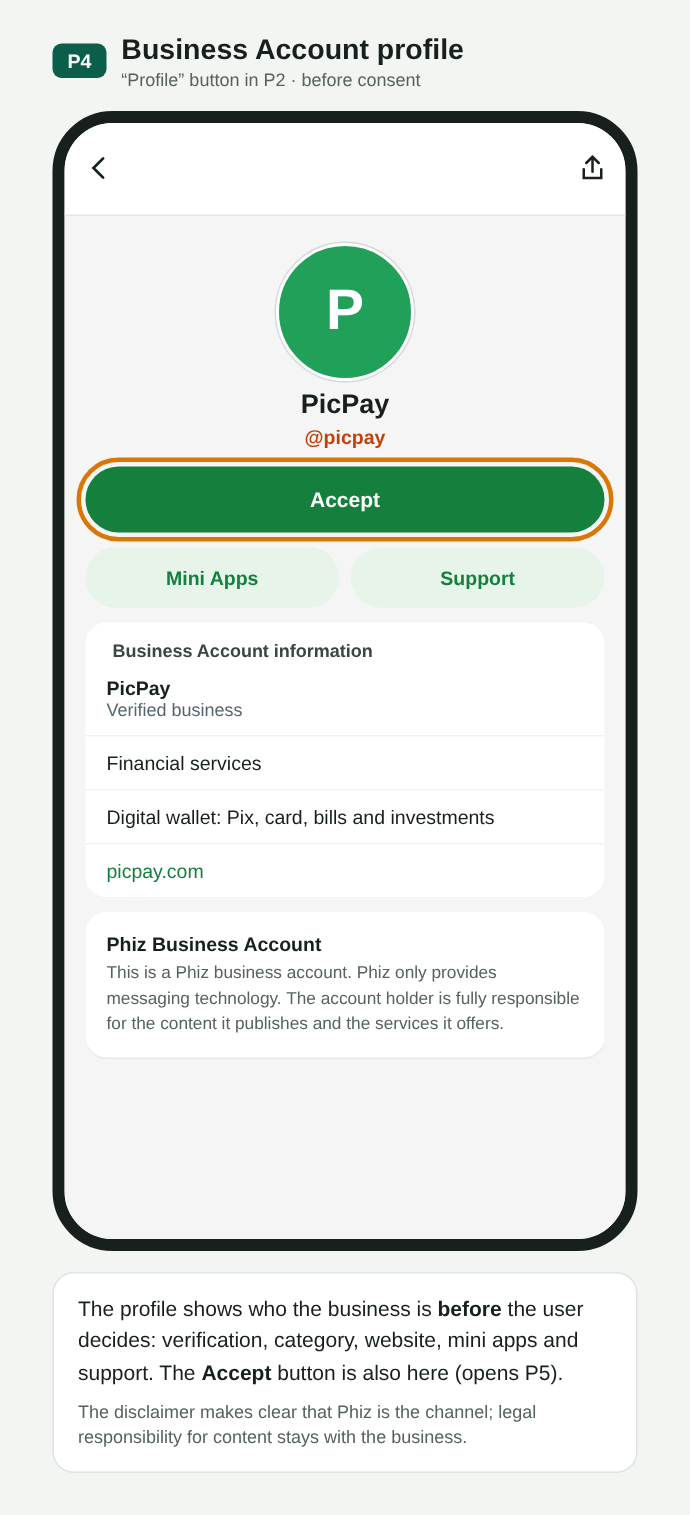
P04. Business profile before consent, also with Accept
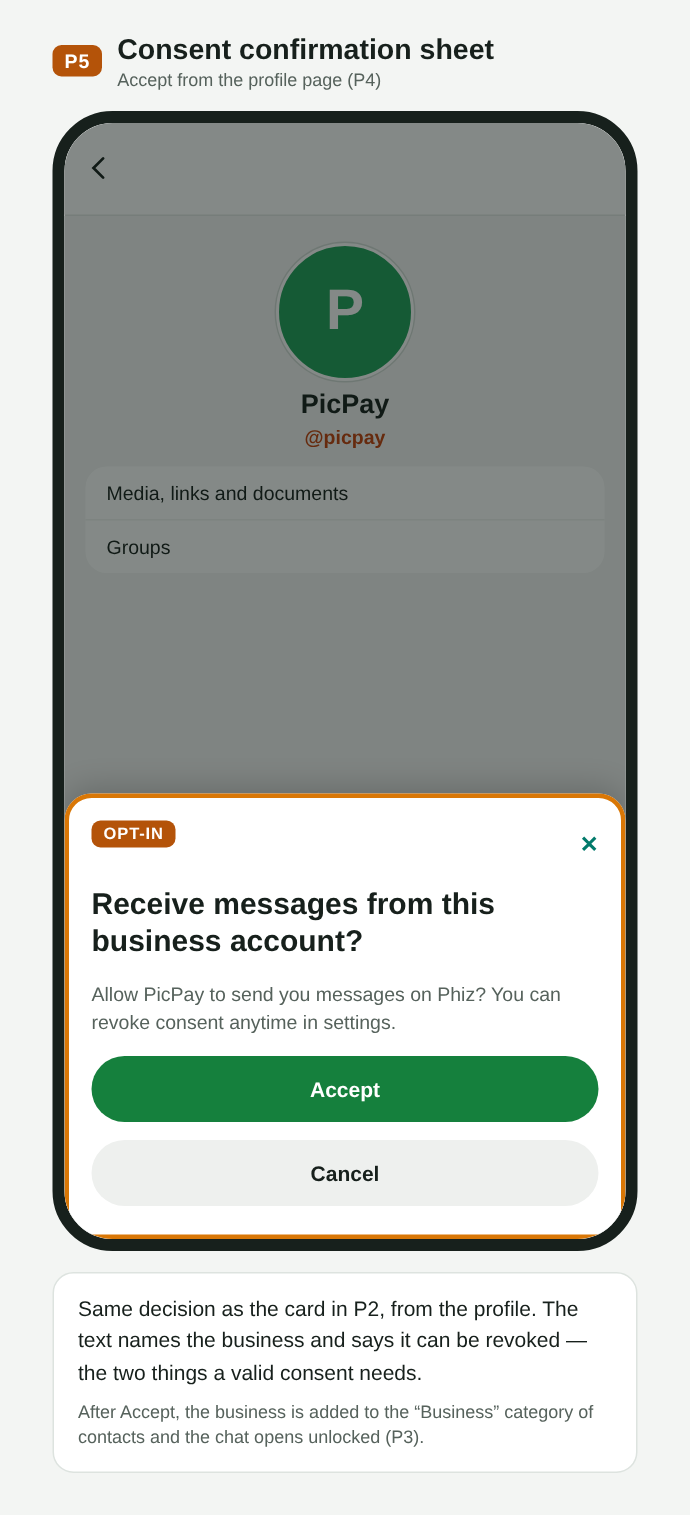
P05. Consent confirmation sheet
After Accept, the profile shows the consent status and date. The user can revoke (the chat goes back to the locked state and can be authorized again) or block (reuses today's Block; the API still accepts calls but returns the blocked status).
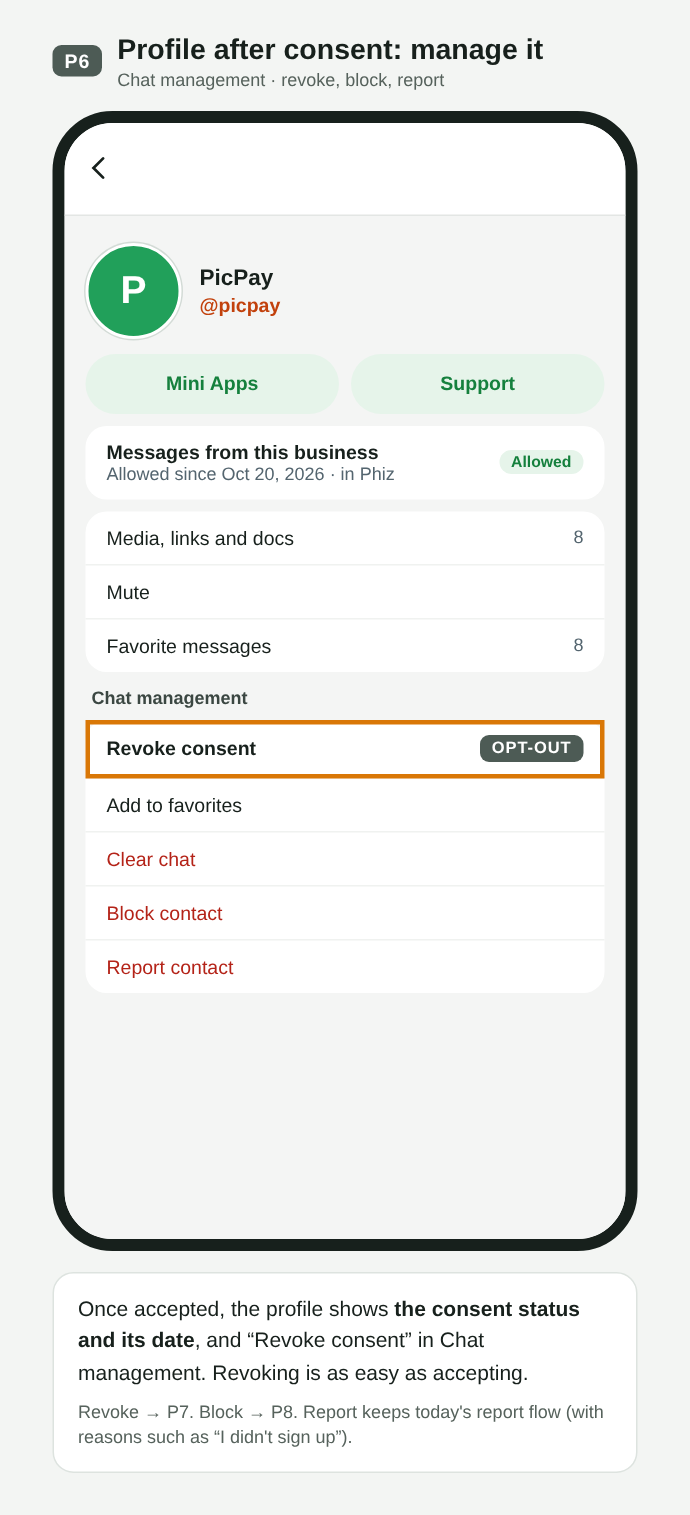
P06. Profile after consent: status, date and Revoke consent
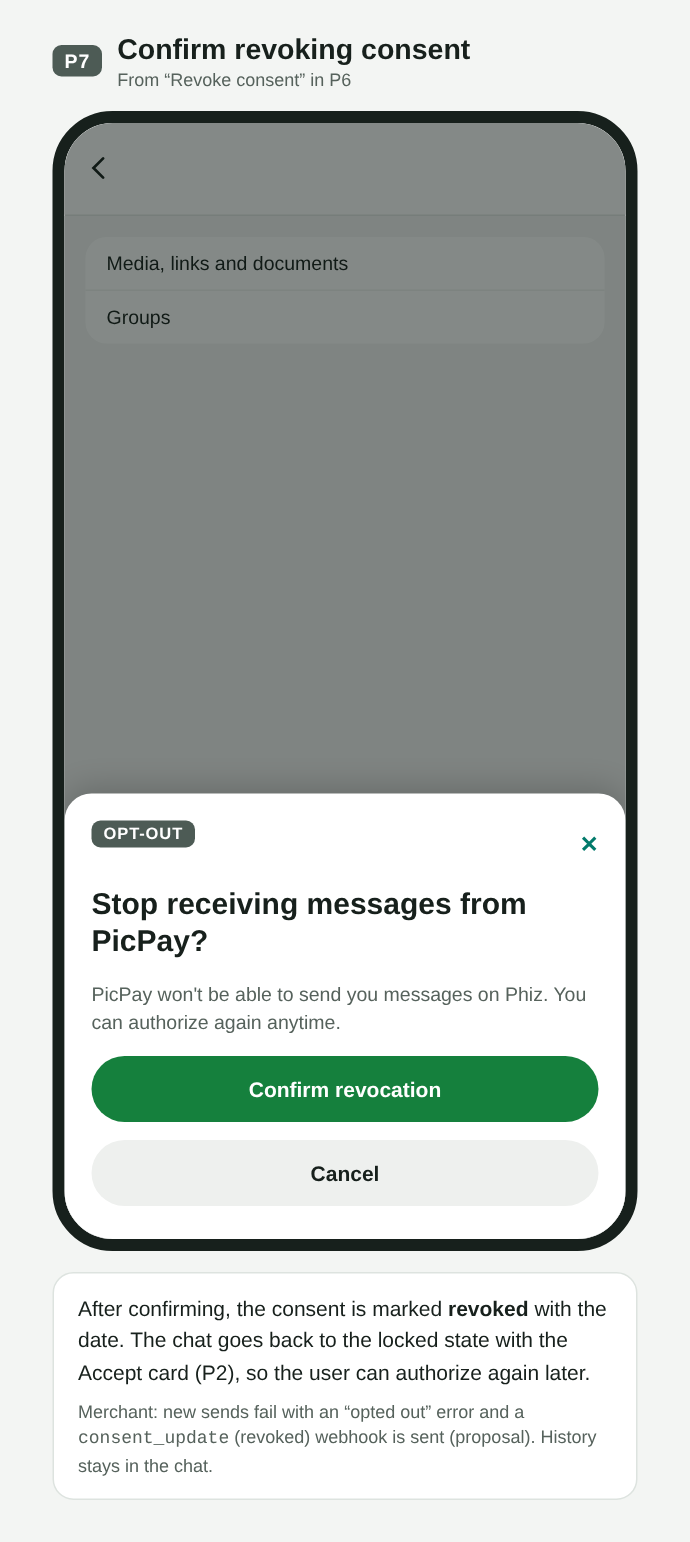
P07. Revocation confirmation; the chat is locked again
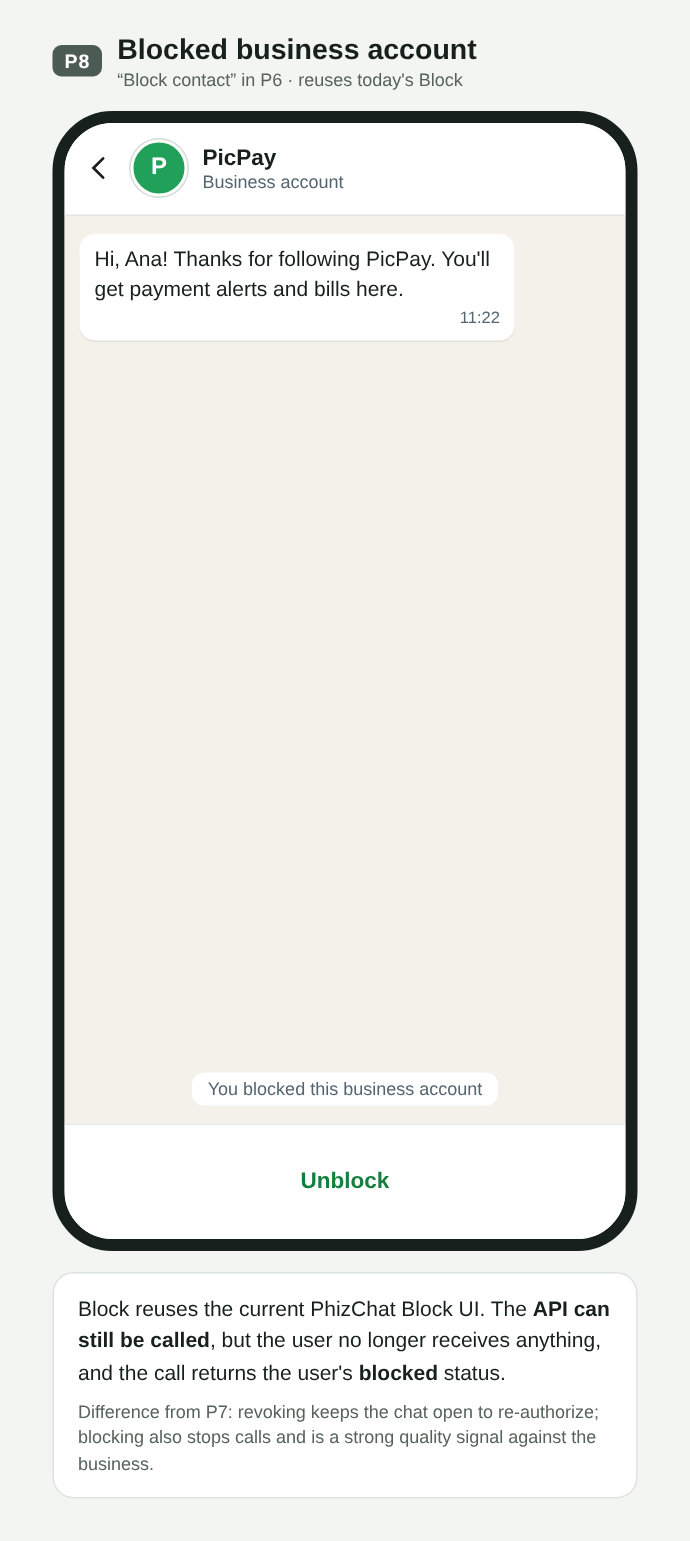
P08. Blocked business account: the API returns the blocked status
Flow Q · Opt-in collected by the business, outside PhizChat
Most Brazilian companies already collect consent in their own channels. In flow Q, the user turns on “messages on PhizChat” in the PicPay app; PicPay keeps the proof and sends a template through the API. The API checks that the recipient is a Phiz user and has not blocked or revoked; in model B it also checks for a registered consent for that category. In the app, the first message arrives with a consent source card (what was authorized, where and when), and the user can keep receiving, stop or report.
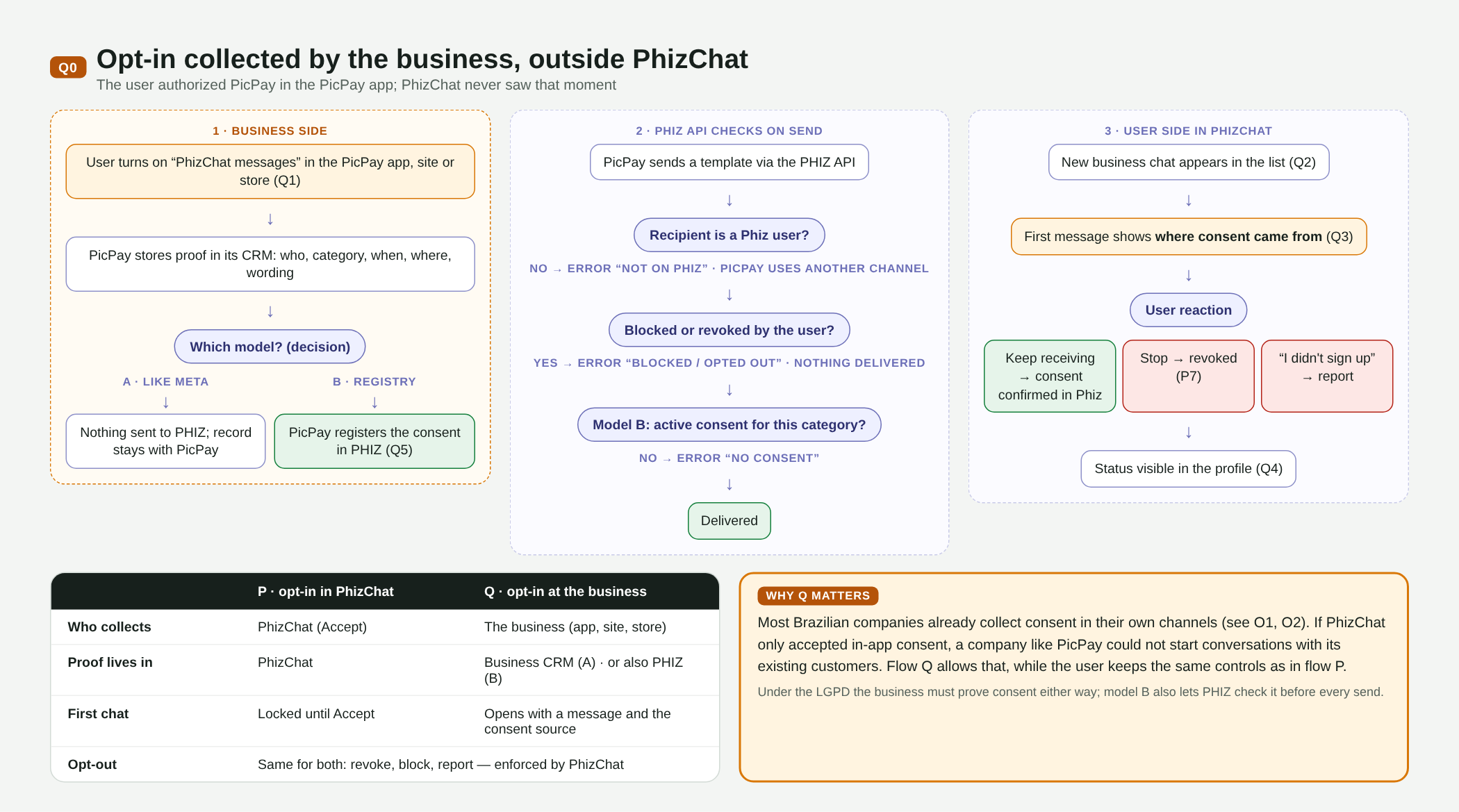
Q00. Flow Q map: business side, API checks and user side, with the P vs Q comparison
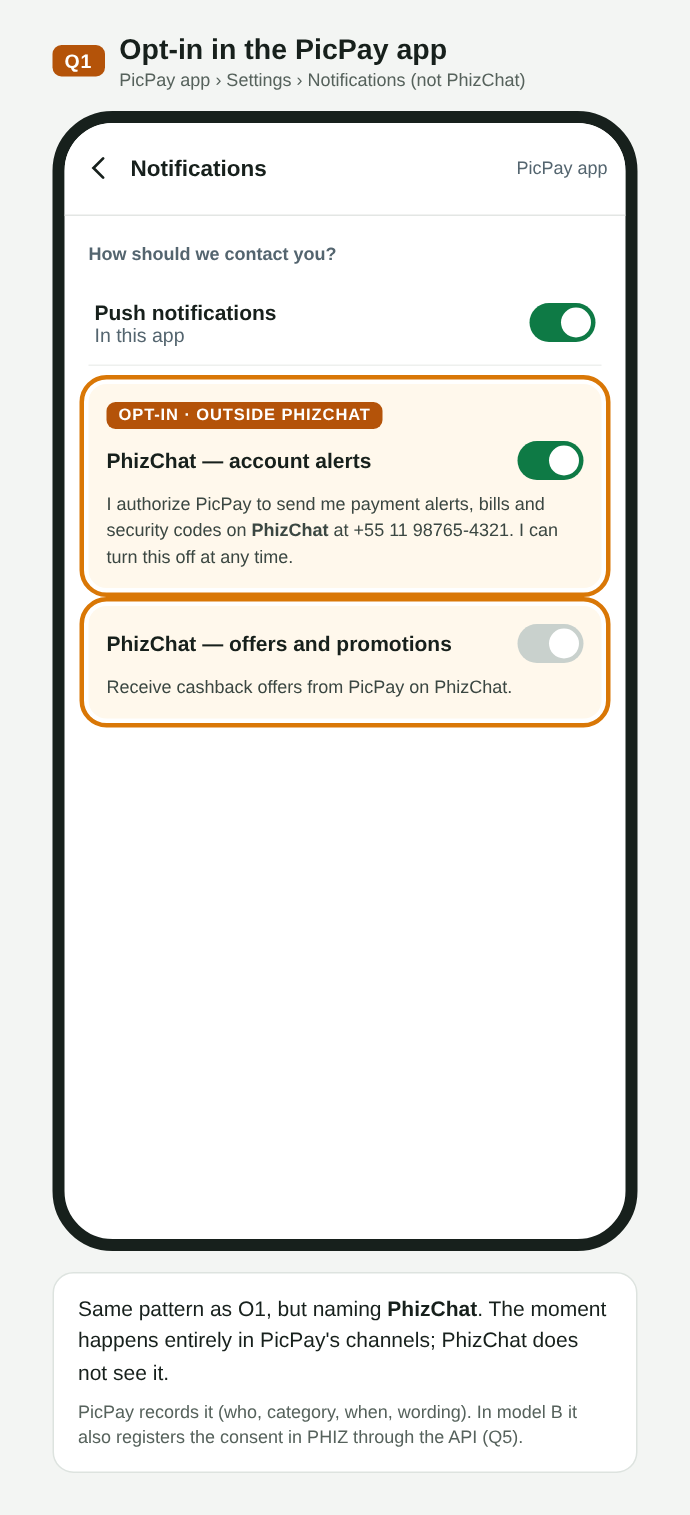
Q01. Opt-in in the PicPay app, naming PhizChat
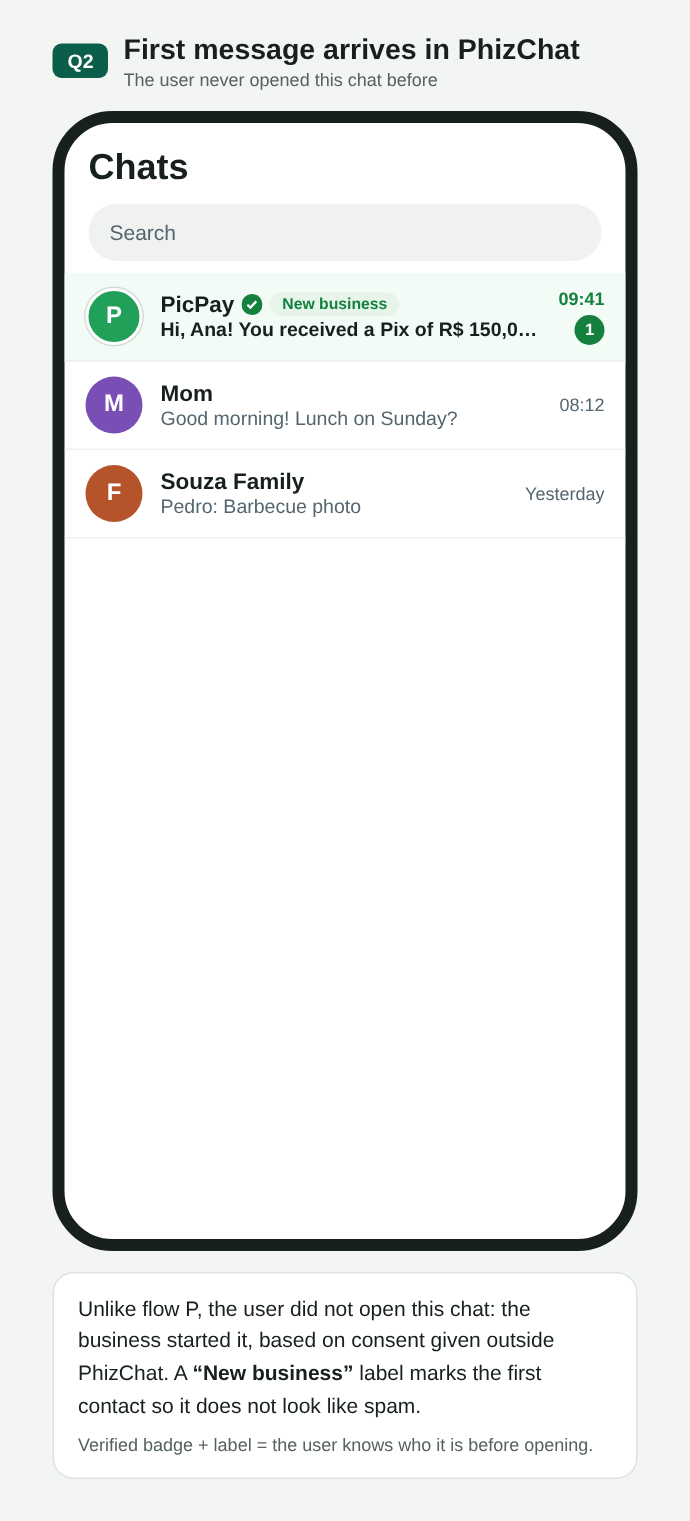
Q02. First message in the list, labeled New business
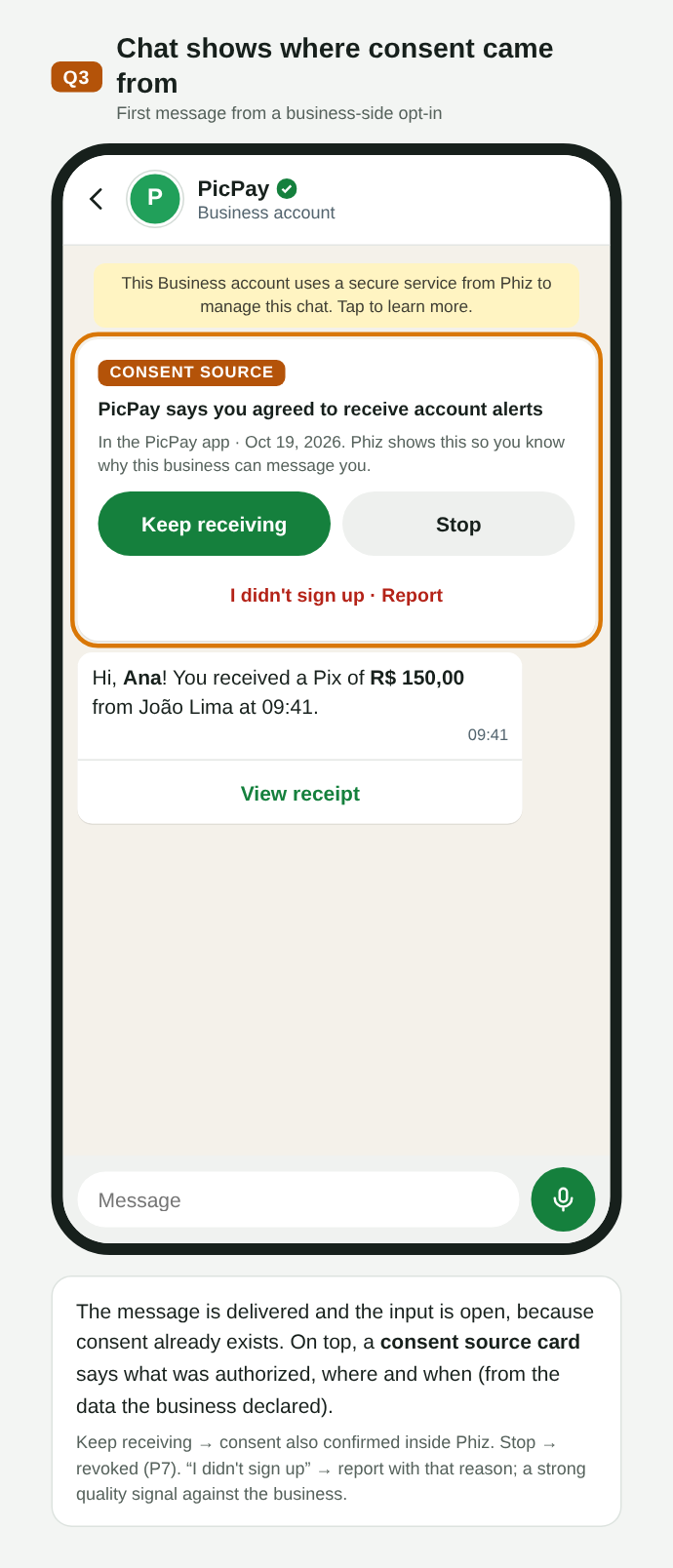
Q03. Consent source card: keep receiving, stop or report
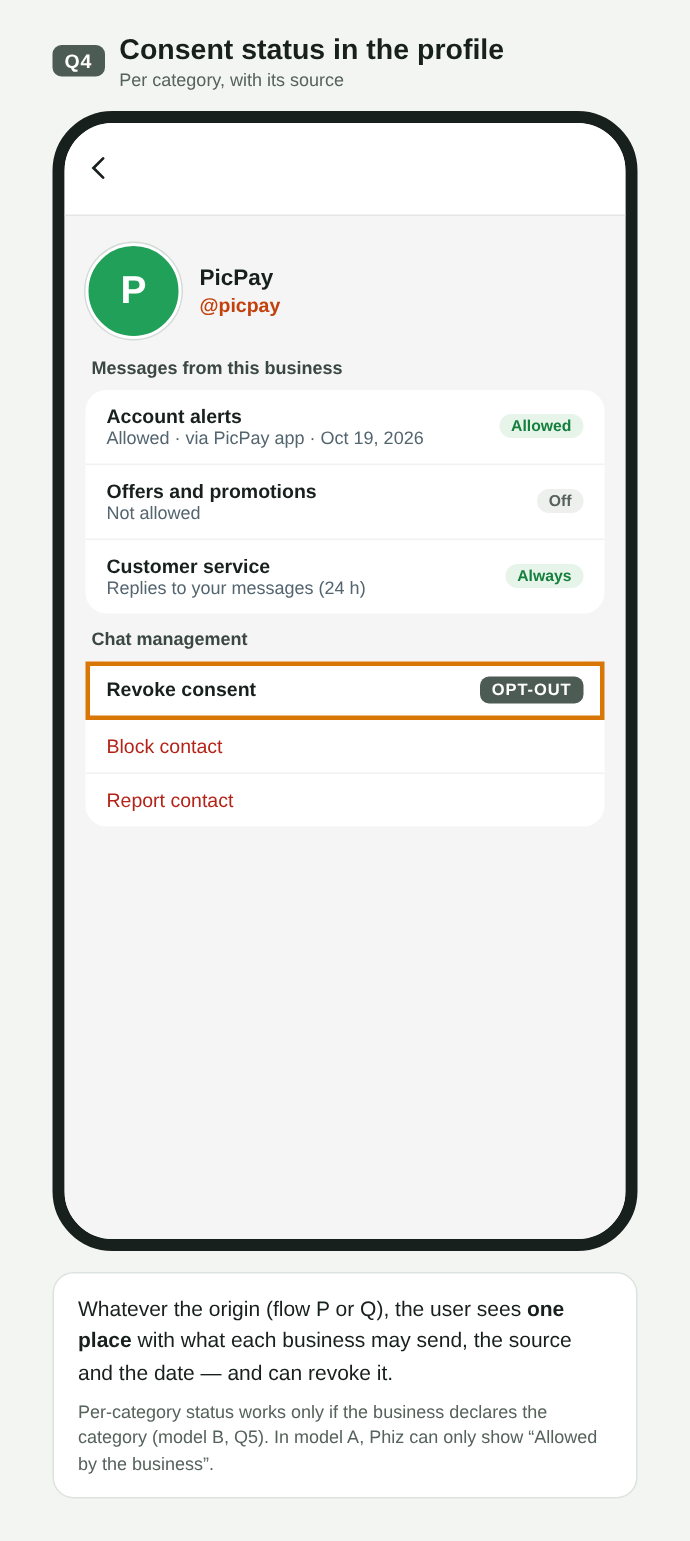
Q04. Consent status per category, with source and date
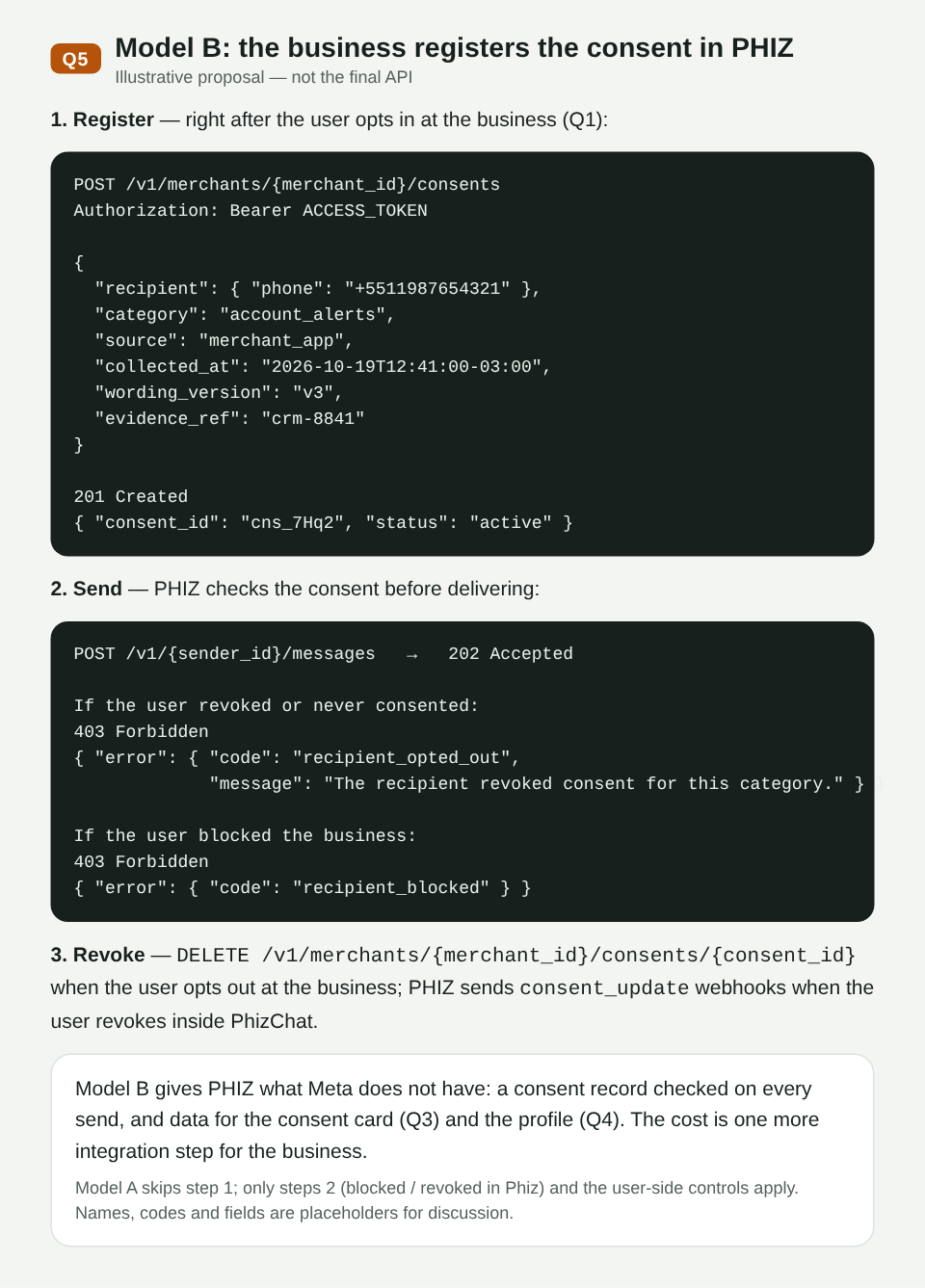
Q05. Model B: registering consent through the API and send errors (illustrative proposal)
P vs Q
| P · opt-in in PhizChat | Q · opt-in at the business | |
|---|---|---|
| Who collects | PhizChat (Accept) | The merchant (app, website, store) |
| Proof lives in | PhizChat | Merchant CRM (model A) · also PHIZ (model B) |
| First chat | Locked until Accept | Opens with the message and the consent source |
| Opt-out | Same for both: revoke, block, report — enforced by PhizChat | |
Open decisions
- Model A vs B in flow Q (see Q1): policy only, like Meta, or a consent registry in PHIZ checked on every send. The full consent source card (Q3) and per-category status (Q4) depend on model B.
- Delivery before Accept in flow Q: the proposal delivers the first message with the consent source card; the alternative is to lock the chat until Accept, as in flow P.
- Consent categories (account alerts, offers, codes) and what the app shows the user.
- Technical names —
/v1/{sender_id}/consents, theconsent_updatewebhook and the error codes — are placeholders for discussion.
05Goals and non-goals
Goals
- Credentials tied to Developer Center applications instead of each channel. The Open Platform Merchant ID creates the Developer ID; under it, the merchant creates one application per external system (for example, one for Blip and another for Salesforce), each with its
client_id, secret, scopes and its own Business Accounts. Channels can be released as optional senders. - Standard OAuth 2.0 (client credentials), compatible with common libraries and platforms.
- Send messages to a phone number or Open ID and receive replies and statuses through a signed webhook.
- Structural compatibility with Meta's Cloud API so existing integrations migrate with little code.
- Publish the API specification in OpenAPI 3.1 format (the Swagger standard). It is a file that describes every route, field, response and webhook, and works as the agreement between the team that builds the API and those who integrate with it. With it, partners generate documentation and code and can test before delivery.
Out of scope for this RFC
- Templates, campaigns and segmentation (Marketing API, later phases).
- Per-conversation pricing and billing.
- Groups, voice and video calls.
- Official SDKs (may come later, generated from the OpenAPI spec).
06Domain model
The identity model follows the guidance of the PHIZ technical team. The merchant_id does not identify the sender: it is the Open Platform account, and one developer can have several applications, each with several Business Accounts.
| Identity | What it is | Where it shows up |
|---|---|---|
| Merchant ID | The merchant’s Open Platform account. When created, it creates a Developer ID in sync. | Open Platform |
| Developer ID | Developer identity and owner of the resources (applications, keys, subscriptions). It can be the merchant itself or a third party, such as Salesforce or a BSP. | Developer Center |
| App ID | Application: credentials (client_id and secret), scopes and isolation context. The user’s Open ID is different in each application. | Token, /v1/apps/{app_id} |
| BA ID | Business Account: the actual sender, which the user sees and authorizes. It is created inside an application and belongs only to it. Encryption and isolation are per BA. | PhizChat conversation, webhook entry[].id |
| sender_id | External reference to the sender, used in the API and mapped to the BA ID. For a channel (optional), it is the channel ID. | POST /v1/{sender_id}/messages |
| Open ID | The user’s identifier inside one application. The phone number is exchanged for the Open ID, and the BA is bound to the Open ID, not to the number. | to with to_type: open_id; from in webhooks |
flowchart LR
  M["Merchant ID
Open Platform"] -- "creates in sync" --> D["Developer ID
merchant or third party"]
  D --> A1["App ID · Blip
client_id + secret"]
  D --> A2["App ID · Salesforce
client_id + secret"]
  A1 --> B1["BA ID · Example Store
sender_id"]
  A2 --> B2["BA ID · Example Store Deals
sender_id"]
  A1 -. "optional channel
sender_id = channel ID" .-> C["Channel 1231"]
  B1 --> U(("User
Open ID per application"))
  B2 --> U
  C --> U
Each application has its own Business Accounts. The user authorizes the BA and is identified by that application’s Open ID. Channels remain an optional sender.
Conversation types
Definition from the PHIZ product and technology team:
- Public account session: the general category of conversation; not shown to the user.
- Business service session: a sub-category of the public account session; not shown either.
- Business Account: a product type within the business service session, shown to the user, like WhatsApp’s business display. It is meant for businesses, governments and institutions.
To have a Business Account, the business creates its Open Platform account (Merchant ID), which creates the Developer ID; under it, it creates an application (App ID) and, in the application, the Business Account (BA ID). Both third-party calls (Salesforce, BSPs) and the user’s authorization to receive messages operate on the BA ID. The Business Account is a new conversation type: product and technology will refine its definition and the other types, preparing for future expansion (Q4).
End-to-end flow
View for the engineering team: where a message travels from the business to the user, and how replies and statuses come back.
flowchart LR
  PP["PicPay"] --> B1["BSP
e.g. Blip"]
  AM["Ambar"] --> B2["BSP
e.g. Salesforce"]
  B1 --> API["PHIZ Business API
/gateway/business
Auth · Messages · Webhooks"]
  B2 --> API
  API -- "1–3 · token, send and
sender validation" --> MA
  subgraph OP["Developer Center"]
    MA["App · Business Account"]
    MA -- "4a · sender_id = BA ID
default" --> DM["Business Account"]
    MA -. "4b · sender_id = channel ID
optional" .-> CH["Channel"]
    CH --> CM["Channel Message"]
  end
  DM -- "5 · deliver" --> APP["Phiz App"]
  CM -- "5 · deliver" --> APP
  APP --> U(("User"))
Outbound: from the business to the user. The dashed line is the optional channel path.
Return: replies and statuses
flowchart LR
  U(("User")) -- "replies, receives, reads" --> APP["Phiz App"]
  APP -- "6 · events" --> WH["PHIZ Business API
Webhooks"]
  WH -- "signed webhook" --> BSP["BSP of the integration
that owns the sender"]
  BSP --> EMP["Business"]
Inbound: user replies and message statuses reach the BSP through the webhook.
- Integration. The business (for example PicPay or Ambar) uses a BSP for customer service. In the Developer Center, the merchant creates a Business Messaging application for that BSP and hands over the
client_idand secret. - Token. The BSP calls
/oauth/token. Auth checks the application in the Developer Center (secret, scopes and Business Accounts) and returns a 1-hour JWT. - Send. The BSP calls
POST /v1/{sender_id}/messages. The API exchanges the phone number for the user’s Open ID, validates the token, scope, sender, opt-in policy andIdempotency-Key, answers202and queues the message. For media, the BSP first uploads the file toPOST /v1/{sender_id}/mediaand uses the returnedidor PHIZ link in the send. - Routing. With a Business Account
sender_id, the message goes out as a Business Account conversation (default). With a channel ID it goes out as a Channel Message (optional). - Delivery. The Phiz App shows the message to the user and downloads media from PHIZ storage, through the link generated at upload.
- Return. User replies and statuses (
sent,delivered,read,failed) become events that the Webhooks service delivers, signed, to the application that owns the Business Account.
| Component | Responsibility | Status |
|---|---|---|
| BSP / business system | Calls the API, uploads media and receives the webhook. | External |
| PHIZ Business API · Auth | Issues and revokes JWTs; validates client_id and secret. | New |
| PHIZ Business API · Messages | Validates and accepts sends (202), applies idempotency and limits, queues and routes by sender_id. | New |
| PHIZ Business API · Media | Receives uploads, checks format and size, stores the file for a limited time and generates the id and PHIZ link used in the send. | New |
| PHIZ Business API · Webhooks | Consumes app events, signs them and delivers through the Developer Center’s event subscriptions, with its retries and history. | New |
| Open Platform · Developer Center | Existing. Stores organizations, apps, secrets (hashed), scopes and event subscriptions. The Business API adds each app’s Business Accounts. | Changed: credentials move from the channel to Developer ID applications |
| Business Account | Business service session shown to the user as the business; encryption and isolation per BA. | New (section 06, Q3) |
| Channel / Channel Message | Sending through the merchant's channel. | Existing |
| Phiz App | Shows messages, downloads media by PHIZ link and emits delivery, read and reply events. | Changed |
Mapping to Meta's Cloud API
| Meta (WhatsApp Cloud API) | PHIZ (this proposal) |
|---|---|
| WhatsApp Business Account (WABA) | Developer ID · application (App ID) |
Business phone number · phone_number_id | Business Account · sender_id mapped to the BA ID; optionally, a channel (channel ID) |
| Meta app + System User token | Developer app + OAuth client credentials |
wa_id | open_id (per application) |
POST /{phone-number-id}/messages | POST /v1/{sender_id}/messages |
POST /{phone-number-id}/media · media by id or third-party link | POST /v1/{sender_id}/media · media only by id or PHIZ link; third-party links are not accepted |
object: whatsapp_business_account | object: phiz_business_account |
X-Hub-Signature-256 | X-Phiz-Signature-256 + X-Phiz-Timestamp |
hub.mode / hub.verify_token / hub.challenge | Unchanged |
07Design principles
- Same shape as the Cloud API. Send bodies, responses and webhooks follow Meta's structure. We diverge only for a clear gain in security (timestamp in the signature, media only through PHIZ storage) or clarity (
to_type). - HTTP status codes, a single error envelope and a
trace_idin every error response. - Sending is asynchronous and returns
202 Accepted; the outcome arrives by webhook. - Idempotency. The
Idempotency-Keyheader prevents duplicate messages when a client retries. - Least privilege. Each integration has scopes and a list of allowed senders.
- Versioning
/v1. Compatible changes (new fields) ship in a standardized way; breaking changes require/v2.
08Authentication
We use the OAuth 2.0 client credentials flow (RFC 6749 §4.4). The app exchanges client_id and client_secret for a 1-hour access token and sends it as Authorization: Bearer on every call. There is no refresh token: when the token expires, the app requests a new one.
In the Developer Center, the app, appId and appSecret are this section’s app, client_id and client_secret, and the platform’s CLIENT_CREDENTIALS grant is the flow described here (section 12).
/oauth/tokenIssues an access token/oauth/revokeRevokes a token (RFC 7009)/v1/meShows the token's application, Developer ID, scopes and senders
sequenceDiagram
  autonumber
  participant S as External system
  participant A as PHIZ Auth
  participant API as PHIZ API
  S->>A: POST /oauth/token (client_id, client_secret)
  A-->>S: 200 access_token (1 h), scopes
  S->>API: POST /v1/{sender_id}/messages · Bearer token
  API-->>S: 202 Accepted
Close to expiry, the system requests a new token. There is no refresh token.
Request and response
# Base URL of this API: current PHIZ gateway + /gateway/business prefix (illustrative host)
PHIZ_API_BASE="https://gateway.phiz.chat/gateway/business"

curl -X POST "$PHIZ_API_BASE/oauth/token" \
  -H "Content-Type: application/x-www-form-urlencoded" \
  -d grant_type=client_credentials \
  -d client_id=app_2Fk81PzQ \
  -d client_secret="$PHIZ_CLIENT_SECRET" \
-d "scope=messages:send messages:read"{
"access_token": "eyJhbGciOiJFUzI1NiIsImtpZCI6InBoei0yMDI2LTEwIn0…",
"token_type": "Bearer",
"expires_in": 3600,
"scope": "messages:send messages:read",
"developer_id": "dev_suPb10cTzMQ"
}The /oauth/* endpoints use the OAuth error format (RFC 6749 §5.2), which client libraries already understand:
{
  "error": "invalid_client",
  "error_description": "Client authentication failed."
}
Token format
Decision: the token is a JWT signed with ES256, keys published at /.well-known/jwks.json. The gateway validates tokens locally without a database lookup per call. Revoked tokens and rotated secrets go into a short-lived deny list (until the token's expiry). For integrators the token is opaque; the content below is informative.
{
  "iss": "https://gateway.phiz.chat/gateway/business",
  "sub": "app_2Fk81PzQ",
  "aud": "phiz-business-api",
  "did": "dev_suPb10cTzMQ",
  "scope": "messages:send messages:read",
  "snd": [
    "ba_7Kq2M9xTpL",
    "1231"
  ],
  "env": "live",
  "iat": 1760527800,
  "exp": 1760531400,
  "jti": "tok_01JA9VQ4N2"
}
Scopes
| Scope | Allows |
|---|---|
messages:send | Send messages, upload and manage media, and mark messages as read |
messages:read | Query message status |
webhooks:manage | Set up, test and replay the app's own webhook (Phase 2) |
account:read | Read application, Business Account and channel data |
templates:manage | Reserved for the Marketing API |
Secrets and rotation
- Secrets carry an environment prefix (
phzsk_live_,phzsk_test_) so leak scanners can recognise them. - A secret is shown only once, at creation or rotation, and stored only as a hash (Argon2id).
- Each app can have up to two active secrets. When a new one is generated, the previous one stays valid for a chosen period (default 24 h, from 0 to 7 days), so the switch causes no downtime.
- The screen shows when each secret was last used, so you know whether the old one is still in use before revoking it.
- Allowed IP list per app and a 90-day rotation policy, both already available in the Developer Center.
Current vs proposed
| Aspect | Today | Proposal |
|---|---|---|
| Credential owner | Channel | Developer Center application (Developer ID) |
| Flow | user_credentials (custom) | client_credentials (RFC 6749) |
| Extra required fields | description | None |
| Lifetime | ~2 h + ~90-day refresh token | 1 h, no refresh token |
| Scopes | channel | Per capability + allowed senders |
| Rotation | Reset invalidates immediately | Two active secrets with overlap |
| Errors | HTTP 200 + code in the body | Real HTTP status + standard envelope |
09Sending messages
/v1/{sender_id}/messagesSends a message or marks one as read/v1/{sender_id}/mediaUploads a media file and returns its id and PHIZ link/v1/media/{media_id}Media details: link, type, size and expiry/v1/media/{media_id}Deletes the media before it expires/v1/messages/{message_id}Latest known status (fallback)/v1/apps/{app_id}/sendersBusiness Accounts and channels of the applicationSender: a Business Account or a channel
The sender_id in the path defines on whose behalf the message is sent. It is an external reference to the sender and is not the merchant_id:
- Business Account (default). Use the Business Account’s
sender_id, mapped to the BA ID, for exampleba_7Kq2M9xTpL. The message appears in a Business Account conversation, shown to the user as the business, with no channel needed. Each Business Account belongs to a single application, which is the one that sends and receives through it. - A channel (optional). Use the channel ID, for example
1231. Useful for merchants that separate brands or departments into different channels. The message appears in the channel's Channel Service conversation, the same one Channel Bot uses.
Both work the same way in the API: same fields, same responses and same webhooks. In webhooks, metadata.sender_type shows which one was used and metadata.conversation_type carries the conversation type (business_account or channel_service).
Recipient: phone number or Open ID
A Business Account always sends to the user’s Open ID in that application. Every PHIZ user has a valid, verified phone number, so the integrator can pass the phone number and PHIZ does the exchange. The to field holds the recipient and to_type says how to read it:
phone(default): an E.164 phone number such as+5511987654321, including numbers from other countries. PHIZ exchanges the number for the user’s Open ID before sending.open_id: the user’s Open ID in this application, such asoid_Qm7f2K9xT4Lw. This is the identifier webhooks carry, so replies can use it directly.
The Business Account is bound to the user by Open ID, not by phone number: if the user changes number, the conversation continues with the same Open ID. The Open ID differs in each application, so it cannot be used to match users across applications.
If the phone number does not belong to a PHIZ account, or the user has blocked the sender, the API still answers 202 and the webhook reports failed with error 2104. This keeps the API from being used to find out which numbers have a PHIZ account.
Example: text to a phone number
# sender_id = BA ID: message from the Business Account (default), no channel needed
curl -X POST "$PHIZ_API_BASE/v1/ba_7Kq2M9xTpL/messages" \
  -H "Authorization: Bearer $PHIZ_TOKEN" \
  -H "Content-Type: application/json" \
  -H "Idempotency-Key: pedido-48213-envio" \
  -d '{
    "messaging_product": "phiz",
    "to": "+5511987654321",
    "to_type": "phone",
    "type": "text",
    "text": { "body": "Olá, Maria! Seu pedido #48213 foi enviado." },
    "biz_opaque_callback_data": "pedido=48213"
}'{
"messaging_product": "phiz",
"contacts": [
{
"input": "+5511987654321",
"open_id": null
}
],
"messages": [
{
"id": "pmid.01JA9VZ6T8R3",
"message_status": "accepted"
}
]
}contacts[].open_id is filled only if the user is already bound to this Business Account. messages[].id is the key to match status webhooks.
More examples
The same send, through a channel
# sender_id = 1231: same request, sent through the merchant's channel
curl -X POST "$PHIZ_API_BASE/v1/1231/messages" \
  -H "Authorization: Bearer $PHIZ_TOKEN" \
  -H "Content-Type: application/json" \
  -d '{ "to": "+5511987654321", "type": "text", "text": { "body": "Novidades da semana na Loja Exemplo - Ofertas" } }'
Text to a Open ID
{
  "to": "oid_Qm7f2K9xT4Lw",
  "to_type": "open_id",
  "type": "text",
  "text": {
    "body": "Seu cupom chegou: PHIZ10"
  }
}
Media upload
# 1. Upload the file to PHIZ (multipart/form-data). Third-party URLs are not accepted when sending.
curl -X POST "$PHIZ_API_BASE/v1/ba_7Kq2M9xTpL/media" \
  -H "Authorization: Bearer $PHIZ_TOKEN" \
  -F messaging_product=phiz \
  -F type=application/pdf \
-F file=@nota-fiscal-48213.pdf{
"id": "pmed.01JB2K7Q9X",
"link": "https://media.phiz.chat/biz/pmed.01JB2K7Q9X",
"mime_type": "application/pdf",
"file_size": 184320,
"sha256": "9b1f…",
"expires_at": "2026-11-19T14:00:00Z"
}Audio by media id
{
  "to": "+5511987654321",
  "type": "audio",
  "audio": {
    "id": "pmed.01JB2K4M7A"
  }
}
Video by PHIZ link, to a Open ID
{
  "to": "oid_Qm7f2K9xT4Lw",
  "to_type": "open_id",
  "type": "video",
  "video": {
    "link": "https://media.phiz.chat/biz/pmed.01JB2K5V1C",
    "caption": "Como montar seu produto"
  }
}
Document with a file name
{
  "to": "+5511987654321",
  "type": "document",
  "document": {
    "id": "pmed.01JB2K7Q9X",
    "filename": "nota-fiscal-48213.pdf",
    "caption": "Nota fiscal do pedido #48213"
  }
}
Reply buttons
{
  "to": "+5511987654321",
  "type": "interactive",
  "interactive": {
    "type": "button",
    "body": {
      "text": "Confirma a entrega amanhã entre 9h e 12h?"
    },
    "action": {
      "buttons": [
        {
          "type": "reply",
          "reply": {
            "id": "confirmar",
            "title": "Confirmar"
          }
        },
        {
          "type": "reply",
          "reply": {
            "id": "reagendar",
            "title": "Reagendar"
          }
        }
      ]
    }
  }
}
Mark an inbound message as read
{
  "messaging_product": "phiz",
  "status": "read",
  "message_id": "pmid.IN_01JA9W2C"
}
Supported types
| type | Content | Phase |
|---|---|---|
text | Up to 4,096 characters; optional preview_url | MVP |
image | By id or PHIZ link (upload first); optional caption | MVP |
audio | By id or PHIZ link (upload first); no caption | MVP |
video | By id or PHIZ link (upload first); optional caption | MVP |
document | By id or PHIZ link (upload first); optional caption and file name | MVP |
Media: upload to PHIZ and temporary storage
All media goes through PHIZ storage. Sending takes two steps:
- Upload. The BSP sends the file to
POST /v1/{sender_id}/media(multipart/form-data). PHIZ checks format and size, stores the file and returns anidand a PHIZlink, with the expiry date inexpires_at. - Send. In the message, the media object carries the
id(recommended) or thatlink. The user's app downloads the file from PHIZ storage.
- Only links generated by PHIZ. In Phase 1 the API rejects third-party URLs (the merchant's or partner's CDN) with error
2302. This way PHIZ guarantees the link is safe and the file stays reachable until delivery, and the app does not expose the user's IP to outside servers. - Temporary storage. The file is kept only as long as sending and delivery need it: proposed 30 days from upload, like the Cloud API media
id(see Q8). Within that period the sameidcan be used in many sends, for example the same PDF to many customers. After it, theidand the link stop working and new sends fail with2303. The merchant can delete it earlier withDELETE /v1/media/{media_id}. - Checked at upload. Format and size are checked at upload, not at delivery: files outside the table below are rejected right away (
2304and2305). - Scope. Upload, lookup and deletion use the
messages:sendscope, and media can only be used by senders of the same application.
In Phase 1, media only by upload to PHIZ, with temporary storage; third-party links are not accepted. Allowing third-party URLs for specific customers, for example with an allow-list of domains, is left for a later phase. Agreed with Henry Wu in the comments on this section.
Confirmed by the technical team: media formats and sizes can be set by this RFC (table below); in the first phase, files are uploaded and stored through the Business API; later, the ability to use third-party URLs is released per customer. Other rules follow the technical definition.
| Type | Accepted formats | Max size |
|---|---|---|
image | JPEG, PNG, WebP | 5 MB |
audio | AAC, MP3, M4A, OGG (Opus), AMR | 16 MB |
video | MP4 (H.264 + AAC), 3GP | 16 MB |
document | PDF, DOC/DOCX, XLS/XLSX, PPT/PPTX, TXT, CSV | 100 MB |
Formats and sizes the PHIZ app should accept, inspired by the Cloud API limits and set by this RFC. Conversion and compression are up to whoever sends the file; the upload rejects anything outside the table. In v1.6, the technical team confirmed that formats and sizes can be set by this RFC (see Q8).
Sending policy (consent)
Proposal inspired by WhatsApp (see section 03), with the opt-in flows detailed in section 04:
- Starting a conversation requires opt-in from the user for that Business Account (
ba_id) and category: account alerts, offers or codes. Replying within 24 h of a user message needs no prior opt-in. - Opt-in can be collected outside PHIZ (the merchant's app, website or store) or inside the PHIZ app.
- Opt-out enforced by the platform: if the user blocks the Business Account or stops offers, sends in that category fail with an error, without relying on the merchant.
- Record required: the merchant keeps proof of each consent (the user’s Open ID,
ba_id, category, source, date, wording shown and revocation). Under the LGPD, whoever processes the data must prove consent and honor withdrawal.
Meta has an opt-in policy but does not verify it: it trusts the merchant and reacts afterwards, through reports and the quality rating. We need to choose between A, the same model (policy plus a record kept by the merchant), and B, a consent registry in PHIZ, checked before every send. See Q1.
Idempotency
Send an Idempotency-Key with every message. The same key within 24 h returns the original response without sending again. The same key with a different body returns 409. This makes retries after a timeout or a 5xx safe.
10Webhooks
Each app has one webhook subscription with a URL, a verify_token and a list of events. In the Developer Center it is registered under Event subscriptions: a subscription links one of the app’s events to a callback URL.
In Phase 1, the partner registers the URL by themselves in Event subscriptions, in the Developer Center. This replaces the manual registration by PHIZ proposed in v1.4. Since the platform already offers retries, dead letters and replay, those safeguards are reused and are no longer Phase 2 work. What Phase 2 keeps is setup through the API. This needs to be confirmed with Henry Wu and the Developer Center team (Q9).
Setup in the Developer Center (Phase 1)
- The Developer Center’s event catalog gains
messagesandmessage_status, which the app chooses in Event subscriptions › New subscription, with the callback URL. - The subscription can be activated, disabled and edited on the same screen, and changes produce an audit record and a notification.
- The event format, signature and handshake described below apply to both ways of configuring. What the platform already does today still needs to be confirmed (Q9).
Setup through the API (Phase 2)
These endpoints are optional and left for Phase 2. In Phase 1, the partner uses the Event subscriptions screen.
/v1/apps/{app_id}/webhookSets URL, verify_token and events (Phase 2)/v1/apps/{app_id}/webhookSettings and health (Phase 2)/v1/apps/{app_id}/webhook/testFires a signed test event (Phase 2)/v1/apps/{app_id}/webhook/deliveriesDelivery history, 72 h (Phase 2)/v1/apps/{app_id}/webhook/deliveries/{id}/replayReplays a delivery (Phase 2)curl -X PUT "$PHIZ_API_BASE/v1/apps/app_2Fk81PzQ/webhook" \
-H "Authorization: Bearer $PHIZ_TOKEN" \
-H "Content-Type: application/json" \
-d '{
"url": "https://integracao.lojaexemplo.com.br/phiz/webhook",
"verify_token": "um-texto-que-so-voce-conhece",
"fields": ["messages", "message_status"]
}'Example of the Phase 2 setup call.
Events
| field | When |
|---|---|
messages | The user sent a message, tapped a button or reacted |
message_status | A sent message changed to sent, delivered, read or failed |
sender_update | A sender's status, quality or limit changed (merchant or channel) |
account_update | The merchant account changed (verification, restriction) |
URL verification
Before activating, PHIZ sends a GET to the URL with hub.mode=subscribe, hub.verify_token and hub.challenge. The server checks the token and answers 200 with the value of hub.challenge. It is the same handshake Meta uses.
Signature
Every POST carries the headers below. The signature is an HMAC-SHA256 of {X-Phiz-Timestamp}.{raw body} using the app's webhook secret, which is separate from the client secret. Reject events whose timestamp is more than 5 minutes off. While the webhook secret is being rotated, the header carries two comma-separated signatures.
POST /phiz/webhook HTTP/1.1
Host: integracao.lojaexemplo.com.br
Content-Type: application/json
User-Agent: PHIZ-Webhooks/1.0
X-Phiz-Delivery-Id: dlv_01JA9W2D7K
X-Phiz-Timestamp: 1760528527
X-Phiz-Signature-256: sha256=6f1c0e…// Express: verification handshake + signed events
import express from "express";
import crypto from "node:crypto";
const app = express();
app.use(express.raw({ type: "application/json" })); // keep the raw body for the HMAC
app.get("/phiz/webhook", (req, res) => {
const ok = req.query["hub.mode"] === "subscribe" &&
req.query["hub.verify_token"] === process.env.PHIZ_VERIFY_TOKEN;
return ok ? res.status(200).send(req.query["hub.challenge"]) : res.sendStatus(403);
});
app.post("/phiz/webhook", (req, res) => {
const ts = Number(req.get("X-Phiz-Timestamp"));
if (Math.abs(Date.now() / 1000 - ts) > 300) return res.sendStatus(400);
const expected = "sha256=" + crypto
.createHmac("sha256", process.env.PHIZ_WEBHOOK_SECRET)
.update(`${ts}.${req.body}`)
.digest("hex");
const received = (req.get("X-Phiz-Signature-256") || "").split(",");
const valid = received.some(sig => sig.length === expected.length &&
crypto.timingSafeEqual(Buffer.from(sig), Buffer.from(expected)));
if (!valid) return res.sendStatus(401);
queue.push({ deliveryId: req.get("X-Phiz-Delivery-Id"), event: JSON.parse(req.body) });
res.sendStatus(200); // answer fast, process asynchronously
});# Flask: signature check
import hmac, hashlib, time, os
from flask import request, abort
def verify_phiz_signature() -> None:
ts = int(request.headers["X-Phiz-Timestamp"])
if abs(time.time() - ts) > 300:
abort(400)
msg = f"{ts}.".encode() + request.get_data() # raw bytes, before JSON parsing
expected = "sha256=" + hmac.new(os.environ["PHIZ_WEBHOOK_SECRET"].encode(), msg, hashlib.sha256).hexdigest()
received = request.headers.get("X-Phiz-Signature-256", "").split(",")
if not any(hmac.compare_digest(sig, expected) for sig in received):
abort(401)Inbound message
{
  "object": "phiz_business_account",
  "entry": [
    {
      "id": "ba_7Kq2M9xTpL",
      "changes": [
        {
          "field": "messages",
          "value": {
            "messaging_product": "phiz",
            "metadata": {
              "sender_id": "ba_7Kq2M9xTpL",
              "sender_type": "business_account",
              "conversation_type": "business_account",
              "display_name": "Loja Exemplo"
            },
            "contacts": [
              {
                "profile": {
                  "name": "Maria Souza"
                },
                "open_id": "oid_Qm7f2K9xT4Lw",
                "phone": "+5511987654321"
              }
            ],
            "messages": [
              {
                "from": "oid_Qm7f2K9xT4Lw",
                "id": "pmid.IN_01JA9W2C",
                "timestamp": "1760528527",
                "type": "text",
                "text": {
                  "body": "Quero reagendar a entrega"
                },
                "context": {
                  "id": "pmid.01JA9VZ6T8R3"
                }
              }
            ]
          }
        }
      ]
    }
  ]
}
Inbound message with media
When the user sends an image, audio, video or document, the event carries a temporary url pointing to the file in the current chat storage. The messaging API does not copy or keep the media; download the file while the link is valid. Below is the messages[] item of a voice message:
{
  "from": "oid_Qm7f2K9xT4Lw",
  "id": "pmid.IN_01JA9W7R",
  "timestamp": "1760528731",
  "type": "audio",
  "audio": {
    "url": "https://media.phiz.chat/in/9xT2…?expires=1760615131&sig=…",
    "mime_type": "audio/ogg; codecs=opus",
    "sha256": "3f9a…",
    "voice": true
  }
}
Status of a sent message
{
  "object": "phiz_business_account",
  "entry": [
    {
      "id": "ba_7Kq2M9xTpL",
      "changes": [
        {
          "field": "message_status",
          "value": {
            "messaging_product": "phiz",
            "metadata": {
              "sender_id": "ba_7Kq2M9xTpL",
              "sender_type": "business_account",
              "conversation_type": "business_account",
              "display_name": "Loja Exemplo"
            },
            "statuses": [
              {
                "id": "pmid.01JA9VZ6T8R3",
                "status": "delivered",
                "timestamp": "1760528410",
                "recipient_id": "oid_Qm7f2K9xT4Lw",
                "biz_opaque_callback_data": "pedido=48213",
                "conversation": {
                  "id": "conv_01JA9W",
                  "origin": {
                    "type": "service"
                  },
                  "expires_at": "1760614810"
                }
              }
            ]
          }
        }
      ]
    }
  ]
}{
"object": "phiz_business_account",
"entry": [
{
"id": "ba_7Kq2M9xTpL",
"changes": [
{
"field": "message_status",
"value": {
"messaging_product": "phiz",
"metadata": {
"sender_id": "ba_7Kq2M9xTpL",
"sender_type": "business_account",
"conversation_type": "business_account",
"display_name": "Loja Exemplo"
},
"statuses": [
{
"id": "pmid.01JA9X0QW1",
"status": "failed",
"timestamp": "1760528600",
"recipient_id": "+5511900000000",
"errors": [
{
"code": 2104,
"title": "recipient_not_reachable",
"message": "The phone number is not linked to a PHIZ account or blocked this sender.",
"href": "https://developers.phiz.chat/docs/errors#2104"
}
]
}
]
}
}
]
}
]
}stateDiagram-v2 direction LR [*] --> accepted: API returns 202 accepted --> sent: reached PHIZ servers sent --> delivered: reached the device delivered --> read: user opened it accepted --> failed sent --> failed read --> [*] failed --> [*]
Status lifecycle. accepted appears only in the API response and in GET /v1/messages/{id}; the others arrive by webhook.
Delivery guarantees
Phase 1. The goal is to get the key points live and in use; the safeguards below come later.
- Duplicates are possible. The same event may arrive more than once; use
X-Phiz-Delivery-Idto drop duplicates. - No ordering guarantee. A
readmay arrive beforedelivered; order bytimestampand never move a status backwards. - Answer within 10 s with a 2xx and process afterwards. Any other response, or a timeout, counts as a failure.
- For the status of sent messages,
GET /v1/messages/{message_id}is the fallback if a webhook is lost.
Delivery with retries, dead letters and replay comes from the Developer Center’s event subscriptions, and we still need to confirm that its policy (backoff, window, retention) meets what we propose below. Received messages still have no fallback lookup (see Q9).
Target policy. The Developer Center already has retries, dead letters and replay. The policy below is the Business API goal: where the platform already meets it, we reuse it; the rest goes into Phase 2.
- At least once. Delivery with retries and exponential backoff (10 s, 30 s, 1 min, 5 min, 15 min, 1 h, then hourly) for up to 24 h.
- Manual replay. After the 24 h, the event stays available for replay for 72 h, together with the delivery history (
/webhook/deliveries). failingwebhook. If the URL keeps failing for 24 h, the webhook moves tofailingand the merchant's administrators are notified.
11Errors, limits and versions
Outside /oauth/*, every error uses one envelope:
{
  "error": {
    "code": 1003,
    "type": "invalid_parameter",
    "message": "Field 'to' must be E.164 when to_type is 'phone'.",
    "details": [
      {
        "field": "to",
        "issue": "format"
      }
    ],
    "trace_id": "trc_9f2c41ab"
  }
}| code | HTTP | type | Meaning |
|---|---|---|---|
| 1001 | 400 | invalid_request | Malformed JSON or missing required field |
| 1003 | 400 | invalid_parameter | Invalid value (see details) |
| 1101 | 401 | token_expired | Token expired; request a new one |
| 1102 | 401 | invalid_token | Invalid or revoked token |
| 1201 | 403 | insufficient_scope | The token lacks the required scope |
| 1202 | 403 | sender_not_allowed | The integration is not allowed to use this sender |
| 1301 | 404 | not_found | Resource does not exist or belongs to another merchant |
| 1401 | 409 | idempotency_conflict | Same Idempotency-Key with a different body |
| 1501 | 429 | rate_limited | Rate limit reached; honour Retry-After |
| 2104 | webhook | recipient_not_reachable | No PHIZ account for the number, or the user blocked the sender |
| 2201 | 422 | policy_violation | Sending not allowed by the opt-in policy |
| 2202 | 422 | unsupported_type | Message type not enabled for the sender |
| 2301 | webhook | media_unavailable | The app could not download the media from PHIZ storage (media expired or deleted before delivery) |
| 2302 | 400 | media_link_not_allowed | The link was not generated by PHIZ; upload the file and use the returned id or link |
| 2303 | 422 | media_expired | The media id or link has expired, was deleted or belongs to another merchant |
| 2304 | 415 | unsupported_media_type | File format not accepted at upload |
| 2305 | 413 | media_too_large | File above the maximum size for its type |
| 2401 | 403 | sender_disabled | Sender disabled or restricted |
| 2501 | 429 | messaging_limit_reached | The sender's daily recipient limit was reached |
| 5000 | 500 | internal_error | Internal error; retry with the same Idempotency-Key |
Limits (initial proposal)
| Resource | Limit |
|---|---|
/oauth/token | 60 req/min per app |
| Sending messages | 80 msg/s per sender (adjustable by contract) |
| Other endpoints | 600 req/min per app |
| Unique recipients of business-initiated messages | Per-sender tiers: 1k → 10k → 100k → unlimited in 24 h, based on quality (Phase 2) |
HTTP/1.1 429 Too Many Requests
Retry-After: 2
X-RateLimit-Limit: 80
X-RateLimit-Remaining: 0
X-RateLimit-Reset: 1760528529
Environments
- Production:
https://{gateway}/gateway/business - Sandbox:
https://{test-gateway}/gateway/business, in the test environment used today (Openapi-test), with one test sender per merchant and up to 5 registered recipients (like Meta's test number).phzsk_test_secrets only work here.
Route prefix
The new API runs on the same gateway as the current API, separated by prefix:
/gateway/openapi/…: the current API, kept during the migration./gateway/business/…: this API (authentication, messages and webhooks).
With separate prefixes, each context has its own routing, authentication, limits and logs, and the legacy API can be shut down without affecting the new one. Every path in this document, such as /oauth/token and /v1/{sender_id}/messages, is relative to https://{gateway}/gateway/business. In the examples this address appears as $PHIZ_API_BASE.
12PHIZ Developer Center
The Business API developer setup does not become a new area in the merchant menu. It is built inside the PHIZ Developer Center that already exists (test environment: developer-uat.phiz.chat), with the same menu, the same screens for applications, keys, audit, event subscriptions and webhook, plus a new Business Accounts screen.
The experience designed in v1.4 for the Open Platform (overview, integrations, secrets, webhooks and senders) moves into the Developer Center. An integration becomes a Business Messaging application, permissions become the organization roles and the webhook uses Event subscriptions. “Channel › Development settings” will point to the Developer Center.
Mockups in the Developer Center look, with sample values. Click an image to open it full size.
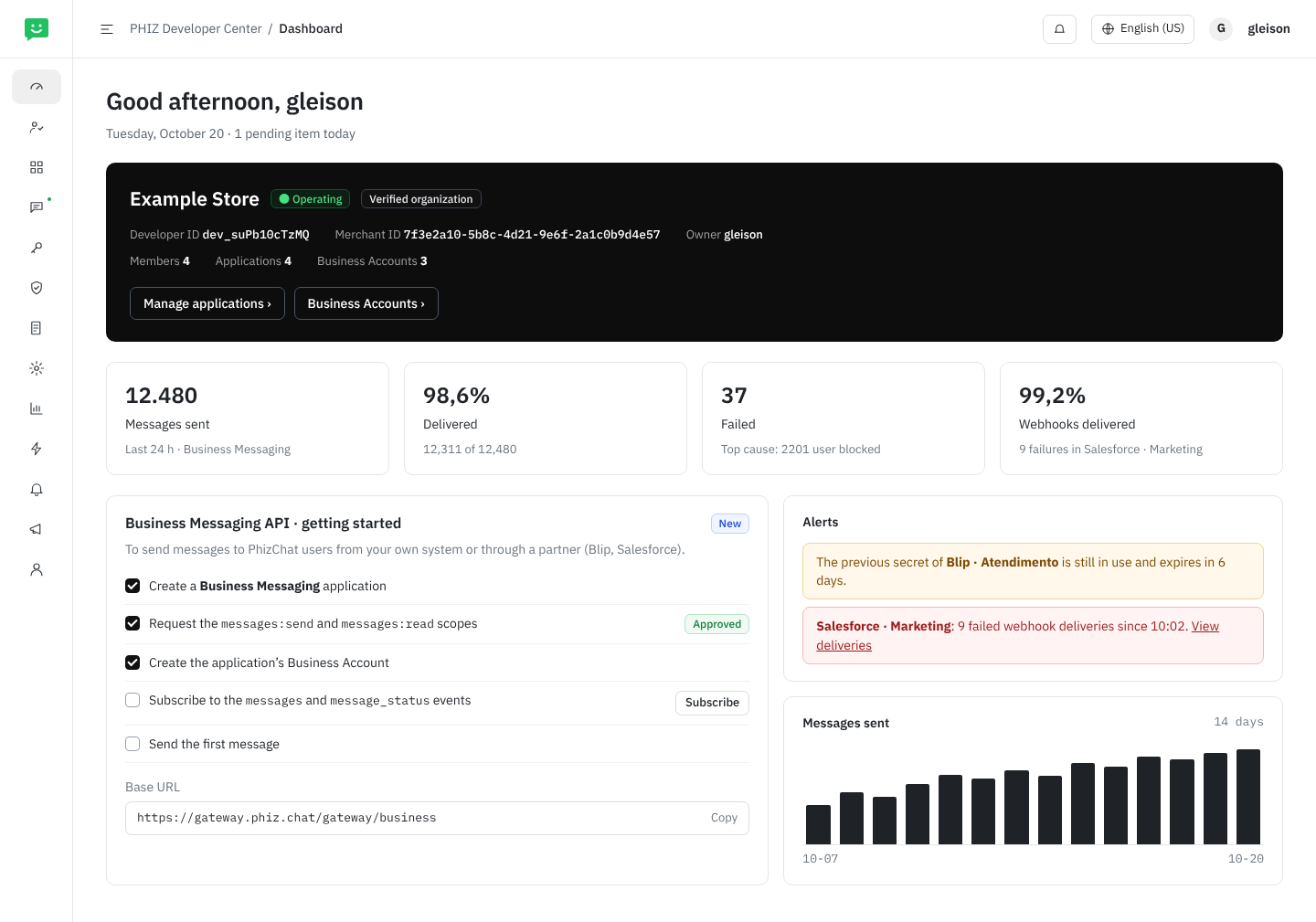
Screen 1. Dashboard: Developer ID, Merchant ID, message metrics, Business Messaging API getting started and alerts
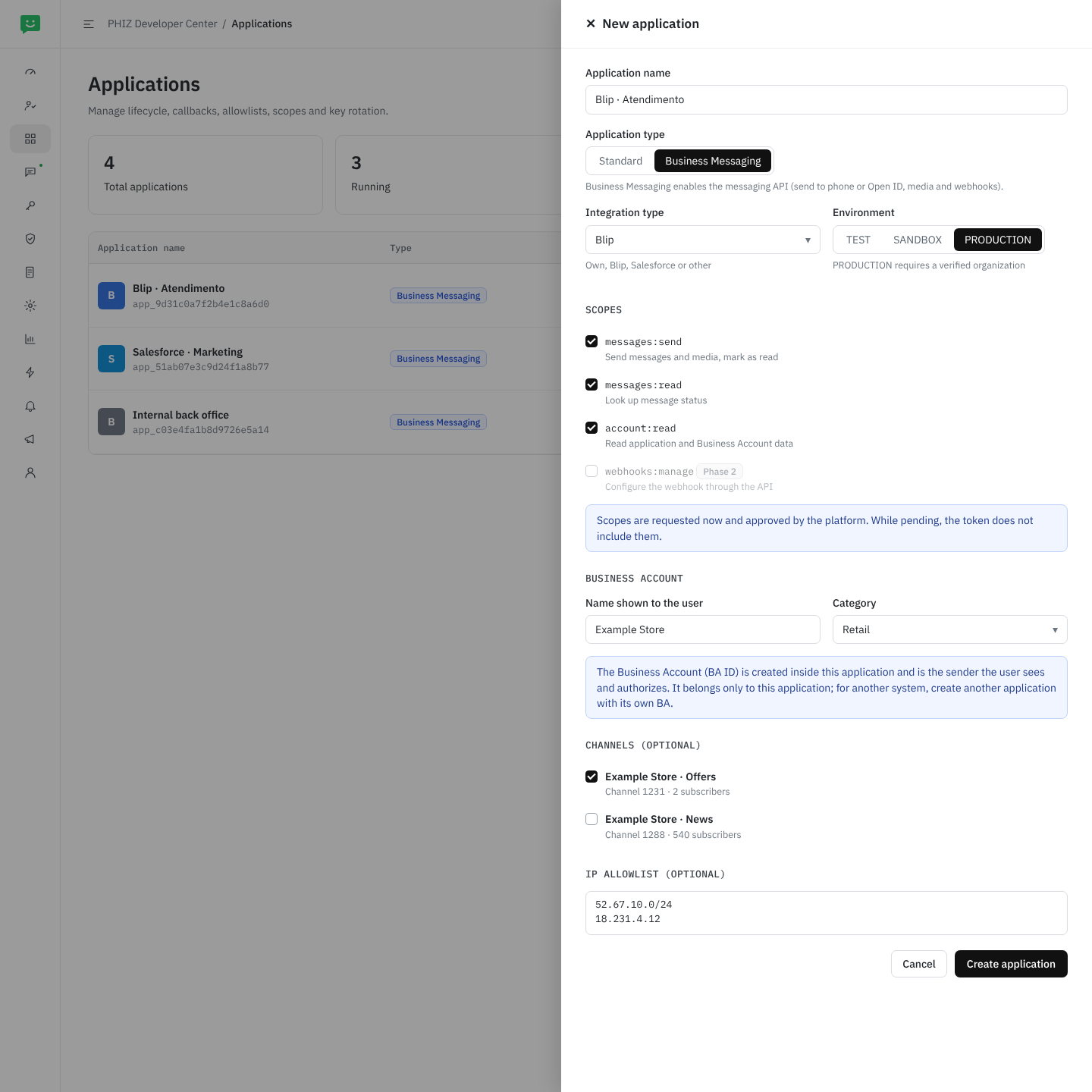
Screen 2. New application: Business Messaging type, integration type, environment, scopes with approval, the application’s Business Account, optional channels and IP allowlist
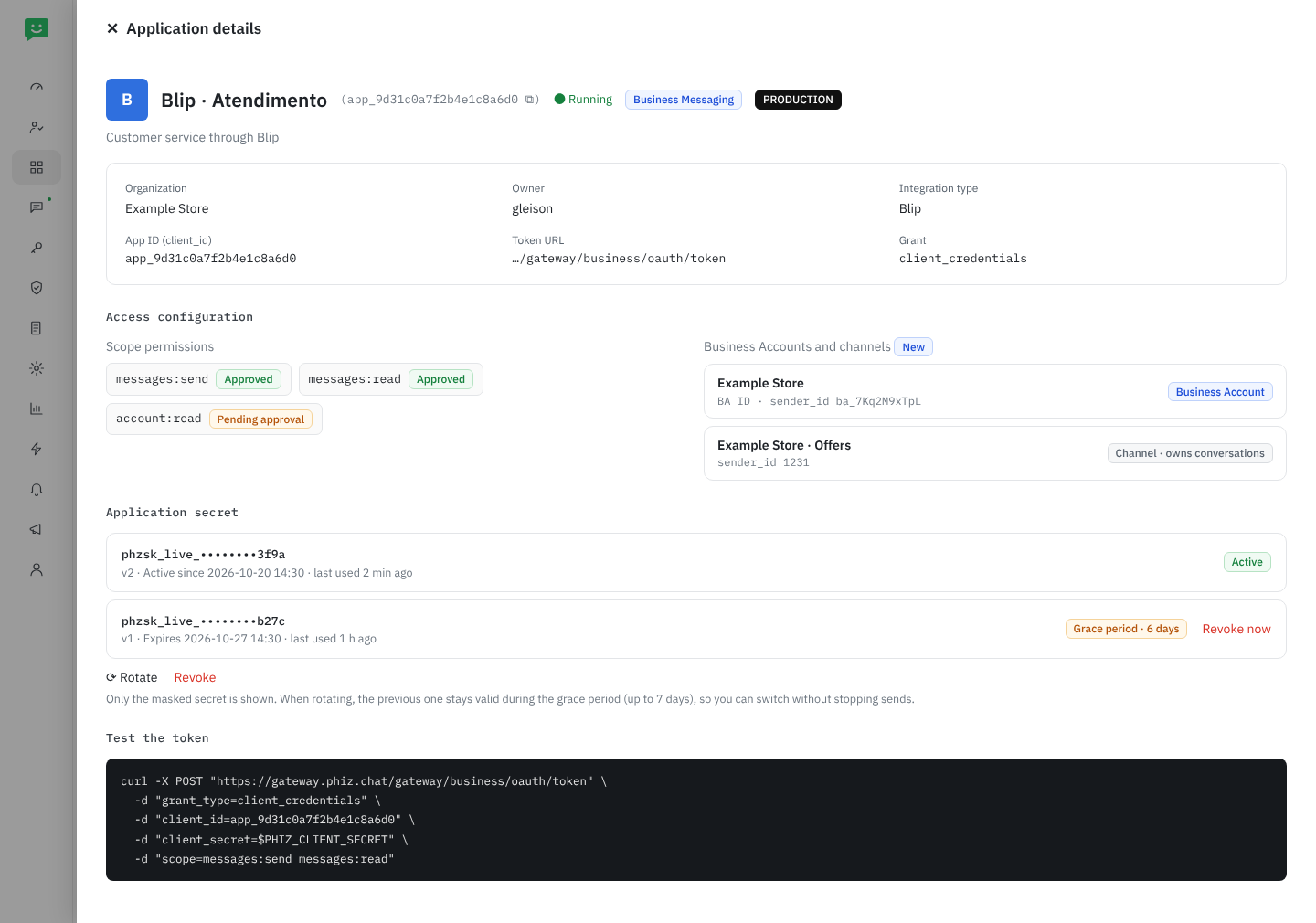
Screen 3. Application details: OAuth credentials, approved or pending scopes, Business Accounts and channels, and secrets with rotation
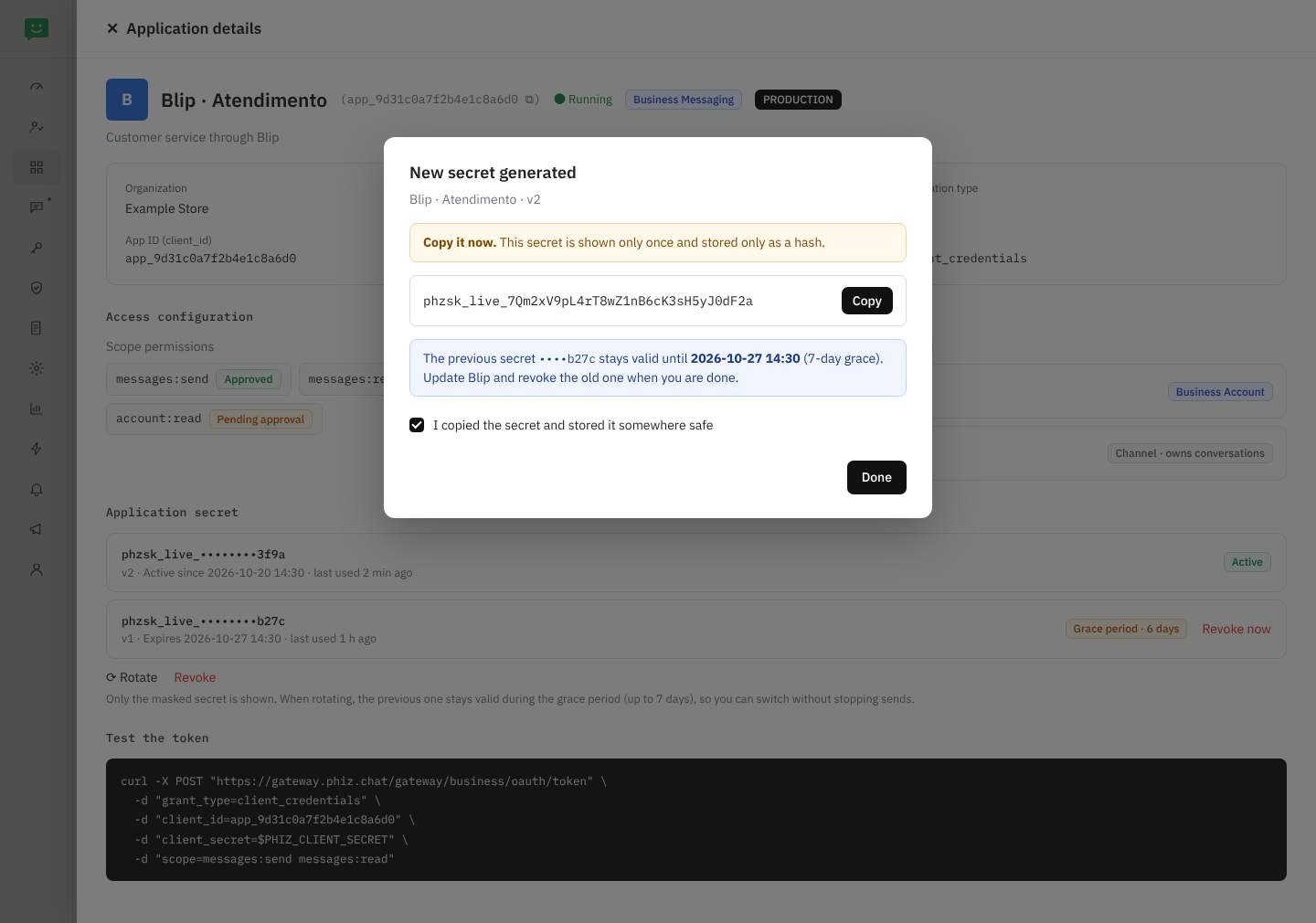
Screen 4. Secret generated, shown only once; the previous one stays valid during the grace period
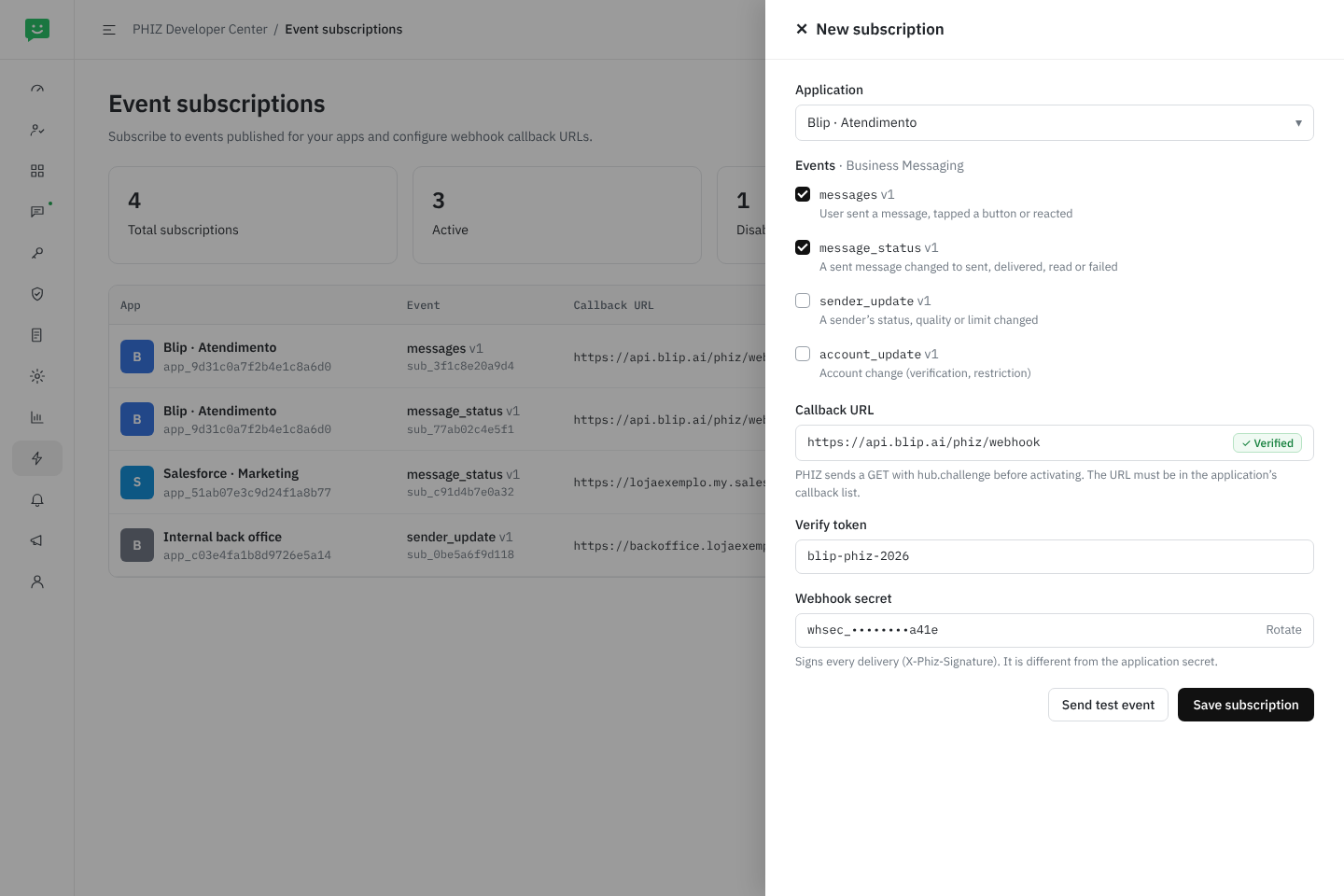
Screen 5. Event subscriptions: messages and message_status with a verified URL, verify token and webhook secret
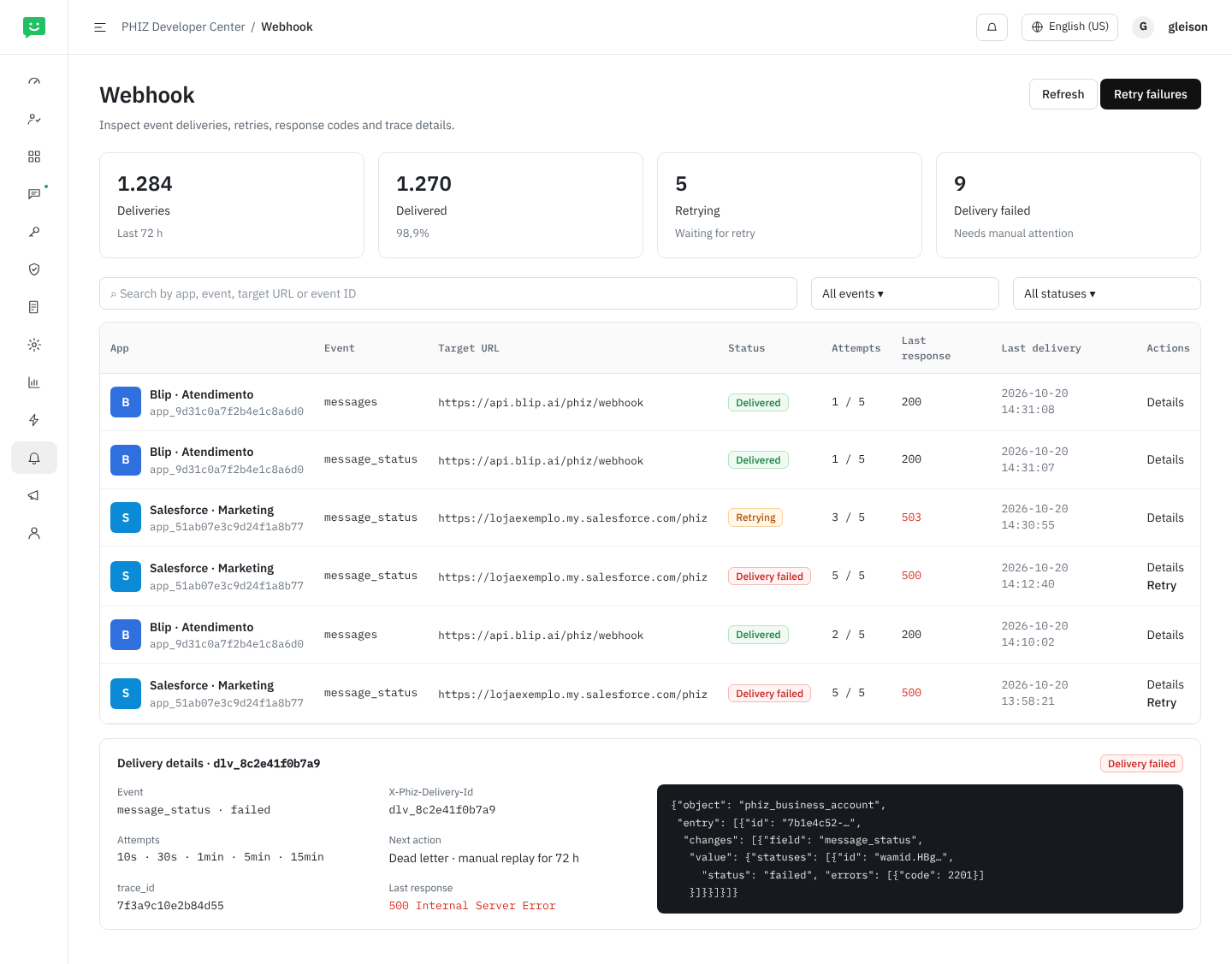
Screen 6. Webhook: deliveries, retries, last response, trace_id, retry failures and dead letter
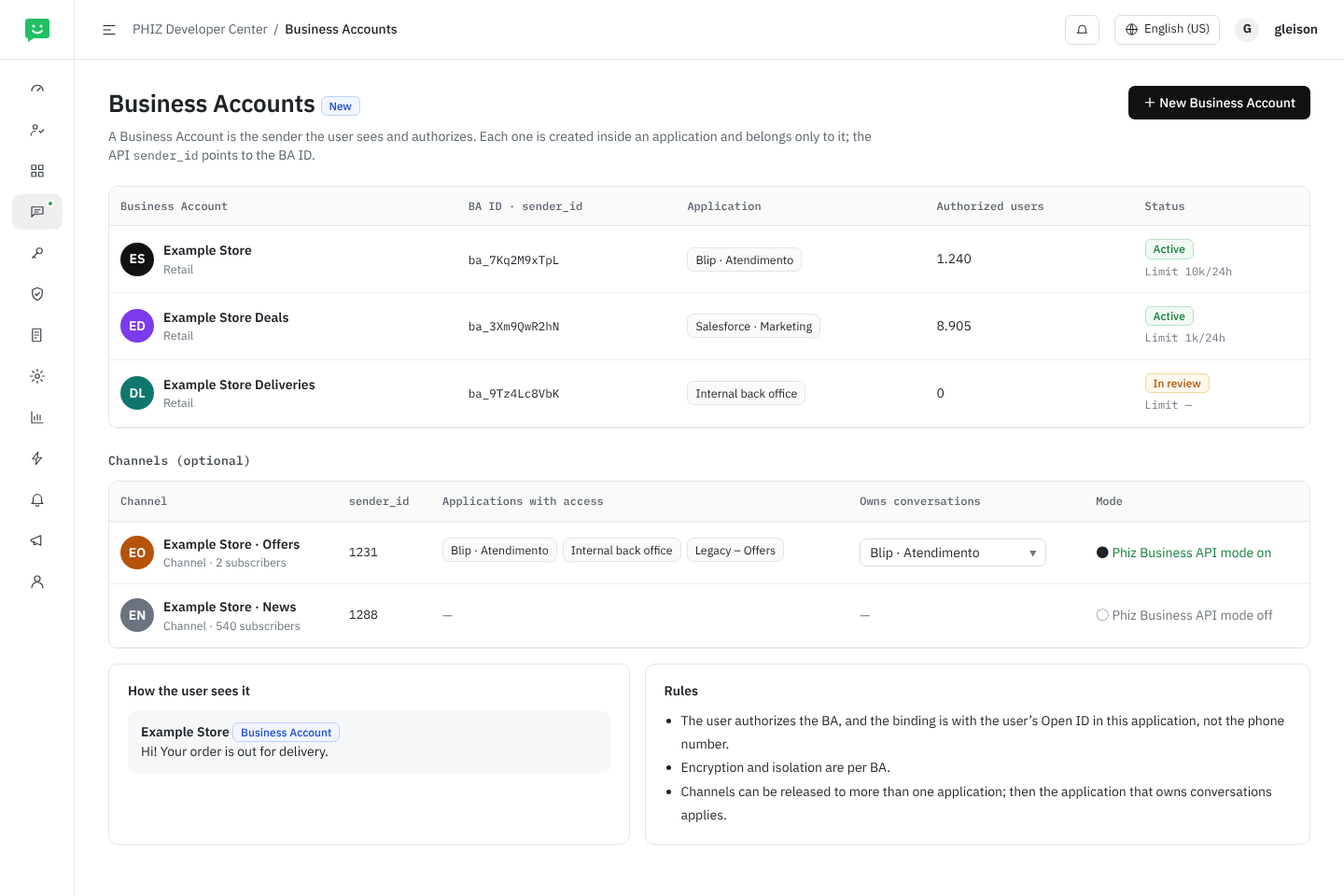
Screen 7. Business Accounts (new screen): BA ID, owning application and authorized users; optional channels with the application that owns conversations
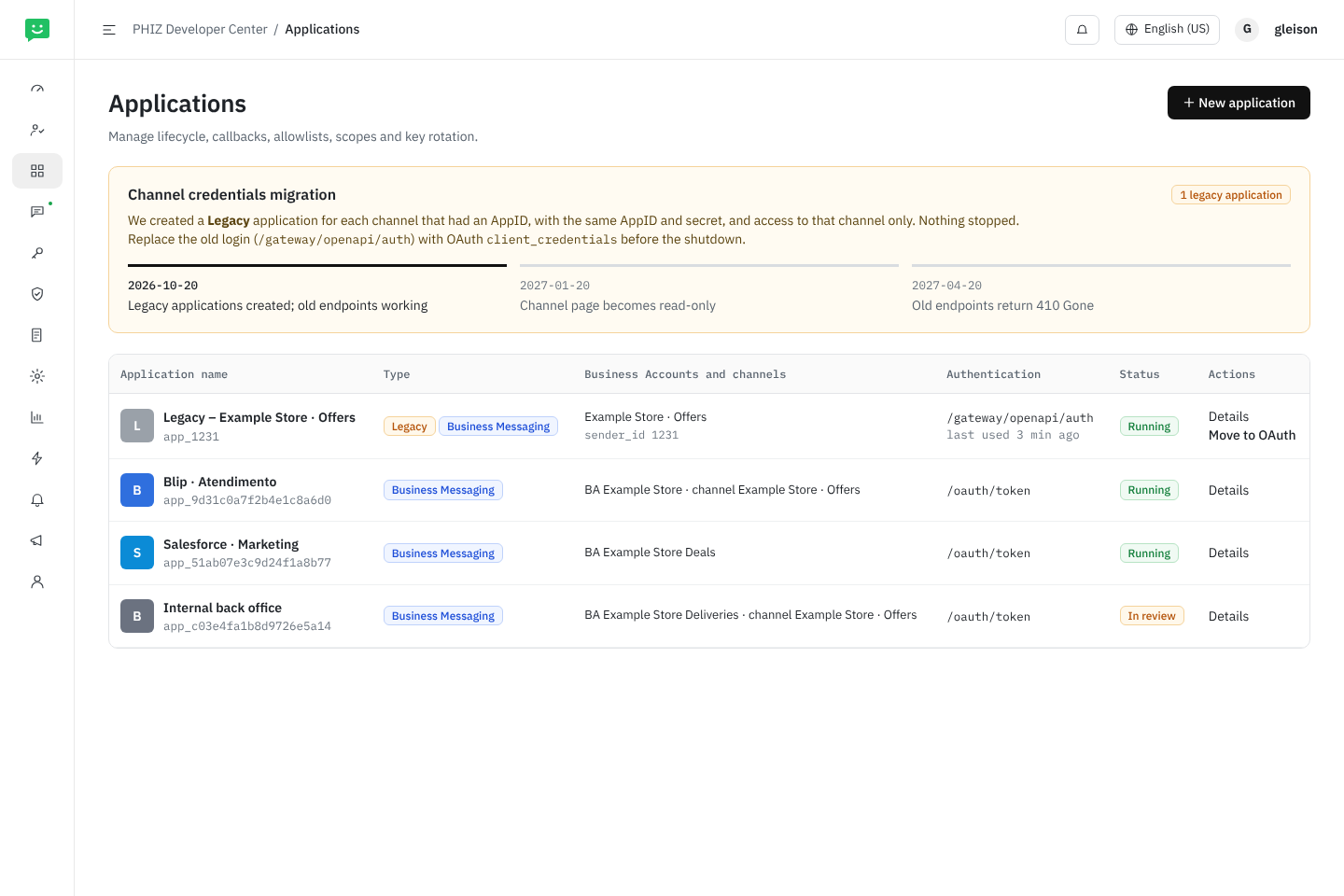
Screen 8. Applications with the channel credentials migration: Legacy application, dates and switch to OAuth
What changes in each menu
Each card is an item in the Developer Center side menu, with what the Business Messaging API changes in it and the screens above that show it.
Dashboard
Changes · Screen 1- Message metrics: sent, delivered and failed in the last 24 h, and webhooks delivered
- Business Messaging API getting started
- Alerts for an old secret still in use and a failing webhook
Members
No change- The OWNER, ADMIN, DEVELOPER and AUDITOR roles define who manages applications, secrets and subscriptions (Roles table)
Applications
Changes · Screens 2, 3, 4, 8- New Business Messaging type, with integration type (own, Blip, Salesforce, other)
- TEST, SANDBOX and PRODUCTION environments; in SANDBOX, a test sender, up to 5 recipients and
phzsk_test_credentials - The application’s Business Accounts and optional channels
- Secret with rotation, up to 7 days of grace and last use
- Legacy applications created from channels
Business Accounts
New · Screen 7- Each application’s Business Accounts, with BA ID (
sender_id), status, limit and authorized users - Each BA belongs to one application; encryption and isolation per BA
- Optional channels: applications with access, application that owns conversations and “Phiz Business API” mode
Scope and API
Changes- Publishes the Business API assets: messages, media,
/v1/meand account - Registers the section 08 scopes; the platform approves requests
Allowlist
No change- IPs allowed to call the API
- Callback URLs accepted in event subscriptions
Keys and Certificates
No change- The Business API does not use API keys (
X-Api-Key) or certificates; onlyAuthorization: Bearer
API usage
Changes- Approved, rejected and failed calls also for the Business API endpoints
- Phase 2: per-request log with
trace_id
Event subscriptions
Changes · Screen 5- New
messages,message_status,sender_updateandaccount_updateevents - URL verified with
hub.challenge, verify token and webhook secret - Send a test event
Webhook
No change · Screen 6- Same deliveries screen, now with the messaging events
- Retries, dead letter and manual replay for 72 h
Audit and Notifications
No change- Record and notify changes to secrets, scopes, Business Accounts and subscriptions
- The Secrets and Webhook categories feed the Dashboard alerts
Roles
The Developer Center already controls access through the organization roles set in Members; there are no new permissions. The table shows what each role does in the Business Messaging API screens. It is a proposal, to be confirmed against what each role allows today (Q10). Approving scopes is not an organization role: the platform approves them.
| Action | OWNER | ADMIN | DEVELOPER | AUDITOR |
|---|---|---|---|---|
| See applications, Business Accounts, subscriptions, deliveries, usage and audit (no secrets) | ✓ | ✓ | ✓ | ✓ |
| Create, edit and disable Business Messaging applications; request scopes | ✓ | ✓ | ✓ | — |
| Create and edit Business Accounts; choose the application that owns a channel’s conversations | ✓ | ✓ | ✓ | — |
| Turn on “Phiz Business API” mode for a channel | ✓ | ✓ | — | — |
| Generate, rotate and revoke secrets | ✓ | ✓ | — | — |
| Create and edit event subscriptions; send a test; retry deliveries | ✓ | ✓ | ✓ | — |
| Manage members and roles | ✓ | ✓ | — | — |
Creating, rotating or revoking a secret, changing scopes or Business Accounts and changing an event subscription produce a record in Audit and a notification to OWNER and ADMIN in the Secrets and Webhook categories.
Business Account and application
Each Business Account is created inside an application and belongs only to it. So only that application sends through it and receives its messages and message_status events, and the user’s Open ID is the one from that application. A business that uses Blip for customer service and Salesforce for campaigns creates one application for each, each with its own Business Account (Screen 7).
- Shared channels. A channel (optional sender) can be released to more than one application. In that case, the Business Accounts screen sets the application that owns the channel’s conversations: only it receives the
messagesevent; the others can send and receive themessage_statusof what they sent. - Changing the owner applies to the next incoming messages and is recorded in Audit.
- Using the same Business Account in two applications, or handing a conversation from one system to another (like Messenger’s handover), is left for later (Q6).
Migration of channel credentials
Today each channel has its own AppID and secret, managed in Channel › Development settings in the Open Platform. The migration moves these credentials into the Developer Center without stopping any integration (Screen 8):
- Automatic creation. For each channel with an AppID, we create a Legacy – channel name Business Messaging application in the merchant’s organization, with the same AppID as
appId, the same secret (already stored) and access to that channel only, which it owns conversations for. The application lives under the merchant’s Developer ID, created in sync with the Merchant ID. - Coexistence.
/gateway/openapi/authand/token/refreshkeep working. To use the new API, request a token at/oauth/tokenwith the same AppID and secret. The channel page in the Open Platform shows a notice linking to the Developer Center, and the Applications screen shows the last use of the old login. - Read-only. After 3 months, the channel page no longer allows resetting the secret; secrets and rotation live only in the Developer Center.
- Shutdown. After 6 months, and with old-login usage near zero, the old endpoints return
410 Gone. OWNER and ADMIN get a notice in Notifications 30 days before.
13Partner integrations
In the MVP, the merchant creates an app in the Developer Center and pastes the client_id and secret into Blip, Salesforce or their own system. Webhook URLs come from the partner, who registers them under Event subscriptions (section 10). Because the contracts follow the Cloud API, partners that already have a WhatsApp connector can reuse most of it.
In a later phase we create a technology partner program, equivalent to Meta's Embedded Signup:
- The partner registers a platform app with PHIZ.
- The merchant clicks “Connect with PHIZ” inside the partner's product and grants scopes and Business Accounts on a consent screen (OAuth 2.0 authorization code + PKCE).
- The partner receives tokens limited to that merchant and a single webhook for all its customers. The envelope's
entry[].ididentifies the Business Account, which is why the envelope has that structure from day one.
The Developer Center already supports authorization code and the openId/unionId mapping, which are the basis for that program.
In the identity model (section 06), the Developer ID can belong to the third party, such as Salesforce: the developer identity and resources are theirs, and the Business Accounts that merchants authorize live in their applications. How this fits with each merchant’s Merchant ID is still open (Q10).
14Path to the Marketing API
This RFC reserves the space the Marketing API will occupy, without implementing it:
type: templatefor sending and thetemplates:managescope already exist in the contract.- Templates with approval:
/v1/{sender_id}/message_templatesand atemplate_statuswebhook event. - Conversation categories (
conversation.origin.type:service,utility,marketing), the basis for reporting and pricing. - Per-sender opt-in and opt-out management, campaigns to segments and metrics at
/v1/{sender_id}/analytics. - Messaging limit tiers and a quality rating per sender, already present in the
Senderresource.
15Delivery plan
Authenticate and send
/oauth/token,/oauth/revoke,/v1/me- Send
text,image,audio,videoanddocumentto phone and Open ID - Media upload (
/v1/{sender_id}/media) with temporary storage; no third-party links - Signed
messagesandmessage_statuswebhooks, with the URL registered by the partner under Event subscriptions - Developer Center: Business Messaging app type, API assets and scopes, senders per app and events in the catalog
- Identity model: Developer ID, App ID, Business Account (BA ID) and Open ID; channels as optional senders
- Automatic migration of channel credentials
Additions
- Webhook setup through the API (
PUT /v1/apps/{app_id}/webhook, test and health) - Adjustments to the retry and replay policy, if the platform’s does not meet section 10
- Per-request log with
trace_idand message metrics - Sandbox with test recipients
Dates will be set after this RFC is reviewed with the China team.
16Open questions
- Opt-in policy. Section 09 proposes the policy (opt-in per merchant and category, opt-out enforced by the platform, record kept by the merchant). Still to decide: model A (like Meta, no verification) or B (a consent registry in PHIZ, for example
/v1/{sender_id}/consents, checked on send); which categories exist; whether the PHIZ app shows users what they authorized; and how a user blocks or stops offers from a Business Account (see Q3). Validate the LGPD points with Legal. Applies to Business Account and Channel Service. - Sender IDs. Answered in v1.6: the
merchant_iddoes not identify the sender. Thesender_idis an external reference mapped to the Business Account’s BA ID (section 06). For channels it is still the channel ID; still to decide whether it also gets an opaque ID, so the sequential ID is not exposed. - Business Account conversation type. Answered in v1.6: public account session › business service session › Business Account, the only one shown to the user, meant for businesses, governments and institutions and created through Merchant ID › Developer ID › App ID › BA ID (section 06). Still to define how the user blocks or mutes a Business Account in the app.
- Current conversation types. Partly answered in v1.6: besides the Business Account there are other conversation types, and this delivery creates a new one. Product and technology will redefine and refine the definitions, preparing for future expansion. The final table of types and permissions is still missing.
- Phone numbers. Answered in v1.6: every PHIZ user has a valid, verified phone number. The Business Account exchanges the phone number for the user’s Open ID and sends by Open ID; the BA is bound to the Open ID, so number changes and foreign numbers do not change the recipient (section 09).
- More than one application per Business Account. In v1.6, each BA belongs to one application. Will we need to use the same BA from more than one system, or hand conversations between applications (bot → human agent), already in Phase 2?
- Existing Business Message API. The AI Robot's “Phiz Business API” mode already has send and callback endpoints and seems to match Channel Service with Channel Bot. Does this RFC replace, extend or wrap that API?
- Media. Partly answered in v1.6: formats and sizes can be set by this RFC (table in section 09); in the first phase, files are uploaded and stored through the Business API, and third-party URLs are released later, per customer; other rules follow the technical definition. Still to define: is 30 days right, or should it be shorter? After delivery, does media move to regular chat storage, or disappear from the history when it expires? How long does the
urlof inbound media stay valid? - Webhook in Phase 1. Proposed in v1.5: the partner registers the URL under Event subscriptions in the Developer Center, instead of the manual registration from v1.4. To confirm with Henry Wu: whether manual registration is still wanted for commercial reasons; whether the platform’s retry policy, delivery retention and replay meet section 10; whether the platform signs deliveries and accepts the Cloud API handshake and envelope; and how the partner recovers received messages that were lost, since only status has a lookup.
- Developer Center. (a) The Merchant ID creates the Developer ID in sync (v1.6); still to confirm whether the Developer ID is the Developer Center Organization, how the merchant signs in to the console, and how the Developer ID works when it belongs to a third party such as Salesforce. (b) What are the token endpoint, lifetime and token format of the
CLIENT_CREDENTIALSgrant? (c) Do the Business API scopes follow the platform pattern (likewrite:clips:publish) or keep the section 08 names? (d) Who approves scope requests, and how fast? (e) What does each role (OWNER, ADMIN, DEVELOPER, AUDITOR) allow today for secrets and subscriptions? (f) Does the SANDBOX environment send simulated or real messages? (g) Which team builds the screens and extensions in section 12?
17OpenAPI reference
The OpenAPI 3.1 specification below covers every endpoint and webhook in this RFC, with descriptions in this language. “Try it out” is turned off because the API does not exist yet. Use “Copy OpenAPI” to take the YAML into Apifox, Postman or an SDK generator.
PHIZ Business Messaging API
基于开发者中心应用的鉴权、以 Business Account 身份向手机号或 Open ID 发送消息,以及消息与状态 Webhook。参考 Meta Cloud API 设计,并作为后续 Marketing API 的基础。
01概要
本文提出一套公开 API,使外部系统(Blip、Salesforce、各类 CRM 或商户自有系统)能够代表商户与 PHIZ 用户对话。方案包含四个部分:
- OAuth 2.0 鉴权(客户端凭证模式),凭证签发给开发者中心的应用(隶属于商户的 Developer ID),不再绑定频道。
- 发送消息:以应用下创建的 Business Account(BA)名义向手机号(E.164)或 Open ID 发送消息,是否通过频道发送为可选项。
- 带签名的 Webhook:推送用户发来的消息,以及已发送消息的每一次状态变化。
- 现有的 PHIZ开发者中心:商户将每个调用 API 的外部系统(如 Blip 或 Salesforce)登记为一个应用。每个应用拥有独立的
client_id和密钥、自己的 Business Account、事件订阅及投递记录。集成与小程序(Miniapp)无关。
消息与 Webhook 的数据结构沿用 Meta Cloud API,仅替换领域名称。已对接 WhatsApp Business Platform 的系统,只需修改 URL、凭证和少量字段名即可适配。
02背景:现状
以下内容基于现有文档(Apifox 的 Authentication 模块)和开放平台(open.phiz.chat)。
现有鉴权方式
通过 POST /gateway/openapi/auth 获取令牌,参数为 app_id、app_secret、description(必填)和 grant_type: "user_credentials"。响应包含约 2 小时有效的访问令牌和约 90 天有效的刷新令牌,刷新接口为 POST /gateway/openapi/token/refresh。
POST /gateway/openapi/auth
Content-Type: application/json

{
  "app_id": "69c37cb1821121af34201f48",
  "app_secret": "94B18B920D19463C7264BD0BDE30C31…",
  "description": "push news",
  "grant_type": "user_credentials",
  "device_fingerprint": ""
}

200 OK
{
  "code": 200,
  "msg": "success",
  "data": {
    "scope": "channel",
    "status": "active",
    "access_token": "at_1770343926041_1Y3iz6XN…",
    "token_type": "Bearer",
    "expires_in": 7199,
    "refresh_token": "rt_1770343926041_mxc7RV9…",
    "access_token_expires_at": "2026-02-06T04:…",
    "refresh_token_expires_at": "2026-05-07T02:…",
    "created_at": "2026-02-05T10:15:23.672+00:00"
  },
  "success": true
}
凭证所在位置
在开放平台中,每个频道都有 频道 › 开发配置 页面,显示 AppID 和 AppSecret。密钥不会明文显示,只能重置。频道的 AI 机器人 中还提供 “Phiz Business API” 回复模式,将频道会话交给 Business Message API 发送并通过 Webhook 回调。
商户层面已有商户 ID(UUID),以及包含角色、成员和操作记录的团队管理。新功能将以这三者为基础。
本 RFC 带来的变化
每一行分别说明现状、存在的问题、本方案的做法,以及一个具体使用场景。
| 现状 | 问题所在 | 本 RFC 的做法 | 使用场景 |
|---|---|---|---|
| 商户要通过 API 联系用户,必须拥有频道。 | 没有频道、或希望以企业本身身份沟通的商户,无法直接给用户发消息。 | 商户通过自己的 Business Account 发送,对用户以企业身份展示,频道变为可选项。 | 一家没有频道的药店通过手机号通知顾客 Maria 订单已可取货。消息出现在药店的 Business Account 会话中。 |
| 每个频道都有自己的 AppID 和密钥。 | 有 5 个频道的商户要管理 5 套凭证,Blip 需要为每个频道单独获取令牌。 | 每个应用一套凭证,位于开发者中心,拥有自己的 Business Account,并可使用选定的频道。 | Loja Exemplo 有 3 个频道并使用 Blip。现在要在 Blip 中录入 3 个 AppID;采用本 RFC 后,只需创建一个 “Blip” 应用,配置门店的 Business Account 并勾选这 3 个频道。 |
| “重置”会立即使密钥失效。 | 在外部系统更新密钥之前,集成一直不可用。 | 两个密钥可同时有效:新密钥生效后,旧密钥在一段时间内仍可用(默认 24 小时)。 | Salesforce 的密钥出现在日志中。团队生成新密钥,下午更新 Salesforce,当天结束时撤销旧密钥,没有丢失任何消息。 |
登录使用 grant_type: user_credentials,并要求填写 description。 | Salesforce 等原生支持 OAuth 的工具,必须写定制代码才能接入。 | 标准 OAuth 2.0(client_credentials),这些工具开箱即用。 | Salesforce 管理员在 Named Credentials 中只需填写令牌 URL、client_id 和密钥即可连接 PHIZ,无需开发人员。 |
| 存在有效期约 90 天的刷新令牌。 | 多了一个需要保管的长期密钥,对服务端之间的集成没有好处。 | 1 小时令牌,不提供刷新令牌;过期后重新申请。 | Blip 每小时用同一组 client_id 和密钥自动续期令牌,不会出现刷新令牌在周末过期、导致客服中断的情况。 |
| 频道配置中没有配置 Webhook、查看日志或管理多个集成的页面。 | 商户无法自行配置 Webhook,也无法自行排查集成为何中断。 | 沿用现有开发者中心,扩展出 Business API 的独立应用、事件订阅、投递记录和日志。 | 顾客回复不再进入 Blip。商户打开投递记录,发现 Webhook 从上午 10 点起一直返回 500,修复后重放这些事件。 |
03参考:WhatsApp 上的用户体验
本 RFC 将 WhatsApp Business Platform 的模式引入 PHIZ。为了让巴西和中国团队对“我们要复刻的是什么”有相同的理解,本节展示一位巴西用户在 WhatsApp 上的完整旅程:如何注册账号、如何授权一家企业、消息如何到达,以及收到后能做什么。示例:商户 PicPay,用户 Ana Souza(圣保罗)。
这些是示意图,并非 WhatsApp 官方界面。画面文字已译为中文(真实应用中用户看到的是葡萄牙语)。编号(A2、O1、C3…)与本节来源的设计画布一致。点击图片可查看原尺寸。
消息路径
企业不直接对接 WhatsApp:企业系统(CRM、客服)调用 BSP(Blip、Zenvia、Twilio、Infobip),BSP 调用 Meta 的 Cloud API,再投递到用户手机。回复、点击和状态沿同一路径通过 Webhook 返回。在 PHIZ 中,PHIZ 商家消息 API 对应 Cloud API,Developer ID 与应用对应 WABA,Business Account(BA ID)对应企业号码(对照见第 06 节)。
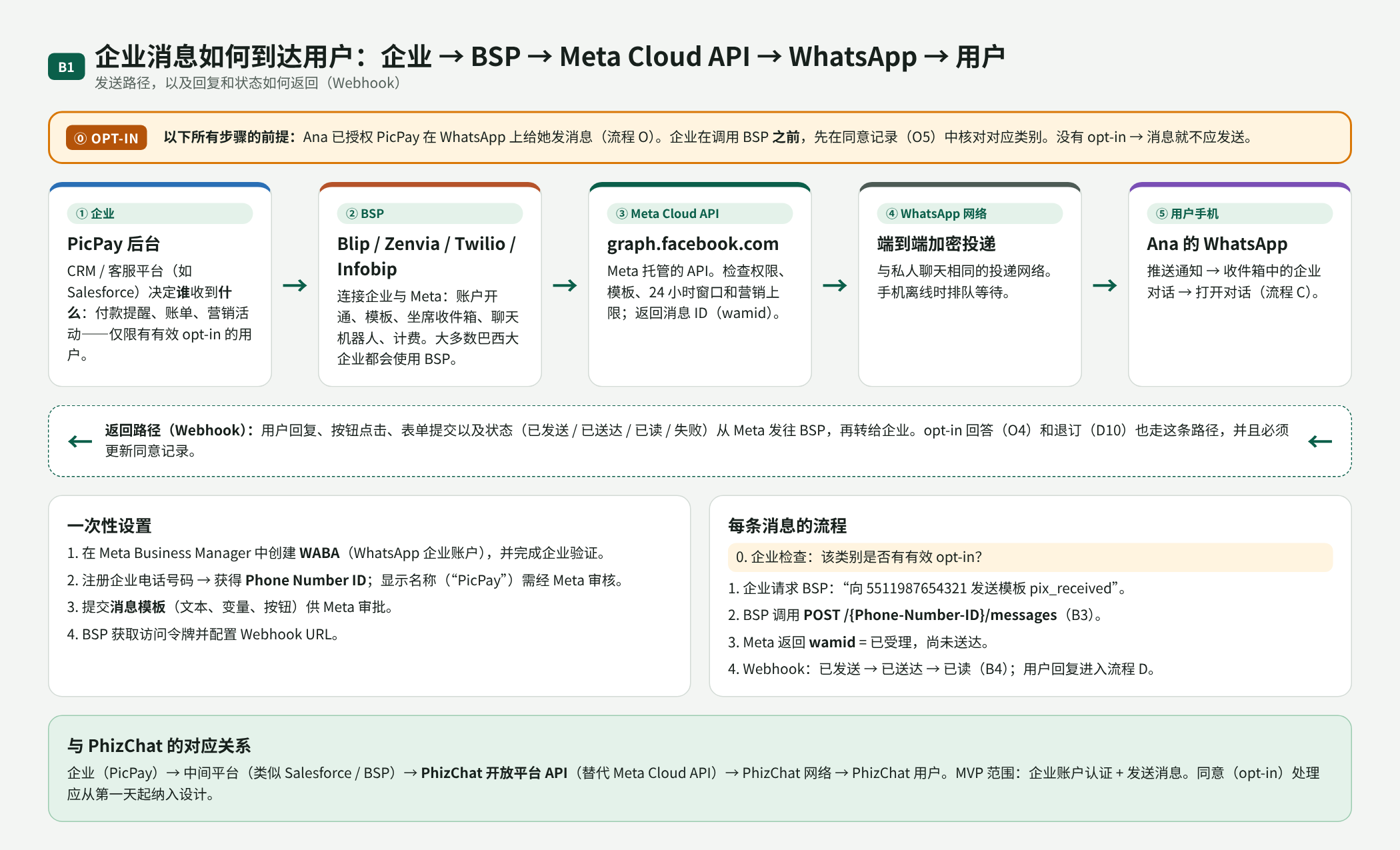
B01. 企业 → BSP → Meta Cloud API → WhatsApp → 用户;opt-in 是前提,Webhook 为返回路径
用户注册
在 WhatsApp 上,账号就是经短信验证的手机号。没有好友申请:知道号码就能发消息。企业和家人在同一个收件箱里,因此企业消息受到严格管控。自 2026 年起,WhatsApp 提供用户名和企业范围用户 ID(BSUID)来替代手机号,这与本 RFC 中使用 Open ID 的思路一致。
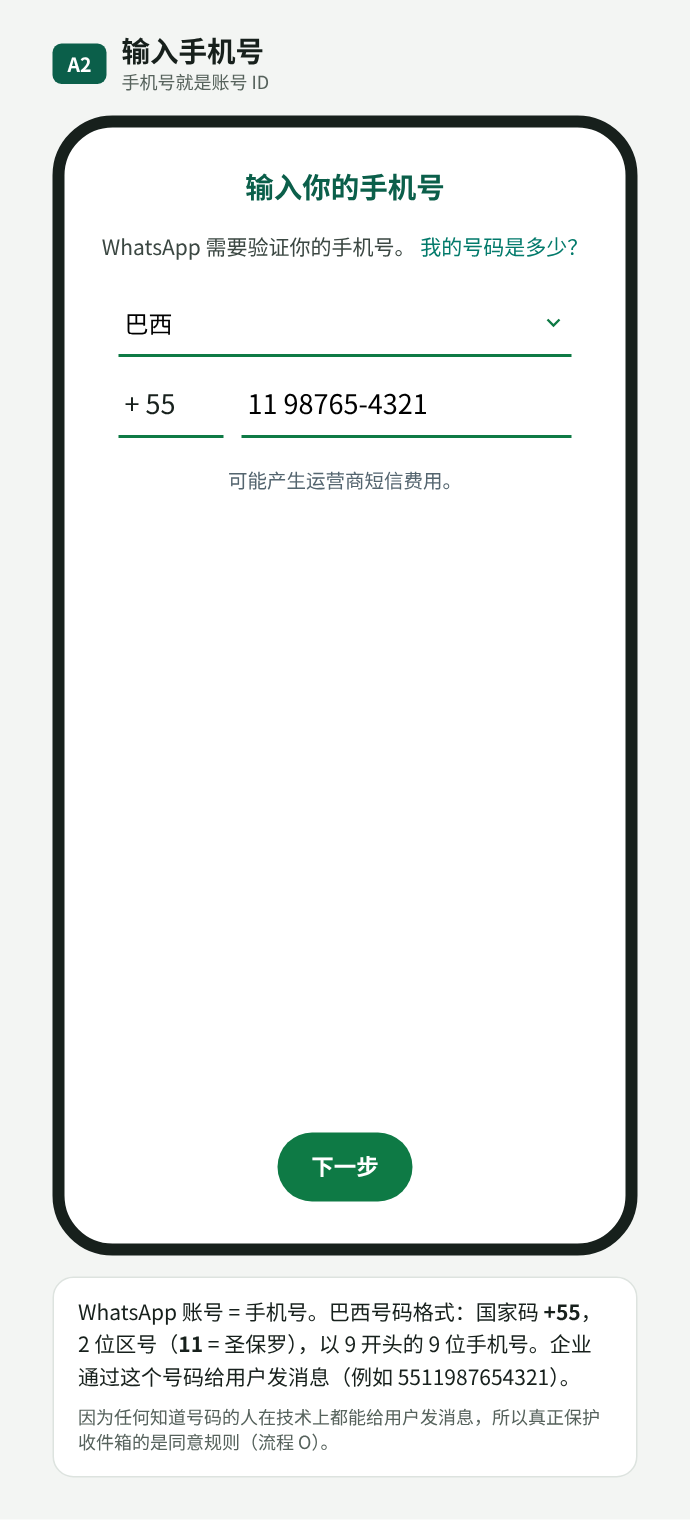
A02. 手机号即账号身份
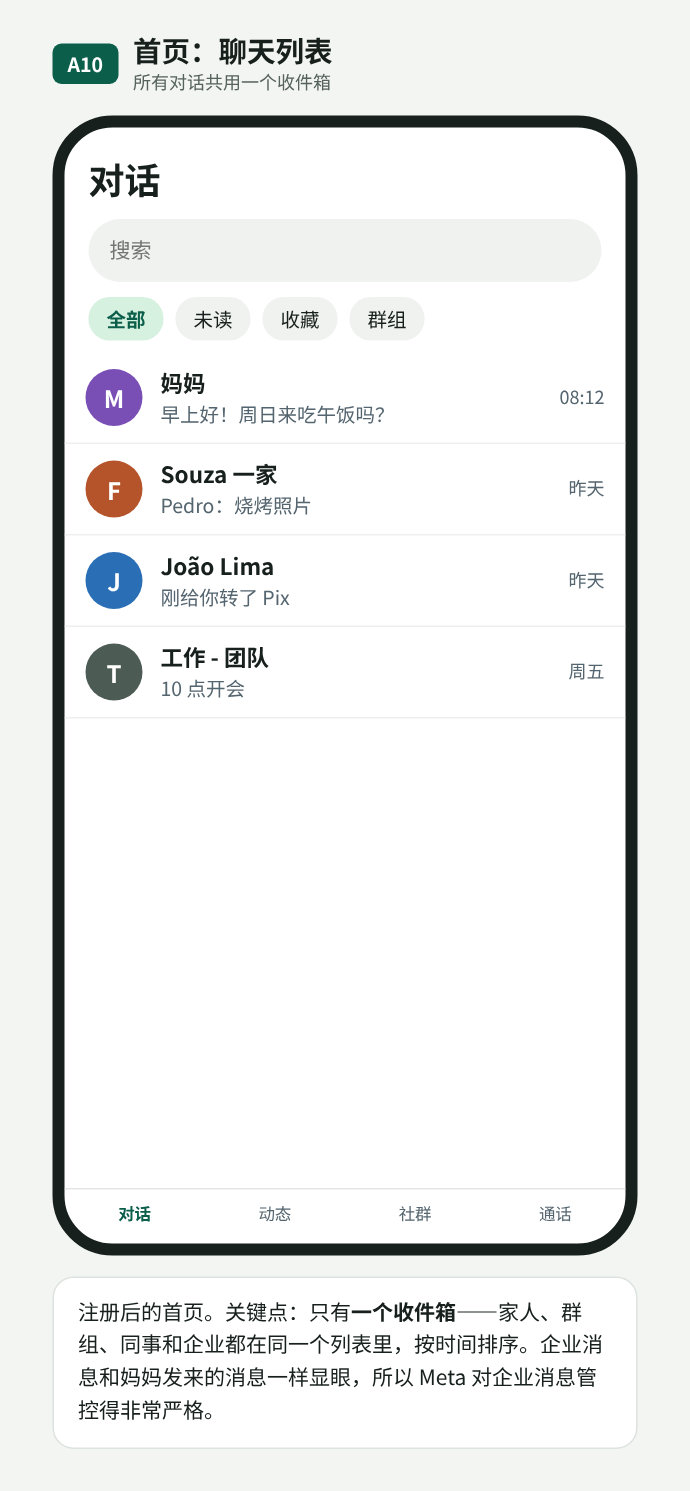
A10. 所有对话共用一个收件箱
用户授权(opt-in)
企业主动发起会话之前,用户必须已授权该企业。常见方式有四种:在企业自己的 App 中(O1)、注册或结账时(O2)、用户先发消息,仅覆盖这次客服会话(O3),以及在聊天中回答“是”(O4)。最佳实践是按用途分开:同意账户提醒不等于同意营销优惠。
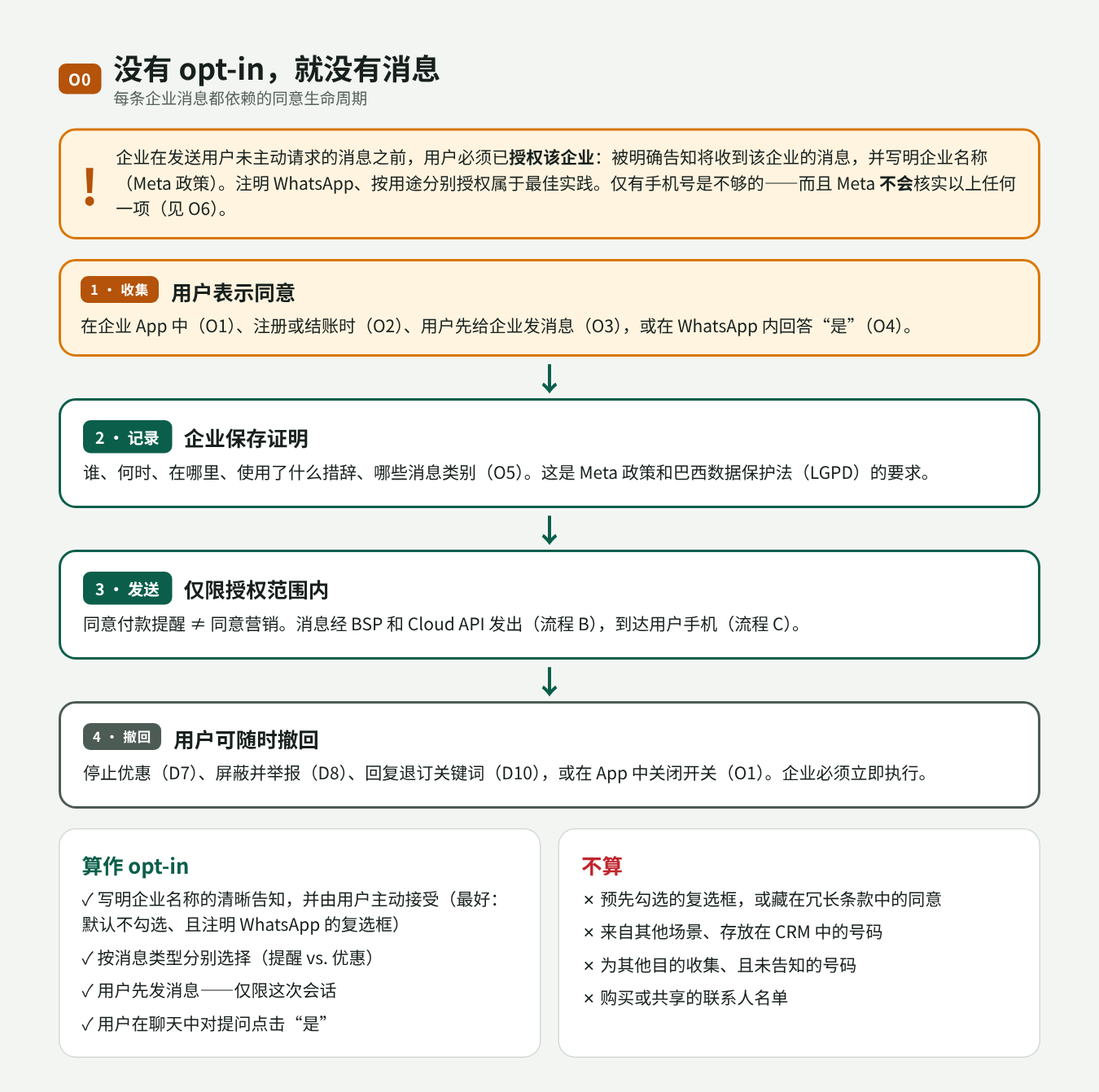
O00. 同意的生命周期:收集、记录、在授权范围内发送、撤回
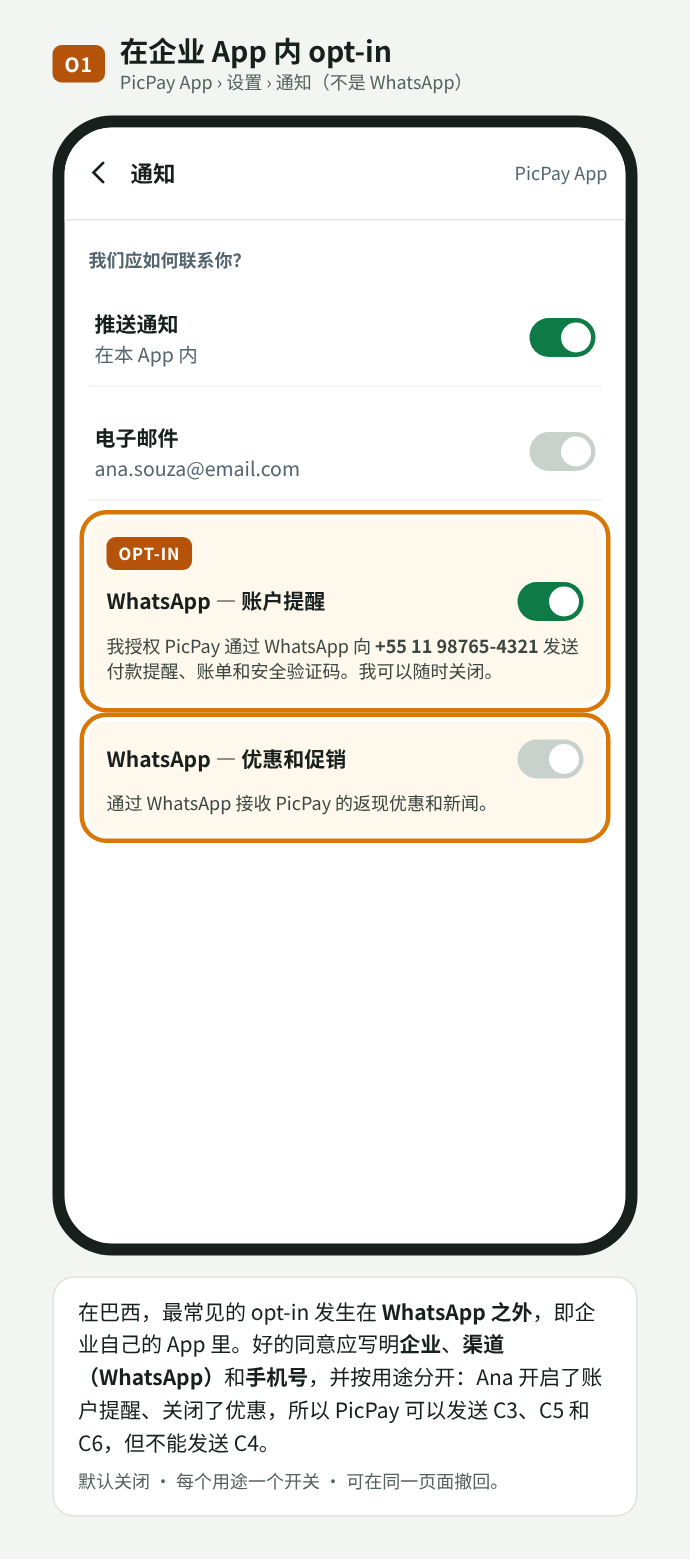
O01. 在商户 App 中 opt-in,按用途分开
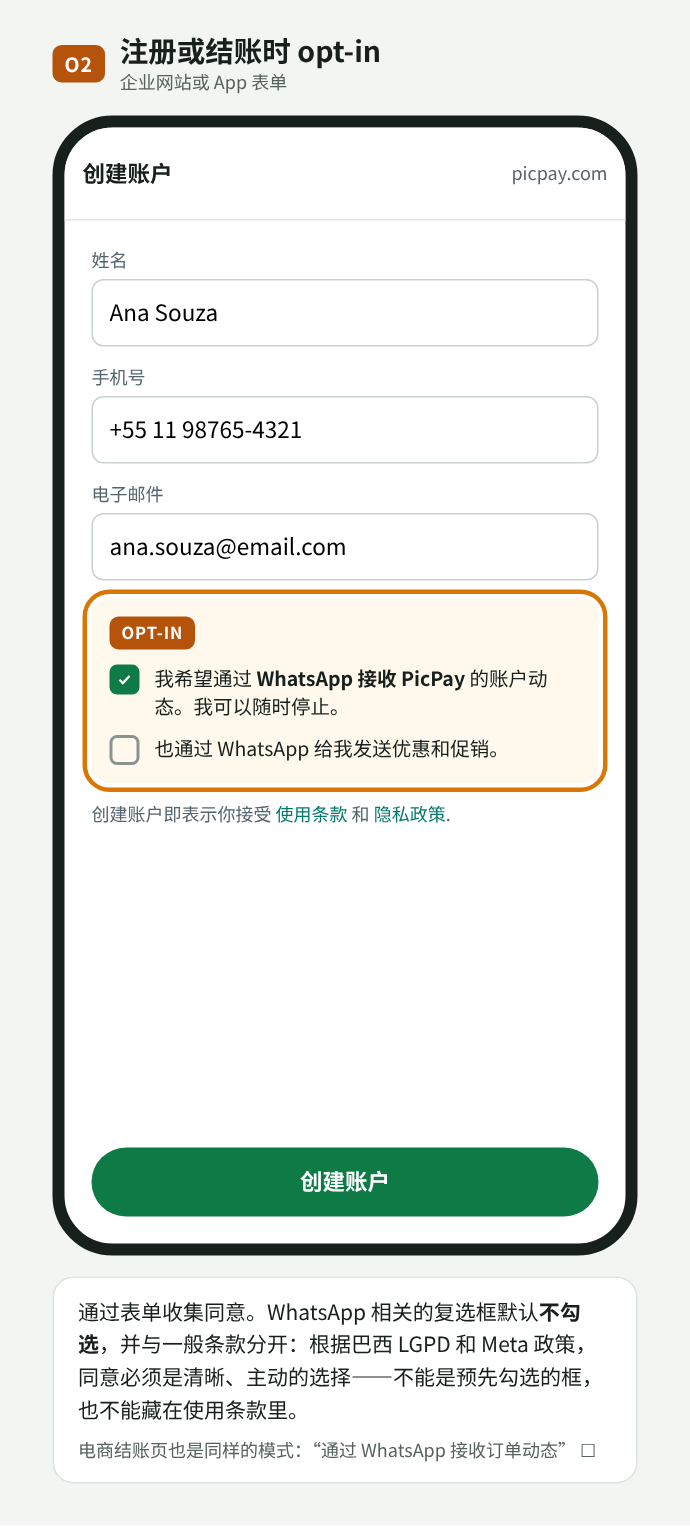
O02. 注册时 opt-in,复选框默认不勾选
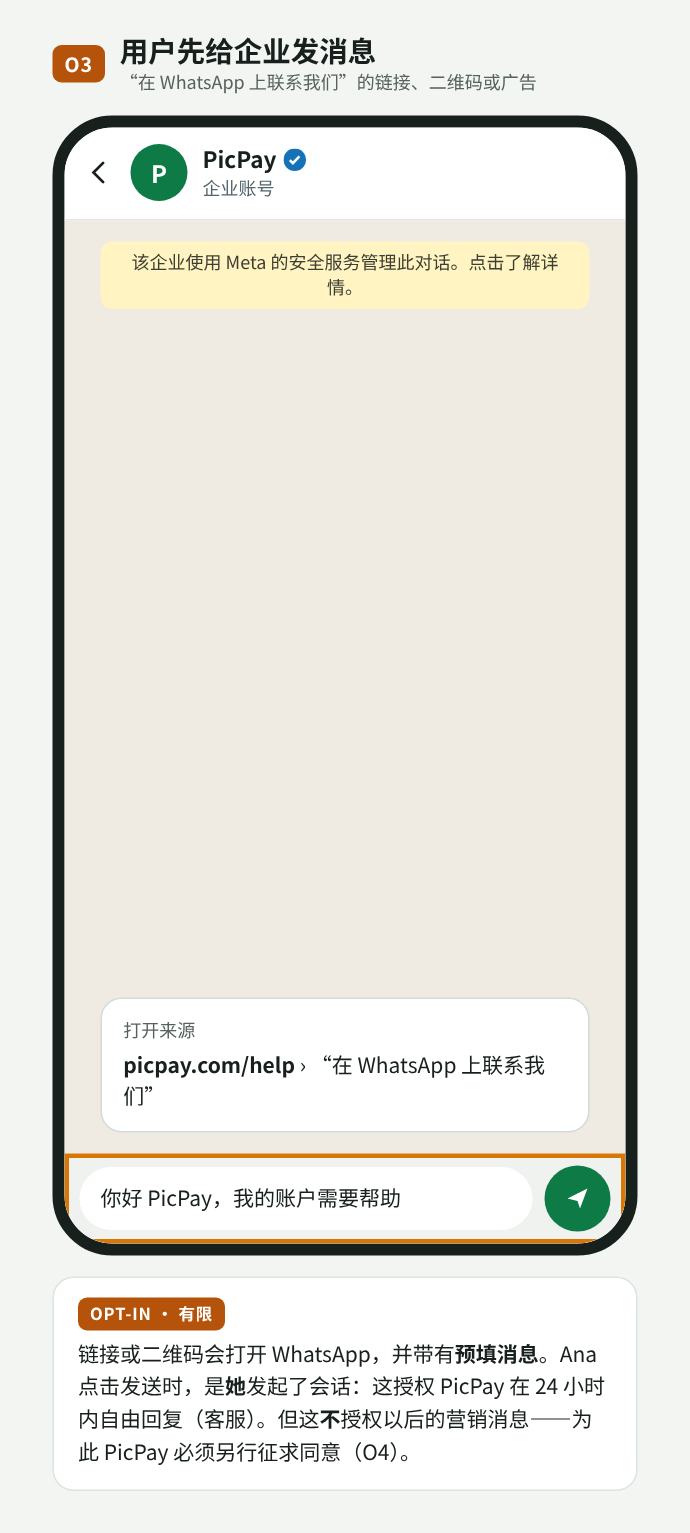
O03. 用户先发消息:仅授权本次客服
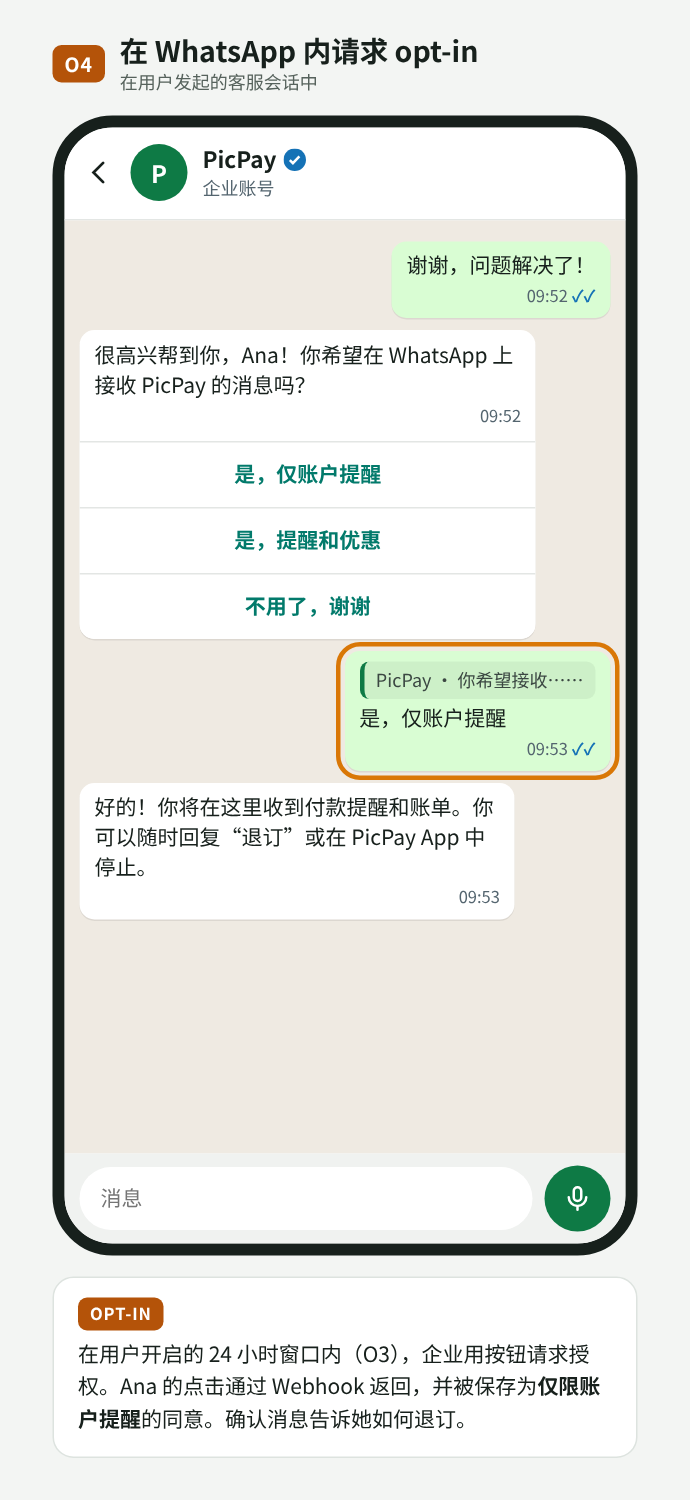
O04. 在聊天中用按钮请求 opt-in
Meta 有政策,但不验证 opt-in。没有用于证明授权的字段或接口;Meta 信任企业,只在事后通过屏蔽、举报和质量评级作出反应。而 opt-out 由平台强制执行:屏蔽、“停止优惠”和营销上限都会使发送失败。尽管如此,根据巴西 LGPD,企业必须能证明已获得同意并尊重撤回,因此实际上必须保存记录(谁、商户、类别、来源、时间、展示的文案、撤回)。
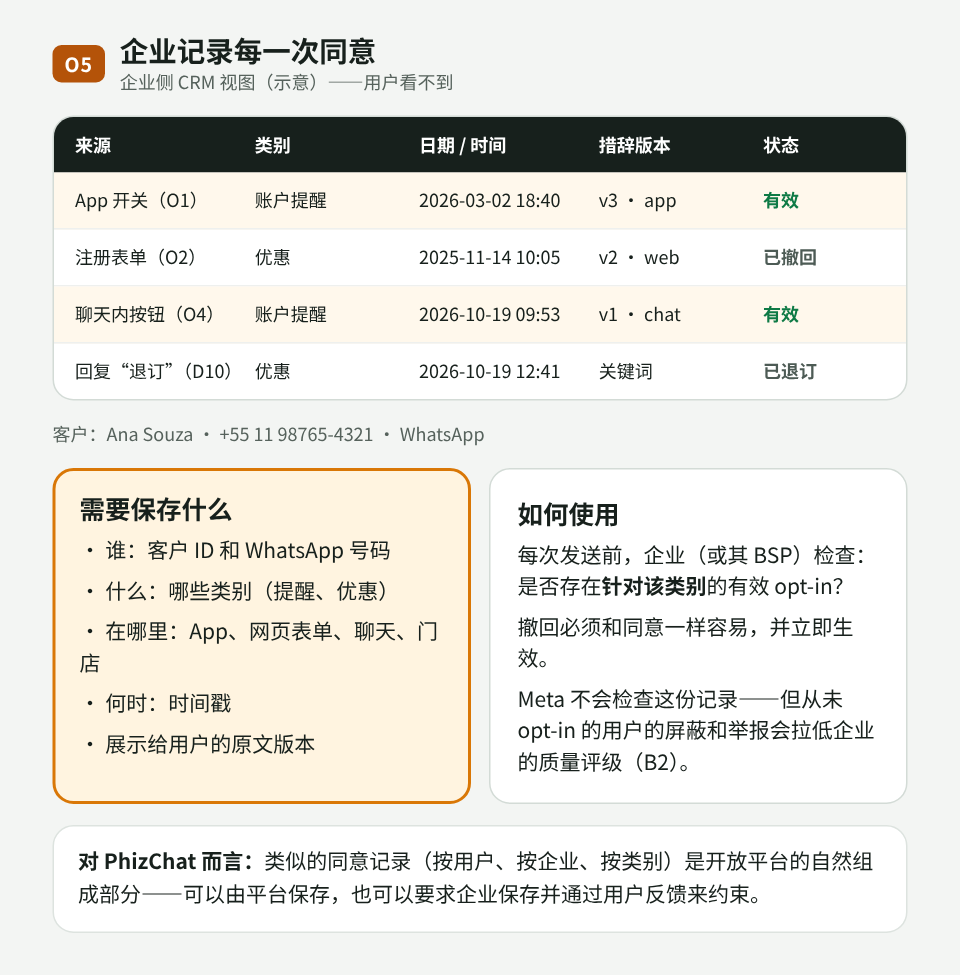
O05. 商户侧的同意记录
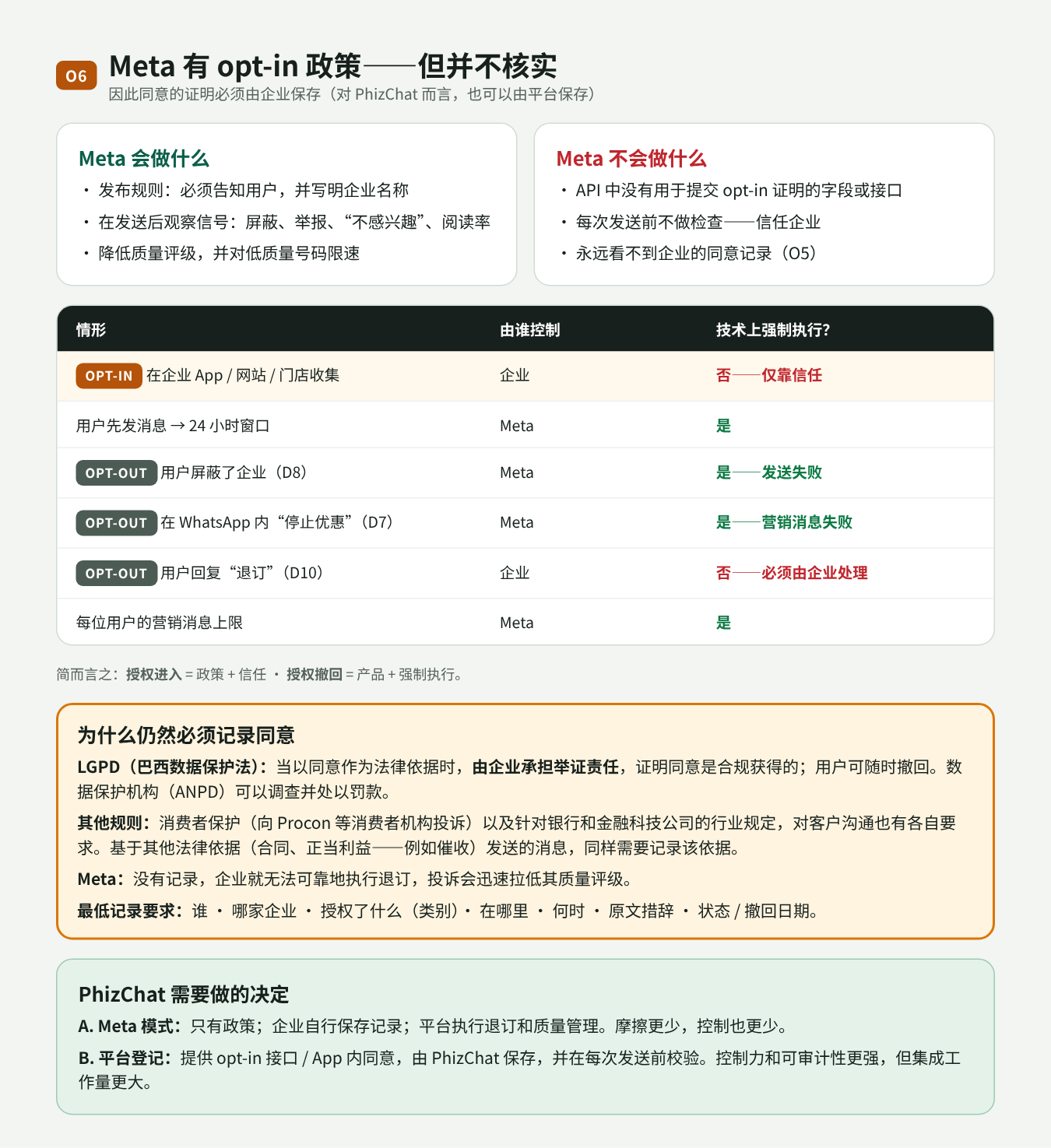
O06. Meta 不验证 opt-in;opt-out 由平台执行;为何仍需记录
用户收到什么
企业主动发送的消息使用经审核的模板,分四类:交易通知(付款、账单)、营销、验证码和客服。每一类都依赖对应的 opt-in。
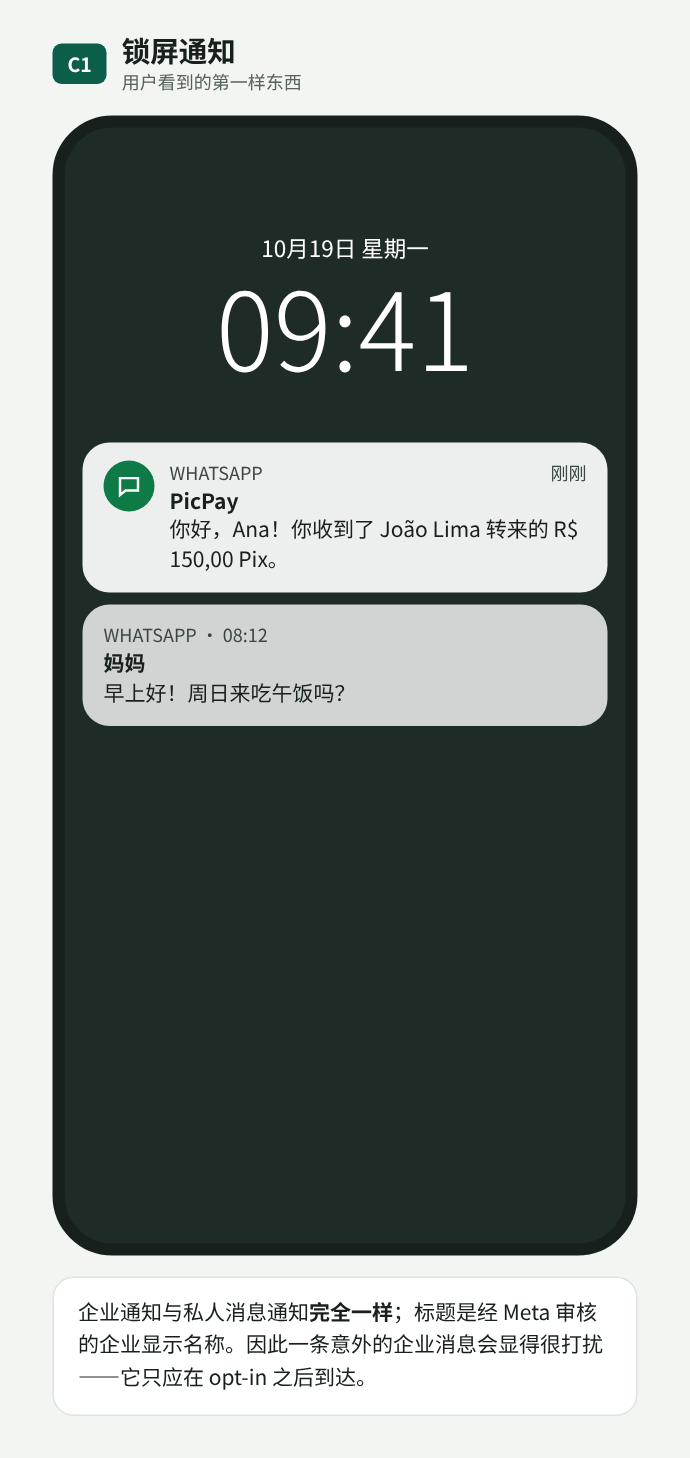
C01. 通知与私人联系人的通知完全相同
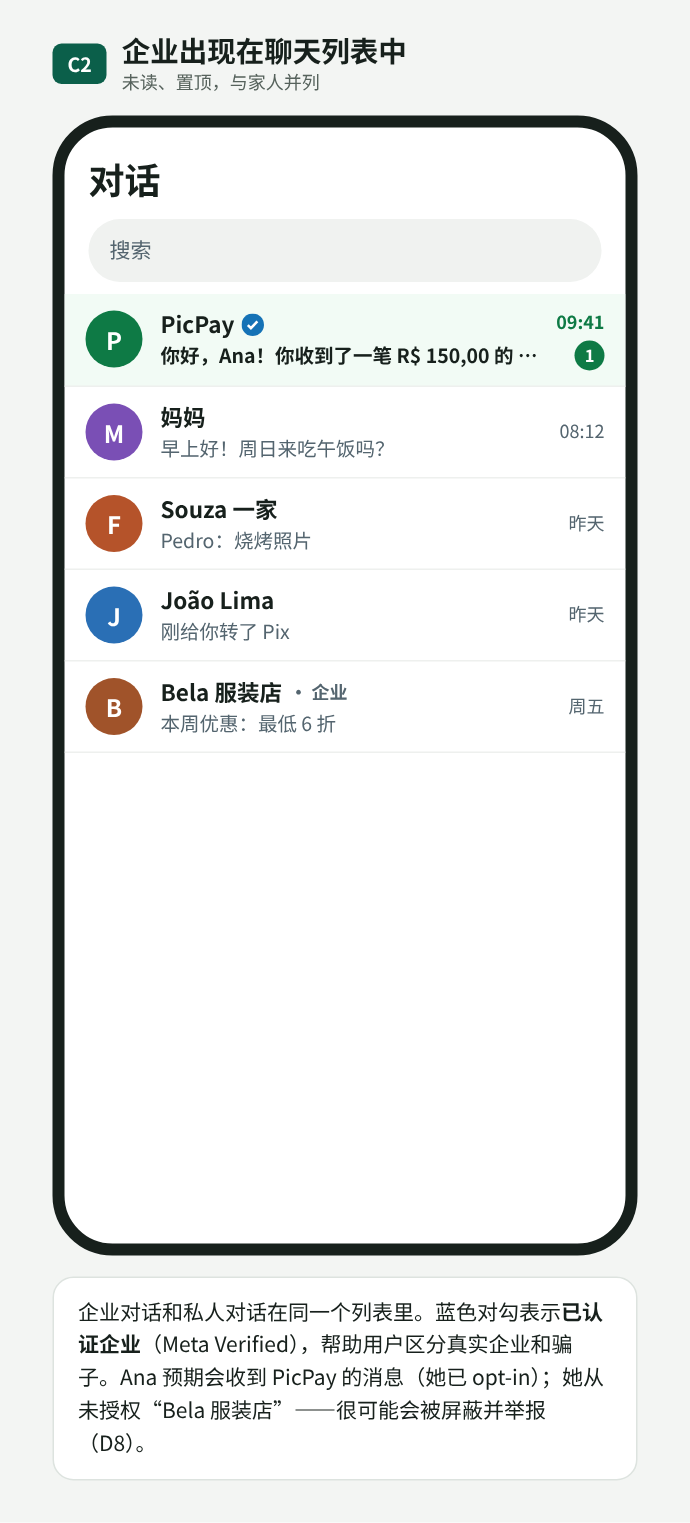
C02. 聊天列表:已认证的企业账号未读并置顶,与家人朋友的对话并列
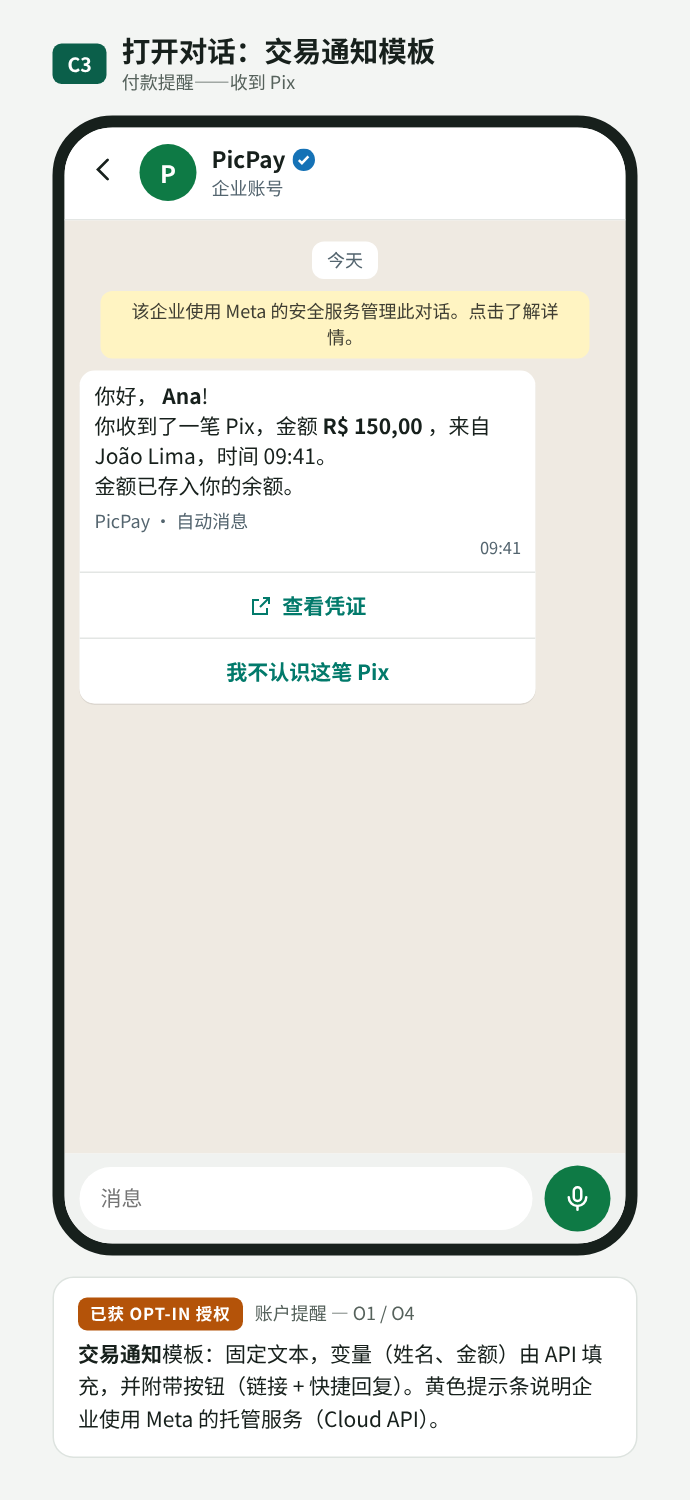
C03. 交易通知:收到 Pix,带按钮
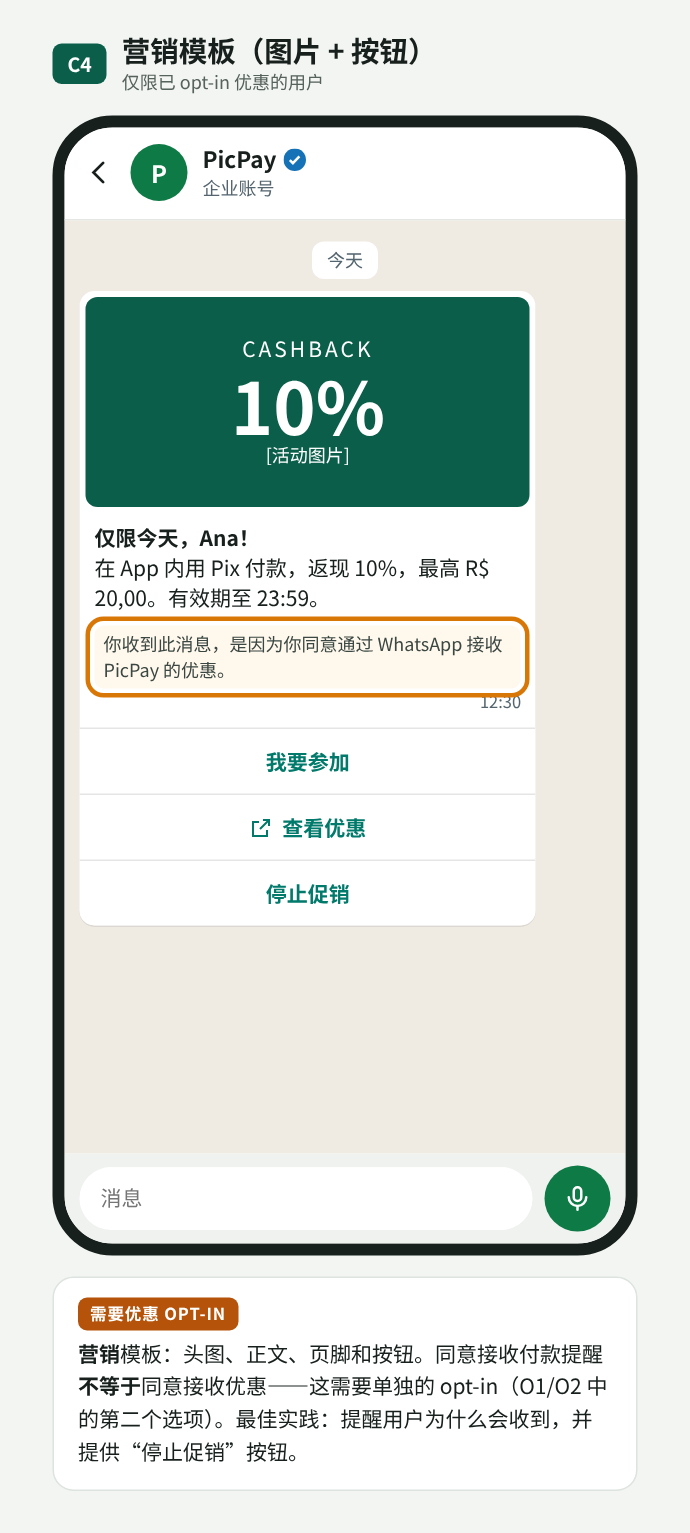
C04. 营销:需要单独的优惠 opt-in
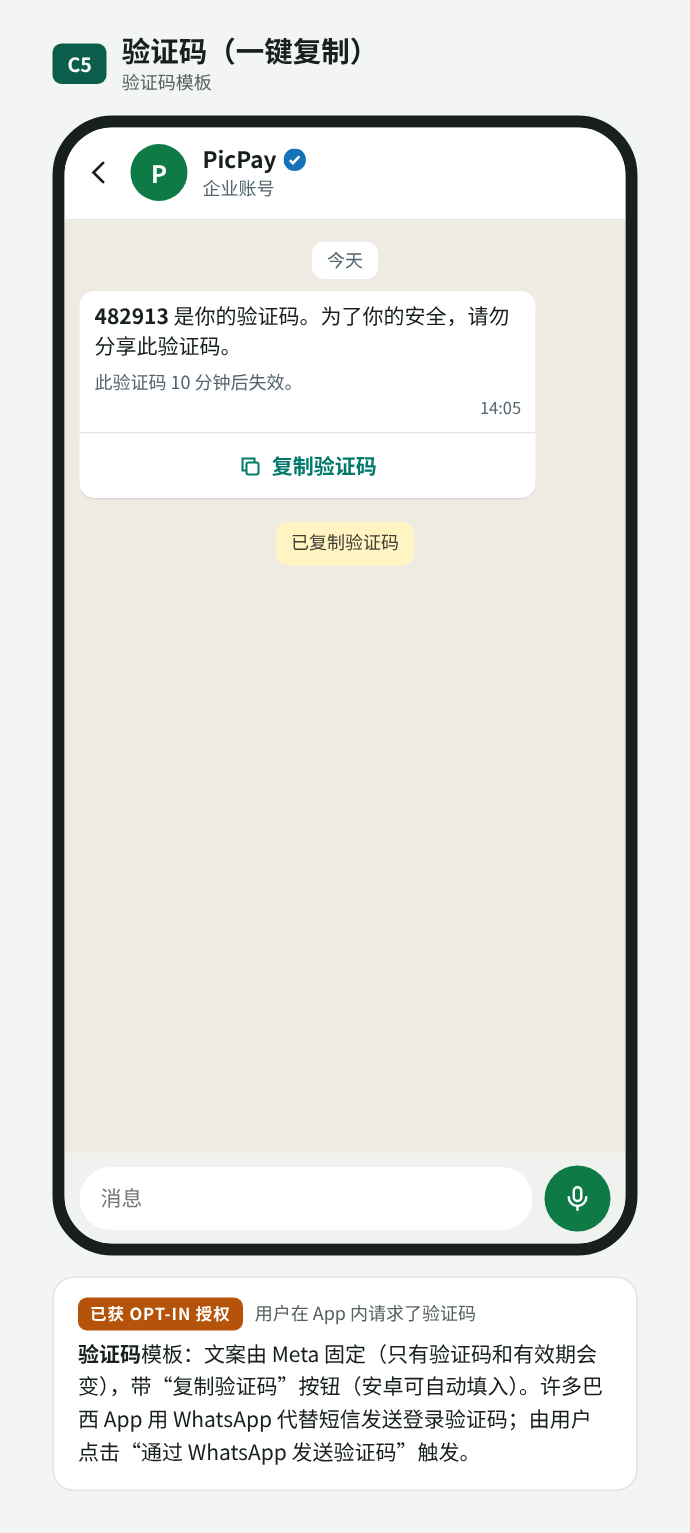
C05. 验证码:带复制按钮
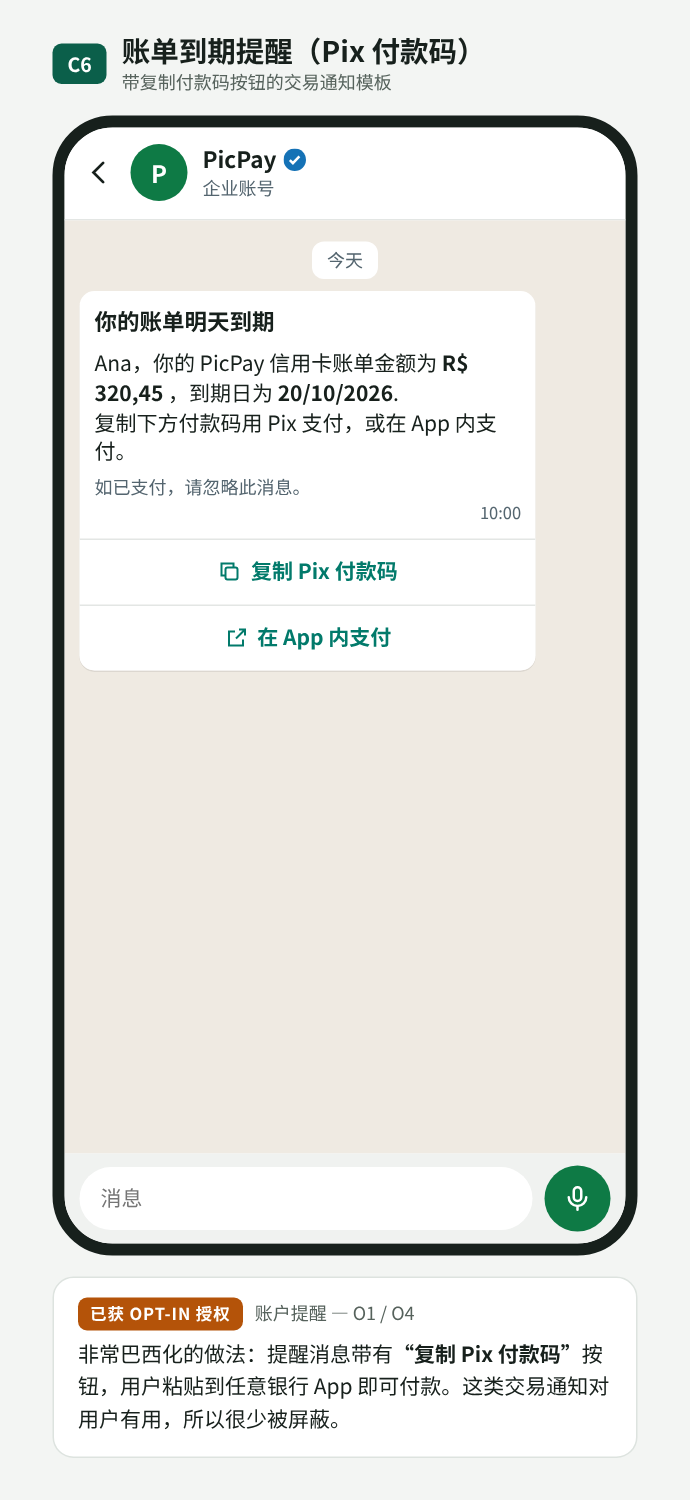
C06. 账单提醒,附 Pix 复制粘贴付款码
用户能做什么
用户可以回复(文字、按钮、列表、表单)、查看企业资料,或撤回授权。每个操作可能会、也可能不会向企业产生事件。
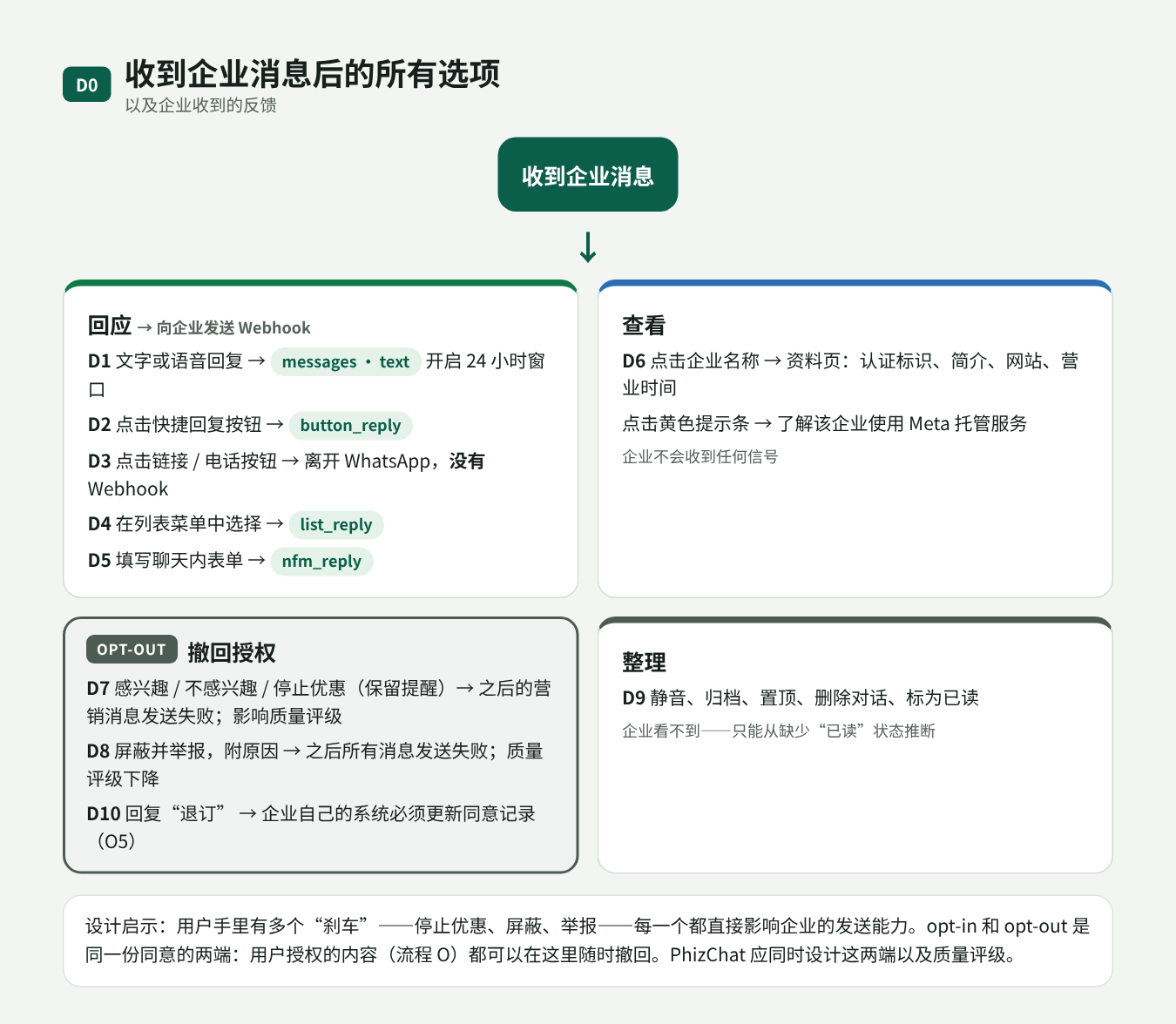
D00. 用户的所有选项,以及企业收到的反馈
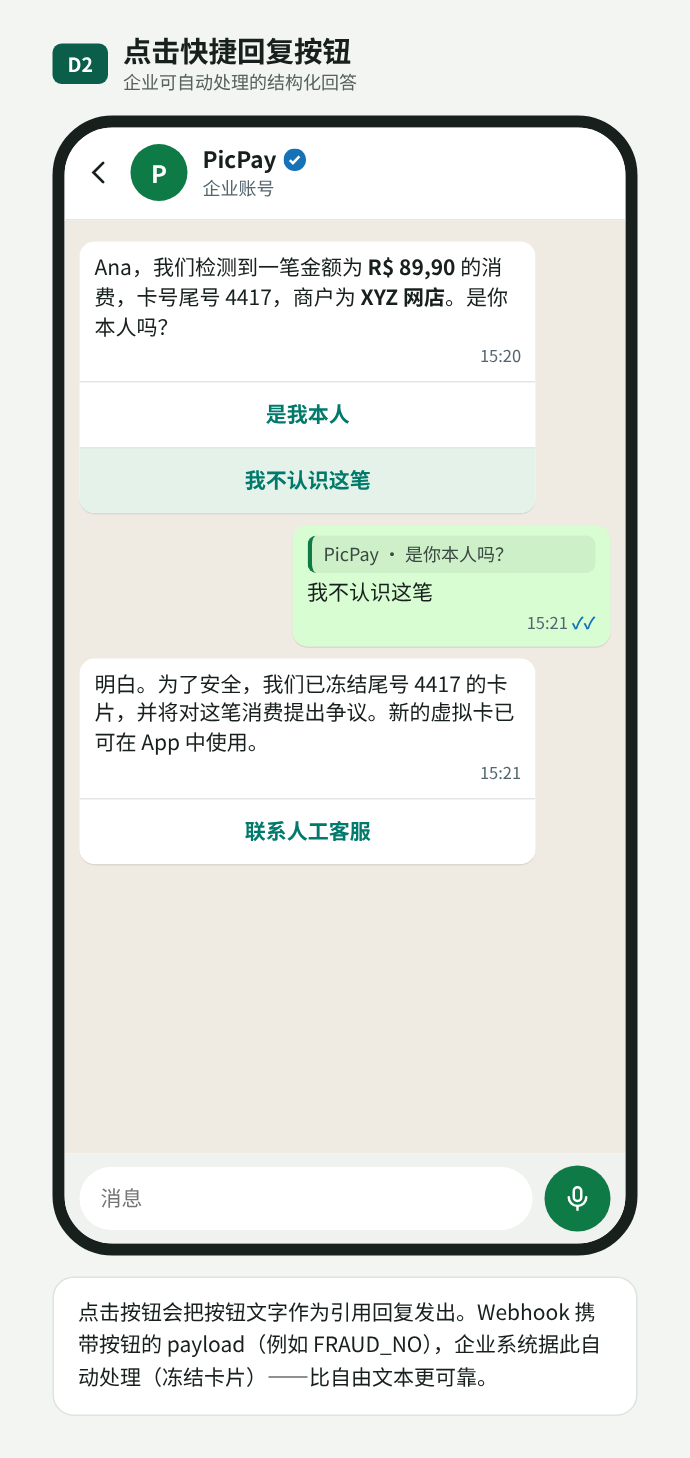
D02. 快捷回复按钮
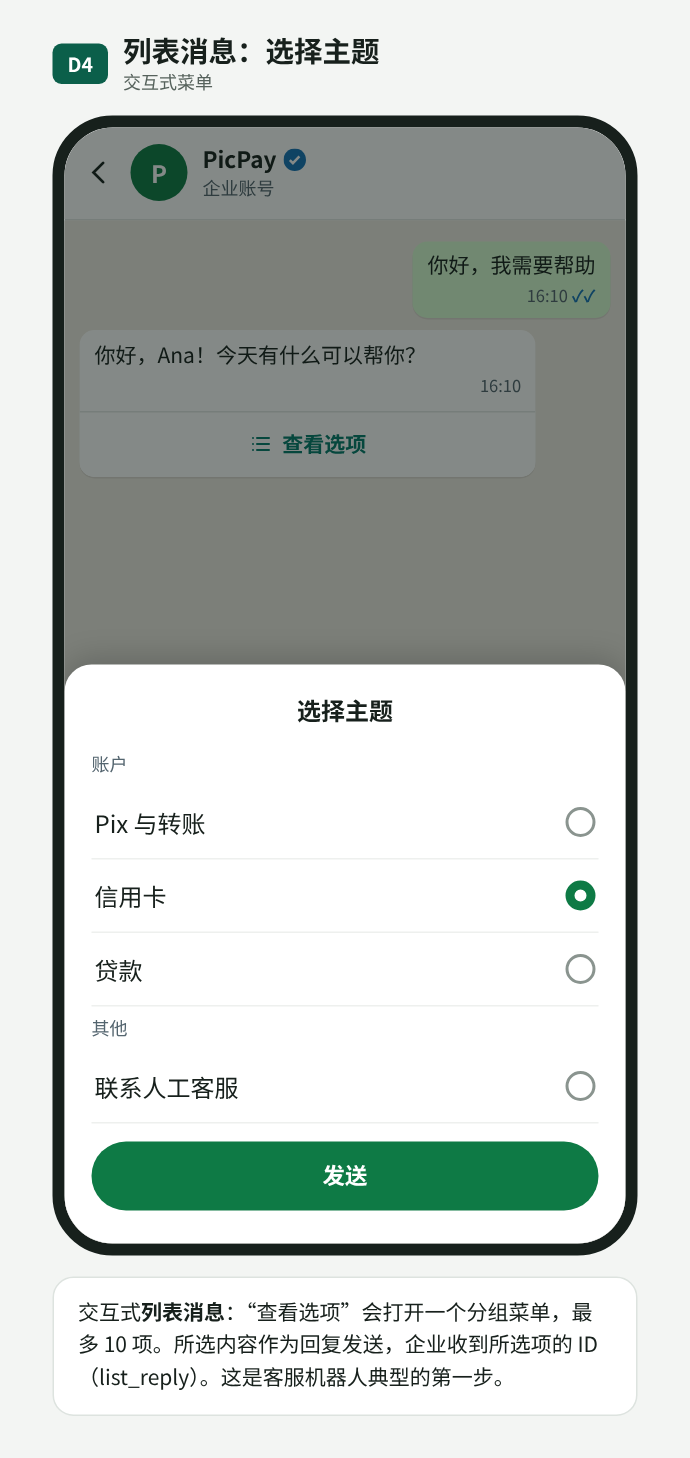
D04. 列表消息
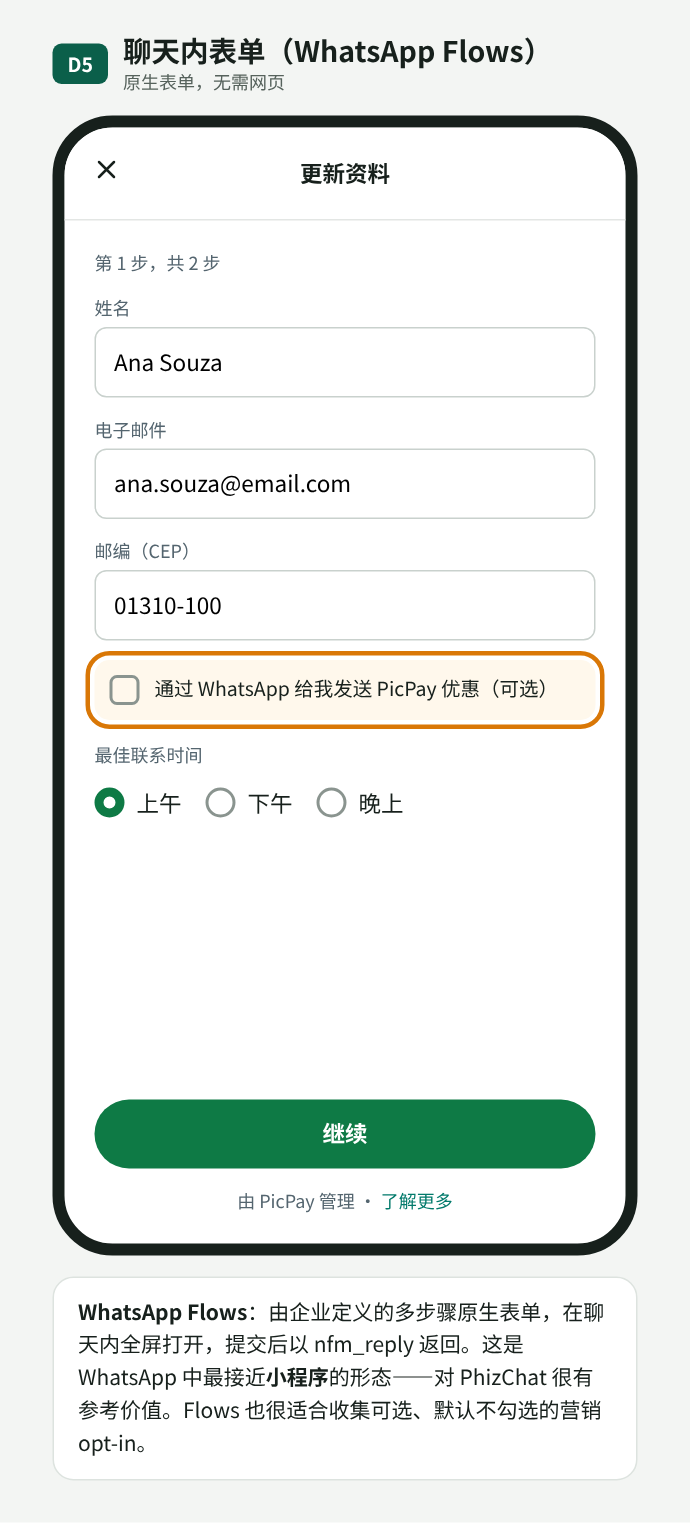
D05. 聊天内表单(Flows),接近小程序
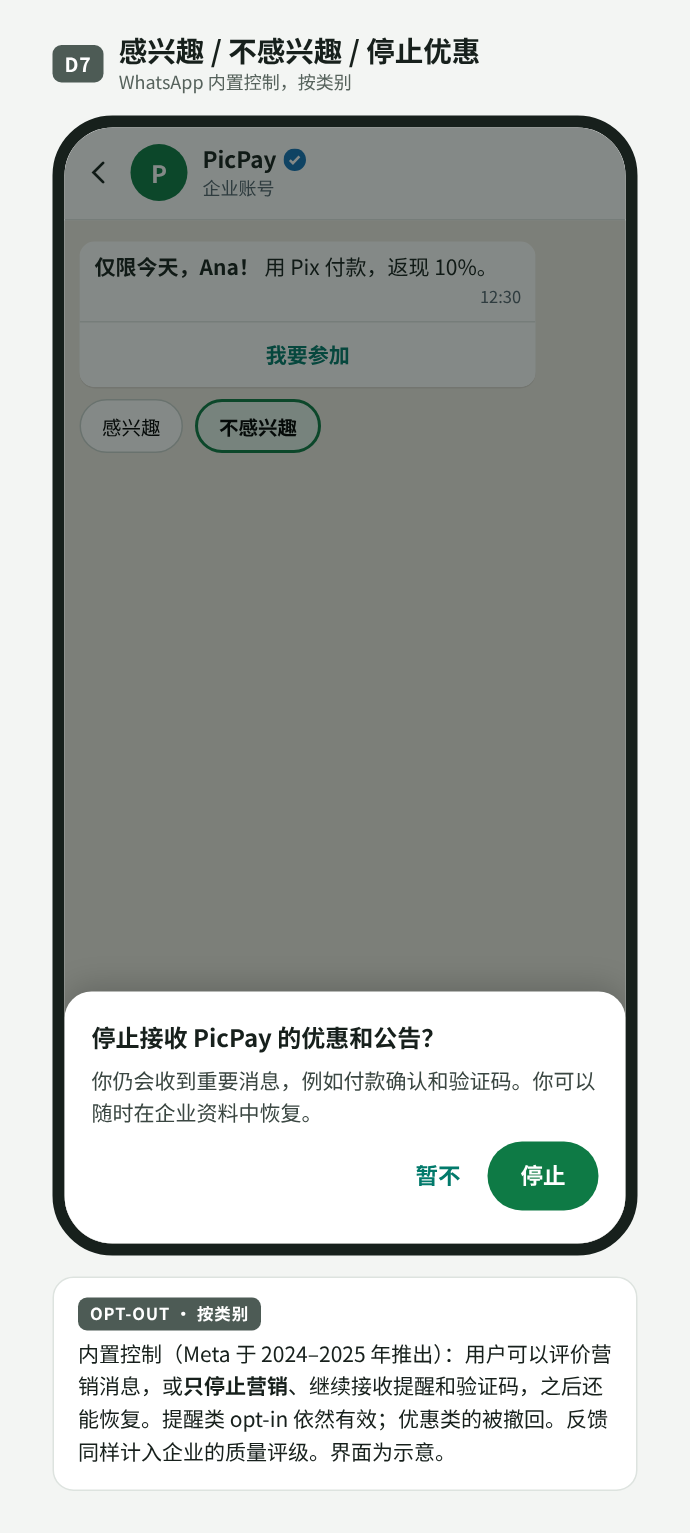
D07. 停止优惠,保留提醒
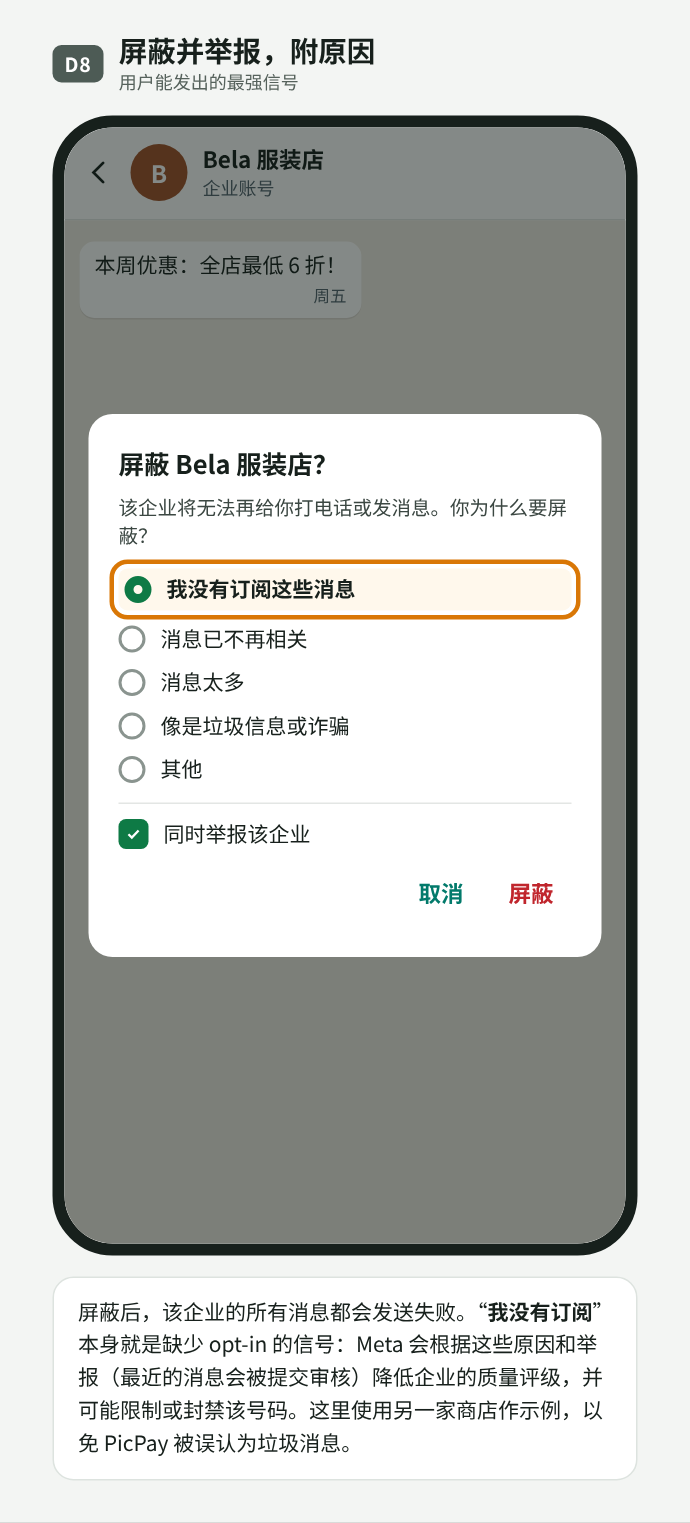
D08. 屏蔽并举报,附原因
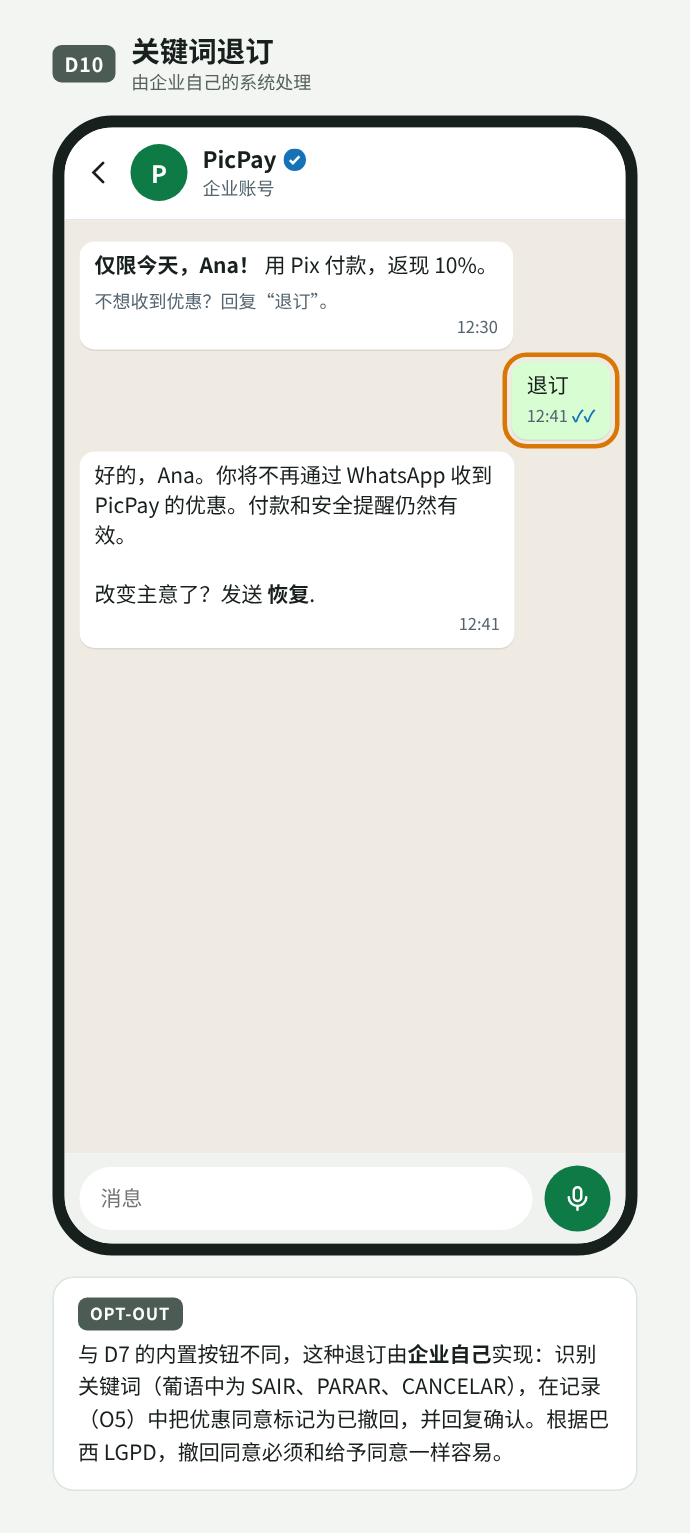
D10. 关键词退订,由商户处理
| 用户操作 | PHIZ | |
|---|---|---|
| 回复文字或媒体 | messages Webhook;开启 24 小时窗口 | message 事件(第 10 节) |
| 点击按钮或列表项 | button_reply / list_reply | 带所选 id 的 message 事件 |
| 停止优惠 | 营销消息发送失败 | 提议:平台对该 Business Account(ba_id)屏蔽此类别 |
| 屏蔽或举报 | 所有发送失败;质量评级下降 | 提议:发送报错并产生质量信号(见 Q3) |
| 静音或归档 | 企业不可见 | 相同 |
对 PHIZ 的启示
- 用户看到、授权和屏蔽的身份是 Business Account(
ba_id):opt-in、屏蔽和质量评级都归属于它。Merchant ID 仍是开放平台账号,并同步生成拥有应用的 Developer ID;每个 Business Account 都在某个应用下创建(见第 06 节)。 - 按 Business Account、按类别管理同意,opt-out 由平台执行(见第 09 节发送策略)。
- 用户信号(屏蔽、举报、停止优惠)影响商户的发送额度。
- 聊天内表单(Flows)可作为小程序的参考。
04PhizChat 中的 opt-in:应用内与企业侧
第 03 节说明了在 WhatsApp 上 opt-in 几乎都发生在应用之外,而且 Meta 并不核实。本节提议用户在 PhizChat 中如何授权企业账号,共有两条路径,最终都使用相同的退订控制:
- 流程 P——在 PhizChat 内:用户在应用中直接接受企业账号,由平台保存证明。
- 流程 Q——在企业侧、PhizChat 之外:用户在商户的 App、网站或门店中授权,由商户发起对话。
这些是示意性提议,以 PicPay 作为示例商户。编号(P0…P8、Q0…Q5)与设计画布一致。点击图片可查看原尺寸。
流程 P · 在 PhizChat 内 opt-in
用户通过短信或邮件链接、二维码、商户 App 或网站,或应用内搜索找到企业账号。未安装 Phiz 时,只会看到带资料和下载按钮的 H5 页面;接受永远不会在应用之外发生。安装并登录后,延迟深度链接把用户带回同一个对话,该对话在接受之前保持锁定。用户接受后,PhizChat 记录同意(用户 Open ID、ba_id、日期、入口),如有欢迎模板则发送,并解锁对话。
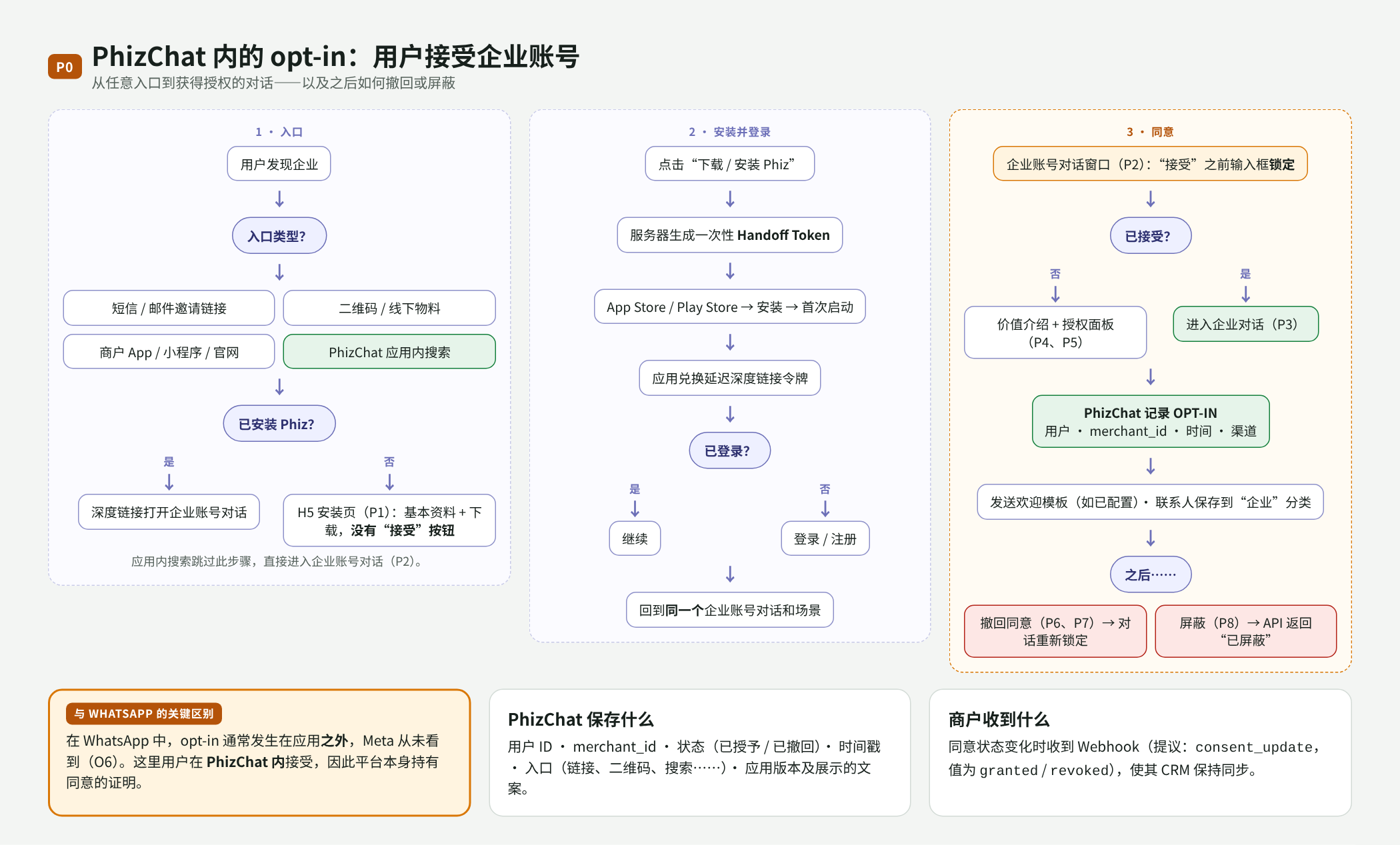
P00. 流程 P 总览:入口、安装、登录、接受及之后
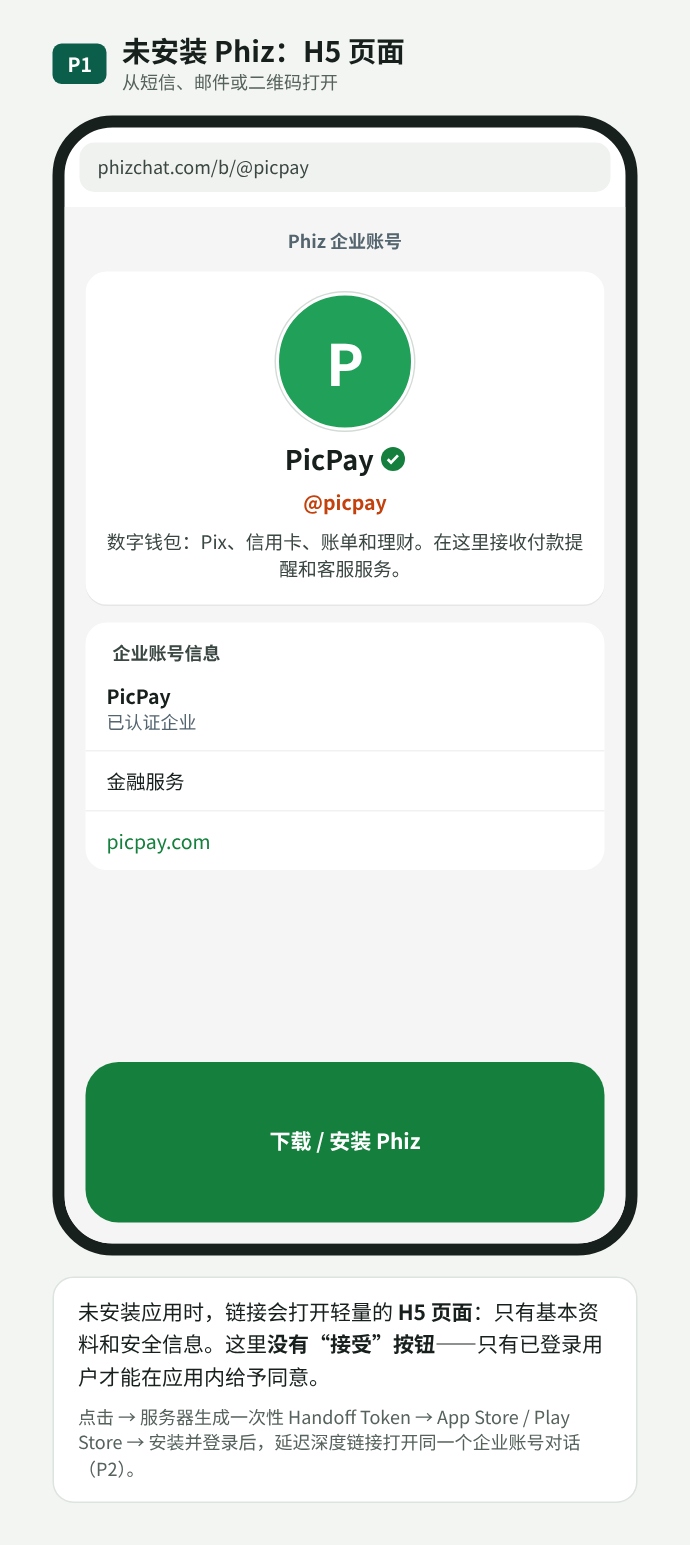
P01. 未安装应用:H5 页面只有资料和下载,没有“接受”按钮
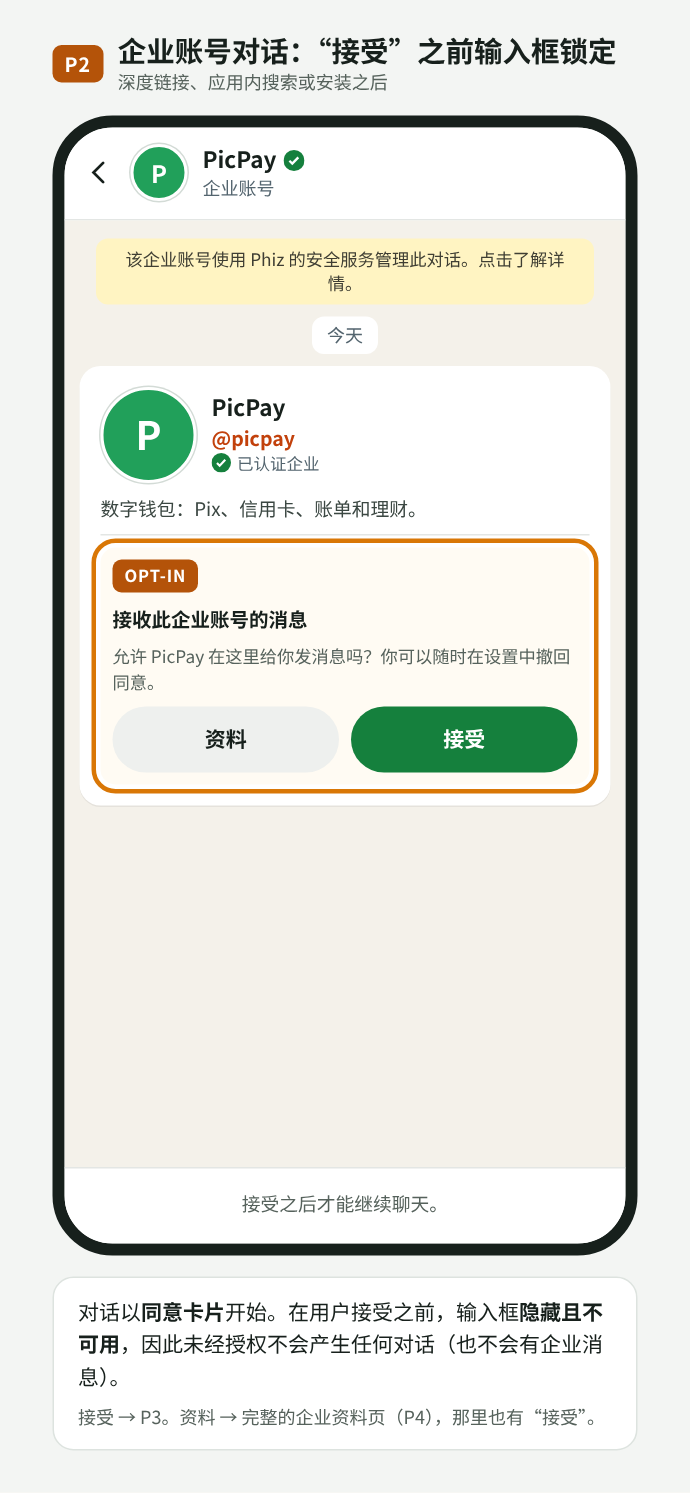
P02. 带同意卡片的企业账号对话;接受之前输入框锁定
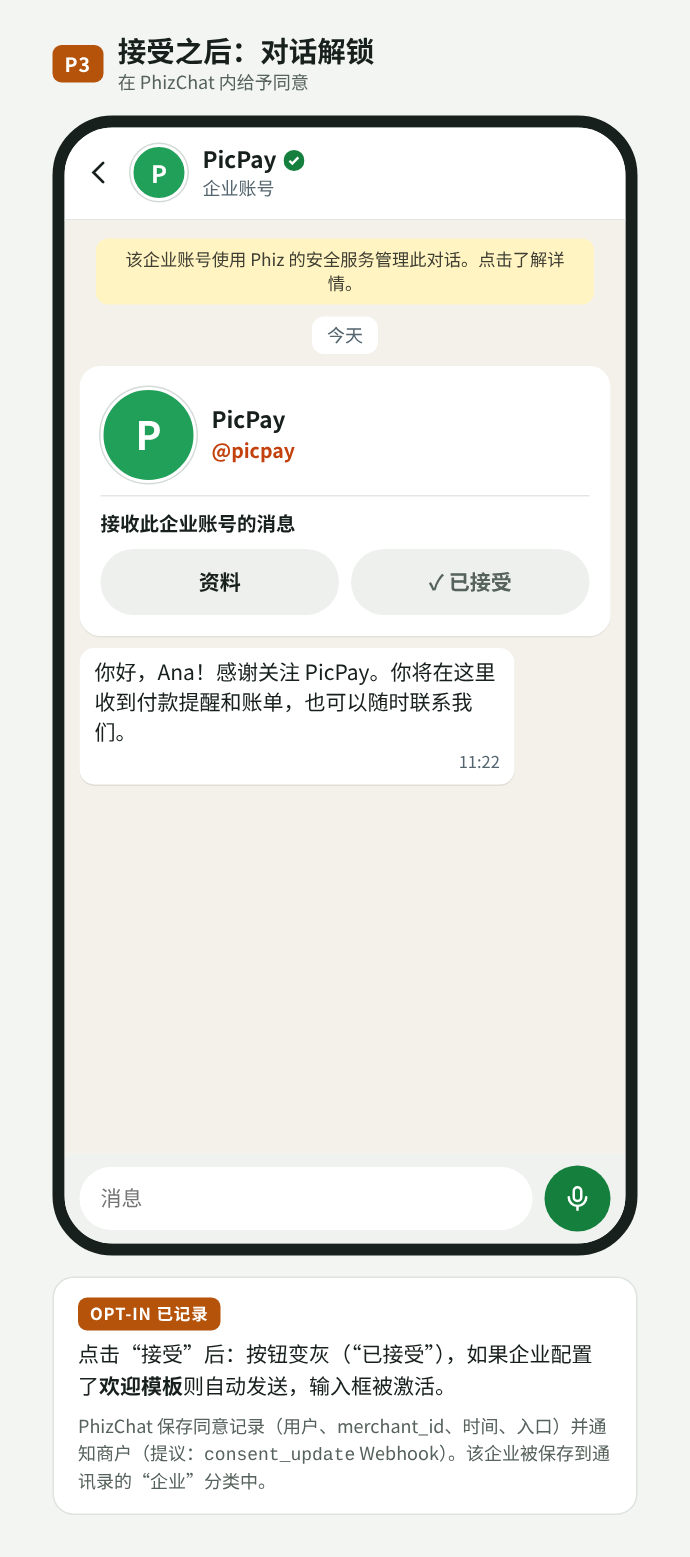
P03. 接受之后:欢迎消息,对话解锁
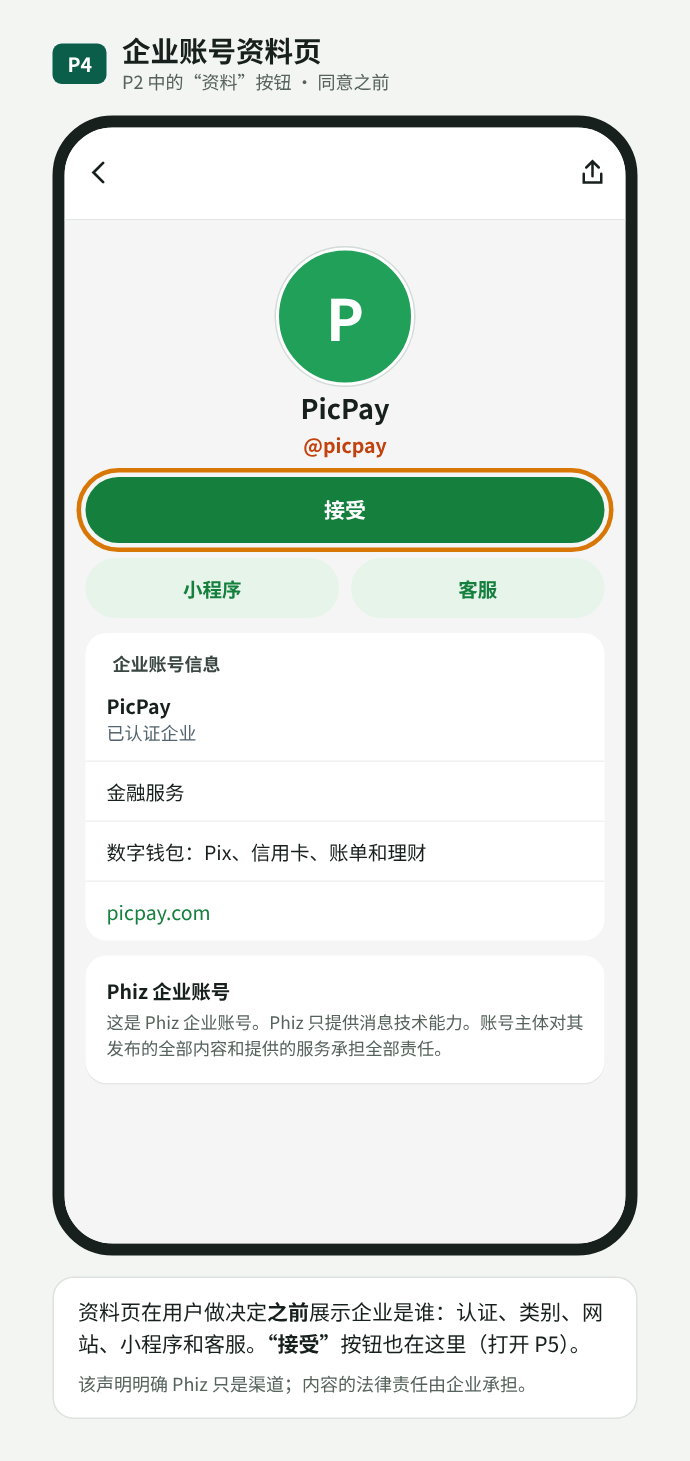
P04. 同意之前的企业资料页,同样提供“接受”
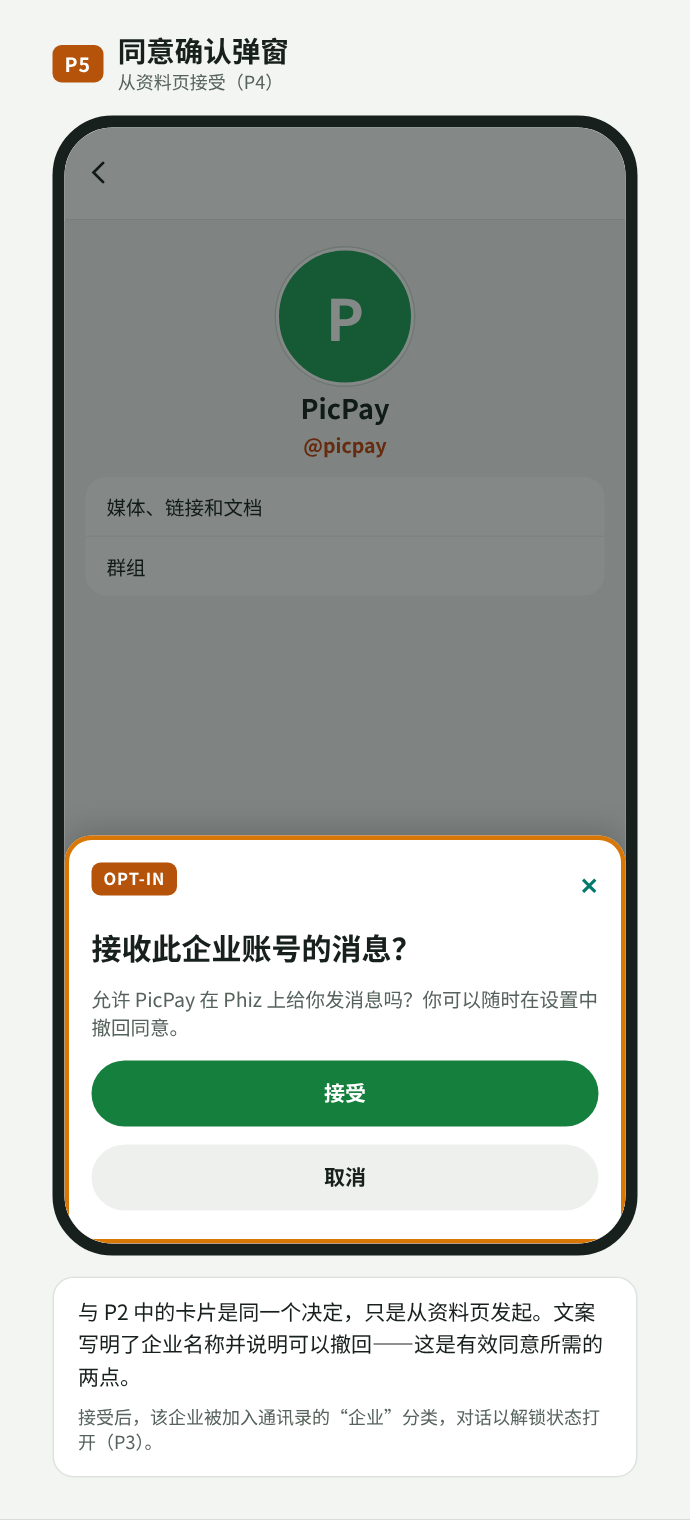
P05. 同意确认弹窗
接受之后,资料页显示同意状态和日期。用户可以撤回(对话回到锁定状态,之后可以重新授权),或屏蔽(沿用现有屏蔽功能;API 仍可调用,但会返回已屏蔽状态)。
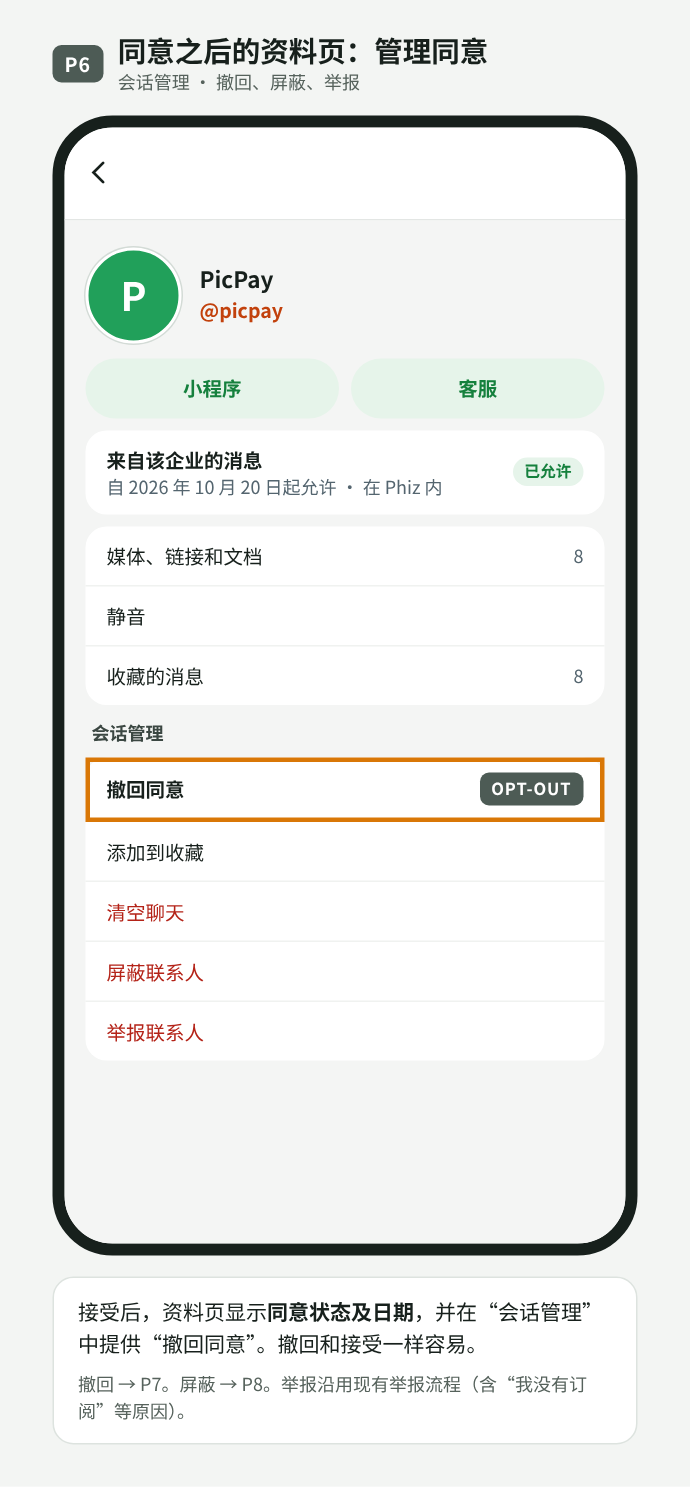
P06. 同意之后的资料页:状态、日期和“撤回同意”
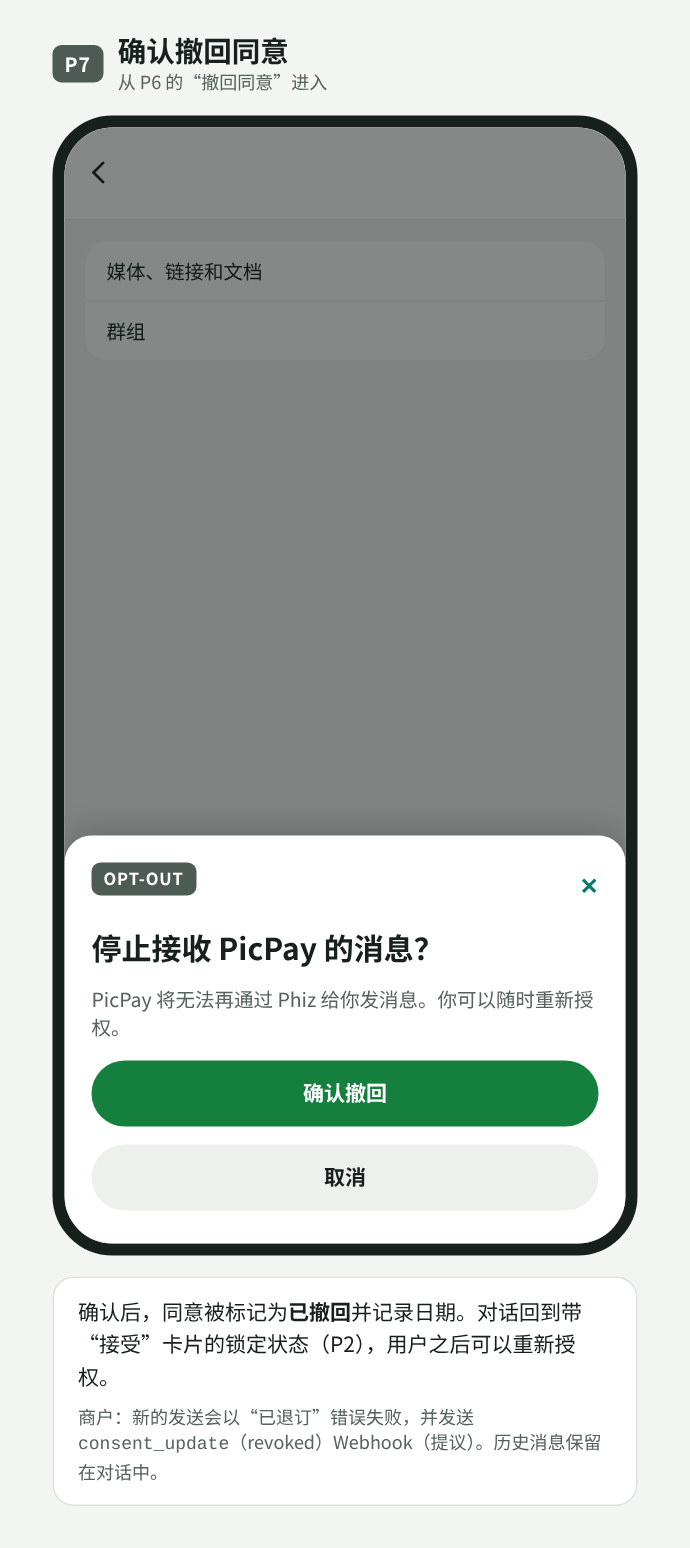
P07. 确认撤回;对话重新锁定
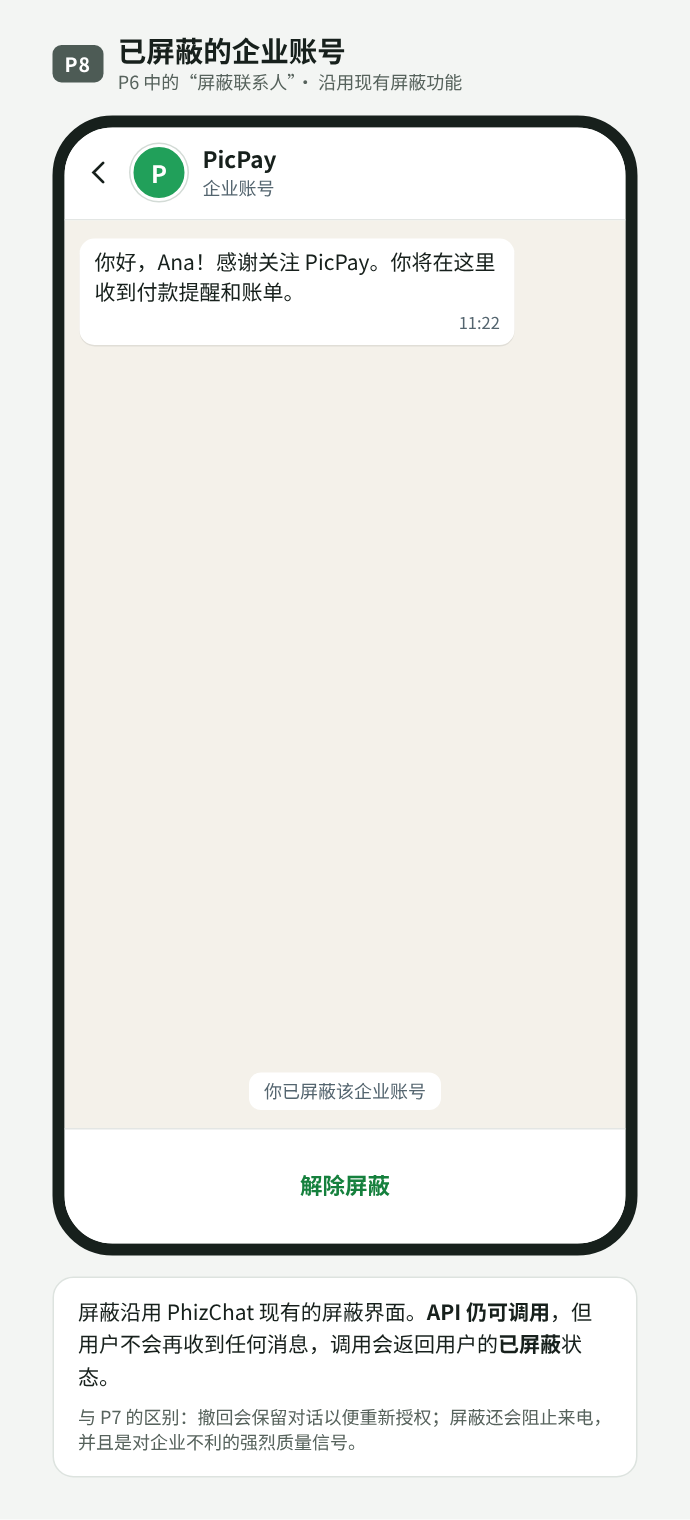
P08. 已屏蔽的企业账号:API 返回已屏蔽状态
流程 Q · 企业在 PhizChat 之外收集的 opt-in
大多数巴西企业已经在自己的渠道中收集同意。在流程 Q 中,用户在 PicPay App 中开启“PhizChat 消息”;PicPay 保存证明,并通过 API 发送模板。API 检查收件人是否为 Phiz 用户、是否已屏蔽或撤回;在模式 B 中,还会检查该类别是否有已登记的同意。在应用中,第一条消息会附带同意来源卡片(授权了什么、在哪里、何时),用户可以继续接收、停止或举报。
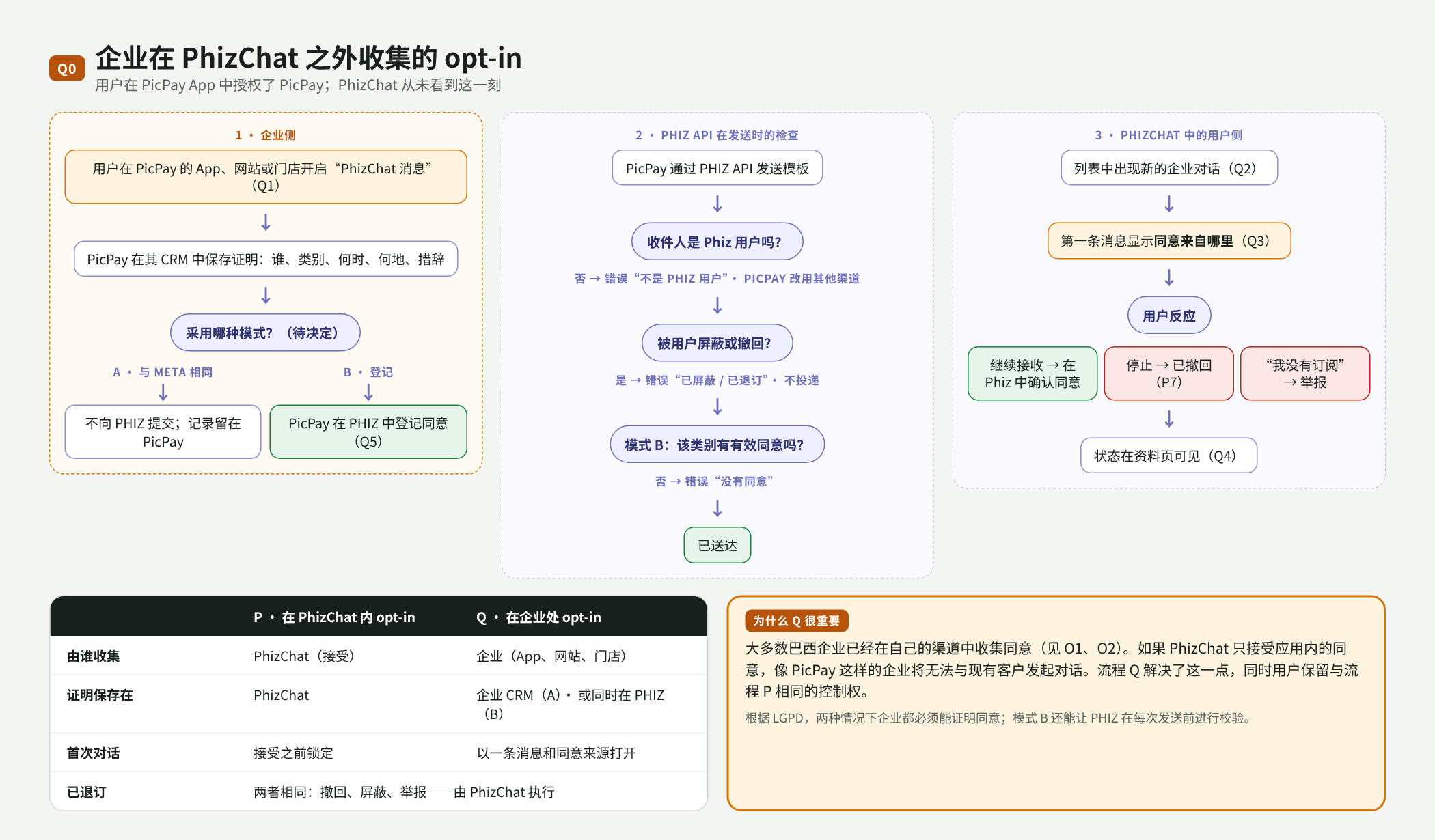
Q00. 流程 Q 总览:企业侧、API 检查和用户侧,以及 P 与 Q 的对比
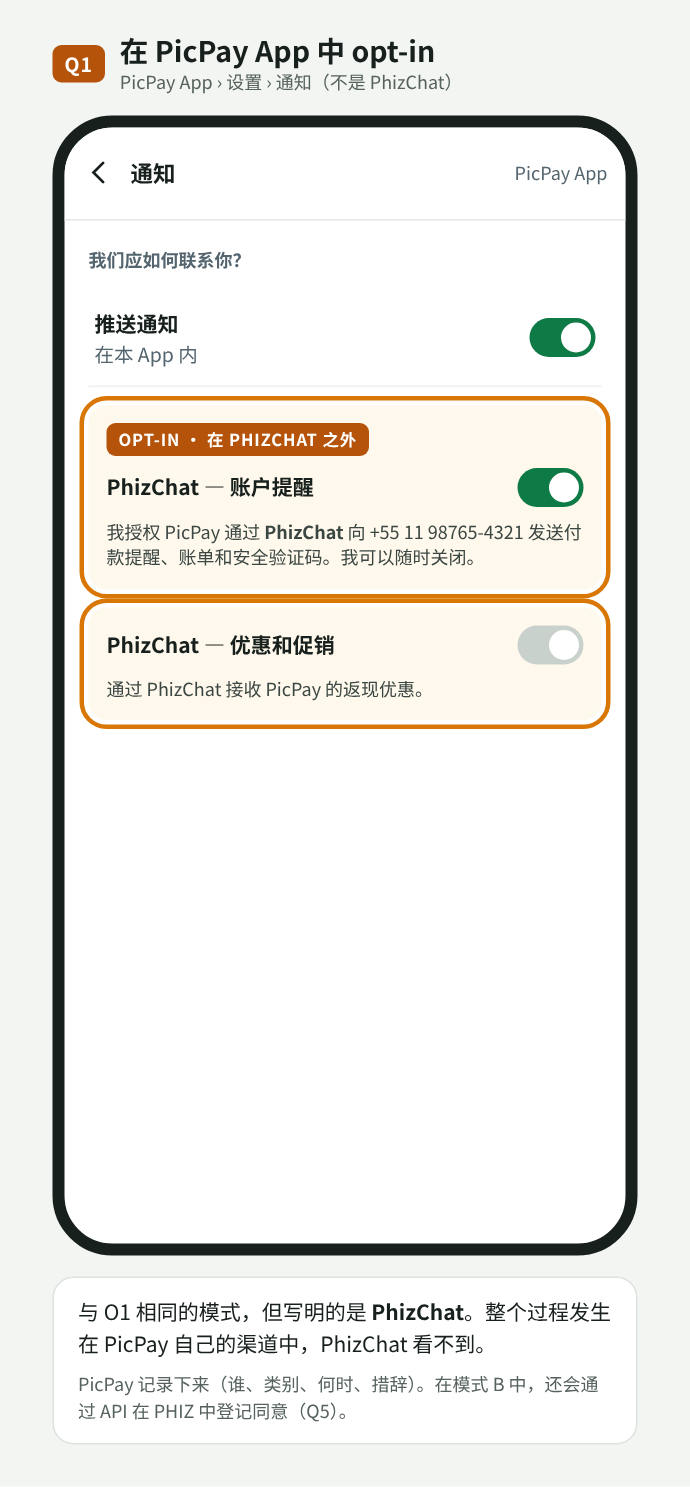
Q01. 在 PicPay App 中 opt-in,并写明 PhizChat
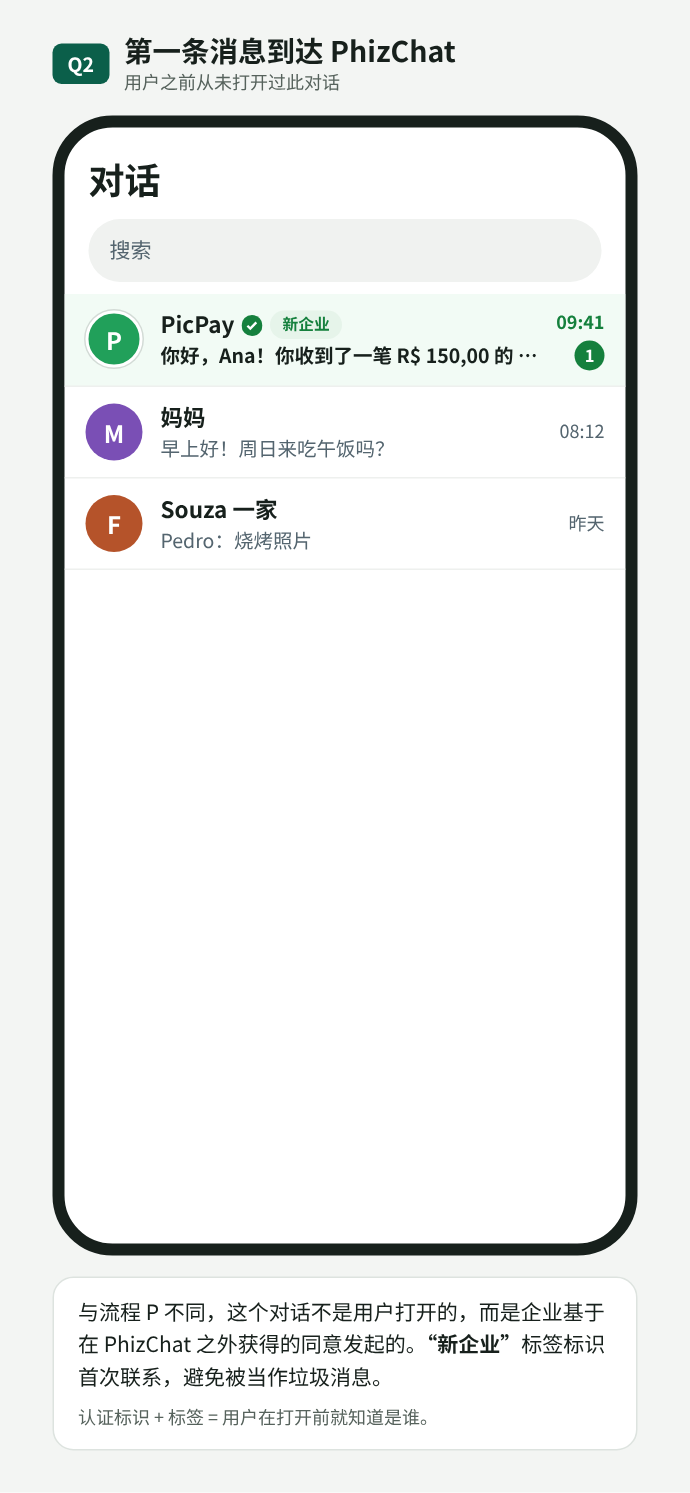
Q02. 列表中的第一条消息,带“新企业”标签
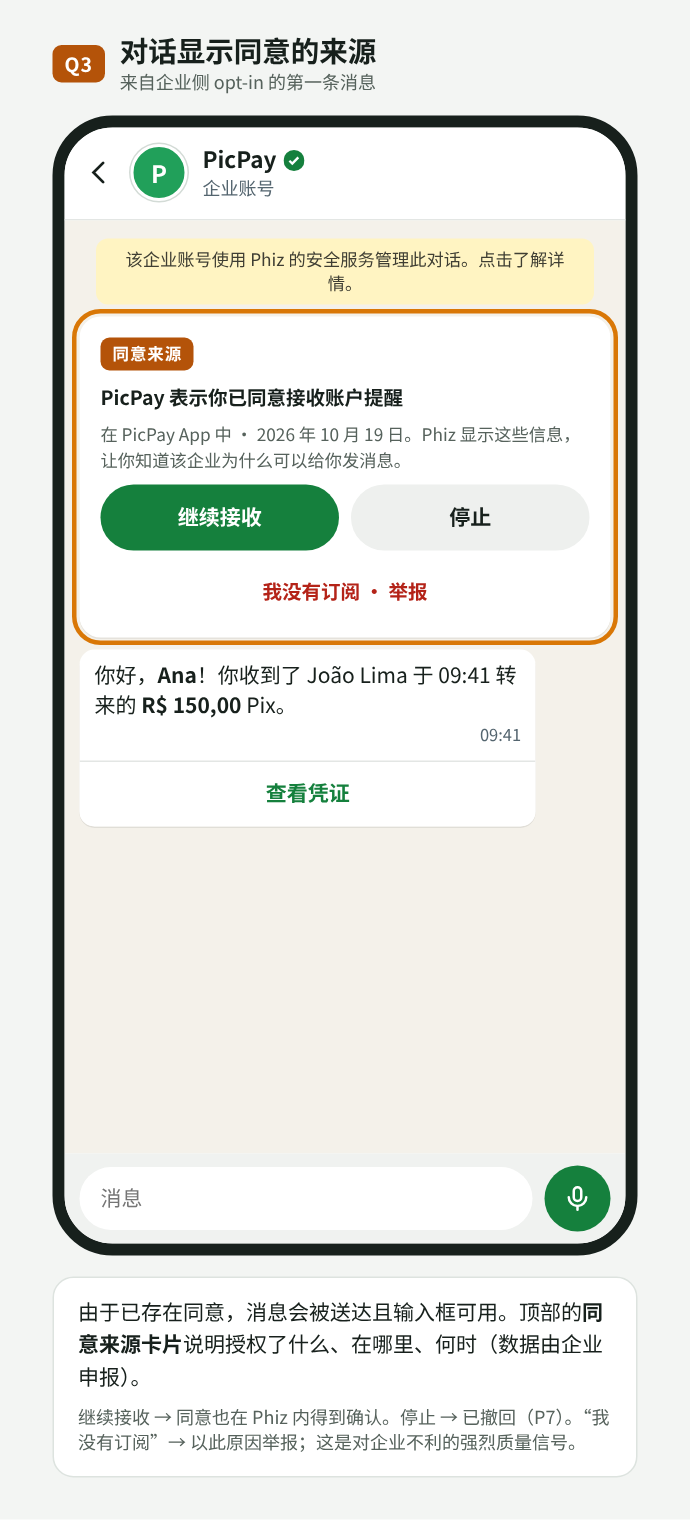
Q03. 同意来源卡片:继续接收、停止或举报
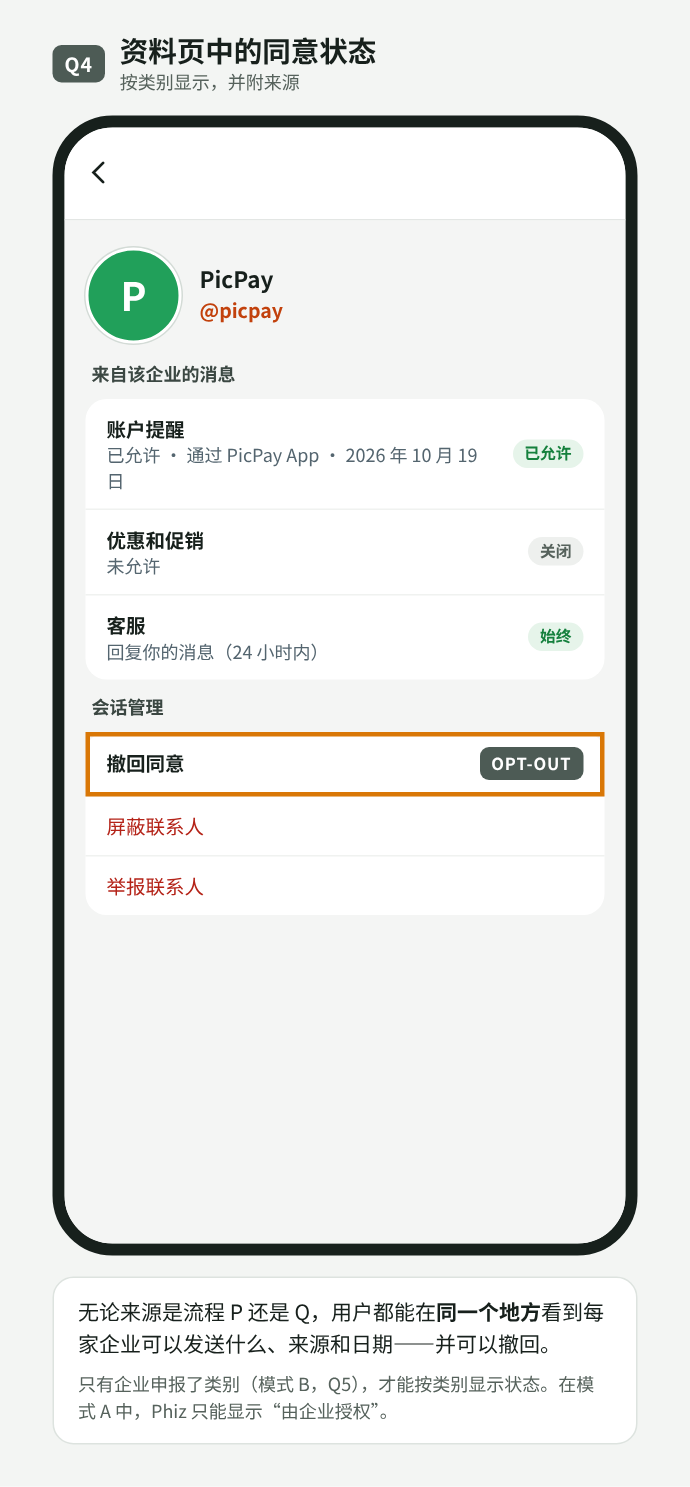
Q04. 按类别显示同意状态,含来源和日期
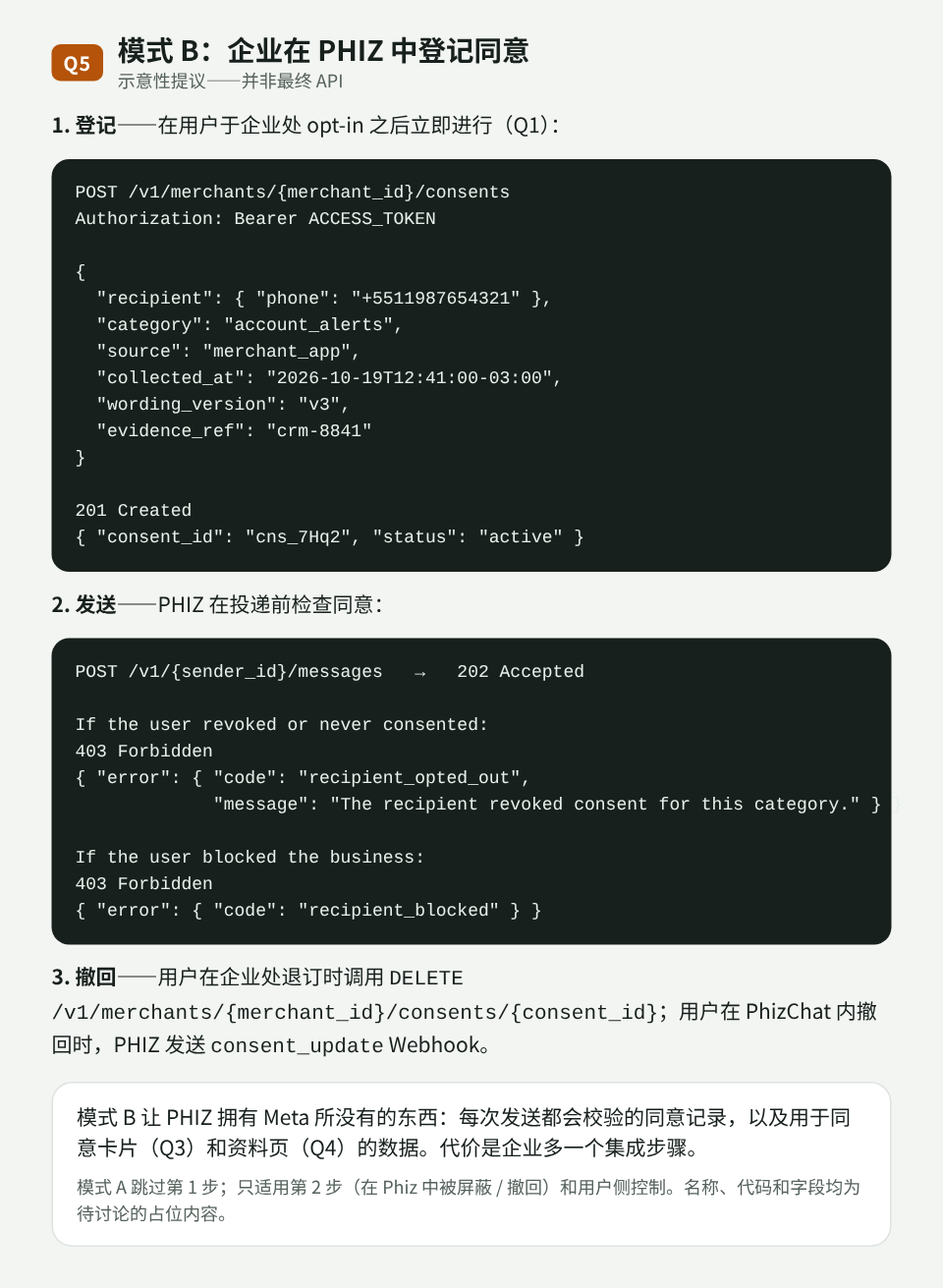
Q05. 模式 B:通过 API 登记同意及发送错误(示意性提议)
P 与 Q 对比
| P · 在 PhizChat 内 opt-in | Q · 在企业处 opt-in | |
|---|---|---|
| 由谁收集 | PhizChat(接受) | 商户(App、网站、门店) |
| 证明保存在 | PhizChat | 商户 CRM(模式 A)· 同时在 PHIZ(模式 B) |
| 首次对话 | 接受之前锁定 | 以消息和同意来源打开 |
| 退订 | 两者相同:撤回、屏蔽、举报——由 PhizChat 执行 | |
待决定事项
- 流程 Q 采用模式 A 还是 B(见 Q1):像 Meta 一样只有政策,还是在 PHIZ 中建立同意登记并在每次发送时校验。完整的同意来源卡片(Q3)和按类别显示的状态(Q4)依赖模式 B。
- 流程 Q 中接受之前是否投递:本提议会投递第一条消息并显示同意来源卡片;另一种做法是像流程 P 一样,在接受之前锁定对话。
- 同意类别(账户提醒、优惠、验证码)以及应用向用户展示什么。
- 技术命名——
/v1/{sender_id}/consents、consent_updateWebhook 和错误码——均为待讨论的占位内容。
05目标与非目标
目标
- 凭证绑定开发者中心的应用,不再按频道签发。开放平台的 Merchant ID 同步生成 Developer ID;商户在其下为每个外部系统创建一个应用(例如 Blip 一个、Salesforce 一个),每个应用有自己的
client_id、密钥、范围和 Business Account。频道可作为可选发送方授权。 - 采用标准 OAuth 2.0(客户端凭证模式),兼容主流库和平台。
- 向手机号或 Open ID 发送消息,并通过签名 Webhook 接收回复和状态。
- 与 Meta Cloud API 结构兼容,现有集成只需少量改动即可迁移。
- 以 OpenAPI 3.1 格式(即 Swagger 标准)发布 API 规范。该文件描述全部路由、字段、响应和 Webhook,是 API 开发团队与集成方之间的约定。合作方可据此生成文档和代码,并在交付前进行测试。
不在本 RFC 范围内
- 模板、营销活动和用户分群(Marketing API,后续阶段)。
- 按会话计费与结算。
- 群组、语音和视频通话。
- 官方 SDK(后续可基于 OpenAPI 生成)。
06领域模型
身份模型遵循 PHIZ 技术团队的建议。merchant_id 不用于标识发送方:它是开放平台账号,同一开发者下可以有多个应用,每个应用下又可以有多个 Business Account。
| 身份 | 含义 | 出现位置 |
|---|---|---|
| Merchant ID | 商户在开放平台的账号,创建时同步生成 Developer ID。 | 开放平台 |
| Developer ID | 开发者身份及资源(应用、密钥、订阅)归属方。可以是商户本身,也可以是 Salesforce、BSP 等第三方。 | 开发者中心 |
| App ID | 应用:凭证(client_id 和密钥)、范围及隔离上下文。用户在每个应用下的 Open ID 不同。 | 令牌、/v1/apps/{app_id} |
| BA ID | Business Account:实际的发送方,也是用户看到并授权的对象。在应用下创建,且只属于该应用。加密与隔离以 BA 为单位。 | PhizChat 会话、Webhook 的 entry[].id |
| sender_id | API 中使用的发送方外部引用,映射到 BA ID。频道(可选)时为频道 ID。 | POST /v1/{sender_id}/messages |
| Open ID | 用户在某个应用下的标识。手机号会换取 Open ID,BA 与用户的绑定基于 Open ID,而非手机号。 | to 配合 to_type: open_id;Webhook 中的 from |
flowchart LR
  M["Merchant ID
开放平台"] -- "同步创建" --> D["Developer ID
商户或第三方"]
  D --> A1["App ID · Blip
client_id + 密钥"]
  D --> A2["App ID · Salesforce
client_id + 密钥"]
  A1 --> B1["BA ID · 示例商店
sender_id"]
  A2 --> B2["BA ID · 示例商店促销
sender_id"]
  A1 -. "可选频道
sender_id = 频道 ID" .-> C["频道 1231"]
  B1 --> U(("用户
每个应用一个 Open ID"))
  B2 --> U
  C --> U
每个应用有自己的 Business Account。用户授权的是 BA,并以该应用下的 Open ID 标识。频道仍是可选发送方。
会话类型
PHIZ 产品与技术团队的定义:
- 公众号会话:会话的总类别,不对外展示。
- 企业服务会话:公众号会话的二级分类,同样不对外展示。
- Business Account:企业服务会话下的产品类型,对外展示,类似 WhatsApp 的企业标识展示,面向企业、政府和机构。
要拥有 Business Account,企业需先创建开放平台账号(Merchant ID),同步生成 Developer ID;在其下创建应用(App ID),再在应用下创建 Business Account(BA ID)。无论是 Salesforce、BSP 等第三方调用,还是用户授权接收 Business Account 消息,都基于 BA ID 进行。Business Account 是一种新的会话类型:产品和技术将重新打磨它及其他会话类型的定义,为后续扩展做准备(Q4)。
端到端流程
面向技术团队:消息从企业到用户经过哪些环节,回复和状态又如何返回。
flowchart LR
  PP["PicPay"] --> B1["BSP
如 Blip"]
  AM["Ambar"] --> B2["BSP
如 Salesforce"]
  B1 --> API["PHIZ Business API
/gateway/business
Auth · Messages · Webhooks"]
  B2 --> API
  API -- "1–3 · 令牌、发送
与发送方校验" --> MA
  subgraph OP["开发者中心"]
    MA["App · Business Account"]
    MA -- "4a · sender_id = BA ID
默认" --> DM["Business Account"]
    MA -. "4b · sender_id = 频道 ID
可选" .-> CH["Channel"]
    CH --> CM["Channel Message"]
  end
  DM -- "5 · 投递" --> APP["Phiz App"]
  CM -- "5 · 投递" --> APP
  APP --> U(("用户"))
去程:从企业到用户。虚线为通过频道发送的可选路径。
返回:回复与状态
flowchart LR
  U(("用户")) -- "回复、接收、阅读" --> APP["Phiz App"]
  APP -- "6 · 事件" --> WH["PHIZ Business API
Webhooks"]
  WH -- "签名 Webhook" --> BSP["负责该发送方的
集成所属 BSP"]
  BSP --> EMP["企业"]
回程:用户回复和消息状态通过 Webhook 送达 BSP。
- 集成。企业(如 PicPay 或 Ambar)通过 BSP 提供客服。商户在开发者中心为该 BSP 创建 Business Messaging 应用,并提供
client_id和密钥。 - 令牌。BSP 调用
/oauth/token。Auth 在开发者中心校验应用(密钥、范围和 Business Account),返回 1 小时有效的 JWT。 - 发送。BSP 调用
POST /v1/{sender_id}/messages。API 将手机号换取用户的 Open ID,校验令牌、范围、发送方、选择接收策略和Idempotency-Key,返回202并将消息入队。如需发送媒体,BSP 先将文件上传到POST /v1/{sender_id}/media,再在发送时使用返回的id或 PHIZ 链接。 - 路由。使用 Business Account 的
sender_id时作为 Business Account 会话发送(默认);使用频道 ID 时作为 Channel Message 发送(可选)。 - 投递。Phiz App 向用户展示消息,并通过上传时生成的链接从 PHIZ 存储下载媒体。
- 返回。用户回复和状态(
sent、delivered、read、failed)生成事件,由 Webhooks 服务签名后投递给 Business Account 所属的应用。
| 组件 | 职责 | 状态 |
|---|---|---|
| BSP / 企业系统 | 调用 API,上传媒体,接收 Webhook。 | 外部 |
| PHIZ Business API · Auth | 签发和撤销 JWT;校验 client_id 和密钥。 | 新增 |
| PHIZ Business API · Messages | 校验并受理发送(202),处理幂等和限流,入队并按 sender_id 路由。 | 新增 |
| PHIZ Business API · Media | 接收上传,校验格式和大小,限时存储文件,并生成发送时使用的 id 和 PHIZ 链接。 | 新增 |
| PHIZ Business API · Webhooks | 消费 App 事件,签名后通过开发者中心的事件订阅投递,沿用其重试和记录。 | 新增 |
| Open Platform · Developer Center | 已有。存储组织、应用、密钥(哈希)、范围和事件订阅;Business API 新增各应用的 Business Account。 | 变更:凭证从频道迁移到 Developer ID 下的应用 |
| Business Account | 以企业身份对用户展示的企业服务会话;加密与隔离以 BA 为单位。 | 新增(见第 06 节、Q3) |
| Channel / Channel Message | 通过商户频道发送。 | 现有 |
| Phiz App | 展示消息,通过 PHIZ 链接下载媒体,产生送达、已读和回复事件。 | 变更 |
与 Meta Cloud API 的对应关系
| Meta(WhatsApp Cloud API) | PHIZ(本方案) |
|---|---|
| WhatsApp Business Account(WABA) | Developer ID · 应用(App ID) |
企业号码 · phone_number_id | Business Account · 映射到 BA ID 的 sender_id;也可选用频道(频道 ID) |
| Meta 应用 + System User 令牌 | 开发者应用 + OAuth 客户端凭证 |
wa_id | open_id(按应用) |
POST /{phone-number-id}/messages | POST /v1/{sender_id}/messages |
POST /{phone-number-id}/media · 媒体可用 id 或第三方 link | POST /v1/{sender_id}/media · 媒体仅可用 id 或 PHIZ 链接;不接受第三方链接 |
object: whatsapp_business_account | object: phiz_business_account |
X-Hub-Signature-256 | X-Phiz-Signature-256 + X-Phiz-Timestamp |
hub.mode / hub.verify_token / hub.challenge | 保持一致 |
07设计原则
- 与 Cloud API 结构一致。发送请求、响应和 Webhook 均沿用 Meta 的结构,只有在安全性(签名带时间戳、媒体只经由 PHIZ 存储)或清晰度(
to_type)有明确收益时才有所不同。 - HTTP 状态码、统一的错误结构,所有错误响应都带
trace_id。 - 发送为异步处理,返回
202 Accepted,结果通过 Webhook 推送。 - 幂等。
Idempotency-Key请求头可避免客户端重试导致重复消息。 - 最小授权。每个集成都有范围和可用发送方列表。
- 版本号
/v1。兼容性变更(新增字段)按统一规范上线;不兼容变更需发布/v2。
08鉴权
采用 OAuth 2.0 客户端凭证模式(RFC 6749 §4.4)。应用用 client_id 和 client_secret 换取 1 小时有效的访问令牌,并在每次调用时通过 Authorization: Bearer 传递。不提供刷新令牌:令牌过期后重新申请即可。
在开发者中心,应用、appId 和 appSecret 即本节的应用、client_id 和 client_secret,平台的 CLIENT_CREDENTIALS 授权类型就是这里描述的流程(见第 12 节)。
/oauth/token签发访问令牌/oauth/revoke撤销令牌(RFC 7009)/v1/me查看令牌对应的应用、Developer ID、范围和发送方
sequenceDiagram
  autonumber
  participant S as 外部系统
  participant A as PHIZ 鉴权服务
  participant API as PHIZ API
  S->>A: POST /oauth/token(client_id, client_secret)
  A-->>S: 200 access_token(1 小时)、范围
  S->>API: POST /v1/{sender_id}/messages · Bearer 令牌
  API-->>S: 202 Accepted
临近过期时重新申请令牌,不使用刷新令牌。
请求与响应
# Base URL of this API: current PHIZ gateway + /gateway/business prefix (illustrative host)
PHIZ_API_BASE="https://gateway.phiz.chat/gateway/business"

curl -X POST "$PHIZ_API_BASE/oauth/token" \
  -H "Content-Type: application/x-www-form-urlencoded" \
  -d grant_type=client_credentials \
  -d client_id=app_2Fk81PzQ \
  -d client_secret="$PHIZ_CLIENT_SECRET" \
-d "scope=messages:send messages:read"{
"access_token": "eyJhbGciOiJFUzI1NiIsImtpZCI6InBoei0yMDI2LTEwIn0…",
"token_type": "Bearer",
"expires_in": 3600,
"scope": "messages:send messages:read",
"developer_id": "dev_suPb10cTzMQ"
}/oauth/* 接口使用 OAuth 标准错误格式(RFC 6749 §5.2),客户端库可直接识别:
{
  "error": "invalid_client",
  "error_description": "Client authentication failed."
}
令牌格式
决定:令牌采用 ES256 签名的 JWT,公钥发布在 /.well-known/jwks.json。网关在本地校验令牌,无需每次调用都查询数据库。被撤销的令牌和已轮换的密钥会进入短期拒绝列表(直到令牌过期)。对集成方而言令牌是不透明的,以下内容仅供参考。
{
  "iss": "https://gateway.phiz.chat/gateway/business",
  "sub": "app_2Fk81PzQ",
  "aud": "phiz-business-api",
  "did": "dev_suPb10cTzMQ",
  "scope": "messages:send messages:read",
  "snd": [
    "ba_7Kq2M9xTpL",
    "1231"
  ],
  "env": "live",
  "iat": 1760527800,
  "exp": 1760531400,
  "jti": "tok_01JA9VQ4N2"
}
范围(scope)
| 范围 | 允许的操作 |
|---|---|
messages:send | 发送消息、上传和管理媒体、标记已读 |
messages:read | 查询消息状态 |
webhooks:manage | 配置、测试和重放本应用的 Webhook(第 2 阶段) |
account:read | 读取应用、Business Account 和频道信息 |
templates:manage | 预留给 Marketing API |
密钥与轮换
- 密钥带环境前缀(
phzsk_live_、phzsk_test_),便于泄露扫描工具识别。 - 密钥仅在创建或轮换时显示一次,服务端只保存哈希(Argon2id)。
- 每个应用最多可有两个有效密钥。生成新密钥后,旧密钥在设定时间内仍然有效(默认 24 小时,可设 0 至 7 天),切换过程不中断。
- 页面显示每个密钥的最近使用时间,便于确认旧密钥已停用后再撤销。
- 按应用设置 IP 白名单以及 90 天轮换策略,二者开发者中心均已具备。
现状与方案对比
| 方面 | 现状 | 方案 |
|---|---|---|
| 凭证归属 | 频道 | 开发者中心应用(Developer ID) |
| 授权流程 | user_credentials(自定义) | client_credentials(RFC 6749) |
| 额外必填字段 | description | 无 |
| 有效期 | 约 2 小时 + 约 90 天刷新令牌 | 1 小时,无刷新令牌 |
| 范围 | channel | 按能力划分 + 可用发送方 |
| 轮换 | 重置后立即失效 | 两个有效密钥,平滑过渡 |
| 错误 | HTTP 200 + 正文中的 code | 真实 HTTP 状态 + 统一错误结构 |
09发送消息
/v1/{sender_id}/messages发送消息或标记已读/v1/{sender_id}/media上传媒体文件,返回 id 和 PHIZ 链接/v1/media/{media_id}媒体信息:链接、类型、大小和有效期/v1/media/{media_id}在到期前删除媒体/v1/messages/{message_id}最新已知状态(兜底)/v1/apps/{app_id}/senders应用的 Business Account 与频道发送方:Business Account 或频道
路径中的 sender_id 决定消息以谁的名义发出。它是发送方的外部引用,不是 merchant_id:
- Business Account(默认)。使用 Business Account 的
sender_id(映射到 BA ID),例如ba_7Kq2M9xTpL。消息出现在以企业身份对用户展示的 Business Account 会话中,无需频道。每个 Business Account 只属于一个应用,由该应用通过它收发消息。 - 频道(可选)。使用频道 ID,例如
1231。适合按品牌或部门划分频道的商户。消息出现在该频道的 Channel Service 会话中,与 Channel Bot 使用的会话相同。
两者在 API 中的用法完全相同:字段、响应和 Webhook 一致。Webhook 中的 metadata.sender_type 标明使用的是哪一种,metadata.conversation_type 标明会话类型(business_account 或 channel_service)。
接收方:手机号或 Open ID
Business Account 始终向用户在该应用下的 Open ID 发送。所有 PHIZ 用户都有有效且已验证的手机号,因此集成方可以传入手机号,由 PHIZ 完成换取。to 字段填写接收方,to_type 指明其类型:
phone(默认):E.164 格式手机号,例如+5511987654321,包括境外号码。PHIZ 在发送前将号码换取为用户的 Open ID。open_id:用户在本应用下的 Open ID,例如oid_Qm7f2K9xT4Lw。Webhook 中携带的就是这个标识,回复时可直接使用。
Business Account 与用户的绑定基于 Open ID,而不是手机号:用户换号后,会话仍对应同一个 Open ID。Open ID 在每个应用下不同,不能用于跨应用关联用户。
如果手机号没有对应的 PHIZ 账号,或用户屏蔽了该发送方,API 仍返回 202,Webhook 会推送 failed 和错误码 2104。这样可以防止通过 API 探测哪些号码注册了 PHIZ。
示例:向手机号发送文本
# sender_id = BA ID: message from the Business Account (default), no channel needed
curl -X POST "$PHIZ_API_BASE/v1/ba_7Kq2M9xTpL/messages" \
  -H "Authorization: Bearer $PHIZ_TOKEN" \
  -H "Content-Type: application/json" \
  -H "Idempotency-Key: pedido-48213-envio" \
  -d '{
    "messaging_product": "phiz",
    "to": "+5511987654321",
    "to_type": "phone",
    "type": "text",
    "text": { "body": "Olá, Maria! Seu pedido #48213 foi enviado." },
    "biz_opaque_callback_data": "pedido=48213"
}'{
"messaging_product": "phiz",
"contacts": [
{
"input": "+5511987654321",
"open_id": null
}
],
"messages": [
{
"id": "pmid.01JA9VZ6T8R3",
"message_status": "accepted"
}
]
}只有当用户已与该 Business Account 建立绑定关系时,contacts[].open_id 才会有值。messages[].id 用于关联状态 Webhook。
更多示例
同样的消息,通过频道发送
# sender_id = 1231: same request, sent through the merchant's channel
curl -X POST "$PHIZ_API_BASE/v1/1231/messages" \
  -H "Authorization: Bearer $PHIZ_TOKEN" \
  -H "Content-Type: application/json" \
  -d '{ "to": "+5511987654321", "type": "text", "text": { "body": "Novidades da semana na Loja Exemplo - Ofertas" } }'
向 Open ID 发送文本
{
  "to": "oid_Qm7f2K9xT4Lw",
  "to_type": "open_id",
  "type": "text",
  "text": {
    "body": "Seu cupom chegou: PHIZ10"
  }
}
上传媒体
# 1. Upload the file to PHIZ (multipart/form-data). Third-party URLs are not accepted when sending.
curl -X POST "$PHIZ_API_BASE/v1/ba_7Kq2M9xTpL/media" \
  -H "Authorization: Bearer $PHIZ_TOKEN" \
  -F messaging_product=phiz \
  -F type=application/pdf \
-F file=@nota-fiscal-48213.pdf{
"id": "pmed.01JB2K7Q9X",
"link": "https://media.phiz.chat/biz/pmed.01JB2K7Q9X",
"mime_type": "application/pdf",
"file_size": 184320,
"sha256": "9b1f…",
"expires_at": "2026-11-19T14:00:00Z"
}通过媒体 id 发送音频
{
  "to": "+5511987654321",
  "type": "audio",
  "audio": {
    "id": "pmed.01JB2K4M7A"
  }
}
通过 PHIZ 链接向 Open ID 发送视频
{
  "to": "oid_Qm7f2K9xT4Lw",
  "to_type": "open_id",
  "type": "video",
  "video": {
    "link": "https://media.phiz.chat/biz/pmed.01JB2K5V1C",
    "caption": "Como montar seu produto"
  }
}
带文件名的文档
{
  "to": "+5511987654321",
  "type": "document",
  "document": {
    "id": "pmed.01JB2K7Q9X",
    "filename": "nota-fiscal-48213.pdf",
    "caption": "Nota fiscal do pedido #48213"
  }
}
快捷回复按钮
{
  "to": "+5511987654321",
  "type": "interactive",
  "interactive": {
    "type": "button",
    "body": {
      "text": "Confirma a entrega amanhã entre 9h e 12h?"
    },
    "action": {
      "buttons": [
        {
          "type": "reply",
          "reply": {
            "id": "confirmar",
            "title": "Confirmar"
          }
        },
        {
          "type": "reply",
          "reply": {
            "id": "reagendar",
            "title": "Reagendar"
          }
        }
      ]
    }
  }
}
将收到的消息标记为已读
{
  "messaging_product": "phiz",
  "status": "read",
  "message_id": "pmid.IN_01JA9W2C"
}
支持的消息类型
| type | 内容 | 阶段 |
|---|---|---|
text | 最多 4,096 个字符;可选 preview_url | MVP |
image | 通过 id 或 PHIZ 链接(需先上传);可选说明文字 | MVP |
audio | 通过 id 或 PHIZ 链接(需先上传);不支持说明文字 | MVP |
video | 通过 id 或 PHIZ 链接(需先上传);可选说明文字 | MVP |
document | 通过 id 或 PHIZ 链接(需先上传);可选说明文字和文件名 | MVP |
媒体:上传至 PHIZ 并临时存储
所有媒体都经由 PHIZ 存储,发送分两步:
- 上传。BSP 将文件发送到
POST /v1/{sender_id}/media(multipart/form-data)。PHIZ 校验格式和大小,存储文件,返回id和 PHIZlink,有效期见expires_at。 - 发送。消息中的媒体对象携带
id(推荐)或该link,用户 App 从 PHIZ 存储下载文件。
- 只接受 PHIZ 生成的链接。第 1 阶段 API 拒绝第三方 URL(商户或合作方的 CDN),返回错误
2302。这样 PHIZ 能保证链接安全、文件在投递前持续可读取,App 也不会向外部服务器暴露用户 IP。 - 临时存储。文件只保存到完成发送和投递所需的时间:建议自上传起 30 天,与 Cloud API 的媒体
id相同(见 Q8)。有效期内同一个id可用于多次发送,例如将同一份 PDF 发给多位客户。到期后id和链接失效,新的发送会返回2303。商户也可通过DELETE /v1/media/{media_id}提前删除。 - 上传时校验。格式和大小在上传时校验,而不是在投递时:不符合下表的文件会被立即拒绝(
2304和2305)。 - 权限范围。上传、查询和删除使用
messages:send范围,媒体只能由同一应用下的发送方使用。
第 1 阶段媒体只能上传至 PHIZ 并临时存储,不接受第三方链接。为特定客户开放第三方 URL(例如通过域名白名单)留待后续阶段。已与 Henry Wu 在本节评论中达成一致。
技术团队已确认:媒体格式和大小可由本 RFC 定义(见下表);第一阶段文件通过 Business API 提交并存储,之后再按客户逐步开放第三方 URL。其他规则以技术定义为准。
| 类型 | 支持格式 | 大小上限 |
|---|---|---|
image | JPEG、PNG、WebP | 5 MB |
audio | AAC、MP3、M4A、OGG(Opus)、AMR | 16 MB |
video | MP4(H.264 + AAC)、3GP | 16 MB |
document | PDF、DOC/DOCX、XLS/XLSX、PPT/PPTX、TXT、CSV | 100 MB |
PHIZ App 应支持的格式和大小,参考 Cloud API 的限制,由本 RFC 定义。格式转换和压缩由文件发送方负责;上传时会拒绝不符合下表的文件。v1.6 中技术团队已确认格式和大小可由本 RFC 定义(见 Q8)。
发送策略(同意)
参考 WhatsApp 的提议(见第 03 节),opt-in 流程详见第 04 节:
- 主动发起会话需要 opt-in:用户需针对该 Business Account(
ba_id)和类别(账户提醒、优惠或验证码)授权。用户发消息后 24 小时内回复,无需事先 opt-in。 - opt-in 可以在 PHIZ 之外收集(商户的 App、网站或门店),也可以在 PHIZ App 内收集。
- opt-out 由平台执行:用户屏蔽 Business Account 或停止优惠后,该类别的发送直接报错失败,不依赖商户处理。
- 必须保存记录:商户为每次同意保存证明(用户 Open ID、
ba_id、类别、来源、时间、展示的文案及撤回)。根据 LGPD,数据处理方须证明已获得同意并尊重撤回。
Meta 有 opt-in 政策但不做验证:它信任商户,事后通过举报和质量评级作出反应。我们需要在 A(相同模式:政策 + 商户自行记录)和 B(在 PHIZ 中建立同意登记,并在每次发送前校验)之间做出选择。见 Q1。
幂等
每次发送都应携带 Idempotency-Key。24 小时内使用相同的键会直接返回原始响应,不会重复发送;相同的键配不同的请求体则返回 409。因此在超时或 5xx 后重试是安全的。
10Webhook
每个应用有一个 Webhook 订阅,包含 URL、verify_token 和事件列表。在开发者中心,它登记在事件订阅中:一条订阅把应用的某个事件与一个回调 URL 关联起来。
第 1 阶段:合作方在开发者中心的事件订阅中自行登记 URL。这取代了 v1.4 提出的由 PHIZ 手工登记。由于平台已提供重试、死信和重放,这些保障改为沿用,不再是第 2 阶段的工作。第 2 阶段保留的是通过 API 配置。需与 Henry Wu 和开发者中心团队确认(Q9)。
第 1 阶段:在开发者中心配置
- 开发者中心的事件目录新增
messages和message_status,应用在事件订阅 › 新建订阅中选择,并填写回调 URL。 - 订阅可在同一页面启用、停用和编辑,修改会产生审计记录和通知。
- 下文的事件格式、签名和握手适用于两种配置方式。平台目前已具备哪些能力仍需确认(Q9)。
通过 API 配置(第 2 阶段)
以下接口为可选项,留待第 2 阶段。第 1 阶段合作方使用事件订阅页面。
/v1/apps/{app_id}/webhook设置 URL、verify_token 和事件(第 2 阶段)/v1/apps/{app_id}/webhook配置与健康状态(第 2 阶段)/v1/apps/{app_id}/webhook/test推送带签名的测试事件(第 2 阶段)/v1/apps/{app_id}/webhook/deliveries投递记录,72 小时(第 2 阶段)/v1/apps/{app_id}/webhook/deliveries/{id}/replay重放某次投递(第 2 阶段)curl -X PUT "$PHIZ_API_BASE/v1/apps/app_2Fk81PzQ/webhook" \
-H "Authorization: Bearer $PHIZ_TOKEN" \
-H "Content-Type: application/json" \
-d '{
"url": "https://integracao.lojaexemplo.com.br/phiz/webhook",
"verify_token": "um-texto-que-so-voce-conhece",
"fields": ["messages", "message_status"]
}'第 2 阶段的配置调用示例。
事件
| field | 触发时机 |
|---|---|
messages | 用户发送消息、点击按钮或回应表情 |
message_status | 已发送消息变为 sent、delivered、read 或 failed |
sender_update | 发送方(商户或频道)的状态、质量或额度发生变化 |
account_update | 商户账号发生变化(认证、限制) |
URL 验证
启用前,PHIZ 会向 URL 发起 GET 请求,携带 hub.mode=subscribe、hub.verify_token 和 hub.challenge。服务器校验令牌后返回 200,正文为 hub.challenge 的值。与 Meta 的握手方式相同。
签名
每个 POST 都带有以下请求头。签名是使用应用 webhook secret(独立于 client secret)对 {X-Phiz-Timestamp}.{原始请求体} 计算的 HMAC-SHA256。时间戳偏差超过 5 分钟的事件应拒绝。轮换 webhook secret 期间,请求头会包含以逗号分隔的两个签名。
POST /phiz/webhook HTTP/1.1
Host: integracao.lojaexemplo.com.br
Content-Type: application/json
User-Agent: PHIZ-Webhooks/1.0
X-Phiz-Delivery-Id: dlv_01JA9W2D7K
X-Phiz-Timestamp: 1760528527
X-Phiz-Signature-256: sha256=6f1c0e…// Express: verification handshake + signed events
import express from "express";
import crypto from "node:crypto";
const app = express();
app.use(express.raw({ type: "application/json" })); // keep the raw body for the HMAC
app.get("/phiz/webhook", (req, res) => {
const ok = req.query["hub.mode"] === "subscribe" &&
req.query["hub.verify_token"] === process.env.PHIZ_VERIFY_TOKEN;
return ok ? res.status(200).send(req.query["hub.challenge"]) : res.sendStatus(403);
});
app.post("/phiz/webhook", (req, res) => {
const ts = Number(req.get("X-Phiz-Timestamp"));
if (Math.abs(Date.now() / 1000 - ts) > 300) return res.sendStatus(400);
const expected = "sha256=" + crypto
.createHmac("sha256", process.env.PHIZ_WEBHOOK_SECRET)
.update(`${ts}.${req.body}`)
.digest("hex");
const received = (req.get("X-Phiz-Signature-256") || "").split(",");
const valid = received.some(sig => sig.length === expected.length &&
crypto.timingSafeEqual(Buffer.from(sig), Buffer.from(expected)));
if (!valid) return res.sendStatus(401);
queue.push({ deliveryId: req.get("X-Phiz-Delivery-Id"), event: JSON.parse(req.body) });
res.sendStatus(200); // answer fast, process asynchronously
});# Flask: signature check
import hmac, hashlib, time, os
from flask import request, abort
def verify_phiz_signature() -> None:
ts = int(request.headers["X-Phiz-Timestamp"])
if abs(time.time() - ts) > 300:
abort(400)
msg = f"{ts}.".encode() + request.get_data() # raw bytes, before JSON parsing
expected = "sha256=" + hmac.new(os.environ["PHIZ_WEBHOOK_SECRET"].encode(), msg, hashlib.sha256).hexdigest()
received = request.headers.get("X-Phiz-Signature-256", "").split(",")
if not any(hmac.compare_digest(sig, expected) for sig in received):
abort(401)收到的消息
{
  "object": "phiz_business_account",
  "entry": [
    {
      "id": "ba_7Kq2M9xTpL",
      "changes": [
        {
          "field": "messages",
          "value": {
            "messaging_product": "phiz",
            "metadata": {
              "sender_id": "ba_7Kq2M9xTpL",
              "sender_type": "business_account",
              "conversation_type": "business_account",
              "display_name": "Loja Exemplo"
            },
            "contacts": [
              {
                "profile": {
                  "name": "Maria Souza"
                },
                "open_id": "oid_Qm7f2K9xT4Lw",
                "phone": "+5511987654321"
              }
            ],
            "messages": [
              {
                "from": "oid_Qm7f2K9xT4Lw",
                "id": "pmid.IN_01JA9W2C",
                "timestamp": "1760528527",
                "type": "text",
                "text": {
                  "body": "Quero reagendar a entrega"
                },
                "context": {
                  "id": "pmid.01JA9VZ6T8R3"
                }
              }
            ]
          }
        }
      ]
    }
  ]
}
收到的媒体消息
用户发送图片、音频、视频或文档时,事件中包含一个指向现有聊天存储中该文件的临时 url。消息 API 不复制也不保存媒体,请在链接有效期内下载。下面是一条语音消息的 messages[] 条目:
{
  "from": "oid_Qm7f2K9xT4Lw",
  "id": "pmid.IN_01JA9W7R",
  "timestamp": "1760528731",
  "type": "audio",
  "audio": {
    "url": "https://media.phiz.chat/in/9xT2…?expires=1760615131&sig=…",
    "mime_type": "audio/ogg; codecs=opus",
    "sha256": "3f9a…",
    "voice": true
  }
}
已发送消息的状态
{
  "object": "phiz_business_account",
  "entry": [
    {
      "id": "ba_7Kq2M9xTpL",
      "changes": [
        {
          "field": "message_status",
          "value": {
            "messaging_product": "phiz",
            "metadata": {
              "sender_id": "ba_7Kq2M9xTpL",
              "sender_type": "business_account",
              "conversation_type": "business_account",
              "display_name": "Loja Exemplo"
            },
            "statuses": [
              {
                "id": "pmid.01JA9VZ6T8R3",
                "status": "delivered",
                "timestamp": "1760528410",
                "recipient_id": "oid_Qm7f2K9xT4Lw",
                "biz_opaque_callback_data": "pedido=48213",
                "conversation": {
                  "id": "conv_01JA9W",
                  "origin": {
                    "type": "service"
                  },
                  "expires_at": "1760614810"
                }
              }
            ]
          }
        }
      ]
    }
  ]
}{
"object": "phiz_business_account",
"entry": [
{
"id": "ba_7Kq2M9xTpL",
"changes": [
{
"field": "message_status",
"value": {
"messaging_product": "phiz",
"metadata": {
"sender_id": "ba_7Kq2M9xTpL",
"sender_type": "business_account",
"conversation_type": "business_account",
"display_name": "Loja Exemplo"
},
"statuses": [
{
"id": "pmid.01JA9X0QW1",
"status": "failed",
"timestamp": "1760528600",
"recipient_id": "+5511900000000",
"errors": [
{
"code": 2104,
"title": "recipient_not_reachable",
"message": "The phone number is not linked to a PHIZ account or blocked this sender.",
"href": "https://developers.phiz.chat/docs/errors#2104"
}
]
}
]
}
}
]
}
]
}stateDiagram-v2 direction LR [*] --> accepted: API 返回 202 accepted --> sent: 已到达 PHIZ 服务器 sent --> delivered: 已到达设备 delivered --> read: 用户已打开 accepted --> failed sent --> failed read --> [*] failed --> [*]
状态生命周期。accepted 只出现在 API 响应和 GET /v1/messages/{id} 中,其余状态通过 Webhook 推送。
投递保证
第 1 阶段。目标是让关键节点上线并可用;下列保障机制在后续阶段实现。
- 可能重复。同一事件可能多次到达,请用
X-Phiz-Delivery-Id去重。 - 不保证顺序。
read可能早于delivered到达;请按timestamp排序,状态不可回退。 - 10 秒内返回 2xx,再异步处理。其他响应或超时均视为失败。
- 已发送消息的状态,如果 Webhook 丢失,可用
GET /v1/messages/{message_id}兜底查询。
带重试、死信和重放的投递来自开发者中心的事件订阅,其策略(退避、窗口、保留期)是否满足下文提议仍需确认。收到的消息仍没有兜底查询(见 Q9)。
目标策略。开发者中心已具备重试、死信和重放。下列策略是 Business API 的目标:平台已满足的部分直接沿用,其余放入第 2 阶段。
- 至少一次。带重试的投递,采用指数退避(10 秒、30 秒、1 分钟、5 分钟、15 分钟、1 小时,之后每小时一次),最长 24 小时。
- 手动重放。24 小时之后,事件在 72 小时内可手动重放,并提供投递记录(
/webhook/deliveries)。 failing状态。若 URL 连续 24 小时失败,Webhook 状态变为failing,并通知商户管理员。
11错误、限额与版本
除 /oauth/* 外,所有错误使用统一结构:
{
  "error": {
    "code": 1003,
    "type": "invalid_parameter",
    "message": "Field 'to' must be E.164 when to_type is 'phone'.",
    "details": [
      {
        "field": "to",
        "issue": "format"
      }
    ],
    "trace_id": "trc_9f2c41ab"
  }
}| code | HTTP | type | 含义 |
|---|---|---|---|
| 1001 | 400 | invalid_request | JSON 格式错误或缺少必填字段 |
| 1003 | 400 | invalid_parameter | 参数值无效(见 details) |
| 1101 | 401 | token_expired | 令牌已过期,请重新申请 |
| 1102 | 401 | invalid_token | 令牌无效或已撤销 |
| 1201 | 403 | insufficient_scope | 令牌缺少所需范围 |
| 1202 | 403 | sender_not_allowed | 集成无权使用该发送方 |
| 1301 | 404 | not_found | 资源不存在或属于其他商户 |
| 1401 | 409 | idempotency_conflict | 相同 Idempotency-Key 但请求体不同 |
| 1501 | 429 | rate_limited | 超出速率限制,请遵循 Retry-After |
| 2104 | webhook | recipient_not_reachable | 号码无 PHIZ 账号,或用户屏蔽了发送方 |
| 2201 | 422 | policy_violation | 选择接收(opt-in)策略不允许此次发送 |
| 2202 | 422 | unsupported_type | 该发送方未开通此消息类型 |
| 2301 | webhook | media_unavailable | App 无法从 PHIZ 存储下载媒体(媒体在投递前已过期或被删除) |
| 2302 | 400 | media_link_not_allowed | link 不是由 PHIZ 生成的;请先上传,再使用返回的 id 或链接 |
| 2303 | 422 | media_expired | 媒体 id 或链接已过期、已删除或属于其他商户 |
| 2304 | 415 | unsupported_media_type | 上传的文件格式不受支持 |
| 2305 | 413 | media_too_large | 文件超过该类型的大小上限 |
| 2401 | 403 | sender_disabled | 发送方已停用或受限 |
| 2501 | 429 | messaging_limit_reached | 发送方当日接收方额度已用完 |
| 5000 | 500 | internal_error | 内部错误,请使用相同 Idempotency-Key 重试 |
限额(初步建议)
| 资源 | 限额 |
|---|---|
/oauth/token | 每个应用 60 次/分钟 |
| 发送消息 | 每个发送方 80 条/秒(可按合同调整) |
| 其他接口 | 每个应用 600 次/分钟 |
| 企业主动消息的唯一接收方 | 按发送方分级:24 小时内 1 千 → 1 万 → 10 万 → 不限,依质量评级调整(第 2 阶段) |
HTTP/1.1 429 Too Many Requests
Retry-After: 2
X-RateLimit-Limit: 80
X-RateLimit-Remaining: 0
X-RateLimit-Reset: 1760528529
环境
- 生产环境:
https://{gateway}/gateway/business - 沙箱环境:
https://{测试网关}/gateway/business,即目前使用的测试环境(Openapi-test),每个商户一个测试发送方,最多登记 5 个测试接收方(类似 Meta 的测试号码)。phzsk_test_密钥仅在此可用。
路由前缀
新 API 与现有 API 部署在同一网关上,通过前缀区分:
/gateway/openapi/…:现有 API,迁移期间保留。/gateway/business/…:本 API(鉴权、消息和 Webhook)。
前缀分开后,两个上下文各自拥有独立的路由、鉴权、限额和日志,旧接口下线也不会影响新 API。本文中的所有路径(如 /oauth/token 和 /v1/{sender_id}/messages)均相对于 https://{gateway}/gateway/business。示例中该地址写作 $PHIZ_API_BASE。
12PHIZ开发者中心
Business API 的开发者配置不会成为商户菜单中的新区域,而是建在已有的 PHIZ开发者中心内(测试环境:developer-uat.phiz.chat):沿用相同的菜单,以及应用、密钥、审计、事件订阅和 Webhook 页面,并新增 Business Accounts 页面。
v1.4 为开放平台设计的体验(概览、集成、密钥、Webhook 和发送方)迁移至开发者中心。集成改为 Business Messaging 类型的应用,权限改为组织角色,Webhook 使用事件订阅。“频道 › 开发配置”改为指向开发者中心。
采用开发者中心视觉风格的原型,数据为示例。点击图片可查看原图。
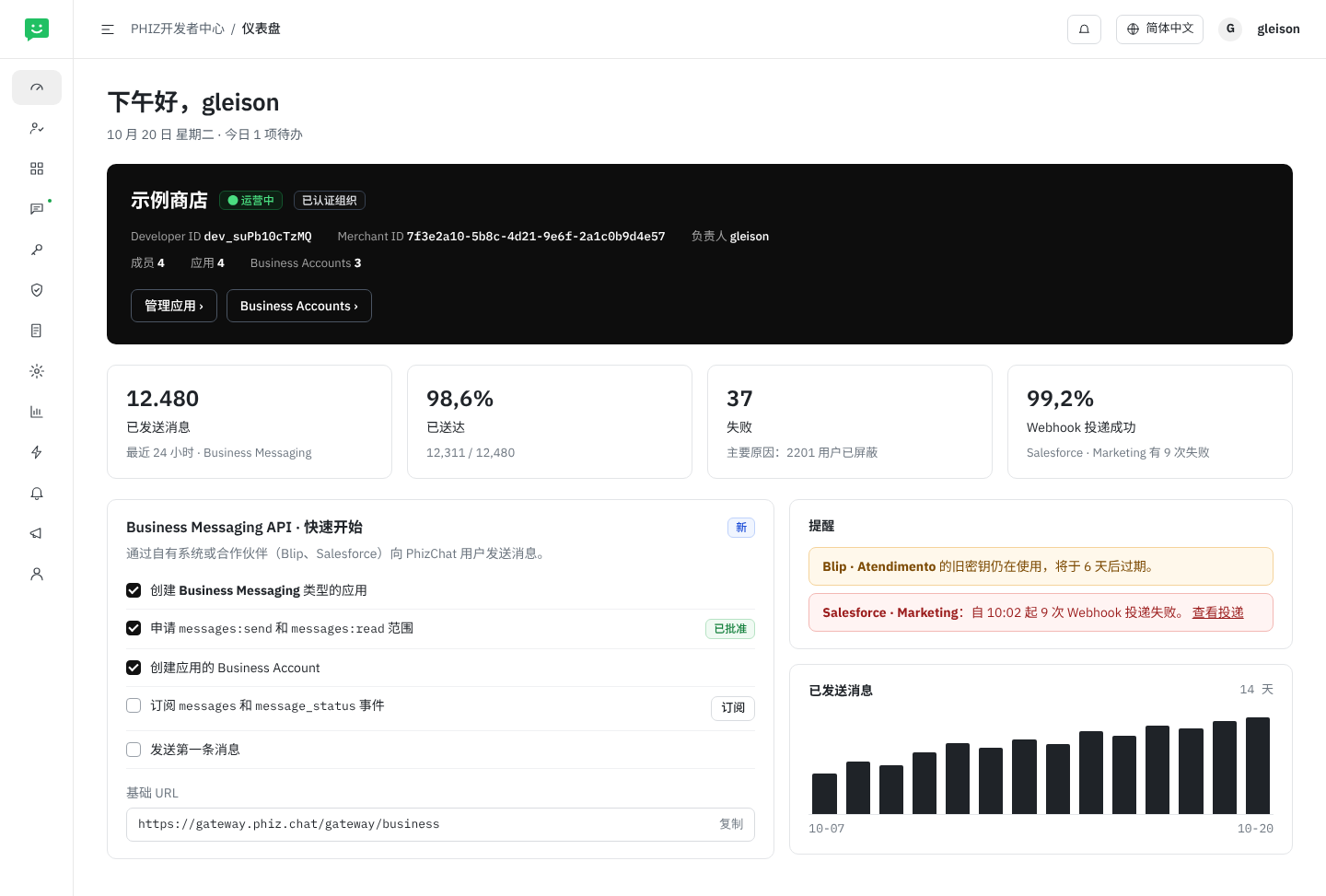
页面 1. 仪表盘:Developer ID、Merchant ID、消息指标、Business Messaging API 快速开始和提醒
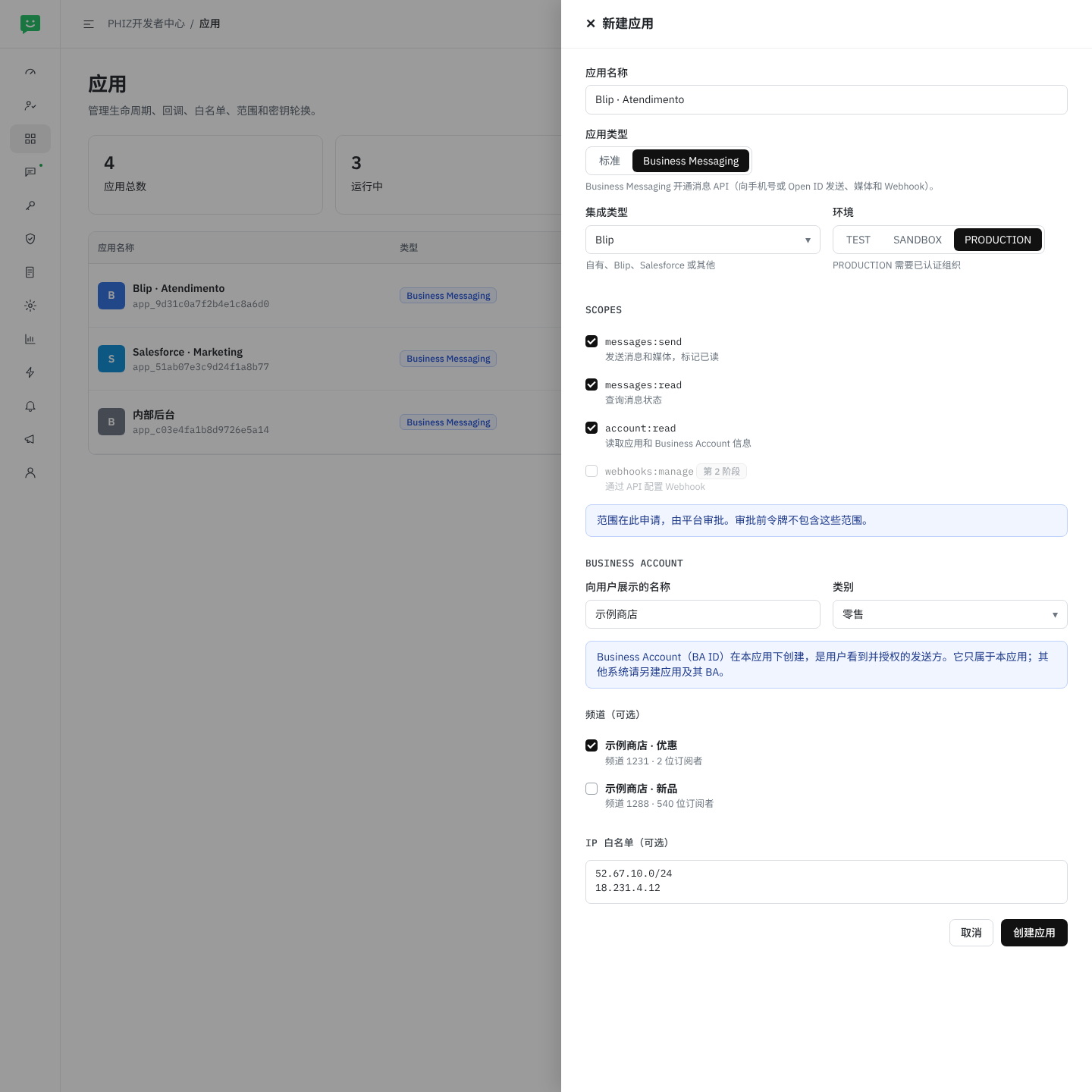
页面 2. 新建应用:Business Messaging 类型、集成类型、环境、需审批的范围、应用的 Business Account、可选频道和 IP 白名单
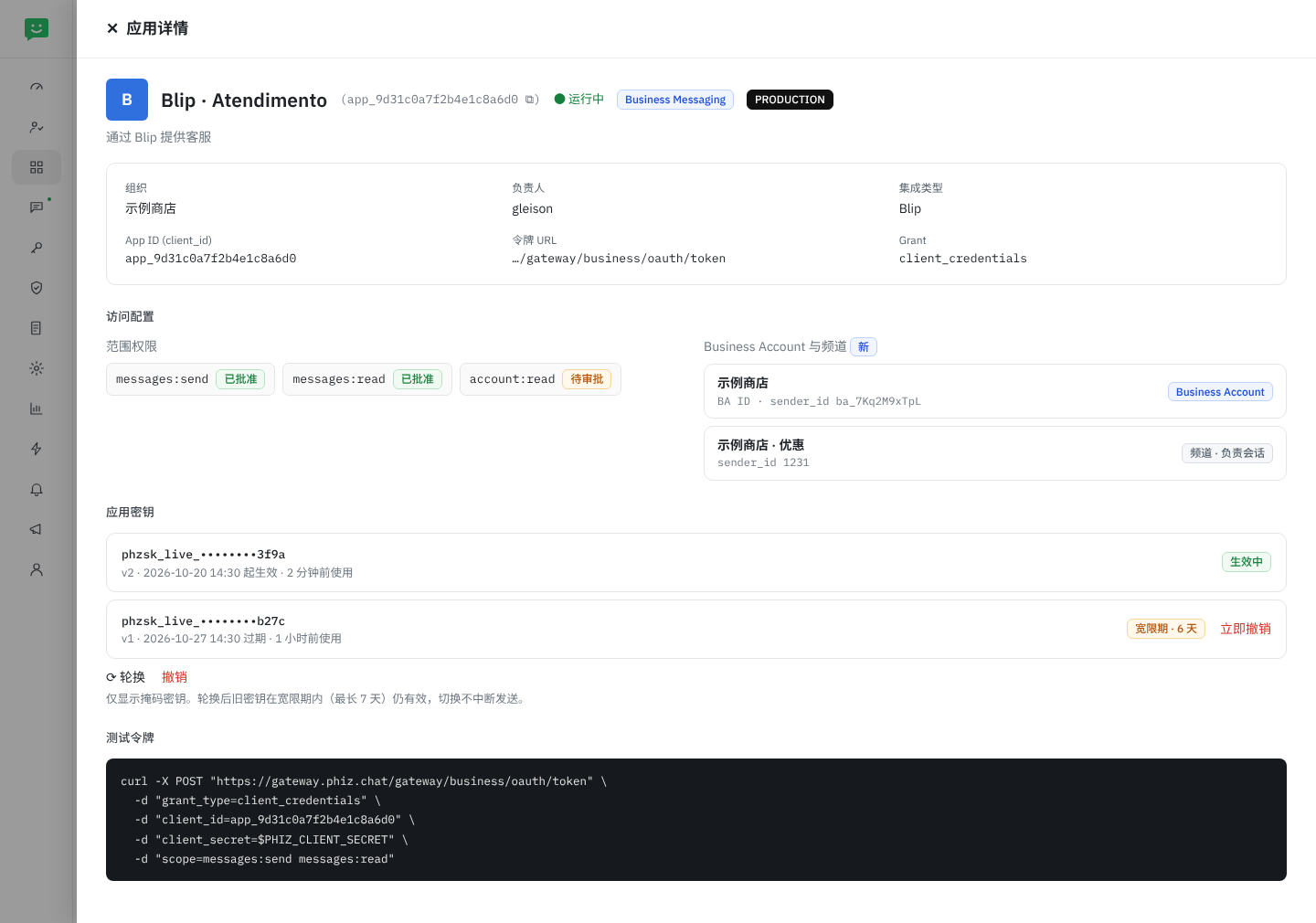
页面 3. 应用详情:OAuth 凭证、已批准或待审批的范围、Business Account 与频道,以及可轮换的密钥
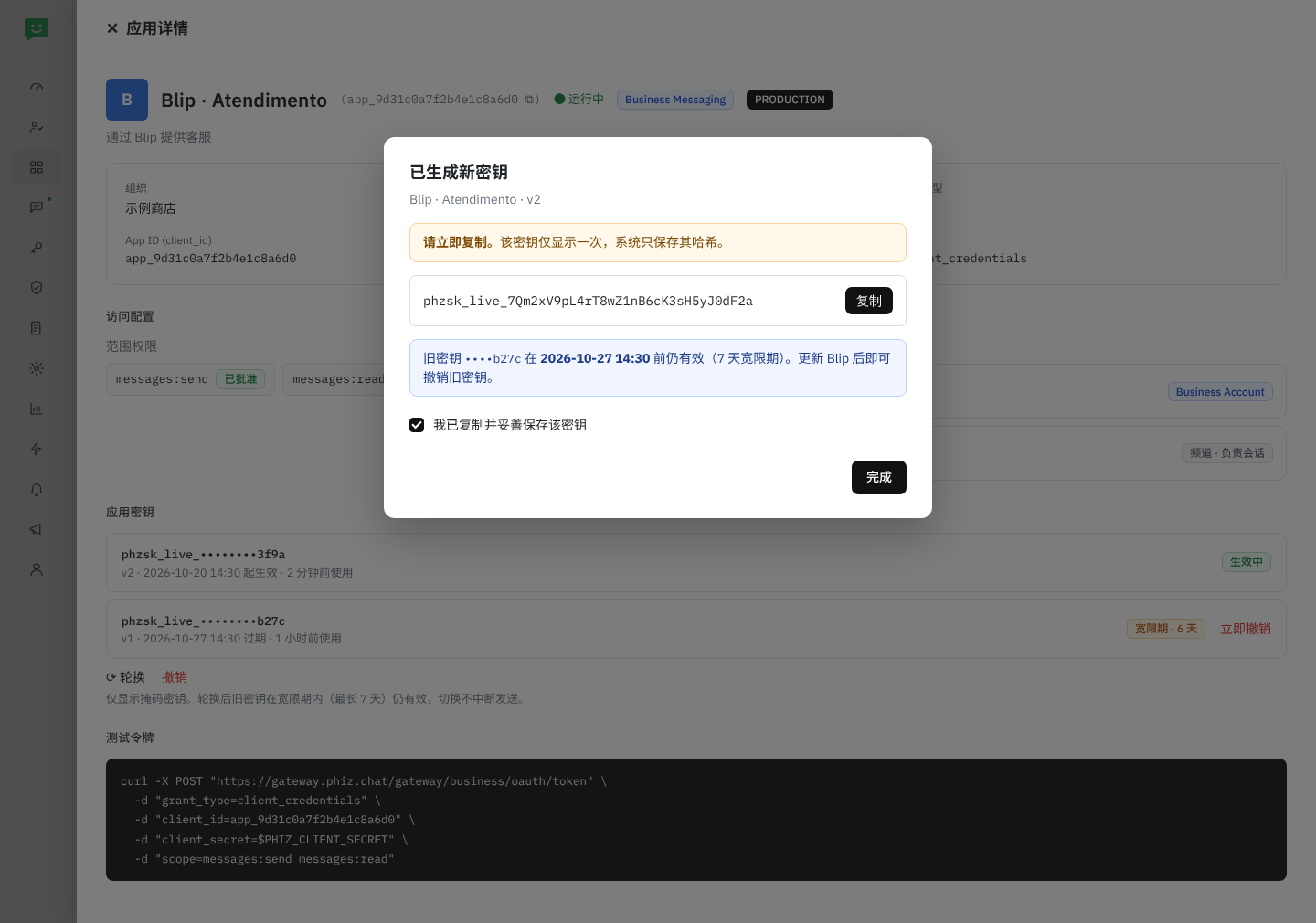
页面 4. 新密钥仅显示一次;旧密钥在宽限期内仍有效
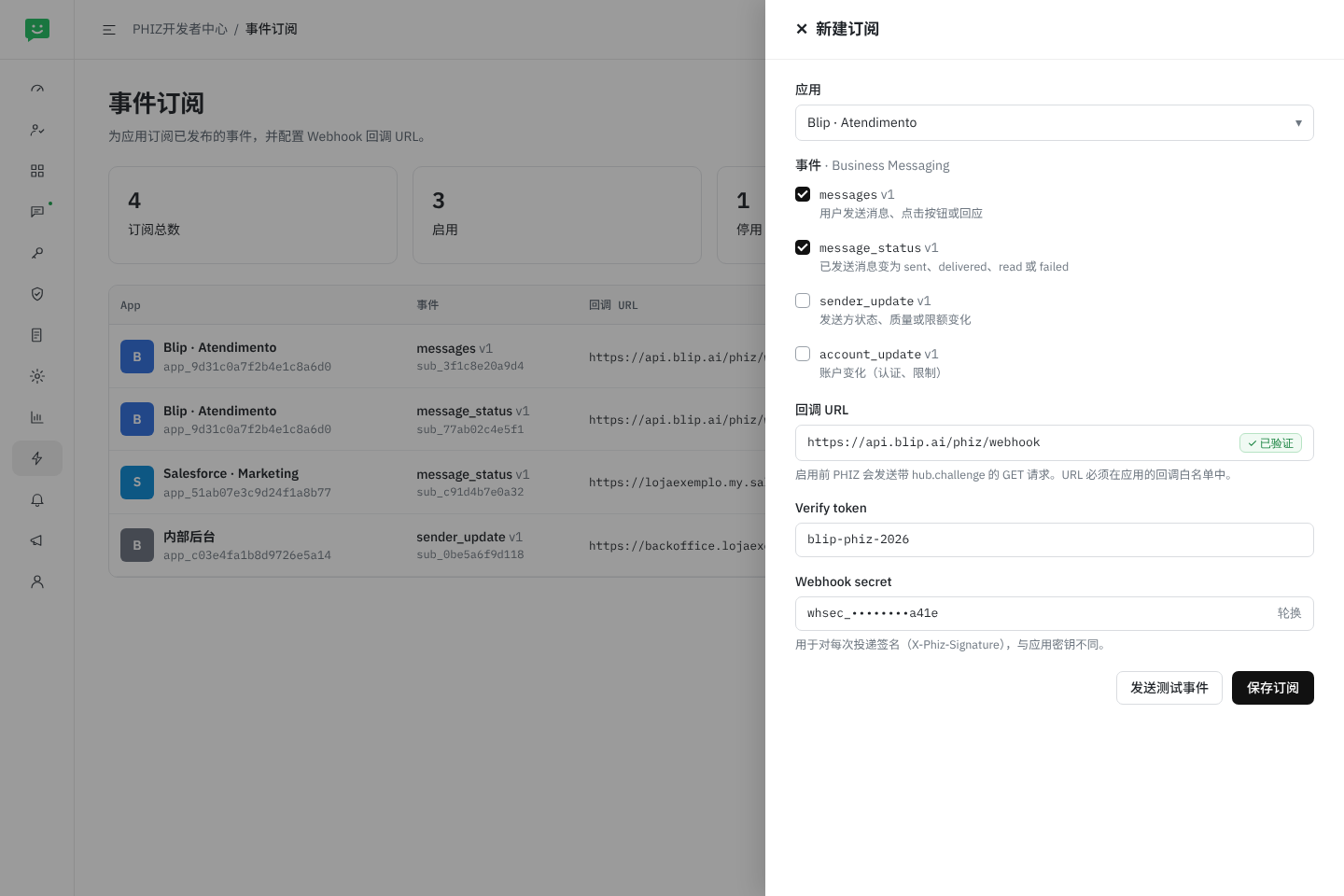
页面 5. 事件订阅:messages 和 message_status,含已验证的 URL、verify token 和 webhook secret
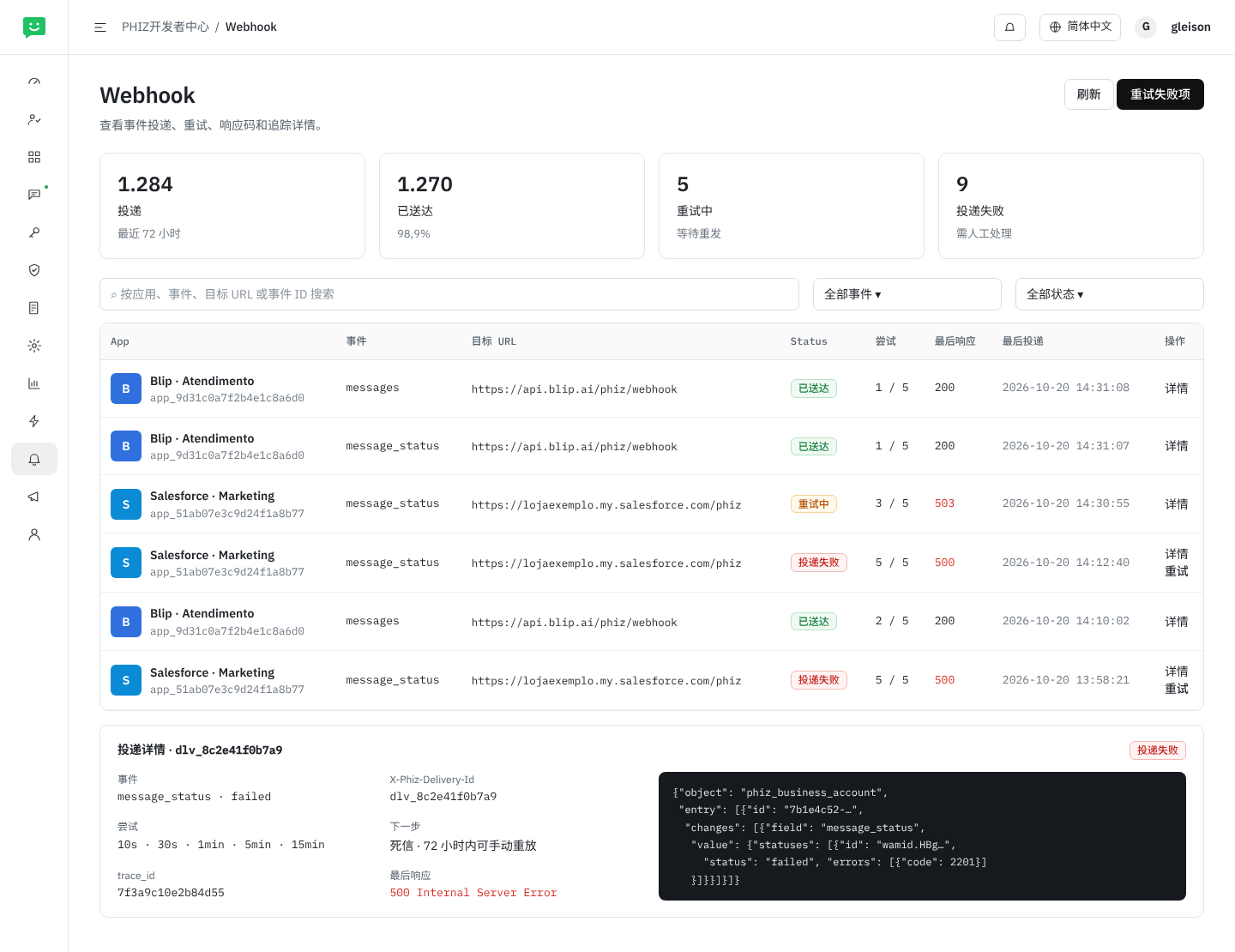
页面 6. Webhook:投递、重试、最后响应、trace_id、失败重试和死信
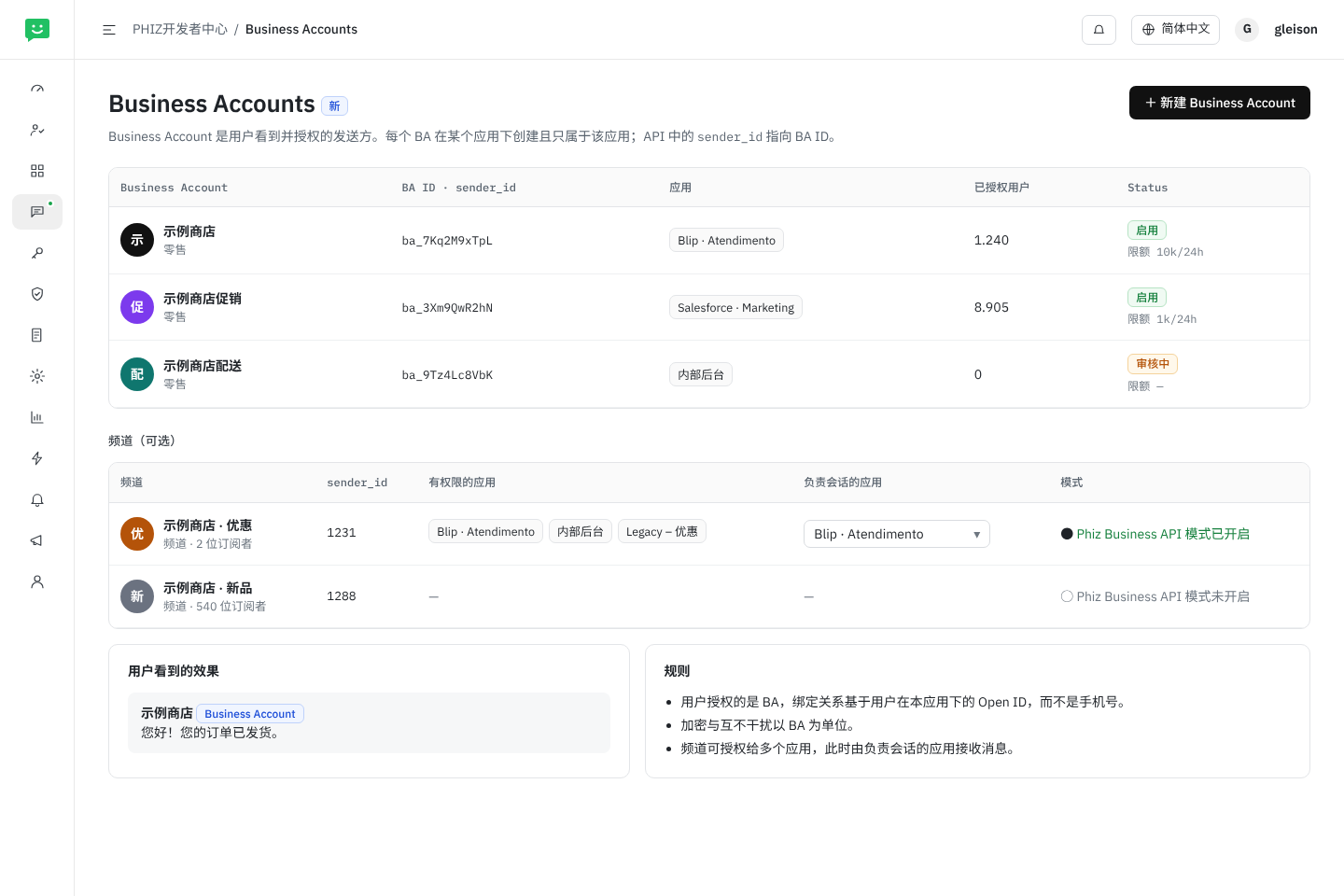
页面 7. Business Accounts(新页面):BA ID、所属应用和已授权用户;可选频道及负责会话的应用
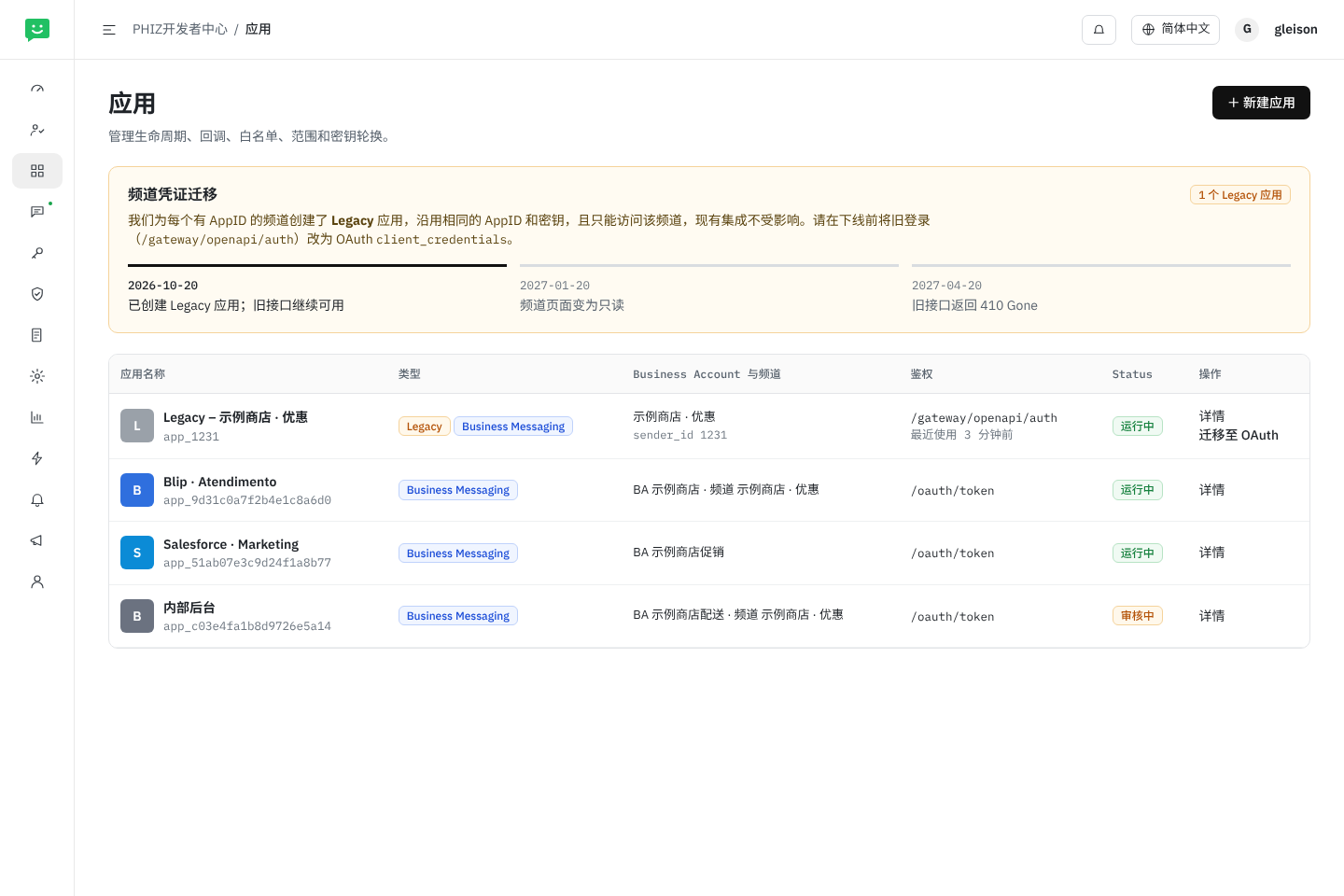
页面 8. 应用页面中的频道凭证迁移:Legacy 应用、时间节点和切换至 OAuth
各菜单的变化
每张卡片对应开发者中心侧边菜单中的一项,说明 Business Messaging API 带来的变化,以及上方展示它的页面。
仪表盘
有变化 · 页面 1- 消息指标:最近 24 小时已发送、已送达和失败的消息,以及 Webhook 投递情况
- Business Messaging API 快速开始
- 旧密钥仍在使用、Webhook 失败的提醒
成员
无变化- OWNER、ADMIN、DEVELOPER、AUDITOR 角色决定谁可以管理应用、密钥和订阅(见“角色”表)
应用
有变化 · 页面 2, 3, 4, 8- 新增 Business Messaging 类型及集成类型(自有、Blip、Salesforce、其他)
- TEST、SANDBOX、PRODUCTION 环境;SANDBOX 中有测试发送方、最多 5 个接收方和
phzsk_test_凭证 - 应用的 Business Account 及可选频道
- 可轮换密钥、最长 7 天宽限期及最近使用时间
- 由频道生成的 Legacy 应用
Business Accounts
新增 · 页面 7- 各应用的 Business Account,含 BA ID(
sender_id)、状态、限额和已授权用户 - 每个 BA 只属于一个应用;加密与隔离以 BA 为单位
- 可选频道:有权限的应用、负责会话的应用和“Phiz Business API”模式
Scope 与 API
有变化- 发布 Business API 资产:消息、媒体、
/v1/me和账户 - 登记第 08 节的范围,由平台审批申请
白名单
无变化- 允许调用 API 的 IP
- 事件订阅可用的回调 URL
密钥与证书
无变化- Business API 不使用 API Key(
X-Api-Key)和证书,只使用Authorization: Bearer
API 用量
有变化- 同样统计 Business API 接口的通过、拒绝和失败调用
- 第 2 阶段:带
trace_id的逐请求日志
事件订阅
有变化 · 页面 5- 新增
messages、message_status、sender_update和account_update事件 - 用
hub.challenge验证 URL,配置 verify token 和 webhook secret - 发送测试事件
Webhook
无变化 · 页面 6- 同一投递页面,增加消息类事件
- 重试、死信以及 72 小时内手动重放
审计与通知
无变化- 记录并通知密钥、范围、Business Account 和订阅的变更
- 密钥和 Webhook 类别为仪表盘提醒提供数据
角色
开发者中心已通过成员中设置的组织角色控制访问,不新增权限。下表说明各角色在 Business Messaging API 相关页面中能做什么。这是提议,需对照各角色目前的权限确认(Q10)。范围审批不属于组织角色,由平台负责。
| 操作 | OWNER | ADMIN | DEVELOPER | AUDITOR |
|---|---|---|---|---|
| 查看应用、Business Account、订阅、投递、用量和审计(不含密钥) | ✓ | ✓ | ✓ | ✓ |
| 创建、编辑、停用 Business Messaging 应用;申请范围 | ✓ | ✓ | ✓ | — |
| 创建、编辑 Business Account;为频道选择负责会话的应用 | ✓ | ✓ | ✓ | — |
| 为频道开启“Phiz Business API”模式 | ✓ | ✓ | — | — |
| 生成、轮换、撤销密钥 | ✓ | ✓ | — | — |
| 创建、编辑事件订阅;发送测试;重试投递 | ✓ | ✓ | ✓ | — |
| 管理成员和角色 | ✓ | ✓ | — | — |
创建、轮换或撤销密钥,修改范围或 Business Account,修改事件订阅,都会在审计中留下记录,并在密钥和 Webhook 类别中通知 OWNER 和 ADMIN。
Business Account 与应用
每个 Business Account 在某个应用下创建,且只属于该应用。因此只有该应用能通过它发送并接收其 messages 和 message_status 事件,用户的 Open ID 也是该应用下的。同时用 Blip 做客服、用 Salesforce 做营销的企业,需要为二者各建一个应用,各自拥有自己的 Business Account(页面 7)。
- 共享频道。频道(可选发送方)可授权给多个应用。此时在 Business Accounts 页面指定该频道的负责会话应用:只有它会收到
messages事件;其他应用可以发送,并收到自己所发消息的message_status。 - 更换负责应用对之后收到的消息生效,并记录在审计中。
- 在两个应用中使用同一个 Business Account,或在系统之间移交会话(类似 Messenger 的 handover),留待以后(Q6)。
频道凭证迁移
目前每个频道在开放平台的频道 › 开发配置中有独立的 AppID 和密钥。迁移会把这些凭证转入开发者中心,且不中断任何集成(页面 8):
- 自动创建。对每个带 AppID 的频道,在商户组织下创建一个 Business Messaging 类型的 Legacy – 频道名 应用,使用相同的 AppID 作为
appId、相同的密钥(已存储),只能访问该频道,并作为该频道的负责会话应用。应用位于商户的 Developer ID 下,该 ID 与 Merchant ID 同步创建。 - 并行期。
/gateway/openapi/auth和/token/refresh继续可用。要使用新 API,只需用相同的 AppID 和密钥调用/oauth/token。开放平台的频道页面显示指向开发者中心的提示,应用页面显示旧登录方式的最近使用时间。 - 只读。3 个月后,频道页面不再允许重置密钥;密钥和轮换只在开发者中心管理。
- 下线。6 个月后,在旧登录用量接近零时,旧接口返回
410 Gone。下线前 30 天在通知中提醒 OWNER 和 ADMIN。
13合作伙伴集成
MVP 阶段,商户在开发者中心创建应用,把 client_id 和密钥填入 Blip、Salesforce 或自有系统,Webhook URL 由合作方在事件订阅中自行登记(第 10 节)。由于契约沿用 Cloud API,已有 WhatsApp 连接器的合作方可以复用大部分实现。
后续阶段推出技术合作伙伴计划,对应 Meta 的 Embedded Signup:
- 合作伙伴在 PHIZ 注册平台应用。
- 商户在合作方产品中点击 “连接 PHIZ”,在授权页面确认范围和 Business Account(OAuth 2.0 授权码模式 + PKCE)。
- 合作伙伴获得仅限该商户的令牌,并用一个 Webhook 接收所有客户的事件。外层结构中的
entry[].id标识 Business Account,因此该结构从一开始就这样设计。
开发者中心已支持 authorization code 和 openId/unionId 映射,这是该计划的基础。
按照身份模型(第 06 节),Developer ID 可以属于 Salesforce 等第三方:开发者身份和资源归第三方所有,商户授权的 Business Account 位于其应用下。这与各商户 Merchant ID 的关系仍待确定(Q10)。
14通往 Marketing API
本 RFC 为 Marketing API 预留空间,但不做实现:
- 契约中已包含发送用的
type: template和templates:manage范围。 - 需审核的模板:
/v1/{sender_id}/message_templates,以及template_statusWebhook 事件。 - 会话类别(
conversation.origin.type:service、utility、marketing),作为报表与计费的基础。 - 按发送方管理选择接收与退订,面向分群的营销活动,以及
/v1/{sender_id}/analytics指标。 - 按发送方的发送额度分级和质量评级,已体现在
Sender资源中。
15交付计划
鉴权与发送
/oauth/token、/oauth/revoke、/v1/me- 向手机号和 Open ID 发送
text、image、audio、video和document - 媒体上传(
/v1/{sender_id}/media)并临时存储;不支持第三方链接 - 带签名的
messages和message_statusWebhook,URL 由合作方在事件订阅中自行登记 - 开发者中心:Business Messaging 应用类型、API 资产与范围、按应用的发送方、事件目录中的事件
- 身份模型:Developer ID、App ID、Business Account(BA ID)和 Open ID;频道作为可选发送方
- 频道凭证自动迁移
补充项
- 通过 API 配置 Webhook(
PUT /v1/apps/{app_id}/webhook、测试和健康状态) - 若平台策略不满足第 10 节,则调整重试与重放策略
- 带
trace_id的逐请求日志和消息指标 - 带测试接收方的沙箱
具体时间将在与中国团队评审本 RFC 后确定。
16待讨论问题
- 选择接收(opt-in)策略。第 09 节已给出策略提议(按商户和类别 opt-in、平台执行 opt-out、商户保存记录)。仍需决定:模式 A(与 Meta 相同,不验证)还是 B(在 PHIZ 中建立同意登记,例如
/v1/{sender_id}/consents,发送时校验);有哪些类别;PHIZ App 是否向用户展示其授权内容;以及用户如何屏蔽 Business Account 或停止其优惠(见 Q3)。LGPD 相关要点需与法务确认。适用于 Business Account 和 Channel Service。 - 发送方 ID。v1.6 已答复:
merchant_id不用于标识发送方。sender_id是映射到 Business Account 的 BA ID 的外部引用(见第 06 节)。频道仍使用频道 ID;是否也为频道分配不透明 ID 以免暴露自增 ID,仍待决定。 - Business Account 会话类型。v1.6 已答复:公众号会话 › 企业服务会话 › Business Account,只有 Business Account 对外展示,面向企业、政府和机构,按 Merchant ID › Developer ID › App ID › BA ID 创建(见第 06 节)。仍需明确用户如何在 App 中屏蔽或静音 Business Account。
- 现有会话类型。v1.6 部分答复:除 Business Account 外还有其他会话类型,本次开发的是一种新会话类型。产品和技术将重新定义并打磨相关定义,为后续扩展做准备。仍缺少最终的类型与权限表。
- 手机号。v1.6 已答复:所有 PHIZ 用户都有有效且已验证的手机号。Business Account 用手机号换取用户的 Open ID,再通过 Open ID 发送;BA 绑定的是 Open ID,因此换号或境外号码不会改变接收方(见第 09 节)。
- 一个 Business Account 对应多个应用。v1.6 中每个 BA 只属于一个应用。第 2 阶段是否就需要在多个系统中使用同一个 BA,或在应用之间移交会话(机器人 → 人工客服)?
- 现有 Business Message API。AI 机器人的 “Phiz Business API” 模式已有发送和回调接口,似乎对应带 Channel Bot 的 Channel Service。本 RFC 是替代、扩展还是封装这套 API?
- 媒体。v1.6 部分答复:格式和大小可由本 RFC 定义(见第 09 节表格);第一阶段文件通过 Business API 提交并存储,之后按客户逐步开放第三方 URL;其他规则以技术定义为准。仍需确定:30 天是否合适,还是应更短?投递后媒体是转入常规聊天存储,还是到期后从历史中消失?收到的媒体
url有效期多长? - 第 1 阶段的 Webhook。v1.5 提议:合作方在开发者中心的事件订阅中自行登记 URL,取代 v1.4 的手工登记。需与 Henry Wu 确认:是否仍因商务原因需要手工登记;平台的重试策略、投递保留期和重放是否满足第 10 节;平台是否对投递签名,并接受 Cloud API 的握手和信封格式;以及合作方如何找回丢失的收到消息(目前只有状态可查询)。
- 开发者中心。(a) Merchant ID 会同步生成 Developer ID(v1.6);仍需确认 Developer ID 是否即开发者中心的组织、商户如何登录控制台,以及 Developer ID 属于 Salesforce 等第三方时如何处理。(b)
CLIENT_CREDENTIALS授权的令牌端点、有效期和令牌格式是什么?(c) Business API 的范围是沿用平台命名方式(如write:clips:publish),还是保留第 08 节的名称?(d) 谁审批范围申请,需要多久?(e) 各角色(OWNER、ADMIN、DEVELOPER、AUDITOR)目前对密钥和订阅有哪些权限?(f) SANDBOX 环境发送的是模拟消息还是真实消息?(g) 由哪个团队开发第 12 节中的页面和扩展?
17OpenAPI 参考
下方 OpenAPI 3.1 规范覆盖本 RFC 的全部接口和 Webhook,描述为当前语言。由于 API 尚未上线,“Try it out” 已关闭。可通过 “复制 OpenAPI” 将 YAML 导入 Apifox、Postman 或 SDK 生成器。